Up next in 10



If you're diving into Battlefield 6 multiplayer, here are 11 tips to give you a head start and help you in shootouts.
Show More Show Less View Video Transcript
0:00
Battlefield 6 is out and we've got you covered for some early tips that'll give you a leg up in
0:05
multiplayer matches. I'm Josh from WhatCoach.com and these are tips and tricks for Battlefield 6
0:11
First up, equip the sledgehammer. Destruction is at the heart of the multiplayer experience in
0:16
Battlefield 6 and while you of course have grenades, tanks, rocket launchers and more to
0:22
bring buildings tumbling down, all classes also have access to a new melee weapon. The sledgehammer
0:28
works as you might imagine, being able to smash down walls and open up new avenues in the map
0:34
A couple of hits can usually destroy a part of a structure, and this addition to the game
0:38
was shown off in the pre-release trailers. However, you might be wondering exactly how
0:43
to equip this thing. Is it a gadget? Is it an on-field pickup? Well, the sledgehammer actually
0:49
falls under the melee weapon slot, replacing your knife. It's great that everyone has access to it
0:55
and I imagine it'll be a popular choice for most people who don't usually get close enough to use a little stabber anyway
1:03
Though, speaking of, next up, use the knife to tactical sprint. Tactical sprint has not returned for Battlefield 6
1:11
Seemingly going out of fashion as it's also being removed from the upcoming Call of Duty Black Ops 7 as well
1:17
you'll no longer have the ability to push the sprint button twice for additional speed while traversing BF6's maps
1:24
That doesn't mean you're stuck at moving only one speed, however. BF6 employs a more tried and tested old school mechanic of gaining a bit more agility
1:34
and that's by holding down the melee button to pull out your knife. With your knife equipped, you're able to move faster
1:40
but it of course means that you're more vulnerable to being attacked, as you have to then swap weapons before you can return fire
1:47
Still, at higher level player, this technique will come in handy, and at the very least will give you a bit of a boost when running between objectives on the game's
1:56
larger maps. Next up, easy sniping with the rangefinder. One of the first attachments you'll
2:01
probably unlock for the sniper rifle will be the rangefinder, which according to its description
2:06
makes zeroing in on targets at range easier. Shocking, I know. However, it can be confusing
2:13
as to exactly how this works. Is it a passive buff? Is it something you need to switch on like
2:18
a laser? Well, as explained in an excellent Jack Frags video during the beta period, this attachment
2:24
is super powerful once you know how to use it. Essentially, with this equipped, all you have to
2:28
do is hit the D-pad, on controller anyway, while scoped in and the rangefinder will gauge how many
2:34
meters away whatever you're looking at is. Though it only goes up in increments of 100 meters
2:39
Jack Frags pointed out that you can actually hold the button down and it will zero in more incrementally to the exact distance that the target is So what does all that mean Well it effectively eliminates bullet drop Once you zeroed
2:53
in your bullet will go exactly where the crosshairs are pointed. With this enabled you won't
2:58
have to gauge the distance that account for your bullet dipping as it travels. Of course
3:03
this will be far easier to pull off on static targets and it will add a slight delay as you
3:08
press another button to zero in rather than just shoot, but if you're covering a specific objective
3:13
this feature will make you even more dangerous. Next up, change your controller settings immediately
3:20
One of the first things you should be doing when you boot up Battlefield 6, if you're playing on
3:25
controller anyway, is head directly into the settings menu. While personalizing the settings
3:30
is normal in most competitive FPS games, it's even more essential in Battlefield 6 because
3:36
for whatever reason, the default controller settings just aren't all that good. If you leave
3:42
them you'll no doubt end up like me, spending the first few rounds wondering why your aim was so off
3:47
The aim acceleration and overall sensitivity of the controller in BF6 doesn't feel great
3:53
so my advice is to jump into the firing range and tweak these different values
3:57
until it feels more comfortable. To get you started as well if you're coming from a
4:01
a previous Battlefield game, the devs have nicely included presets that are more familiar to fans
4:07
of different games. So if you're coming straight from 2042, you might want to change the preset to
4:12
that game for a smoother transition before going all out on custom settings. Likewise
4:18
if you haven't played a Battlefield game in a while, other titles like BF1 are accommodated for
4:23
here. I have no idea why the default controller support is so bad, but don't let it impact your
4:30
early hours. Next up, respawning early only hurts the team. Look, I get it. When you get killed in
4:37
Battlefield and you get the option to wait for the chance to be revived, or just quickly bleed out
4:42
and head back to the menu, it is tempting to choose the latter option. You want to get back
4:47
into the action sooner rather than later, and it can be frustrating to just sit on the floor
4:52
hoping someone comes your way and helps you out. The thing is though, there's actually no tactical
4:58
advantage to not letting the timer tick down. Going back to the menu doesn't get you back into
5:04
the match any faster as you still have to wait the same amount of time as you would if you were on
5:08
the ground waiting for a revive. As a result, unless you're entirely sure that nobody is going
5:14
to be able to get you, say if you're completely surrounded by enemies, then it's probably always
5:19
better waiting there until you can respawn anyway. And even if you are surrounded by enemies, you can
5:25
still help your team by marking them while you're down. At worst quitting to the menu and hitting the action button until you can spawn in helps to bleed tickets in objective modes and you never know when a good Samaritan like me might come along at the last second to bring you back into the fight
5:42
Next up, requesting a revive extends bleedout time. Keeping on the revive topic for just a second longer, Battlefield 6 doesn't make it entirely clear that requesting a revive while you're down does more than just alert your teammates
5:57
It actually increases the amount of time that you can lay there without being booted back to the menu
6:02
So if you know teammates are nearby and want to risk hanging around in the hopes that they'll be able to get you
6:08
you do have the option to reduce the countdown by hitting this option
6:13
Though Battlefield veterans will probably be scuffing and saying obviously to this one
6:18
the other games made it a little bit clearer that requesting a revive actually gives you this boost
6:23
As such, there are probably a lot of newcomers who even played the beta that aren't fully aware how it works
6:30
Next up, easier combat rolls. One of the new additions to your movement arsenal in BF6 is the combat roll
6:36
By pressing the crouch button just as you hit the ground from a jump, you're able to hit a roll to offset any potential fall damage
6:43
It's not the most elegant looking move, admittedly, but it can give you a bit of momentum and make sure you're not weakened going into a firefight
6:51
If you are not a fan of the way the roll shakes your camera around, however, there is a setting that lets you make the whole thing look a lot more pleasant
7:00
Turning this on will make the move less disorientating overall, making it more viable for you to pull off in a match
7:07
Next up, you can destroy more than you think. Alright, this is a little bit of a strange one because you probably are already aware that there are lots of destructible items in BF6
7:18
However, there are more than you probably think. as some structures look like they might be invulnerable to your attacks
7:25
featuring only a small mark after hitting it with a rocket launcher or a sledgehammer that you can take down
7:31
It's always worth a second attempt to see if anything happens then
7:35
BF6 has amazing destruction, don't get me wrong, but it doesn't feature the kind of granular destruction featured in something like Rainbow Six Siege
7:44
That means that one whack with a sledgehammer might not look like it's done anything
7:48
but a second will bring the whole wall tumbling down. It's just worth keeping in mind if you try to open up a new route into a building
7:55
and it doesn't quite work on the first go. Next up, select war tapes
8:01
Alright, this one is definitely a bit of personal preference and another no-brainer for a lot of veteran Battlefield players out there
8:08
but if you haven't enjoyed the beauty of war tapes audio in this game
8:13
you absolutely have to remedy that. Essentially this is like doing the spinal tap thing and just turning all the audio in the game up to 11 The idea is to simulate the anarchy of a real war scenario
8:26
with every sound being brash, loud, and overpowering. In a game like Battlefield, where explosions are constant, gunfire is impactful
8:33
and you have jets flying overhead, it can just take the experience to the next level
8:38
Admittedly, this mode is more for players chasing the cinematic highs that Battlefield provides
8:44
and if you're trying to sweat out matches with pinpoint audio precision, then it's going to distort that a little bit
8:50
But like I say, it's absolutely worth trying out yourself, even just for a match or two
8:55
Especially because Battlefield 6 has tweaked the option to provide an even more aggressive mix
9:01
Next up, how to choose where to exit a vehicle. Chances are you'll be spending a lot of time in a vehicle in Battlefield 6
9:08
If you're not driving one yourself or trying to shoot helicopters out of the sky
9:12
you'll be using them to catch a ride to an objective. However, there's nothing worse than getting ambushed
9:18
having to bail, and exiting a vehicle right next to an enemy soldier
9:22
waiting to shoot you. Thankfully, you do have more control over how you exit than you might think
9:27
In fact, you'll always exit a vehicle based on the direction your camera is pointing
9:31
something to keep in mind during those hectic moments where one side of the vehicle leads out to a nice, idyllic bit of cover
9:39
and the other side leads out to a hellish bombardment of gunfire
9:43
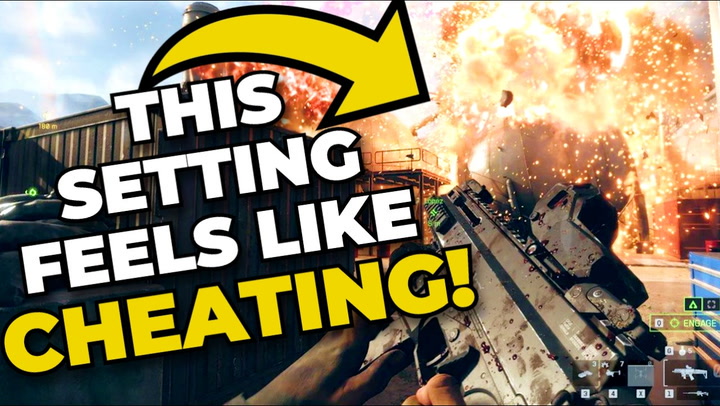
And finally, for our final tip, turn Flickluck on. Battlefield 6 actually has an insanely strong mechanic tucked away in its menus
9:52
that can give you a huge advantage in matches. Dubbed the Flickluck, this option, when mapped to a button
9:59
allows you to quickly snap as much as 180 degrees on a dime
10:03
It's a crazy advantage when you're taken by surprise from behind and ambushed
10:08
allowing you to quickly pivot and counter-attack without having to manually turn your character all the way around
10:14
Honestly, in motion, it kind of looks like cheating, which isn't helped by the fact that the mechanic isn't turned down by default
10:21
so not everyone will even know about it. But it is a feature baked into the gameplay that you should use if you want
10:28
And you can make it even more granular than that, with it being possible to map in quarter turns left and right
10:35
I'd give you a nice little demonstration there, didn't I? if you really want to
10:39
This was a controversial mechanic during the beta with many pointing out that it might have been too overpowered
10:44
but for now it has returned in the finished code and is something you'll want to take advantage of
10:50
especially if you're going up against those keyboard and mouse players. So those are my tips for Battlefield 6 in this early period
10:58
If you've got any of your own, drop them in the comments. I'd love to see them. And if you want to watch more content like this
11:03
there should be a video on screen right now. that you can click