0:00
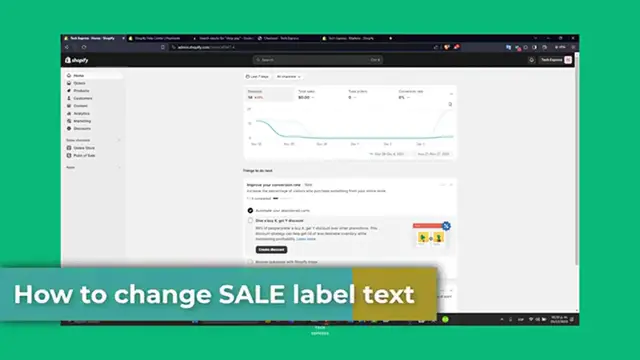
Welcome back, Tech Press. Today we're focusing into customizing your Shopify store by changing
0:04
the sale label, text, and products. Personalizing sale label can add unique tags to your actual store
0:13
to promotion and help your deals stand out whether you are running seasonal sales or regular
0:19
but this is actually what we're going to be doing today. So first of all, is understanding the importance
0:24
of the custom sales label. Now, the sale label plays a key role into attracting custom
0:30
attention to this counterproducts. Customizing these labels can help align them with your store
0:36
branding or specific marketing campaigns. So people are already interested for products that are
0:42
into low prices, but they're going to be more interested in seeing the sale because they know
0:48
that this product is not going to be forever with this new price that you added into your store
0:54
So let's see how you can change this label to your Shopify store. First of all, let's access
0:58
your Shopify theme. editor. So the first thing I wanted to do here is to lock in into our Shopify administrative panel This is your control center for all the store customizations Once you looked in you want to navigate to the online store sections and clicked into themes
1:14
So I click here and click into themes. So here you will see the current theme and the options to customize it
1:20
So if I go into my theme editor, you want it to have different themes
1:25
They may have different settings for sales label. Generally, you find the settings on the theme settings
1:31
So we can go here in the theme settings. sections here or directly within the product page settings. If your theme doesn't have a direct
1:39
option to change the sale label, you don't have to worry about it cover a workaround shortly
1:46
So if your theme allows direct editing or sales label, you can easily change the text. Look for
1:52
the field label, sale later or similar. So you go here and to customize and add your
1:58
descriptive section into sale. So once again, if you don't see this
2:03
these actual sales section into the price. What I can do is to do this backward
2:08
So let's see how I can do this directly into my products
2:12
Go into let see for example that I want to do it with this product So I scroll all my way down and as you can see we only have a few variants
2:23
We have 18 actual variants of all of this product. So I don't want to do this one by one
2:28
I want to do like a bulk edit of it. So let's go all the way up
2:33
Here into show variance I want to go into edit. Bulg edit
2:38
So this is for themes that without a direct option to change the same
2:42
a label you may need it to edit themes code so um you can edit the code directly into the label text
2:49
but it's going to be much more faster to do this this way so let's see for example that the price
2:53
is for everyone is 13 dollars so all the price to be 13 and i wanted to make the compared
3:02
price a much more uh higher product for example 18 dollars and this uh price could be for all the
3:10
I'm going to go and just drag and drop like this and make sure that I saved all my elements here
3:18
So now that it has been done I can go and look out for this one that says I click in it and after this one has been already been saved you want to make sure that then you can refresh the website just to make sure that
3:33
this has not been successfully done. So after you have edited the code, after you have edited your
3:39
theme section, or after you have edit the product basis we just did before, what you want to do is
3:45
to preview your store to see the changes into the action. You want to make sure that new label
3:49
text appears correctly on your products. Let's go back, let's reload the page, and now as you can
3:56
see we have from 18, change it from 13, and automatically show with me the sale button section
4:04
that appears in it. So there you have it, guys. You have successfully customized the sale label
4:08
text into your sci-fi store. This small change can have a big impact on how your customers
4:14
perceived your sales and promotion. If this tutorial helped you, please give us a thumbs up
4:19
Don't forget to like and subscribe to the channel. Do you want to see more great tools of Shopify
4:23
Thank you once again, guys. Hopefully we can all see you next time