Up next in 10


How to Watch Netflix From Different Countries in 2024 (VERY FAST!!!)
Show More Show Less View Video Transcript
0:00
How to watch Netflix from different countries
0:03
Hey guys, welcome to Tech Express. In today's video I'm going to show you a very quick, simple way that we can watch other contents of Netflix from other countries without doing a lot in our computer
0:20
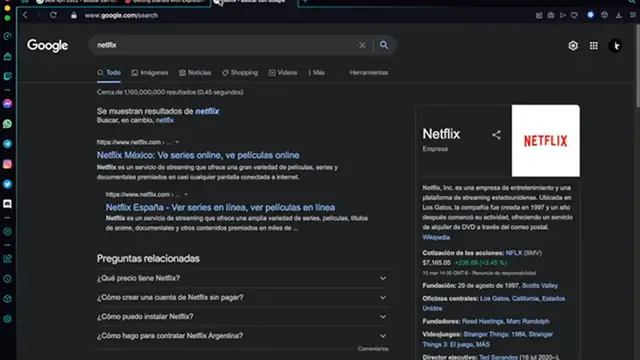
So the first thing we want to do guys is to open Netflix. As you can see I'm already in here. I have the Netflix.com
0:27
Now in this case I'm in Mexico City, right? So I have all the catalog, all the information, all the movies that I have here available for Mexico City
0:38
But as you can see what we want to do is to watch different content from another country
0:44
Let's say the tool that's going to help us to watch more content, unlimited content, it's called North BPM
0:52
What is North BPM? So North BPM is a provider of a private network, obviously virtual, that is going to help us to access to a lot of servers into another countries
1:06
And more of that is going to save all our information, all our private information, our passwords, our browsers, all our information is going to be encrypted
1:16
And nobody is going to have access to that as long as we have a BPM
1:20
And one of the best BPMs that we have on the 2022, it will be nothing more than North BPM
1:26
The awesome news that I'm going to give you today is that I'm going to give you a link in the description guys
1:32
So you can get North BPM for an awesome and huge discount
1:37
And more than that you get an awesome reward. What will be that reward
1:41
Well, you will get additionally to those two years of a huge deal, you're going to get two more years, but that will be totally free guys
1:51
The prices are randomly. So whether you get a month subscription free, a year or even two years, which in my case, I earned it
2:02
So I'm going to give you the link in the description. So you get the North BPM amazing deal
2:09
So once you have your BPM already created, your account created, you want to download the application
2:17
As you can see, I have it right here on my desktop. And here it says that here we are in Mexico City
2:22
As I just told you before, guys, I have my new IP address
2:26
And what I want to do is to select here on my country list
2:30
I'm going to select Canada. So what would happen if I select Canada? Let's take a look to that
2:35
I'm going to select Canada. It says just a second here. I have a new IP address and it says Canada
2:40
I'm protected as well. And I'm going to go back into Netflix
2:45
And what I want to do is to reload the page so the content might be reloaded
2:51
So, for example, I didn't have access to the office of the United States
2:56
I have Superstore. I have Shameless. Actually, there's a lot of content here that we were available to see on Netflix
3:06
But take this, for example, Full House. It wasn't available on Mexico City
3:10
It was available until 2016. But here in Canada, because we are here now in Canada, I have access to Full House now
3:17
I have the eight seasons already here. And now let's take a look to another country just to see if this changes more content
3:26
So I'm going to go back into my North VPN. And I'm going to scroll down
3:30
And I'm going to select United Kingdom. I'm going to wait a couple of seconds
3:35
It's connecting to United Kingdom. I have a new IP address. And now I'm going to reload Netflix again so we can refresh our content so we can see new content
3:46
And there you go, guys. Now I have this one that says John Sheldon
3:51
This one isn't even available in Canada. I'm not sure if it's available in the United States
3:57
But in Canada, it's not available. Now I have access to SpongeBob SquarePants
4:02
Let's see. I'm available to see the Backbend Theory. Shameless. So as you can see, there were a lot of titles that we weren't able to see even if we were in Canada
4:13
So you can just browse into whichever country you like to go
4:19
And you're going to see all the content that you want using the North VPN
4:25
So once again, guys, I'm going to give you the awesome reward and the awesome discount down here on the description
4:32
So you just need to click on that. And you're going to claim
4:36
So you can claim your amazing reward. Don't forget to like this video and subscribe to the channel if you want to see more content about this kind of VPNs and applications
4:45
That will be all for today, guys. I'll see you on the next video
4:55
Bye
#TV & Video
#Online Video
#VPN & Remote Access