live_tv
Livestream Starting Soon
00
Hours
:
00
Minutes
:
00
Seconds
Up next in 10


How to Unlink Rockstar Social Club From Steam Account (2024)
Show More Show Less View Video Transcript
0:00
Hey there, if you want to unlink your Rockstar Games account from Steam you are in the right
0:06
place. So first of all I'm going to need two things for you guys. First of all you need
0:11
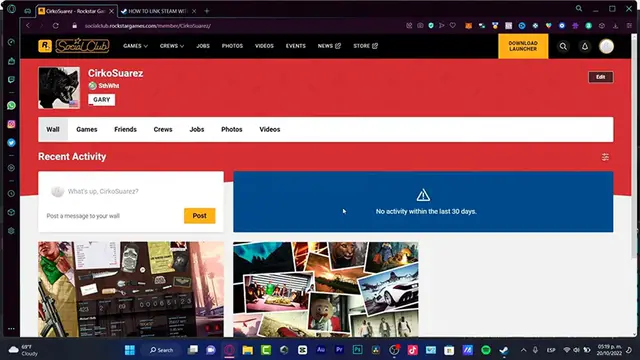
to sign into your social group of RockstarGames.com and then you want to enter from your Steam
0:17
account so you can see both accounts are already opened. Now that my account has been already
0:22
opened what I want to do is to locate here my RockstarGames.com and here I'm going to
0:27
go into this section. I'm going to tap the settings option and now that I'm in here I'm
0:33
going to look for the linked account. So here into the linked account I can see the networks
0:40
that I'm going to be choosing for example here I have my Xbox Network Game Attack which
0:45
is actually in here. Now if you find your Steam account it's already linked in here
0:51
you just need to click into the option that says unlink or if you want to link something
0:56
else you want to choose the option that says linked account and it's going to be sending
1:00
you into your, in my case, into my Google account so I can sign in. I'm going to choose
1:05
continue depending on the country it's going to be appearing you, for example here it appears
1:10
in Spanish but for you, you might be available for English. So if you see here your account
1:18
you can always go into the unlink section, go back into your Steam and in here, actually
1:24
we cannot see if there's a lot of, let's say, linked accounts because here actually what
1:30
we can do is to import stuff from within our store. So I'm going to go into my library
1:36
So for example speaking about Cuphead, Cuphead, this game I downloaded with my Nintendo account
1:41
so my Nintendo account has been linked into my Steam account. If I want to unlink from
1:48
Nintendo to Steam I need to go from Nintendo right away and then unlink that. So here into
1:53
Steam we cannot do that, we have to go into the source, in our case it has to be the Rockstar
1:58
social group section and go into the unlink. If you cannot see this or you cannot sign
2:04
in you can always go into the support center so they can be helping us to log into our
2:10
account or if there's like an error for your accounts they can be helping you with some
2:14
specific stuff that you can be having here into the Rockstar stuff, in our case the Rockstar
2:21
account. So there you have it guys, hopefully this was a very useful video for you, hopefully
2:26
don't forget to like and subscribe to the channel if you want to see more about this kind of stuff. Thank you again for watching the video guys and I'll see you next time
#Software
#Web Services