Up next in 10


How To Transfer Crypto From Defi Wallet To Crypto.com
Show More Show Less View Video Transcript
0:00
How to transfer from DeFi wallet to Crypto.com
0:05
Hey guys, welcome into this new video. In today's tutorial, I'm going to show you how we can transfer
0:09
our tokens from DeFi wallet into Crypto.com. So as you can see, I have this both applications of DeFi wallet and crypto
0:17
This is my wallet of crypto and the other one is the application. So if you want to send your tokens into Crypto.com application
0:25
first thing you want to do to select the one that says send and here you need to have the crypto.com application enabled
0:31
So you can select this option and the received address is going to be pasted automatically
0:36
Now, if you don't see this crypto.com application, what you want to do is to go into your settings
0:42
and scroll down into crypto.com application. So you're going to see something like this
0:46
I'm going to go into connect crypto.com application. I'm going to enable this options
0:52
and then you're going to receive an email where you have to authenticate your connection and this and in here says, please enter your app
0:58
passcode. So after you've done with that, you're going to continue and authorize and launch DeFi wallet
1:05
So I'm going to go and open in DeFi wallet. So I'm going to go
1:09
So it says connected successfully. This is my wallet. Okay, so I'm going to go into got it
1:14
And now if I go into my Kronos token, and if I want to send this Kronos tokens into the crypto.com application
1:20
I want to go into send and I'm going to go into crypto.com app
1:25
Now, I'm going to go into crypto.com because at the moment I have a few Kronos in the app
1:30
So I want to show you how you can do that backwards. So what I want to do is to transfer retro cryptos and then I want to
1:38
select crypto.com DeFi wallet. Okay, so let's go ahead and select Kronos
1:43
So if you select in a specific token, try to use the same network
1:48
You can use Ethereum. You can use crypto.org or Kronos Beta to send you tokens and just
1:53
pasted the receipt address so you can send that into crypto.com application
1:58
Now after you've done with that, you want to go back into your crypto.com app and you're going to see that
2:03
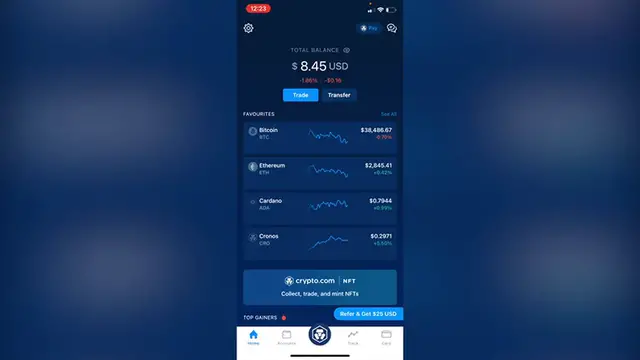
my total balance is now of 8.4. And what I want to do is to go into accounts and says crypto wallet
2:11
I have my Kronos now in here. So that's a very easy way guys
2:15
We can make this transfer between those two twins application. So don't forget to like and subscribe to this channel guys
2:22
If you want to see more about this app, thank you for watching the video and I'll see you guys on the next one
#Other
#Mobile Payments & Digital Wallets