Up next in 10

How to Send Cryptocurrencies from BINANCE to BITSO in 2024 (Step by Step Tutorial)
Jan 30, 2024

How to Send Cryptocurrencies from BINANCE to BITSO in 2024 (Step by Step Tutorial)
Show More Show Less View Video Transcript
0:00
All right, welcome everybody into this new video
0:03
I'm going to show you how you can send your cryptocurrencies from our Binance account
0:07
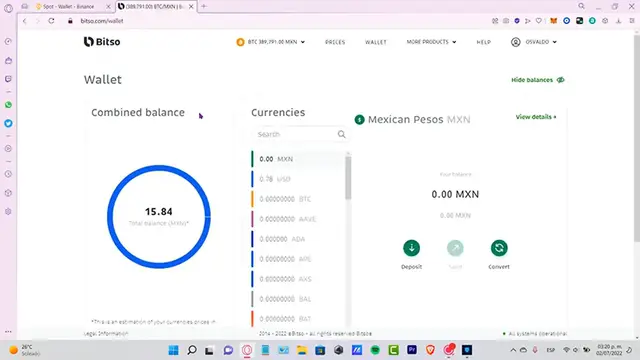
into our Betzo wallet. So as you can see, I have both Betzo and my Binance account already opened
0:14
So what I want to do is to locate first the token that I want to send into Betzo
0:20
And first of all, what I need to do is to see what tokens, what currencies we can send
0:25
into our Betzo wallet. So as you can see, these are all the tokens that we can send into our Betzo wallet
0:31
They're not too much, but just to make sure, let's say that I want to send VNV
0:37
So in this case, I cannot receive VNV. So what I can do is to convert my tokens into, I don't know, maybe USD stablecoins and see
0:46
if I can turn my coins, I can go into convert my VNV, select all the maximum amount and
0:54
convert that into USD stablecoin. As you can see here, it is right in here
1:00
So once you make that conversion and you have it already into your account, you want to
1:04
go back into your VNV wallet. And once you are in there, do you want to select the option that says withdraw, which
1:11
is right in here. Now what you guys want to do is to select the token that you want to send
1:17
So for example, we can send USD as we just set. So let's say USD and it's going to be asking us for an address and a network
1:25
So in order for that, we need to go back into our Betzo, select the token that you want
1:31
to receive. In my case is the USD. And I want to select here the option that says deposit
1:38
Now it's going to be asking us the bank, the SWIFT, the Ethereum network
1:43
So we can select other one if you want to. This can be used a Binance USD just in case you want to make the confirmation and serial fee
1:54
But in our case, we want to receive USD coin. So I want to show the address in here
2:00
I want to copy the address, paste it right in here. And remember that we are using the Ethereum network
2:08
So once you're done with that, you can go into the amount that you want to send and
2:12
hit into withdraw. So once the application has done his job, you're going to see that the withdrawal details
2:19
appears in here and you have to wait just a couple of minutes till the status says completed
2:25
So now this one is completed. You can go back into your Betzo to see that your account is now already being funded
2:33
Just in case you have any questions, you can go back into the withdrawal
2:36
You can go into the Binance transaction so you can see that the status says successful
2:43
If this one appears as successful already, then that means that you might receive your
2:47
money already into the Betzo. Just allow a couple of minutes so you can receive your tokens guys
2:52
So there you have it guys. It's really simple how you can trade between Betzo and Binance
2:57
Just make sure to have exactly the same network and exactly the same address so you can not
3:02
be losing your money guys. So let me know if you have any questions down below in the comment section
3:06
Don't forget to like and subscribe to this channel if you want to see more about Betzo
3:10
and or Binance. Thank you for watching this video and I'll see you next time
#Finance
#Insurance
#Investing
#Money Transfer & Wire Services