Up next in 10


How to Send Bitcoin to Coinbase Wallet (Step by Step)
Show More Show Less View Video Transcript
0:00
hey guys welcome into this new video in today's tutorial let's take a look of
0:04
how we can send our bitcoins how we can fund bitcoins directly into our coin
0:09
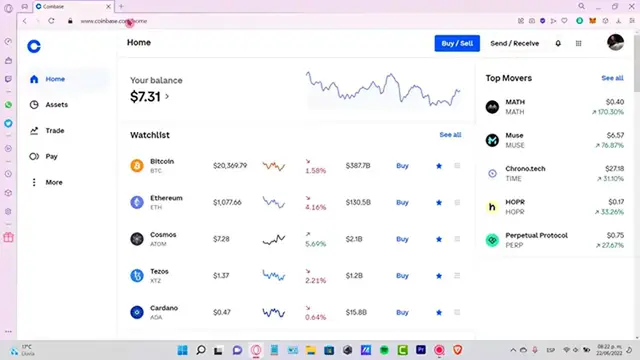
base wallet so the first thing you want to do guys is to have here your coin
0:15
wallet extension added here and your browser as you can see I have my coin
0:19
base wallet in here I'm gonna select here my coinbase you can see here it is
0:24
and I want to select the option that says buy and I can buy cryptos here or
0:30
transfer from the coinbase so that means if I want to add cryptos with coinbase
0:36
pay I just select this option and this one is going to be redirecting me into
0:40
the coinbase pay so I need to select now the asset that I want to add so let's
0:46
try to look for Bitcoin if this one is available so as you can see I only have
0:51
grabbed a Bitcoin available let's see we can make the purchase here let's try
0:57
to make a preview buy of Bitcoin so after you want to make the purchase here
1:03
this is the coinbase fee this is the network fee and you need to confirm the
1:08
payment here in order to be receiving that amount of money and once you've
1:12
made that transaction what you guys can do is to go into your coinbase wallet
1:18
and select the option that says swap so what we want to do is to convert here
1:25
the token here let's go into Ethereum here from DIA let's select Bitcoin if
1:31
you can find it right in here here is grabbed Bitcoin and you can grab it
1:38
from DIA so there are a bunch of tokens here guys that are not available
1:43
depending on the country that you are living in but just in case that you are
1:46
in the same situation that I am let's say that you have some few tokens here
1:50
some Bitcoin here and you want to send that directly into your coinbase wallet
1:55
what you can do is to buy some other tokens here and try to receive that into
2:01
another token so let's say I want to buy I'm gonna go into add crypto with
2:07
coinbase pay so for example guys what I can do is to buy some Bitcoin inside the
2:14
coinbase.com application and after that what I can do is to go into my assets
2:19
and convert all my Bitcoin into Ethereum why Ethereum because Ethereum it's
2:25
already available into coinbase maybe you can grab that into USD coin or you
2:32
can change that into another token here like engine coin or DIA here and then
2:38
you select your DIA here and once you select the token that you want to make
2:42
the transaction for just go ahead and select the amount that you want to pay
2:47
and go into preview send and then the last thing you want to do is to confirm
2:56
that the transaction is correct guys and just go into confirmed after you hit
3:00
into confirmed let's go back into our coinbase wallet to take a look now if
3:05
our tokens are not available we're gonna go back and here is my DIA
3:10
coin almost $2 already added into my account if I want another token I can go
3:17
into the swap section select my DIA and I can choose other tokens that are
3:23
available here speaking about Bitcoin the only one that we have available
3:27
right now it's the grabbed Bitcoin but if this does not fit for you you can
3:31
either choose that and change that for Shiba maybe or for another token that
3:36
can be available for you and you can see what kind of benefits you have now
3:40
for trading here speaking about other tokens guys so let me know if you have
3:44
any question don't forget to Like and subscribe to the channel guys if you want to see more about the coinbase wallet thank you for watching the video
3:51
and I'll see you guys next time