live_tv
Livestream Starting Soon
00
Hours
:
00
Minutes
:
00
Seconds
Up next in 10


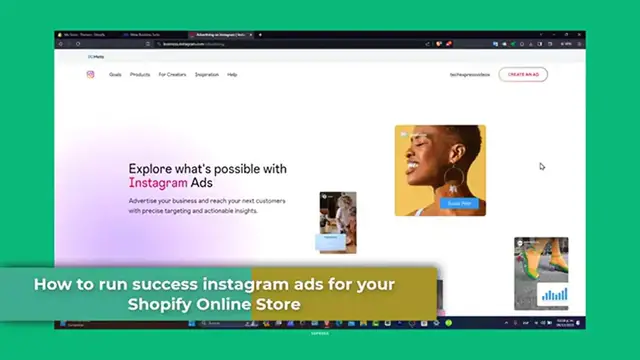
How to Run Instagram Ads for Shopify in 2024 (Step by Step)
Show More Show Less View Video Transcript
0:00
Welcome back. Today, let's focus into how to run successful Instagram ads for your Shopify store
0:06
Instagram is a powerful platform for digital marketing and when use it effectively, it can significantly boost traffic and sales for your Shopify store
0:16
Whether you are new to Instagram advertising or looking lit up into the world of Instagram ads
0:21
So Instagram ads for Shopify. These ads allow you to reach a wider audience beyond your followers
0:28
These ads can take various forums like stories, photos, videos, and much more
0:34
The key is to charge your ads to reach potential customers who would be interested in to Shopify products
0:40
First, in short, your Instagram account is set to a business profile and linked it to your Facebook page
0:46
If you go directly into business.facebook.com, you should see that we have an actual Facebook page
0:53
and you should see that we have to connect the Instagram section. So once you have both of them added into the Facebook
0:58
business. facebook.com, that means that we can continue to the actual next step
1:04
which is the actual integrating Shopify with Instagram. To run out effectively, you wanted to integrate your Shopify store with your Instagram account
1:14
This allows you to tag products into your Instagram post stories and making it easier for customers
1:19
To move on. So into your Shopify dashboard, use the Instagram channel to connect your store into the Lepod
1:26
Let's go here into sales channel and look out for Facebook and Instagram
1:31
So once we are in here, what I wanted to do is to install this additional charge may apply
1:37
You don't have to worry about that because it's totally for free. Let's go here and to add to the sales channel
1:42
And then we're actually good to go. Let's go here now into the next step, which is connecting our Instagram account
1:49
Usually, it's going to be much more faster if you have an Instagram and a Facebook account already been connected right away
1:56
So let's go here to get started. Connect your Facebook account to get started
2:00
Let's go for connect your account. And here I wanted to go for a continue
2:05
So then later on, here's my Facebook already been connected. Now the business assets
2:09
What I wanted to do is to connect the business asset of a Facebook or a Instagram account
2:15
In this case, let's go for this one and go for Connect. Now let's go for maximum and hit now into save
2:22
The data sharing is going to be the same here I agree to the middle of sellers and submit for the review So finalizing the channel setup This might take a few minutes Please do not refresh the page
2:33
You don't have to be worrying about that because we're already connected in them
2:38
So once we have connected all of them, we can start to create an Instagram ad
2:42
To create an ad, help over to the Facebook ads manager. Since Instagram ads are managed through it
2:48
We can create to start a new campaign directly in here to run ads on Facebook and Instagram
2:53
Instagram. So let's go here into create ad. This one should be taking us into the ads manager
2:59
com. So next you want to define the target audience, the budget, the ad placement, be sure to select
3:07
Instagram as you desire platform. So let's go here into okay. Let's go back and choose an account
3:12
where we actually can use and it's not deactivated. So let's go here into okay. And as you can see
3:20
there is an actual campaign that we can create this stuff with something actually new
3:24
Let's go here to create. And here let's go for auction. It's really important to choose auction
3:31
Now, in order to continue, guys, I'm going to be using a few recommendations in order to drive
3:35
some sales into Shopify. But if you want to try with something else, you are totally free to try it out
3:42
What we want to be trying here is to try to use as less money as we can and as much results
3:50
as we can. So first of all, here we have to choose a campaign objective. First of all, let's try
3:56
with something with sales. Now, find people who like this to purchase your products to service
4:01
Let's go here into sales. Now, name of your campaign. In this case, it's going to be Shopify
4:06
store. Now, I have the ad set. The ad set is going to be the audience, the playments
4:13
the schedule, and the spending. So in this case, it's going to be my tire number one. I'm going to
4:18
explain this later. And here, let's go for product number one. And there we go
4:25
Let's hit now into Continue. Now, in this case, the advantage of the shopping campaign should be added automatically
4:32
So what I wanted to do is to choose manual sales campaign from scratch using the standard setup
4:38
Trust me, it's going to be much more faster at saving tons of money if you choose that option
4:44
Now, you have here the campaign store, the special ad category, the campaign details
4:48
usually what we do is to enable the A test if you have more than one product or one add to display into your ads In this case we don want to focus info Let go for Taya No 1
5:04
Now, designing and engaging the ad content. Here, what you wanted to do is to send people into an actual website
5:13
Now, here I have the, now here I have the pixel star number one
5:17
I have the Combusion Event. In this case, I'm going to just leave this like that. The Goast-Free Resort, I'm going to just leave the like once again, the budget to schedule, let's say that I have the daily budget
5:27
There's a lifetime budget if you wanted to change that out. For example, let's say that I can go for a daily budget, and you're willing to spend only $1 per day
5:38
Later on, I'm going to be moving this forward and change that later. Now, start day, I know that you wanted to start right away, but first of all, let's try to do this tomorrow
5:48
and there's no end date so far. Now, there you have it, guys
5:52
Audience Control. This is the part what you wanted to edit people where they're currently interested
5:57
into buying your product. If you don't know, then try to aim for something else
6:00
In this case, let's go for Mexico. You can go for Chile. You can go for Guatemala. You can go for United States
6:06
You can go for Canada, for example. You want to make sure that you have enough budget
6:11
for doing that. In this case, you could focus only into three of them, not much more than that
6:17
Now, here into playments, placements, you wanted to focus into the blocking listed, inventory
6:24
filter, just leave this like that here into inventory filter. Just focus into limited inventory
6:30
There we go. Now, hit now into next, and this is the part when you want you to design your ad content
6:37
Use high-quality images, videos and showcase your products to include compelling copy that resonates your target audience
6:45
Remember your ad should reflect. your brand boys and styles. If you don't know what you can do
6:53
if you don't know what to do, what you can do, guys
6:57
is first of all try to figure out what is the product you're willing to get started with
7:02
Let's say, for example, that I wanted to create a few ads for this Catwhite Her Bad Tie
7:10
So, what I wanted to do is to copy the title of my product
7:16
and I wanted to do I wanted to check out what has been done into TechDuck Because TechDug is the most video platform used so far So if I check out that there one video that has really great engagement
7:34
then I'm going to be using that kind of video to create my own
7:39
Or I can contact this influencer to use this video or to use a product of IPA so I can promote it into my Facebook ads
7:48
and in this case, Instagram ads. That's the reason why you wanted to aim for TechTac
7:53
Because TikTok is so far greatest tool to creating an actual ad with images or videos or Shopify products
8:00
So use tools like Kamba, Adobe Spark to create visual appealing and designs
8:04
So be creative, though, if you don't have enough money to afford an influencer and judges
8:10
on your own, guys. Once your ad is ready, you want to review all the details inside and here, and then you
8:18
want her to go into Publist. But once again, here into the catalog, what you wanted to do is to choose the single image or the slide show
8:26
And then what you wanted to do is to choose a product that you could just add it from your local store
8:32
And you wanted to check out the drafts of how much you have done through your campaigns
8:39
What you wanted to do is to leave your campaign at least one week
8:43
So you can check out how many people click into your links, how many people send
8:49
How many people bought your products? How many people click into the link but they don't bought anything
8:54
How many people check out your basket? They'll check it out at the end of the day. So you wanted to at least check out one week after you send it up your actual ads
9:04
And then later on, you can change a few stuff. If you wanted to check out more performing tips, more research, more marketing tips
9:13
I would leave you guys a link down below description, a playlist channel that can be helping us to get started into Shopify
9:19
and into meta ads to improve our sales inside Shopify, specifically speaking of Shopify, guys
9:26
So this tutorial was helpful. Don't forget to like and subscribe. Please give us a thumbs up for TechSpress for more commerce marketing tips
9:33
Any questions or success stories with Instagram ads? You can share them into the comments below
9:37
Thank you for watching the video. Huge success delivers Instagram ads for Shopify store
9:41
Stay tuned for more inside for content. Hopefully we can all see you next time
9:49
You know
#Retail Trade
#Marketing
#Sales