videocam_off
This livestream is currently offline
Check back later when the stream goes live
Up next in 10


How to Remove the Search Icon on Shopify (2024) Fast And Easy
Show More Show Less View Video Transcript
0:00
So you want to delete the search icon from your actual
0:04
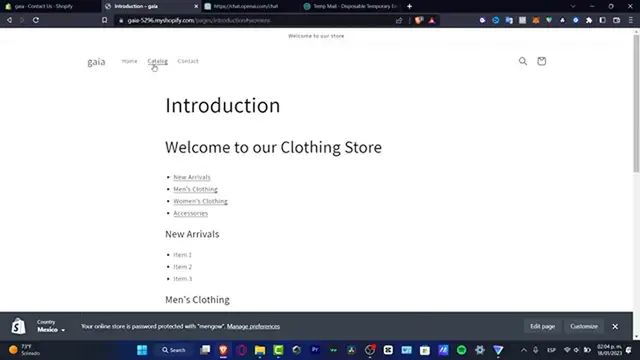
website, as you can see here is my store already been created, we have the
0:08
actual header, and we have the search bar which is actually this one, if you want to
0:12
delete the search bar or you want just to hide this, what you want to do is
0:16
to go into your actual Shopify, I want to go here into my online
0:20
store, and here what you want to do is to locate the actual
0:24
navigation, and here into navigation what you can do is to choose the actual footer menu, and here we do have
0:32
the search, so here into search I'm going to hit into delete
0:36
and remove, so with that being said I'm going to hit into save menu
0:40
and I'm going to try to go back here into my online store
0:44
and I'm going to go into the customize, and with that being said
0:48
I'm going to hit into the menu updated, like that, and here I'm going to type
0:52
into my header, and what I want to do is to locate the
0:56
actual sticker of my search bar, which is actually this one and then what I have to do is to actually hit into the
1:04
exit mark, I'm going to leave the page, I'm going to locate the actual
1:12
edit code, and here what I do want to do is to find the actual base, so I'm going to hit into the
1:20
x mark like this, and I'm going to look for base so here it's my base.css, so here
1:28
this is the actual base of my actual template, of my actual website
1:32
so here I'm going to scroll all my way down and I'm going to import.header
1:40
the icon, here I have a few back lines search, and the other one display none
1:48
like this, the symbol, and the latest one I'm going to hit into the enter mark, hit into save, there we go
1:56
so what I just need to do is to go here into my
2:00
introduction, and here I want to reload the page and boom, as you can see the search bar is
2:08
no longer in here, so if you want just to take a look here
2:12
into this actual code, copy paste that, and this is how we can do this, so thank you for watching the video guys, don't forget to like and subscribe to the video
2:20
and I'll see you in the next video, I'll see you soon! music music