Up next in 10

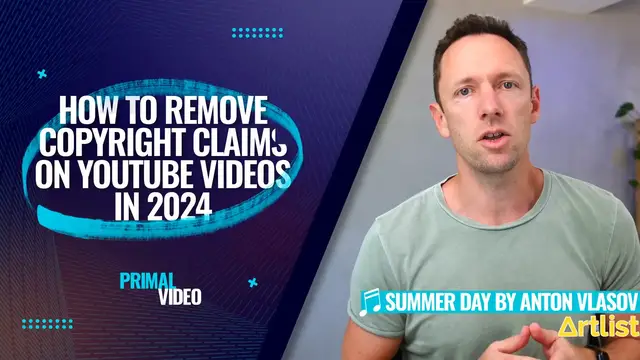
Got a copyright claim on your YouTube video? In this tutorial, I'll show you exactly how to resolve it — from disputing a Content ID claim in YouTube Studio to trimming, muting, or replacing flagged content, so your video can get its monetization and reach back.
📌 WHAT YOU'LL LEARN
- The difference between a copyright claim and a copyright strike
- How to find a claim in YouTube Studio
- How to remove or replace the claimed audio/video segment
- How to dispute a claim (original content, license, fair use, public domain)
- What happens after you dispute (the 30-day claimant response window)
- How to appeal if your dispute is rejected
This tutorial is perfect for creators who've been hit with a Content ID claim and want to fix it the right way without risking a strike.
🔔 Subscribe for more YouTube growth and creator tips.
👍 Like the video if it helped, and comment with your copyright claim question for a future video!
#YouTube #CopyrightClaim #ContentID #YouTubeTips #CreatorTips
Disclaimer: This video is for general educational purposes and is not legal advice. Only dispute a claim if you're confident you have the rights to use the content — misuse of the dispute process can lead to penalties on your channel. Consult a lawyer for serious or repeated copyright issues.
Show More Show Less View Video Transcript
0:00
Here's how to remove copyright claims on YouTube
0:02
So if you've got a YouTube copyright claim, your video could be demonetized, it could be blocked in some countries, and you could even get a copyright strike against your channel
0:11
But don't worry, I'm going to go through the process step by step with the different ways that you can fix this quickly and easily
0:17
So YouTube is getting really good at detecting copyright material in your video
0:22
so much so that it actually does a check now at the time of you uploading your content
0:27
to make sure that it is all good in terms of copyright. But as a general rule
0:31
you really want to make sure that you have the correct license or permission to use everything that you're using in your videos
0:38
to make sure that you're not going to have any problems. But I'm going to go ahead now. I'm going to upload a video that does have some copyrighted music in it
0:45
And they're going to see how quickly that gets detected. And then I'm going to show you what we can do about it
0:49
So I'm over here on a test channel of ours. I'm going to go upload, upload a video
0:54
We'll go ahead and find our video here. So we'd usually then go ahead, give our video a name
0:59
description, fill out all the rest of this stuff. We do need to mark, is your video made for kids
1:04
I'm gonna choose no. Let's go next. We're gonna skip all of our video elements
1:08
and screens and all of that stuff here. And then on this next place here, this is where it is performing those copyright checks
1:15
It says we'll check your video for issues that may restrict its visibility
1:18
and then you'll have the opportunity to fix issues before publishing your videos
1:22
So everything I'm gonna show you here is in relation to publishing the video initially
1:26
but the, these same options you have if you've already got a video that is flagged later on
1:31
So once it's already live on your channel too. Now it's only a couple of minutes later and we can see here we get an exclamation mark here
1:37
Copyright protected content found. The owner allows the content to be used on YouTube
1:42
So it's up to whoever owns the copyright, the music label or the stock footage site even
1:47
to decide what they want to do in this case. So we can choose here, see details
1:51
So it says here for this specific example, the content ID claim on your video doesn't affect
1:56
your channel. This is not a copyright strike. So the channel is not affected. Our video, it's not
2:01
currently live on YouTube. So there's no restrictions on where this currently is right now
2:06
but does give us some insight here as to what the copyright issue was and where it's found in our
2:11
video. So our video here is 34 seconds long. This Blink 182 track was throughout the entire video. So we can
2:18
see here, starts at zero, goes to 34 seconds. But in this case, with this specific track
2:22
this is going to have no impact on our video. But a lot of music
2:26
tracks will and they will restrict where the video can be played and in some cases it could be that
2:31
the video isn't able to be played at all. So then we can choose our action here. Now in this case
2:37
where it's not really going to affect the channel, we're probably able to get away with it
2:41
But it's also worth noting that this channel isn't monetized. So if we put our mouse over here
2:45
it says if you become a member of the YouTube partner program, this claim may affect your ability
2:50
to monetize the video. So the fact that we don't own the copyright to everything in net can affect
2:54
our monetization. And a lot of cases, percentage of or all of the money that that video could make
3:00
could be going off to the original copyright owner once we're monetized
3:04
But we do get the option here to select what action we would like to take with this
3:09
So these are our options We have the ability to erase the song replace the song from YouTube stock music library We can dispute the claim So if we actually had rights to use this track then we can dispute it here
3:20
and I'll take you through that process in a minute. Or if it was a longer video and the copyrighted section wasn't the entire video
3:26
like it is here, then we can just trim out that section of the video as well
3:30
But this first option is something that YouTube has recently overhauled. So it now doesn't just mute the audio track
3:36
It'll actually try to remove the music and keep other sounds such as speech
3:41
If it can't do that or it doesn't do a good job, then it'll just mute that section of the video
3:46
So I'm gonna click on this one first. I'm gonna choose continue. We then get the option to try and erase the song
3:52
so remove the claim song in all detected segments while keeping other sounds such as speech
3:57
Or we get the option just to mute the video. And obviously in a video like this
4:01
where it's someone talking, we kinda want the audio or the video is gonna be pointless
4:05
So I would be trying here this first option, which again has been overhaul. So let's give this a go. I'm going to hit save. It says this process might take a while
4:13
if we're able to erase the copyrighted song. We'll update any viewing or monetization restrictions
4:18
on your video. The video will remain in its current state until this process is complete. So YouTube's
4:24
now finished removing that audio. Let's go ahead and click on it here. And let's play that back and
4:30
let's see how well this works. You could have the world's best video, but if no one clicks on it
4:35
no one's going to see it. Also needs to be related. They can work
4:38
that exactly what your video is about, and if it's for them, just
4:42
Okay, so it did a pretty good job at the start. I was absolutely blown away with it
4:46
And I was like, hey, this is awesome. But skipping through, you can see it's not perfect. The start of it had removed that song
4:51
No one's going to see it. Like, that sounds great. You can tell some sort of AI wizardry there
4:56
to remove the track, but up here, then there's like static in the background
5:00
Best case scenario, if someone sees your thumbnail image, but they, we can hear a little bit of music in there
5:06
It can work out, that they can work out exactly what your video is about
5:11
and if it's for them. And then it becomes like static. Just from looking at that bumming
5:16
But hey, I mean, this means that that section of the video, if this was only a small section
5:21
that's done a pretty good job of removing it and it could be the best outcome for you here
5:26
to still have this video live on YouTube, especially if this wasn't detected at the time
5:31
of you uploading the video, or this is something that's stopping you getting monetized
5:34
or making money from your content here, then this could be a solid option
5:38
No, it doesn't sound like it's gonna be perfect, but it's gonna be so much better
5:42
than just removing that section or having no sound through there. So if we didn't want to erase the song
5:48
we wanted to replace the song, we can select replace song, and we then take into YouTube's very basic video editor
5:54
We can then go through and find the music track that we would like to replace it with
5:58
and we can add that into our video in replacement of the other music track
6:03
But this is going to overwrite any audio in our video throughout those sections
6:07
So it's going to remove the spoken piece in our video in this case. So that's another option that might fit your unique case
6:14
I'm gonna go discard changes, but the other option that we have here is to file a dispute
6:19
You can dispute a claim if you've got the necessary rights to the content
6:22
So you got permission you got the license or you got some other valid reasons Maybe things like fair use It says it can take up to 30 days for a final resolution and your channel won receive a strike if your dispute gets rejected
6:35
So to file a dispute, we want to obviously click on this and go to continue
6:39
It then outlines the process here for you. You want to make sure that if you are going to file a dispute, that you do have the necessary
6:46
rights or a valid reason. But the process here says what to expect
6:50
We're going to submit this dispute. It's then going to be refute. buy the claimant and then we'll get our final outcome. So the next step from here then
6:57
would be to hit continue and we can then specify the reason for this dispute. Do we own the original
7:02
content? Did we make this thing? Or do we have a license to use it? Or are we saying it was fair use
7:08
Like I have significantly transformed the content claimed in my video. The video is protected by
7:14
fair use, fair dealing or similar expectations. So if it falls under that category
7:18
select that box or if it's something that's out in the public domain and free to use
7:23
you can mark this option. For the purposes of this video, I obviously don't have the copyright license
7:28
but I'm going to choose license so we can get to the next screen. But it's also quickly worth
7:32
pointing out that there are reasons here that aren't valid reasons to dispute your copyright claim
7:38
Like you bought a copy of these songs, or you bought the video, or you're not going to monetize
7:42
your content, or you gave credit to the copyright owner in your video or in your video description
7:48
That's not a reason to file the dispute. So we'll go continue. We've then got to read through this
7:52
page here and agree that we still have the correct license in our case and that we do want to file
7:57
a dispute. So it's telling us here to make sure that we understand the terms of our license to make
8:02
sure that we weren't in breach of the license that we had. We'll need to provide a copy of our
8:07
license agreement or anywhere that we have been given permission. If we had something in email from
8:12
the copyright owner saying that we could use it, we want to have all of that stuff here ready
8:16
to submit on the next page. And it's also asking us here to look for any country specific restrictions
8:22
within our license here as well. But once we're all good with these, we'll check the box
8:26
It says, I have permission from the content or the copyright owner or obviously a license
8:30
We'll go continue. And then it's gonna ask us here to provide our license information
8:35
And so he gives specifics that will help the claim and verify your permission to use this content
8:40
which will help them process your dispute. It's given you some sample questions here
8:44
and things to answer in here. So what rights does your license grant? Do you have a copy of your license
8:49
Which countries does your license cover? So you go through, and fill this out, provide as much information as you can
8:55
And then you will need to tick these three boxes here and agree to this to actually dispute the claim
9:00
So my video does not infringe the claimed copyright. I understand that the claimant will be able to review my video
9:06
and dispute my rationale. And I understand that filing fraudulent disputes may result in termination of my YouTube account
9:13
So you really only wanna do this if you legitimately have a license or strong grounds
9:19
for disputing this. We then need to add our signature down the bottom here, typing out our full name and then we hit submit and then that's going to go off for review
9:27
That is the process to dispute a copyright claim on YouTube. And then when that's done
9:32
you will get a notification on your YouTube studio dashboard area It be up the top in that notifications area when that has been reviewed and it give you the outcome of that whether you were successful or what the next steps are in that case Now if you looking on your channel to see if you already have any copyright issues
9:49
you just wanna come to the YouTube Studio dashboard area, come to content, and then in here
9:55
where you can see all of your videos, shorts, live streams, all of your content, you'll be able to scroll down
10:00
and see any here that do have restrictions or copyright issues. So here is our video that we've uploaded
10:06
and it's got one copyright issue. here. You could also run a search here or filter your videos by ones that have copyright issues
10:12
which is going to be helpful if you've got a lot of videos on your channel. Now it's also worth noting
10:16
the copyright area over here on the left. If we click on this, this really serves as the
10:22
opposite of what we've just covered. So it says if you're looking for a copyright claim that someone
10:26
made on your video to go back to that video list, this content tab here. But if you have submitted
10:32
any takedown requests for other people that might have used your content, then that's what
10:37
this page here is about. So I've switched over now to our main primal video channel
10:41
and again I'm on this copyright page to show you what it looks like when people have ripped off some of your videos
10:46
So everything that is in here is where someone has used some or all of our video
10:51
in their content. And YouTube is so good at this that'll even tell you what the percentage matches
10:57
So this person here, 100% of our video, is in their video
11:01
So they've literally downloaded our entire video here and they've uploaded it as their own
11:05
The irony of it is, is it's our older version this video, how to remove copyright claims on YouTube
11:10
And they've totally downloaded it without permission and uploaded it to their channel
11:13
It tells you how many views that video has and how many subscribers that channel has
11:18
But you can see if we scroll down here, so this case here, for example, this video here
11:22
40% of their video is including our content. And you can see for us in this case
11:26
this is showing one to 10 of many. So this happens all the time
11:31
But if we did wanna issue a copyright claim or strike against this channel for this specific video
11:37
all request a takedown of that, then we can do that here on this page. Then we have some options here
11:42
We can archive this so we can ignore it. We can request the video be removed from YouTube with this
11:49
button here. We can contact the channel to ask them to take it down or to reach out to connect with them
11:55
And the next one here is we can go and view that channel on YouTube. If you want to go and watch
11:59
this video, then we can click on it here. And if we hit the little drop down arrow over the side
12:04
then we get a bit more context around it. And again, it says, how much of our content appears
12:09
It's the entire video. But this again just goes to show you how well YouTube understands
12:15
the videos that are being uploaded on YouTube. And it knows really quickly
12:18
when there is copyright infringement or duplicate content. So again, wherever possible
12:23
use the stuff that you own, use the stuff that you have the correct licenses for
12:27
And that's why for us, we use places like story blocks and like art list and epidemic sound
12:33
to get our music, to get our sound effects and to get our stock footage
12:37
So that way we know that we're not going to have any issues with this stuff moving forward
12:41
So if you want to find out more about the best places to get stock video footage and music for your videos
12:47
check out the videos are linked on screen. As always, there is a bunch of other resources and tools to help you even further down in the description box
12:54
And I will see you in the next video
Music & Audio
Music Streams & Downloads
Music Videos
Online Media
Business Education
Podcasts
Video Sharing