Up next in 10


How To Register & Setup ChatGPT For Beginners Chat GTP Explained
Show More Show Less View Video Transcript
0:00
Hey all guys, welcome into this new video in this tutorial. Let's take you look how can get started with the chat GPT
0:08
This is something that is from the interversion artificial intelligence provided by our friends from the OpenAI, the ones who led us the daily number two
0:19
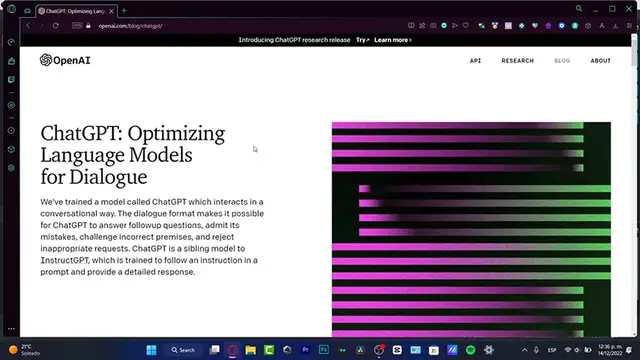
Now, what exactly is the chat GPT, guys? What actually this is a interaction between ourselves and the computer
0:27
this is some kind of a dialogue and there's some ways that this format can make it possible
0:33
for the chat GPT to answer follow-off questions, admit its mistakes, challenge, incorrect premises
0:39
and reject inappropriate requests. So, this is like a Google, but speaking about Google, if I type
0:47
something with Google, I think that chat GPT is going to give me more information of what I'm trying
0:53
to do. So I'm going to leave you guys a link down below in the description
0:57
So you can go right ahead and try to start with the chat GPT in order to start here
1:03
What you want to do is to sign into your OpenAI account
1:09
So if you don't have an account, you go into the sign up section. It's really, really easy to create an account
1:14
What you want to do is to enter an email. You want to choose that you're not a robot
1:19
Create an account, create a passcode. And after that, it's going to be really easy
1:23
In my case, I want to choose a Microsoft account. And what I want to do is to input my passcode in order to continue
1:33
And then we are now inside the OpenAI. Once we are inside the Open AI, we're now going to be able to start with the Chat GPT
1:42
Now I should tell you guys that this section is totally for free
1:46
You actually don't need to pay for anything. So if you find something different on the chat GPT and you have like a full time access for only
1:56
a discount or wherever this might be spam because this is truly for free
2:00
We want to go into the chat So I going to hit into it next Now specifically right now chat uh what they focusing on is to retrieve information that like the main reason why this works for
2:16
so how we collect that our conversations might be reviewed by our AI trainers to improve our
2:21
systems please don't share any sensitive information in your conversations so please guys don't
2:26
share any kind of passcode don't share your cards don't share even your emails i mean you can
2:31
show your emails but you want to share like your address or something like that because
2:36
everything is going to be recorded so I'm going to hit into next once again we've loved
2:41
your feedback if you want to optimize here your friend on the open AI what you want to do is to
2:48
show your feedback into the Discord server I'm going to hit into Don and this is now the
2:53
great great great chart of the GPT as you can see we do have a few examples I do have some
2:58
capabilities and I have some few limitations. Now before we continue I most tell you things about
3:05
the limitations so may occasionally generate incorrect information produce harmful introduction or
3:12
bias content and limited knowledge of world and events after the 2021. So if I let's say I asked
3:21
the chat GPD who won on the FIFA cat And here is my question and here is the answer
3:33
I'm sorry, but I'm not able to browse the internet to provide information about specific matches or events
3:38
as a large language model trainer and OPNC. My knowledge is based on text that I have been trained on
3:44
but I don't have the ability to access real-time information and browse the web
3:48
Is there something else I might be able to help you with? If I ask the same question into Google
3:54
because Google is like the same thing, let's go into the Google.com
3:58
I'm going to just paste this. And boom, we do have a lot of information here
4:04
See, we show it's about Qatar Nation of Football Team messages. But actually, this one does not answer my question matched in the Qatar
4:12
So what can we actually do here into the chat GPT I going to go into the new thread And here into the new thread what I want to do is to ask something
4:23
can be helping me to organize even JavaScript. So if I go, like for example, how do I make an HTTP request
4:34
in JavaScript, what's going to happen here is the chat of the open AI
4:40
is going to tell me to make this one request. request you can use this specific code this object this is the code of the API and
4:48
here's an example that I can use for make a request on JavaScript so as you can see
4:55
what happened here this is actually insane the application is generating me a few
5:00
codes that I can use to request a HTTP here's an example using fetched both
5:08
example made a GAT request to the URL the report the response
5:12
for the service which could be the continued web page and error message is logged to the console
5:16
So I just need to copy this code, paste it, whatever I want to make the requestment, or if I want
5:21
to use a fetch, for example, here's another requestment. And there is, there you go
5:26
So what I'm going to go here is into the new thread. Once again, let's try with something more easier
5:31
For example, can you tell me a dream story or let's say a bedtime story
5:41
We're hitting to enter and let's see what this Chan has to offer to us
5:47
So it says once upon a time in Lent Far Far Away lived a little boy named Jack
5:51
So this is actually the Bates Time story, which I think it's really, really, really great
5:57
Now, what I'm going to be trying to do in order to try to be making this a little bit more complex
6:04
let's say, can you make this story a little bit more? longer so what happens in here is that the the great great open a
6:20
section has generated me a a chat epit time story actually this appears to be as as a little boy named Jack He was like an adventurous boy and he was wondering what would it happen
6:33
if he was filled to delicious red apples, whatever, whatever, whatever. And as you can see, here's the lift part
6:38
This is the last part of the story. So let's say, can you make this story a little bit more longer
6:43
I'm going to hit into Enter. Let's say what this application says to us
6:49
Now it says, sure. I can add a few more details to your story. Here's a longer version
6:55
Once a bit of time in a learned far away, the lived little boy named Jack, blah, blah, blah, blah
6:59
So it's exactly the same story, but what I just ask it is to make this story
7:04
a little bit more longer. So I can do it as my own
7:08
I mean, this is an artificial intelligence. This is something that wasn't ever created into a computer
7:15
So what I can do is to actually take the part where I do love this story and I can make it mine, I mean, as my own
7:24
And once again, this is totally free. Now, what I'm going to be doing here is to go into the new threat
7:30
And here, I'll be showing you something that can be really, really helpful for you
7:34
Let's say, show me an example, or let's say create a resume of a web designer
7:42
Now, here we go. To create a resume for a web designer, you will be needed to gather information about
7:48
education or experience and skills, start by listing your name and contact information
7:54
blah, blah. So what happens in here is that I do have all the elements where I can create a web designer
8:01
So we can take advantage of this great, great application that once again is totally for free
8:06
You guys have now have the access down below in the description so you can go right
8:10
away into the chat section. Now go explore that for yourself. Thank you so much for watching this video
8:16
Don't forget to like and subscribe to this channel, guys. Once again, just make sure that you're using exactly the same website
8:23
I'm using the opena.com. So thank you once again for watching the video, guys
8:27
And I will see you on the next one
#Software
#Internet Software
#Email & Messaging
#Text & Instant Messaging
#Voice & Video Chat
#Intelligent Personal Assistants