live_tv
Livestream Starting Soon
00
Hours
:
00
Minutes
:
00
Seconds
Up next in 10


How To Pay With Paypal Balance Instead of Credit Card (Very Easy)
Show More Show Less View Video Transcript
0:00
Hey everybody, welcome to this new tutorial. If you want to pay with your PayPal balance instead of a credit card
0:05
It's really easy to do that. The first thing you have to do, it's quite easy to do that
0:09
So in order for making that to happen you can do two things
0:13
So the first thing actually is to go into the section where you want to make the payment
0:18
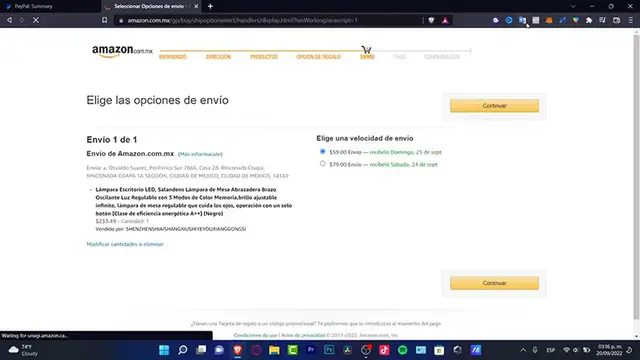
for example, I'm into the Amazon and I want to make the payment method with a PayPal account. So I'm gonna go into my payment method
0:27
I'm gonna go into change and After I see my payment options, I can choose my PayPal account and inside a PayPal account I can go
0:36
into my wallet and select which Card or which kind of payment method I want to choose
0:42
Now if that option is not available into the store as you are in you can do it directly into your PayPal account
0:49
So first of all sign into your PayPal account account section now try to locate your setting section
0:56
Which is right in here. This I want to look for my payment option
1:00
Which is right in here and once it pop up the payment section. I want to choose
1:06
The option that says your preferred way to pay which is right in here now when it's time to pay you got some options
1:12
Check out your preference below So you gotta go into the choose option and there are two ways that you can add this
1:18
So the first option is to add a payment preferences here. So I have two credit cards added in here
1:26
If you have just a few balance into your PayPal account You might see this option that says choose your preferred way to pay online and this is the PayPal balance
1:34
Now if you don't have enough funds into your balance It's gonna be asking you to pick one of the other payment methods you have into your account
1:41
Which in my case that would be these two credit cards Now if you don't find here for example into this account
1:48
If you don't find the PayPal account balance, there must be two ways two reasons why you can't see that option
1:55
So the first one it might be possible that you don't have a business account of PayPal
2:00
Some people say that it doesn't work if you don't have a business account
2:03
But my account is not a business account and I saw and I saw the PayPal balance option
2:09
So I don't think it's that but the second option It's almost happening to everybody if you already have a credit card added into a PayPal account PayPal is gonna be automatically filled
2:21
Payment preferences into that credit card. So whether you add a debit card
2:26
Instead of a credit card it would automatically choose the the PayPal balance option
2:32
So you can proceed to make the payment. So in this specific scenario, what you can do is to go back into your wallet
2:39
Deactivate your credit cards. So PayPal might know that you only have one option to make the payment which that would be your PayPal
2:47
Balance which that would be my case my PayPal balance and now you're gonna be able to see your PayPal balance
2:53
Into the way to pay online for further assistance I strongly suggest you guys to go into the contact support
2:59
Because if there's something else that it's not working as you've already done what I just told you it might be something
3:05
Unusual on your account. So hopefully this was a very useful video for you guys
3:09
Thank you so much for watching this video. Don't forget to Like and subscribe to the channel guys, and we'll see you next time
3:17
You
#Credit & Lending
#Credit Cards
#Mobile Payments & Digital Wallets