Up next in 10


How To Find Aliexpress Usa Suppliers (2024) Fast Shipping Aliexpress
Show More Show Less View Video Transcript
0:00
Hey there, if you want to find Aliexpress USA suppliers, I mean suppliers from the USA
0:06
you are actually in the right place. So let's dig into it, let's see how we can find suppliers and why it's actually that
0:14
So first of all, what I want to do here is to go into the Aliexpress application, so
0:21
I'm gonna get into Aliexpress, I'm gonna have a new account in here
0:25
So what I just need to choose is the language that we are speaking so we can find this a
0:30
little bit more easier to understand. So first of all, if I want to find suppliers into Aliexpress in order to make dropshipping
0:40
or if you want to find suppliers from Aliexpress, either that's for two things, you want to
0:47
buy items from Aliexpress and sell that into your store, or you just want to make dropshipping
0:53
right away into your store. So both applications need to have a third-party application, am I correct
1:00
So in order to create something like that, what we need to do is to have our shop linked
1:06
with an application that can be helping us to find a supplier, it's gonna be really
1:10
really easy. So what I did is to use Shopify. Here into Shopify, I created my account, I created my store, now I have here my online
1:19
store, I do not want to focus into the themes, into the creativeness here because I just
1:23
want to focus into the, let's say, the very boring part, but it's gonna be really easy
1:30
to find. Once we find a supplier from Aliexpress, the rest is gonna be really, really simple
1:35
So if you want to try it out with Shopify, I'm gonna leave you guys a link down below
1:38
in the description, you're gonna get a free trial of up to 14 days, free trial mode, and
1:45
of course that you might be getting three months for free, or maybe just for $1 if you
1:51
want to check it out, that Shopify store, but if you already have a store, if you already
1:55
have a store linked to Shopify or from somewhere else, what you want to do is to try to find
2:02
the App Store application from where you are currently at, in my case, I'm into Shopify
2:08
once again, and here what I want to find is something called Deezers
2:14
Now Deezers is gonna be helping me a lot because Deezers is the official application, the source
2:21
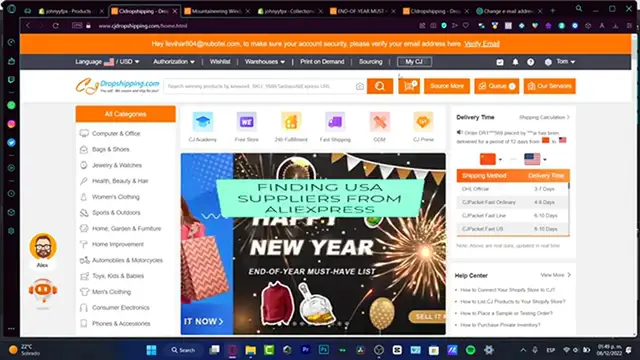
of the Aliexpress dropshipping. Of course, CJ Dropshipping is gonna be helping us a lot, as you can see here is the CJ Dropshipping
2:29
but I think it's kind of much better and faster to use Deezers
2:35
So what I want to do is to go into my App Store of Shopify, of course, of my platform
2:40
I'm gonna be choosing Deezers, and here I want to choose Add Application
2:46
So what's gonna happen, Shopify is gonna ask me if I want to install the extension
2:52
the application inside my store, so they can be making a few requests, and adding products
2:58
and all that, so I do want to install the application. So once I do have successfully done with that, what I want to do, it says your Shopify mail
3:07
address has been used to create a Deezers account, so what you want to do is to sign
3:11
it in, using your account of course, if you haven't signed in yet, what you want to do
3:17
is to create an account using your Shopify account or email. So in here, I'm just gonna copy paste, and choose my account and sign it in
3:27
If you don't find the email or the passcode, it's not correct, or you want to change that
3:32
or you just want to sign in real quick, what you want to do is either to create another
3:39
passcode, or to reset your passcode. So once you've done that, I just need to wait a couple of seconds until it's gonna be asking
3:47
me what platform do you want to access, of course we want to choose Shopify, or choose
3:51
the store that you're currently using, in my case it's Shopify. And then what's gonna happen here, it's gonna be telling me at the application we've already
4:00
created that, so they just don't yet find the fact that I'm in here
4:08
So I'm gonna hit into want to change account, I'm gonna go into logged in, this is my email
4:16
and this is my passcode. And after that, here's the automation order, the authentication and the callback of the
4:23
users, you don't want to focus in here, I'm just gonna close this for a second
4:28
I want to of course choose a free plan, because we just want to find out, figure it out how
4:33
does the D-Suite application works, right, so I'm gonna choose get started
4:38
And here I'm gonna be linked in AliExpress account, so I already have an AliExpress account
4:43
already signed in. If you don't have an AliExpress signed in, just go into the account, go into the sign
4:49
up, put in here your email, your first last name, and your phone number, if they ask you
4:54
to do that, hit into linked to AliExpress, and the D-Suite automation is gonna be doing
5:01
the rest. So I just need to hit into continue, here we are, about to start the journey, I want
5:09
to hit into I want to explore freely, because I'm gonna be showing you what we can do in
5:13
order to find the suppliers. Alright so, now that we are in here, our Shopify account has been moved from my store, my store
5:22
has been already signed in, my AliExpress is already signed in once again, so we do
5:26
have the three applications into one place. It's really really easy to do it, right
5:32
So what we want to do is to select this option that says find suppliers, as you can see I'm
5:36
already in here, and these are the categories of all the items that we can start to list
5:43
into our store. Now let's say that I'm interested into this item, but I want to figure out how does the
5:53
supplier went. So in here, now that I'm here into the AliExpress, what I want to do is to scroll a little bit
6:01
down, once again just a little bit down, until I find the name of the store
6:08
So here, what I want to do is to choose the store home, as you can see here it is a smart
6:13
home, live store, I'm gonna go back a little bit back, and here we do have 89.9% feedback
6:23
the store is from China, the store has been open since May 21, so for instance, this store
6:29
is not from the USA, so what we want to find is a store in the USA, so I want to go back
6:36
here into my suppliers, if it doesn't work, what I can do is to ship from the United States
6:45
Here are all the categories, here are the items that I can start to supply from the
6:50
United States. So let's say that I'm interested into, let's say for example something real quick, like
6:58
this ring, I'm gonna choose exit here, here is the store, so as you can see this store
7:06
is from China, the business information is right in here, but let's see if they can
7:13
let's say send from the USA store, so it says ships to United States, from China to United
7:21
States, so what I want to find is a supplier that can help me actually from the United
7:27
States, but I must tell you guys that this might be a little bit different, cause here
7:34
I do have the shipping from the United States to United States, but the shipping is not
7:40
for free, they're gonna be charging you like $5 I guess, this is the USPS, so I want to
7:47
choose this option, so if I choose that option, what I can do now is to go back into my supplier
7:53
and if I know, if I'm convinced that I want to send the supplier into my store, I just
7:59
want to add this to the import list, and into my import list, I want to choose my item and
8:06
I want to push that into my store, into the Shopify, so here it is, I want to go into
8:12
push to Shopify either, first of all I just want to make sure that when I choose the added
8:18
product, I choose the shipping information, and I want to choose ships from United States
8:27
then I can go into save, there we go, now I can go into push to Shopify, and hit into
8:34
push to Shopify once again, so I just need to go back into my store and figure out if
8:40
my product has been added successfully into the product section, so this is how we find
8:45
a supplier for AliExpress in Desos, so Desos is going to be helping us a lot for the store
8:52
manager, so if you want to find out here into the AliExpress, I think like the best way
8:57
to do that is inside Desos, using the application inside your store, or the platform is going
9:03
to be managing your store, so hopefully this was a very useful video for you guys, don't
9:06
forget to like and subscribe to the channel if you want to see more about this Desos
9:11
about the supplier from AliExpress, thank you so much for watching this video guys, and I'll see you in the next one
#Retail Trade
#Affiliate Programs
#Shopping
#Consumer Resources
#Shopping Portals
#Wholesalers & Liquidators