Up next in 10


How To Delete a Watchlist In TradingView (2024) Tutorial
Show More Show Less View Video Transcript
0:00
Ok everybody, so I have this watchlist and I don't want to see this anymore so
0:06
is there a way that I can delete this? I'm going to be showing you a few and
0:11
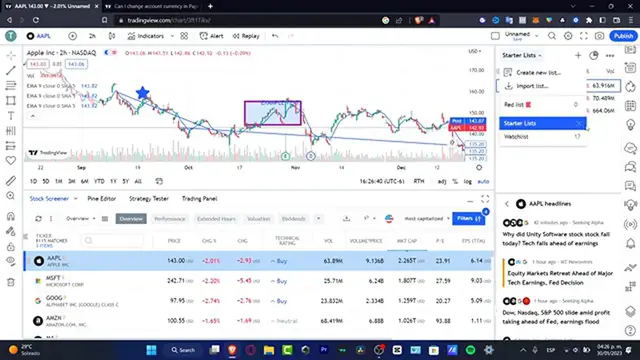
very easy way if we can delete this. If you go into your actual starter list, in
0:16
my case this is the name of my list, I'm going to click in here and there's
0:20
actually one way that we can do this. I'm going to type into the three dots and here what I can do is to choose the option that says clear my list and it says
0:29
do you really want to clear all the symbols so this one is not going to be appearing anymore and I can start filling my list without having to
0:36
delete it. If I want to delete this right away I'm going to go into in here and click into the X button so I can remove this actual watchlist. Do you really want
0:45
to delete the watchlist starter list? I'm going to hit into yes and boom this
0:49
watchlist is no longer into my important section. So lastly go into create new
0:56
listing and you always are good to go to have multiple watchlists. Once again
1:01
we can make a copy, clear the list, rename this or even just clear this
1:07
I don't want to see this anymore. Hit into clear list and I can start totally
1:11
from scratch. With that being said guys this is how we can delete, add, import and
1:15
do so much more. Here's going to be appearing all your deleted symbols if
1:19
you want to just undo that or want to send one symbol into a specific list
1:24
So with that being said guys we're reaching to the very end of the video. Don't forget to like and subscribe and I will see you on the next video guys
#Education