Up next in 10


How to create videos with Synthesia AI - Synthesia AI Tutorial for Beginners
Show More Show Less View Video Transcript
0:00
How to get started with the Thintesia application
0:03
This step-by-step tutorial, well, this is not like a tutorial. This is an actual review of a great application called this actual Centhesia
0:10
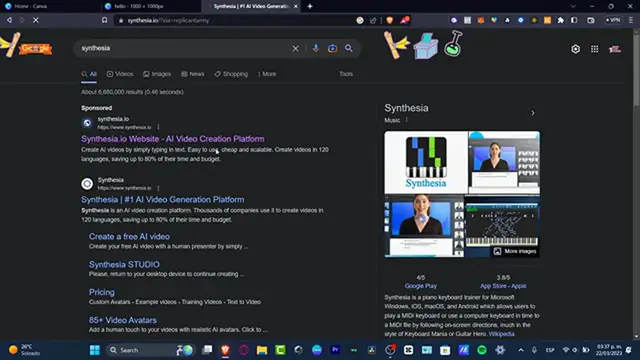
So let's see what are the actual elements that Centhesia is. So apparently, this is an actual artificial intelligence video creation platforms
0:19
that can be helping you to create videos in more than 120 languages
0:26
You can save a lot of time and budget. So basically, as you can see, we have the watch two minute demo
0:34
And what they are actually like creating here with the artificial challenges is that they are making video production starting with $30 a month
0:44
They have the web-based application accessible in our browser. They have intuitive interface
0:49
They have edit videos at any time. They can localize videos in more than 120 languages in accents
0:57
And as you can see, they have training videos. They have how to videos
1:02
You can create marketing videos. You can use Sintesia to develop a bit more guidelines
1:09
So you don't have to pay for an actor. You don't have to do it yourself. You can just do this with a free AI video
1:15
So let's see what are the surprise that actually appears into Sintesia
1:19
The very first thing I want to do is to, of course, create an account. So let's go for create a free AI video in this down in here, part
1:28
As you can see, we don't require a credit card. to sign up, which I think is like a really win-to-win
1:33
So let's head in to continue. So here you have create a free AI video
1:37
Select a template and edit your script. Political, sexual, and discriminatory content will not be approved, which I think is truly great
1:45
And I have the selected video template. So first of all, let's go with the how-to video
1:51
And I have the edit your video script. I have the hi-ana. Here's a quick tip in how to open the short code media to emojis on your Mac keyword
1:59
just press control plus blah blah blah so I'm gonna delete this element like this
2:06
let go for welcome to text press I am going to show you how to use Syntesia app let go for continue and now it says you get your videos via email in minutes
2:26
So what you want to do is to input your first, your last name, your business email
2:31
and how did you hear about Syntesia? You want to confirm that you have read and understood terms of service and the privacy policy
2:37
and hearing to generate your free video. Now it says we are generating your video
2:42
This video will be sent it to your email within a few minutes. please check your spam folders well and in the meantime our Kevin can give us quick
2:51
five minute tool of the free product so what I want to do now is to just make sure
2:57
that this affordable for my actual company from my brand so let's go and
3:03
scroll a little bit down and look out for C pricing and as you can see we have the
3:09
personnel and the corporate account so here into the corporate party you need to
3:14
talk to them so they can be taking you into some affordable packages depending on the
3:19
organization needs and all that but speaking about the post is not one which I think is like
3:23
the most interesting here we have the stock creating professional videos in a
3:27
minute by creating an account below for just $30 per month so we can create
3:34
monthly 10 video credits per month we can create text to video we can choose up to
3:40
120 languages. We can choose more than 65 building avatars. We have 55 templates. We can customize
3:47
backgrounds. We have background music. We have custom background music, which I think this one is
3:53
like not that important. I think like the most important part is to choose templates to build
3:59
avatars to have more languages available into our videos and stuff. But here take a look into the
4:05
actual section that says free stock images and videos. We have imported palpitable. We have imported how it
4:10
and we have up to 10 slides every video, which I think paid on on custom avatars
4:16
I think this one is going to be really, really, really great. Now, speaking about what is the actual accuracy of the quality and the easy setup, it says that so far, the Centecia actually works really, really great
4:30
They have the old way here which I think is going to be taking a lot of time and the new ways like totally with artificial challenges which I think is like a life saver So what I want to do just to get a little bit more started is to create an account If I look out for the logging section to the upper side on the right section I want to
4:50
go into log in and then this one is going to be sending me into the login section
4:55
So first of all, what I want to do of course is to create a free account so I can see what
5:00
are more elements that I can see inside the application of Cintesia
5:05
So now, as you can see, I'm in here into Centee Studio. I received this email that my artificial and intelligent video is now ready and I can see it now inside Cintagia Studio
5:16
So whether you can choose to watch it here or to go and to keep going with a Centecia account
5:21
So I'm going to click this option and this one is going to be sending us now into the actual application of Centicia
5:28
So let's go for keep going with a Centicia account. So the moment we've been waiting for, let's see how this does
5:35
the actual Centasia out of face and the challenge is work with our text description
5:40
Welcome to Tech Express. I'm going to show you how to use Tel Avicra now
5:44
So as you can see, it actually sounds really, really great. So if I want to get started here into Centisia and I have now like 10 videos
5:54
I think this one's going to be really, really great to create the free video
5:58
So if I go into create a free video, this one is going to be taking me once again into the new Centetia's Studio section
6:04
do you sections so I can customize this. Now as you can see we chose the how to video, which I think is like to do one thing and
6:11
then here is the actual movement of my character. But here what I want to do is to look out for something else
6:17
For example, we have the complement, we have the learning and development, we have the sales
6:24
pitched and we have the Centasia demo. And of course what I want to do is to look out for sales pitched or let's go for learning
6:32
development so if i go here let's try to do something a little bit more um just a little bit more
6:39
difficult a little bit more harder to to the artificial challenge to get started with so i'm going to do
6:45
something a little bit more descriptive so i did something like really hard so it's in youtube channel
6:50
you are not only to learn about your content creation blah blah so i'm going to get into continue
6:55
once again you have to do exactly the same thing your first your last name as well as your business email heading to how do you hear the about synesthesia I went to go for i saw it on youtube i am not a robot i confirmed that i have written understood the term service and hit into generate a free video and let see how
7:11
this the application now works with something a little bit more harder speaking about the text
7:15
description so as you can see it actually uh got me stunning which i think this is like really
7:23
some uh advanced toll the artificial intelligence i think is blowing um
7:28
a lot of my mind, my mind actually right now. I think that this one is going to be taking out my job
7:33
and I can create like my videos using Cintesia from now on
7:37
which I think is like really, really great to use Cintesia application
7:41
to just, you know, to get started and all that. So I'm going to hit now into login
7:47
Let's go for the dashboard of Cintesia. So speaking about professionalism, I think it's going to be really, really great to do the actual job
7:54
If you wanted to do some kind of videos like, this, Syntesea is going to be like really, really great for you. But if you're making like
8:02
more stuff, like more personal, more humanized content, I think it's not going to be that
8:09
what did you have Cintycea because you want to, if you want to, let's say you want to be a
8:13
little bit accurate or you want to engage with your audience and you want to show that human
8:18
part of yourself. I mean, this one is like that is the reason why you wanted to do your videos
8:23
on your own. But if you are making some professionalism stuff, if we're making
8:28
some WOOD up from corporate stuff if you are making, let's say, once again for academy
8:34
for updating, for economy, for leadership stuff. This is the way of how we can get started and of course we can improve our company and we can
8:44
save tons of money. We don't have to spend a lot of things. We can just spend into artificial channel and we can do so much more than that
8:52
So don't forget to like and subscribe if you think this video is actually helpful for you
8:56
we can leave us down below with the comment what do you think about is in tisia if you will be
9:00
worthy to try it out like for just one month and see if this one is going to be working for your
9:05
company for your brand for your videos in youtube and be me or whatever so we wanted to know
9:10
what do you think about this new uh technology you're now speaking about the out of the
9:15
in the channel so thank you once again for watching the video guys see you next time
#Multimedia Software
#Photo & Video Sharing
#Video Sharing