Up next in 10


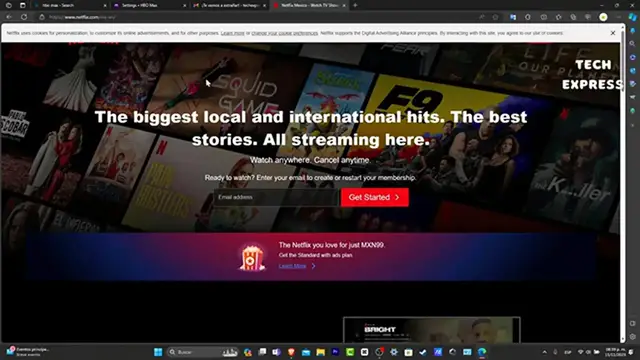
How to CREATE a NETFLIX ACCOUNT (2024) Register for Netflix for the First Time
Show More Show Less View Video Transcript
0:00
So, you want to contract Netflix for the very first time, let's see how we can do this
0:05
The very first thing you want to do is to go into the upper side of your browser once
0:09
you open it, and let's type netflix.com. As you can see, I'm inside Netflix using a computer
0:17
You can do this into your phone number, you can do this into whatever computer section
0:21
or your tablet. So, as you can see, it's going to be asking us to enter an actual email to get started
0:27
As you can see, I do have a filled information right away here, so I'm going to choose this
0:31
account that's going to get started. The process is actually really simple
0:35
What you need to do is to have your payment method ready to pay for that, and an email
0:41
account that you have access. So, it's going to be showing us step number one out of three, finish the setting of your account
0:48
So, Netflix is personalized for you, that's going to create a passcode to watch Netflix
0:54
the next time you want to sign in. Let's go into next. Now, we can choose an email
0:59
Let's go and add our custom passcode. Now, in this account, usually Microsoft Edge is going to be generated a secure passcode
1:07
that you can refresh ever since, and you can use whatever passcode you're willing to
1:13
So, make sure that you're going to be using this kind of passcode
1:17
You want to write this down somewhere else so you don't forget this passcode
1:22
In this case, we wanted to create our manual passcode. Let's get into next, and it's going to be asking to choose a plan
1:29
Let's go into next once again, and now as you can see, we have three options here
1:34
We have the standard with ads, we have the standard, and we have the premium plan
1:40
Choose the one that best suits for you with the different specifications that appears
1:44
in here. Now, scroll a little bit down and choose into next
1:49
Now it's going to be asking for the last step, choose how to pay
1:53
In this case, let's type with our credit or debit card. So I can totally suggest you to add a virtual credit or debit card in order to don't suffer
2:05
any kind of fraud. Lastly, I want to make sure that my plan here has the one that I chose, in this case, the
2:13
standard with ads. Hit into next, review your information before you continue, and hit into start the membership
2:20
Wait a few seconds, and of course, let's confirm your account. So what I'm going to do is to type a phone number
2:27
Let's hit into text me just for confirming the actual account. So I verified my actual account
2:34
I verified everything now. So lastly, we need to just fill the information to continue into Netflix
2:41
For example, what devices will you be watching on? For example, like a TV, like a computer, and a phone or a tablet
2:49
Let's go into next. Who will be watching Netflix? Usually you can add more than five people in here, but in this case, let's go only for
2:57
ourselves and hit into next. Lastly, you want to import your date of birth and your gender
3:05
After you hit into next, usually what you want to do is to choose the language that
3:08
you like to watch shows and movies in. So let's say, for example, that you're learning to speak into Italian
3:15
So this is going to be a really great opportunity to import your Italian language so you can
3:21
set up your audio and subtitles, and you can learn a little bit more about the language
3:26
you're speaking. Let's hit into next. And before we can continue, you can choose three titles that you might like
3:33
So Netflix can show you according to your taste of genders. Wait till the selected TV shows and movies for us has been set up
3:43
Just like that, we have now access to Netflix. So with that being said, guys, we have now reached the very end of the video
3:49
You might have here like a quick guide so you can focus and see how you can move on
3:54
into Netflix. Depending on what is the actual device you're currently using, it's going to be showing
3:59
you how to get started, how to stay into the known, how to find what you're looking for
4:04
and much more. My name is Walter Hartwell. So with that being said, guys, we have now reached the very end of the video once again
4:10
So guys, don't forget to like and subscribe to the channel if you want to see more great shows about how to focus into more video stream services inside Netflix, inside your devices
4:23
Thank you so much for watching the video. Hopefully, guys, we can all see you next time
#Online Video
#Video Sharing