Up next in 10


How to Convert ETH to BNB on Trust Wallet (Step by Step)
Show More Show Less View Video Transcript
0:00
how to convert ethereum token to binance token and trust wallet
0:07
hey people welcome to this new video in today's tutorial we're going to see how to convert
0:11
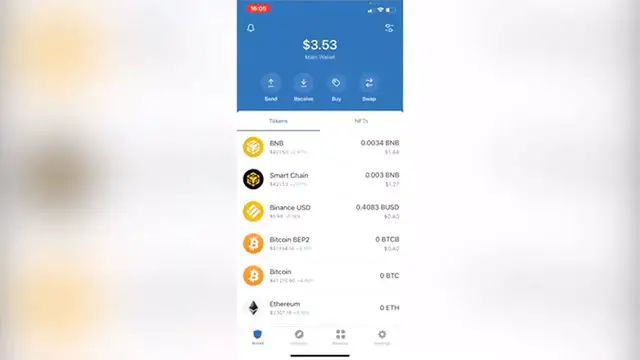
the ethereum token into the binance token using our trust wallet so as you can see i'm already
0:18
in here i have a few assets of my own so what i want to do is to convert the ethereum to
0:24
the binance coin so you want to focus where it says swap and where it says you pay you want to
0:30
select this one and you want to select the one that says ethereum so what we want to get is the
0:35
bnv token so if i select this one you're going to see that there's no asset found and the reason
0:41
of that is because there are a few tokens that are not compatible to make the swap in the application
0:46
so what you want to do is to go back where it says done and the other way that we want to do
0:50
this is to go into our browser inside trust wallet as you can see right here i want to enter
0:57
the website that says pancake swap dot finance slash swap now after that as you can see this
1:04
is the swap i'm going to go scroll down a little bit so i can connect my wallet and i'm going to
1:10
select the trust wallet so now that we select this one we are in and then we want to select the
1:16
token that we want to make the conversion in this case that would be ethereum and i'm going
1:21
to select cake so i can swap this for bnv so as you can see you have to put the amount in this
1:28
case i'm going to make this backwards so you can see what happens after i put into swap so i'm going
1:37
to select swap i'm going to select the price update i'm going to confirm the swap and then
1:42
this one is going to send us right away into our trust wallet so we can make the confirmation of
1:47
this one it says make sure you trust the site by interacting with if you allow the site to access
1:52
the fund we make the confirmation and this is transaction submitted and now we can view this on
1:58
a the smart chain scan if you want to or if you're not i will want to exit the browser and we want to
2:04
go back into our wallet and now as you can see here are all my assets now just in case you don't
2:10
see your assets you have to go into manage token list i'm going to select the eth in this case the
2:16
ethereum and if this one is not enabled you just have to click on enable and click on done so if i
2:22
clicked in here i'm going to see now my ethereum available so there you have it guys really really
2:27
simple don't forget to like the video and subscribe to this channel if you want to see
2:31
more about this app thank you for watching the video and i'll be seeing you guys on the next one
#Finance
#Investing
#Other