Up next in 10


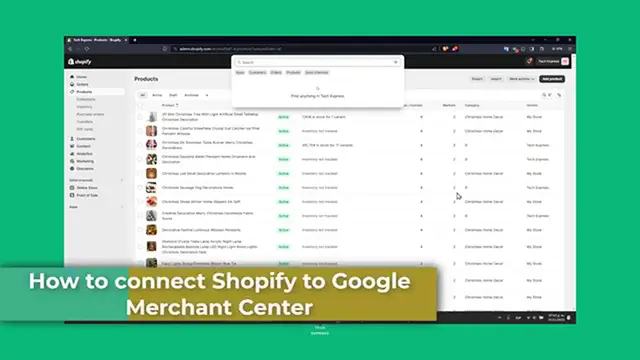
How To Connect Shopify To Google Merchant Center 2024 (Full Guide)
Show More Show Less View Video Transcript
0:00
Welcome guys back to Techspress. Today we are going to be tackling a battle topic for online
0:04
store owners, connecting your Google Merchant Center with Shopify. This integration is key
0:09
for displaying your products in Google Shopping, boosting visibility and driving sales. So let's
0:13
get started. First of all, let's understand the importance of the actual integration
0:19
Integrating Google Merchant Center with Shopify allows you to list your products into Google
0:24
Shopping. You want to make them searchable across Google. It is an essential step for
0:28
leveraging Google's massive reach for attracting more customers. Now let's start by setting up
0:42
your account on both platforms. If you haven't done this already. So first of all, you need to
0:46
have a Google Merchant Center account. You want to sign up totally for free in order to get started
0:51
Check out here how the actual overview. And it's going to be asking you to set up
0:56
your actual account. So make sure that your website complies with Google requirements
1:00
including having a clear return policy and secure checkout process. So for example
1:04
the user products online. Yes or no. What's the store website? Do you have a brick a mortar store
1:13
Yes or no. So create your business profile Google for free. You can do that. And what you want to do
1:19
is to set up your Shopify integration. Once your Shopify dashboard is sure to store basic
1:24
information up to date. So this includes your store name, your address and the shipping style
1:29
So you can go here into your overview website. You can always go into the stores and add your
1:34
very first store. Let's go back into Shopify and here into sales channel. You have the Google and
1:40
the YouTube inside here. What you want to do is to use the same account here to add it directly
1:46
into into Shopify, of course. So what you want to do is to make sure that you have added already
1:52
here into your settings, your Google account. So then later on, you want to make sure that your
1:58
store meets the actual criteria for the basic requirements. For example, the value payment
2:02
method, creating an online store and add a refund policy of the terms of services. So your Google
2:08
merchant center account is not being added automatically. Right. So now I want to enable
2:13
the news and tips from the Google YouTube app service and pilots, conversation, tracking, of
2:18
course, and product fees settings. All of those would be added automatically. Really important to
2:24
product title preferences with the CEO and the product description as well. And you're actually
2:29
good to go. Now, as you can see, we do have the product status in here. What you wanted to do is
2:34
to make sure that here into manage products, you wanted to enable your products, all of them from
2:40
Google and YouTube center. So enable all of them and hit now into continue. This might be taking a
2:47
few time here, but this is how we can link the two platforms into Shopify. So you already make
2:53
the actual integration and the authorization to access Google account. After that, syncing the
2:59
products with the account linked, of course, it's going to be taking a few times though. So to set
3:04
up your product feed into Google merchant center, this feed will pull all the product information
3:10
for Shopify listed into your Google shopping. So you can choose to set up manually if you're
3:15
automatic one, the upgrades regularly. So once I actually made this directly for my sales channel
3:22
what I can do is to go back into my store of Google merchant center, go into my overview and
3:27
make sure that all of those elements are already been filled it up. So that means that my product
3:33
performance here of the total products are now added here. First, you can see we have a zero
3:40
approved, zero limited and five not approved. And the last one are on the review. So that means that
3:46
all my products that come directly from Shopify are now being imported into the Google merchant
3:52
center. And you can see that here into your business, we have five products that we need to
3:56
change. For example, the text on images. So I'm going to hit into view the products. And this is
4:01
the part where you wanted to fix all of them. For example, here, I'm going to hit into fixed
4:06
I have the promotional override on the image, edit the attribute. And I delete this image
4:12
for example, I just go for safe. And here to save once again. So the successful update of
4:20
the product has been down. Now, let's go back into needs intention here. I close this. So you
4:25
wanted to make sure that you checked all the criteria and requirements of the Google merchant
4:30
center. So you don't get any disapproval of any product and you don't have to do this annoying
4:35
stuff. Because we have every time you need to make a course a checkmate, you have to do this
4:40
product by product and not in an actual bundle. So it's really important guys that you check out
4:45
all the status constantly there. So addresses, this issue is prompted to ensure your products
4:52
are listed and visible to your Google shopping. Otherwise, it's not going to be working inside
4:58
the Google merchant center. And that's how you connect your Google account merchant center
5:03
with your actual Shopify. So this integration is game changer for increasing your store online
5:08
process and tapping into Google bus audience and the product data is should be added into
5:14
your store. Otherwise, once again, it just won't let you to move on. So guys, thank you so much
5:20
for watching the video. If you found this guide very valuable guys, please give us a thumbs up
5:24
and don't forget to subscribe to the express for more e-commerce tips. Have any questions or
5:29
experience with the integration Shopify and Google merchant center, you can let us know in the comments below. Thank you so much for watching guys. Here's the success of the world of e-commerce
5:37
Stay tuned for more help guides and tutorial guys. See you next time
#Software
#Affiliate Programs
#Shopping
#Consumer Resources
#Mass Merchants & Department Stores
#Photo & Video Services
#Shopping Portals