Up next in 10


How to Connect Phantom Wallet to Star Atlas (Step by Step)
Show More Show Less View Video Transcript
0:00
Hey guys, welcome back to this new video and in this tutorial I'm going to show you real
0:03
quick how you can import your Senton wallet into StarAtlasHero.com which is the grand
0:10
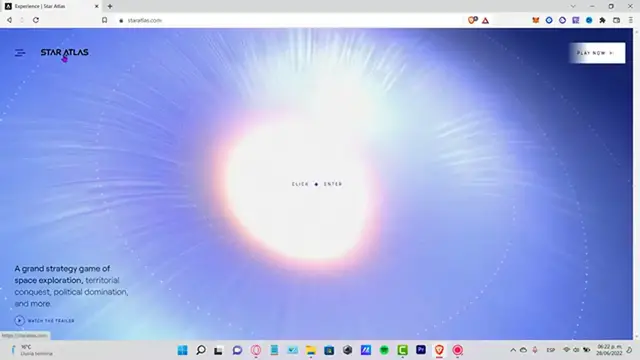
strategy game of the space exploration. So once you are here into StarAtlas.com the first thing you want to do is to, you can
0:18
click anywhere, so you can start, which is this one is going to be redirecting us into play.staratlas.com
0:25
So as you can see we can connect our wallet but first we need to have already set our
0:31
Fenton wallet. So what you guys want to do is to look in Google for the Fenton.app where you can add
0:38
your Fenton wallet directly into your extension which is right in here
0:43
I've just downloaded it myself. So now what I want to do is to enable and put in my passcode so I can access my wallet
0:51
So now that I have my wallet already in here you can see that I have just a few Solana
0:55
and here's my wallet, here's my account, this one ends in NM
0:59
So we're going to go back into StarAtlas and first I'm going to reload the page so the
1:04
application can find real quick my crypto wallet. So I'm going to go into connect wallet and as you can see here is the Fenton recommended
1:14
so now what I want to do is to select the option that says connect and it's going to
1:19
be popping up a new notification window where we have to connect
1:23
This one says view your wallet and request approval so I'm going to go into connect
1:27
As you can see here is just a few of my tokens that I have here available
1:33
Now you can scroll a little bit down and choose to close so we can explore the marketplace
1:38
as you can see here is the Discord chat, the AuBitView, the StarAtlas.com
1:43
If you want you can choose a faction right here but that's totally up to you guys
1:47
This is just for creating your account and you can do all the configurations depending
1:52
on what you're trying to do here into StarAtlas.com. So there you have it guys, just in case you have any questions you can leave it down below
1:59
in the comment section. Thank you for watching the video, don't forget to like and subscribe to the channel if you
2:03
want to see more about the Fenton wallet or the StarAtlas.com and I'll see you next time
#Computer & Video Games