Up next in 10


How To Add Tracking Number to Order on Shopify (2024) Tutorial For Beginners
Show More Show Less View Video Transcript
0:00
So, would you like to add a tracking number into your Shopify store
0:04
There's actually two ways that we can do this. The first way is like a paid option, and the second way is like a free option
0:11
So what I want to do is to if you want to make for the payment option, which I think
0:15
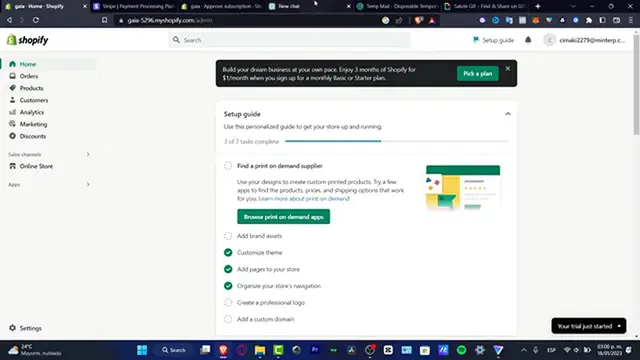
is really, really useful, and if you want to look professional, go into apps
0:20
And here into apps, what I want to look for is the actual order tracker number like this
0:26
tracker, track order like this, and it's going to be sending me into the app store
0:32
of Shopify. So what I need to do is to choose whatever option I want to do, for example, this one
0:39
to test the parcel panel order tracking. So once you choose that option, you click in here and you want to add the application
0:49
So you have the this one already added into your store. The second option that you want to enable if you don't want to pay for this, because
0:58
I believe that this one has a seven free trial. But after that, I think we need to pay for a small amount by usage, depending on what
1:07
is the plan that you have available into your store. So as you can see, here's my administrator
1:11
Here's my value shipment. Here's my average rating and blah, blah, blah, blah
1:15
So I'm just looking around. You have my three trial indicating to God. If you want to do this in a more easy way, I'm going to get rid of this app
1:25
I'm going to go into the settings and here into settings. What I want to look for is the actual pages
1:33
So whether you want to go in here or go into the online store, which I think is more faster
1:38
to do this here into pages on here, what I want to do is to locate the new page of track
1:47
your orders. I'm going to add page track your order. So I'm going to leave you guys a link down below in the description
1:55
So you want to paste the code that I'm going to be sending you that is going to be helping
2:00
us a lot for having the tractor order, because this is totally for free
2:05
So I just need to paste that info and theme template. I want to send this into contact, track your order and hit into safe
2:16
So as you can see, I'm going to go into the view my page. And here what you can do is please enter your tracking number below
2:22
If you're tracking number does not work, you feel free to contact us
2:25
And here is you can track the number to really feel free. I mean, it's really, really simple, but you didn't have to pay for anything
2:32
It was more easier than you looked and it looks it. So with that being said, guys, it reached to the very end of the video
2:37
Hopefully this was very useful for you, whether you want to use this option or the application
2:42
So thank you so much for watching the video, guys. And I will see you on the next time
#Shopping
#Consumer Resources