live_tv
Livestream Starting Soon
00
Hours
:
00
Minutes
:
00
Seconds
Up next in 10


How To Add Stripe To Shopify (2024) Step by Step Tutorial
Show More Show Less View Video Transcript
0:00
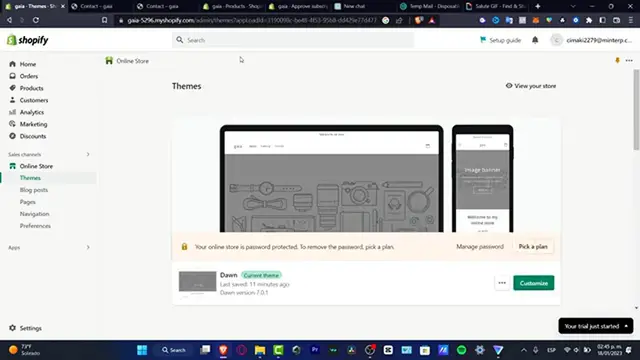
Hello there, let's try to enable the Stripe into
0:04
our store. So Stripe is a actual tool for Paypal if you want to enable payments here into your Shopify store
0:12
so what you want to do after you have your store already been created, you want to
0:16
look out for the settings, and here in settings I want to locate
0:20
the actual section that says payments that appears in here so here I want to focus in to choose a provider
0:28
that appears in here, so once I click in here I want to locate
0:32
the actual Striped, in my case it appears in here, so once
0:36
you choose this option, it's going to be sending you into the
0:40
connection of Striped, so what you want to do is to create
0:44
or get started with Striped, in my case I'm just going to copy
0:48
my mail, like this, and I'm going to paste that in here
0:52
I'm going to hit into continue, and of course I'm going to choose a passcode
0:56
in order to continue, if you already have an actual account into Striped, you just need to sign in, which that would be really really easy
1:04
hit into continue, and after that, what we need to do is to provide a little bit of information, a little bit
1:12
of information about ourselves, for example a security phone number, I'm going to hit into
1:20
security key instead, I'm going to hit into ok I'm going to hit into cancel, because I don't have anything yet
1:28
available here, I'm going to try with an authenticator application, and enter code manually instead, so what I want to do
1:36
really really easy, is just to provide the information about my business, the type of business, hit into continue
1:44
and then what I just need to do is to import my legal
1:48
information that appears in here, so I want to type my email, I want to
1:52
type my date of birth, like that, and here into my city, here
1:56
is my state, my phone number, I need to of course make the add of the statement description
2:04
for example the name of my store, and the short description for example subsect, and here into continue, so now that my account
2:12
has been already been created, it's going to be sending me back into Shopify, so what's
2:16
going to be helping me is that I need to just provide the setup Striped
2:20
and we are now actually good to go, so go into the set by Striped
2:24
and here is going to be appearing the card rate, which is actually really really
2:28
simple, so with that being said, we are now going to be able to accept payments
2:32
with Stripe, so thank you for watching the video guys, don't forget to like and subscribe, hopefully
2:36
this was useful for you, and I'll see you on the next video
#E-Commerce Services
#Billing & Invoicing
#Mobile Payments & Digital Wallets
#Identity Theft Protection