Up next in 10


How To Add Google Adsense To Wix Website (2024) Tutorial For Beginners
Show More Show Less View Video Transcript
0:00
What is up guys, if you want to add Google Ads
0:03
sends into your Wix, this is a new integration that of course we need to do this
0:08
in a very manual way, but it's gonna be helping us a lot for marketing and so much more stuff
0:14
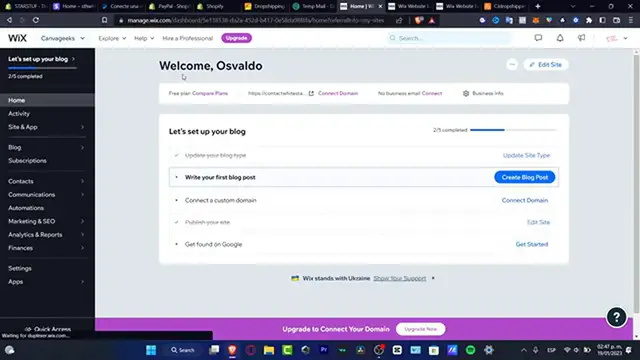
so the first thing you want to do is to have a Wix account, as you can see I already have my Wix created
0:19
and here I do have already been my account and I have here my actual website
0:25
so where do I can find the actual automation of Google? so what I want to do is to have my Google business profile already been added here
0:34
so I can see the actual dashboard, the marketing hub here into my actual website
0:40
and I can start an email campaign, I can add forms, I can connect Facebook and Instagram
0:45
if I want to do, I can connect automations and I can do so much more than that
0:50
now automation is gonna be helping us a lot just to track orders, just to track how people are working
0:56
how people are interacting with our actual information, with our actual website
1:02
but I just want to focus into how we can add the actual Google sends into the actual Wix
1:10
so as you can see here into the marketing and CEO, I have the Google business profile and I have the Google Ads
1:17
so I can choose the start advertising and here the Google Ads gonna be helping me just to actually import my products
1:24
import my campaigns and all that into my actual Wix now in my case I must have a premium plan of Wix and we must have a premium plan
1:34
in order to import Google advertisement here into our actual website and of course we need to have a custom domain of course to just verify that
1:44
and if you want to do the same thing with the Google business profile, you want to choose that option, choosing to start now
1:50
and of course you need to connect a domain to set up a Google business profile just to get started
1:56
but it's gonna be really really easy to do that once you already have been approved by the Google Ads that sends
2:02
to as you see it here, your actual account into Wix, the rest is gonna be just really really easy
2:08
I just can tell you guys that it's just really really easy to import your Google account here into Wix
2:13
and you can do much more than just ads and marketing and CEO
2:18
so hopefully this was very useful for you guys, thank you so much for watching the video guys
2:22
and don't forget to like and subscribe, you can let us know in the comments below how much time did Google take to approve your Adsense account
2:29
and well, we'll get connected to each other, thank you so much for watching once again and I'll see you next time
2:38
Microsoft Mechanics www.microsoft.com www.microsoft.com
#Computers & Electronics
#Business & Productivity Software
#Internet Software