Up next in 10


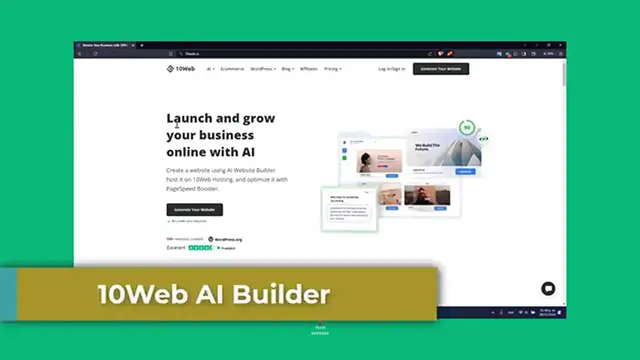
10Web Ai Builder (Step by Step Tutorial for Beginners)
Show More Show Less View Video Transcript
0:00
Hello enthusiasts, welcome to Techpress. In this tutorial we're going to be exploring the 10 web
0:04
artificial intelligence builder, an innovation tool to harness the power of the artificial
0:09
intelligence to create WordPress websites. This is ideal for beginners and those looking for
0:15
streamlines their web design processes. This artificial intelligence builder is your getaway
0:21
to create professional looking website with easy. Let's begin our journey into the world of the
0:26
artificial intelligence driven web design. First of all, introduction to the 10 web
0:30
artificial intelligence builder. Now this application is a revolutionary tool that automates the web design process. It uses artificial intelligence to convert any website
0:41
into a WordPress site or to create the new site from scratch based on your own preferences. It's
0:48
a game changer for beginners or those who want to quickly design websites without extensive
0:54
knowledge. So first of all, let's set up our 10 web account. Now you'll need a 10 web account in
1:01
order to continue, you want to head over to the 10 web website and sign up, or I'm going to leave
1:06
you guys a link down below in the description so you can get a free account and generate your
1:10
website as a AP. Now they offer different plans of course, including the free trial so you can
1:18
choose what best fit for your actual needs. Once you account is ready, you'll have access to the
1:25
10 web dashboard, not by first of all just focus into what do you want to actually do, which is
1:31
bring us into using the artificial intelligence builder to create a new site. Usually what most
1:36
people do is to create a new website with artificial intelligence, and then it's going
1:40
to be asking you to let's start creating a new website with artificial intelligence. Now let's
1:44
use this new site section. So in order to get started you can replicate a site, simply enter
1:50
the URL, or wanted to replicate, or just get started with something just brand new. For example, let's
1:56
go for I wanted to create an informational website, or I wanted to create a website with an online
2:02
store. Let's go here into next, and now please select the store type. So you can choose, this is
2:08
like a bookstore, an ebook store, a boat rental shop, an online shopping here, chemical supplier
2:16
So just click in the, let's see for example, this is a clothing store. Right, so you can see that
2:22
it's going to be appearing a lot of options here. Let's see for example, we are into the home decor
2:26
Let's go over try only Christmas. Hit into next, and now the store name. Now let's say for example
2:33
that we are willing to, let's say tech, and then I can enhance this with artificial intelligence
2:39
It's going to be generating something a little bit much more descriptive to my store, and it's
2:43
going to be helping me to improve the description to create something with a really, really, really
2:49
great description here. So just wait a few seconds though, and check out how does it actually looks
2:55
Now let's get into next, and add three products for your store. Let's say for example plush number
3:01
one, and the categories you wanted to choose. Let's say for example plush. Now section number two
3:06
Let's say for example a Pacman towel for example, and now categories. I'm going to go for towel
3:13
and lastly you have the felt part. Let's say for example just like a collection toy. There you go
3:19
finalized, and the generating of the personalized artificial intelligence website is going to be
3:24
added automatically. So customizing your website is once the artificial intelligence generates your
3:31
website, it is time to customize it. So as you can see, this is how it actually looks my website
3:38
I do have the as seen by, I have different logos. Welcome to Techpress, your ultimate video game
3:45
store. Why to choose us? They have different sales, like just how actually looks here. The
3:52
towel, plush towel, actually has something really, really great created, and as you can see now it's
3:58
going to be appearing the try the pro versions for seven days. So we're going to go and hit into
4:04
the x mark, and this is the part where you wanted to drag and drop interfaces makes it simple to
4:09
make some changes into 10 web. For example, first of all let's go here into what you wanted to edit
4:16
For example, this side of exclusive deals. So let's go here into edit your website with 10 web
4:22
builder, and now I do have access to all these elements. For example, here the elevate your
4:28
gaming experience, I can double click and I can change that later. I can double click and change
4:35
here this content, or I can write this with artificial intelligence. I can change the logos
4:40
in here. Then the integrations. 10 web allows the integrations of various plugins and widgets to
4:47
enhance your website functionality. You can even change the actual colors and formats
4:53
and social media buttons, and so much more. This is type of crucial for adding specific features
4:59
that your website actually needs. Lastly, we have the preview and the publishing your website
5:04
Before you go live, always preview your website, check the responsiveness, loading time
5:09
overall functionality. Once your store is ready, you can check out how this actually looks into
5:14
a mobile friendly. You can change the layout. And that guys is how you use the 10 web artificial
5:21
intelligence builder to create a website. It's an efficient user-friendly tool that simplifies the
5:26
web's design process, especially for beginners. If you find this tutorial helpful, please give
5:31
it a thumbs up and subscribe to express remote tech guides. If you have any questions or experience
5:36
with this great web application, you can leave it down below in the comment section. Thank you
5:40
once again for watching this video guys. Hopefully we can all see you next time
#Software
#Web Services
#Web Design & Development
#Brand Management
#Search Engine Optimization & Marketing