Up next in 10


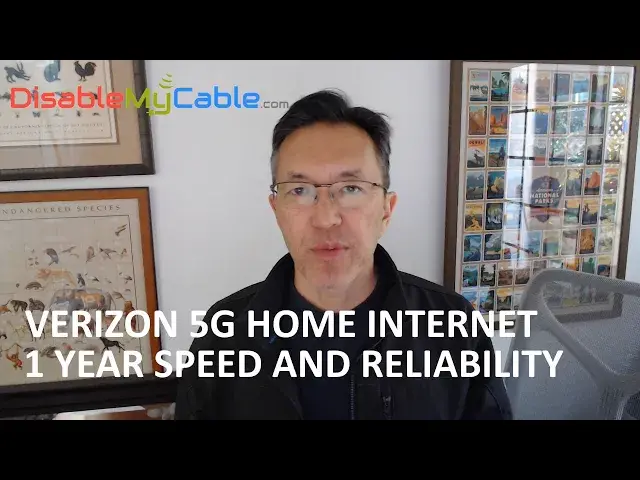
My experience with Verizon 5G Home Internet over the past year, including speed, reliability, and new features in the latest firmware update.
My full review of Verizon 5G Home Internet:
https://www.disablemycable.com/blog/verizon-5g-home-internet/
How to use your own Wi-Fi router with Verizon 5G Home Internet:
https://www.disablemycable.com/blog/wifi-router-verizon-5g-home-internet-gateway/
Show More Show Less View Video Transcript
0:00
Hey, this is Brian from disablemycable.com
0:03
And today I'm giving you an update of my experience with Verizon 5G home internet after
0:09
one year of use. The bottom line is that for me, Verizon 5G home internet has performed well
0:17
I've been consistently getting between 200 and 300 megabits per second of download speed
0:23
with 20 megabits per second upload speeds. this morning I measured 220 megabits per second download speeds, which is pretty typical. Often
0:35
it's a little bit higher than that. Now as far as reliability is concerned, my internet connection
0:41
has gone down a few times over the past year. In every case, I was able to fix it by just
0:48
cycling power on my gateway and just rebooting that, and in five minutes, my internet was restored
0:55
So that's not too bad. One person commented that that would be really bad for him because he travels a lot and relies on his home internet to supply his security cameras feeds
1:10
And so if he's not home to reboot it, he would just lose that security camera coverage. So that might be a concern for some people
1:18
I'm at home most of the time, so it's not a huge deal for me. Of course, any outage is not good
1:24
but it's just something to consider. And like I said, it hasn't happened lately
1:28
so it might be that Verizon has actually solved these outage problems
1:33
Now, as far as savings is concerned, I am saving $30 a month compared to my previous cable internet home provider
1:43
So over the past year, that means I've saved $330. Now the reason why it not is because I had one month where I overlapped Verizon and home internet with my old provider just to make sure it worked properly before I canceled it
2:00
And I really recommend that you do that. Don't cancel your previous Internet provider until you've had a chance to test out Verizon Home Internet
2:10
Because although it works well for most people, there are some people where it just doesn't
2:15
work and they get on customer support and they're usually an audio
2:19
to fix it. So have that one month of overlap before you switched to Verizon Home Internet
2:26
A couple other notes on the pricing. I'm on a $50 a month plan, and some people have asked me
2:33
if there are any hidden fees or taxes that get tacked on to those prices that are quoted
2:39
And the answer is no, I pay exactly $50 a month. There are no hidden fees or taxes that are
2:44
added on. Now, when I signed up, they claimed that I would get a 10-year price guarantee where there
2:51
be no price increases for 10 years. I'm not sure if they're going to honor that or not. I can tell you
2:57
that I'm in the first month of my second year and my bill has stayed at $50 a month. So we'll
3:05
see if they really honor that 10-year price guarantee. I don't think they're offering that
3:09
long or price guarantee anymore. It changes. So check to see what they're offering when you sign up
3:14
Now let's talk about some of the new developments since my last video
3:19
The big new thing is the new software version 3.2. So basically what happened is that one day I was not able to log into my control panel
3:29
using the web portal. And so I tried cycling power and that didn't fix it
3:34
So I had to actually reset my unit using the button on the bottom and using a paperclip
3:40
And after I did that the new software version appeared in the web portal And it had a new interface a new look a lot more options a lot more features And so I thought it was pretty cool Now some people online have said that the new software caused certain websites to load
3:59
really slowly and it was pretty much unusable for them. That hasn't happened to me
4:04
And I haven't heard any of those complaints lately. So if there was a problem with a new software, it might have been fixed with another
4:11
software update. There are a lot more features, a lot more options, but that has resulted in some of the
4:19
options that people might need are being buried in the user interface
4:26
The one I'm thinking about is pass-through, which now is kind of hard to find
4:30
It's not very intuitive. So if you want to put your unit in pass-through mode, check out the link in the description
4:36
where I have a blog post that describes how to put your unit in pass-through mode
4:41
And by the way, this software update applies to the ASK model units
4:48
There are two models out there which have different firmware. Probably the biggest improvement in the new firmware is a much better signal strength indicator
4:58
The old firmware actually didn't indicate signal strength, at least on the ASK models
5:04
and you had to do a hack to see it, and it was just between one and five bars of resolution
5:09
Now it tells you right down to the DB, how much strength, how strong your signal is, and that should help a lot when you're trying to
5:16
hunt around your house for the best position for your gateway. The new firmware also gives you a new
5:21
2.4 gigahertz Wi-Fi channel for IoT devices, Internet of Things devices. Some people have
5:28
devices that require 2.4 gigahertz only, and it can never switch to the five. So that could be
5:36
useful for some people There some other minor changes like the LED and pass mode is green now instead of white But overall a lot of good changes in that software And I just really like to see that Verizon is constantly improving even their
5:50
older model gateways. Now, in the meantime, Verizon has released even newer firmware, which they
5:57
call System Update 8, which I have not received yet. But I'll let you guys know if there are any
6:02
huge changes. Now, unfortunately, you can't choose when you get your updates. They just happen at the whim of Verizon
6:08
and you can't request a download or anything like that. The other thing that has changed for me
6:14
is that I had to move my gateway from upstairs to downstairs due to a renovation that I'm doing upstairs
6:20
So I was pretty worried about that because I have a huge apartment complex next door
6:24
and moving it downstairs would mean I would lose line of sight to my cell tower
6:31
So when I did that, my signal strength went from five bars to three bars, but my bandwidth stayed between two or two
6:38
200 and 300 megabits per second, it didn't really change. So that was pretty amazing that even though my signal strength went down, my speeds were not affected
6:47
So I guess I just have really good quality signals in my area
6:51
Of course, your results may vary. So that's my quick overview after using Verizon Home Internet for the past year
6:59
The download speeds have been good and consistent. The reliability has been pretty good
7:04
Like I said, it did have some downtime, mainly during the summer. but that seems to have gone away and it seems pretty solid now
7:12
And like I said, I'm saving $30 a month, which means in less than three years
7:17
I will have saved $1,000 on my internet access, which isn't too bad
7:21
For my complete review of Verizon Home Internet, check out my blog, disablemycable.com
7:27
which is all about how to save money on internet access, TV, and cellular services
7:34
I hope you enjoyed this video, and thanks a lot for watching. I'll see you next time
#Hobbies & Leisure
#Internet & Telecom
#Internet & Telecom
#Service Providers
#ISPs