
How To Delete Youtube Playlist
Nov 3, 2022
https://howtodelete.org/how-to-delete-youtube-playlist/
Creating your very own Youtube playlists is great as you can enjoy watching your customized videos, but what about deleting Youtube playlists. HowToDelete guides you through the steps of deleting your Youtube playlist from both Youtube App and Web browser (Desktop)
How to Delete Youtube Playlist from web
Follow these steps if you are using Youtube on your Desktop's web browser.
1. Visit youtube.com and login to your account if you haven't.
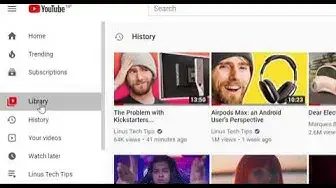
2. Click on Library at the left pane of the page.
3. Scroll down and you will see your playlists under the Playlists heading.
4. If you have multiple playlists, click on SHOW MORE.
5. Click on the title of the playlists at the upper right corner.
6. Now, click on the three-dot icon placed below the name of the playlist.
7. A popup menu will appear, select Delete playlist.
8. At last, a confirmation popup will show up, select DELETE.
Show More Show Less