0:00
In this video, I'm going to show you how
0:02
In this video, I'm going to show you how
0:02
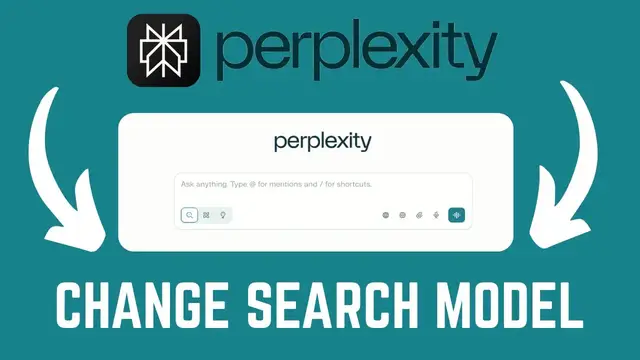
In this video, I'm going to show you how you can change your publicity search
0:04
you can change your publicity search
0:04
you can change your publicity search model. If you find this video helpful,
0:06
model. If you find this video helpful,
0:06
model. If you find this video helpful, please like and subscribe to this
0:08
please like and subscribe to this
0:08
please like and subscribe to this channel. All right. So, the first thing
0:10
channel. All right. So, the first thing
0:10
channel. All right. So, the first thing you need to do is to go ahead and log
0:11
you need to do is to go ahead and log
0:12
you need to do is to go ahead and log into your publicity account. And you can
0:14
into your publicity account. And you can
0:14
into your publicity account. And you can now go ahead and enter your search query
0:17
now go ahead and enter your search query
0:17
now go ahead and enter your search query on the search bar here. However, before
0:19
on the search bar here. However, before
0:19
on the search bar here. However, before you generate your responses, you may
0:21
you generate your responses, you may
0:21
you generate your responses, you may want to go ahead and change your model
0:23
want to go ahead and change your model
0:23
want to go ahead and change your model depending on what you want. It might be
0:25
depending on what you want. It might be
0:25
depending on what you want. It might be you want to generate a video or you want
0:27
you want to generate a video or you want
0:27
you want to generate a video or you want to generate an image or you are asking a
0:30
to generate an image or you are asking a
0:30
to generate an image or you are asking a question that needs such response.
0:32
question that needs such response.
0:32
question that needs such response. Publicity gives you the freedom to
0:35
Publicity gives you the freedom to
0:35
Publicity gives you the freedom to change the model to use any of the
0:37
change the model to use any of the
0:37
change the model to use any of the latest model to perform any of the buff.
0:39
latest model to perform any of the buff.
0:39
latest model to perform any of the buff. It's pretty simple. Just hover over here
0:42
It's pretty simple. Just hover over here
0:42
It's pretty simple. Just hover over here and you're told choose a model. If I
0:44
and you're told choose a model. If I
0:44
and you're told choose a model. If I click on this, you can see we have
0:45
click on this, you can see we have
0:45
click on this, you can see we have options such as sona GPT 5.1 currently
0:49
options such as sona GPT 5.1 currently
0:49
options such as sona GPT 5.1 currently cla
0:52
cla and the list is endless. Now go ahead
0:55
and the list is endless. Now go ahead
0:55
and the list is endless. Now go ahead and choose your model that you prefer.
0:57
and choose your model that you prefer.
0:57
and choose your model that you prefer. However, you have to note that some of
0:59
However, you have to note that some of
0:59
However, you have to note that some of these models will need you to have a pro
1:02
these models will need you to have a pro
1:02
these models will need you to have a pro account. Go ahead and upgrade your
1:03
account. Go ahead and upgrade your
1:04
account. Go ahead and upgrade your account for you to start searching with
1:06
account for you to start searching with
1:06
account for you to start searching with these models. If you have any other
1:08
these models. If you have any other
1:08
these models. If you have any other question, kindly let me know in the
1:09
question, kindly let me know in the
1:09
question, kindly let me know in the comment section. Otherwise, thanks for
1:11
comment section. Otherwise, thanks for
1:11
comment section. Otherwise, thanks for watching and let's meet in the next