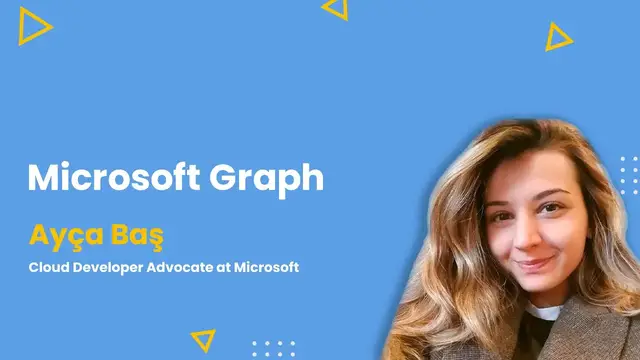
Up next in 10



Join us on April 1 with Ayca Bas to learn about Microsoft Graph Toolkit.
ABSTRACT
Microsoft Graph is the gateway to data and intelligence in Microsoft 365. It provides a unified programmability model that you can use to access the tremendous amount of data in Microsoft 365, Windows 10, and Enterprise Mobility + Security. Use the wealth of data in Microsoft Graph to build apps for organizations and consumers that interact with millions of users.
AGENDA
In this session, you will learn
• What is Microsoft Graph?
• What is Microsoft Graph Toolkit and why you should use it?
Ayça Baş Twitter: https://twitter.com/aycabs
C# Corner - Community of Software and Data Developers
https://www.c-sharpcorner.com
#ama #liveshow #askmeanything #csharpcorner #csharpcornerlive
Show More Show Less View Video Transcript
0:00
Thank you
0:29
Thank you
0:59
Thank you
1:29
Thank you
2:30
Hi, everyone. My name is Stephen Simon and welcome back to C Sharp Corner Live
2:42
C Sharp Corner Live. We are back with another episode of Ask Me Anything
2:47
And as always, I'm your host, Stephen Simon. And as always, you see me every other day at 10 a.m
2:51
Eastern. So thank you everyone who is joining us today. And before we go ahead and actually
2:56
talk about today's shows. As always, I'm going to do a quick announcement of the different live
3:01
shows that we do on C Sharp Live. And always remember that 10 o'clock Eastern US time
3:08
mark the time every day we do live shows. And in fact, we do almost 10 live shows a week. And I say
3:14
that we stream eight days in a week. Starting from Monday, we have our Azure AI show, where we talk
3:21
about the entire ecosystem of data and AI and machine learning from Microsoft's perspective
3:28
Then on Tuesdays, we have product showcase of Coffee with Pros. Coffee with Pros is more like
3:33
a video podcast where we invite people from the tech community or tech background and talk about
3:38
their day-to-day life and how they spend their work. So no coding or slides. Then on Wednesdays
3:47
have c-sharp corner mvp show where we feature our community leaders from the c-sharp corner
3:53
community ask their journey on how did they become a c-sharp corner mvp followed by a technical
3:58
session then we have an amazing uh new show that runs bi-weekly it's called ai photo it's by eve
4:05
barry and hogan uh where they teach you data science from very scratch and in fact they teach
4:10
you data science from from mathematics from mathematics they completed five cities then
4:15
Then they talked about the T-SQL. Then the next coming three to four weeks, they're going to talk about Python and more
4:21
So that's an interesting show too. Then we have a bit of AI show by Hank and Amy, the cloud advocates at Microsoft
4:28
It's again a chit-chat show where you can go ahead and talk to guests on how they spend
4:35
their day-to-day life in the field of AI, what kind of projects they're working. And also the interesting part is after the live show ends, you can actually go ahead and
4:42
joins a team meeting and talk to guests. So that's pretty interesting thing
4:48
Then on Thursday, as you see, it's Thursday. So it's AMA at 10 AM Eastern
4:52
And we have very exciting guests waiting behind the scenes. I'm going to bring her live very, very soon
4:58
Then on Fridays, we have Good Mindset. Then on Saturdays, we have Rocking the Code World
5:03
with .NET Dave. .NET Dave, David McCarter is, I think, 14 or 15 times
5:08
Microsoft MVP, very senior guy. he's going to stream his 20th episode this Saturday
5:14
where he brings people from the Dottart ecosystem. He has interviewed guys like Matt Strodderson
5:20
Scott Hunter, Kathleen Dolat, Kendra Evans, and many, many great people from the Dottart ecosystem
5:26
Apart from that, every alternate week, we also do full stack work. Oh, no, this is the wrong slide
5:30
Okay, every hour from that, we do virtual conferences too. Every alternate week
5:36
we did SQL virtual conference for two days with around 30 speakers
5:40
then we did power platform virtual conference five days 40 plus speakers so all those contents
5:46
are available uh on demand on c sharp live and you can actually go ahead and re-watch them so
5:52
thank you everyone who are who's joining us again hi padip welcome to the live show so yeah so let's
5:58
actually go ahead and talk about today's show i'm really really excited to host uh today's guest uh
6:04
Today's guest is actually Aicha Paj. She is a cloud developer advocate at Microsoft. She also
6:10
looks into developer relations. I'm connected with her on LinkedIn and Twitter and I see she's
6:17
a great community leader. She also takes involvement in the Imagine Cup and if I'm not wrong, she was
6:24
also a MicroStudent partner. I hope so, I'm not wrong. And because I was a MicroStudent partner too
6:29
and I love that program. They have changed the name, but never mind. The program is amazing
6:35
So let's go ahead and invite our speaker guest of the show, Microsoft, I say it, Microsoft Graph Queen, Aicha Bash
7:07
hi Aicha welcome to the AMA live show Hi such a nice introduction Thank you so much for the video All right All right Aija how have you been doing all these times
7:37
How's life? Aija, where are you joining us today from? I'm at home, Dubai
7:43
Yeah, so by the way, I was a student partner and now they call us student ambassador
7:48
It was eight, nine years ago. So yeah, it was the correct information
7:53
That's nice. That's great. So you're joining us from Dubai, which is an amazing place
7:58
And I think the best place to be at during this time
8:03
So how's life at your place? How has things actually changed if they have
8:08
Because I see Dubai is all good now. You can go ahead and hang out
8:12
So how has life changed or not even actually? We don't have much restrictions right now
8:18
as long as we are prepared with our masks and most of the restaurants are really good at the
8:26
cleaning stuff and they're really good at keeping people and low number of people in the restaurants
8:32
and so on. So it is kind of normal if I compare to other countries like where I'm officially from
8:40
Turkey, for example, right now Dubai is a kind of better place. At least we don't have lockdown
8:45
So we can go out and eat and, you know, at least walk around
8:51
So, yeah, it is good. That sounds great. That's pretty interesting that you're living a normal life
8:57
So that's great. I just so I did I did go ahead and give a quick introduction about you
9:02
But maybe if you'd like to go ahead and tell who you are, what you do in your day to day life at work, maybe a quick 30 seconds or 40 seconds into that would be great
9:13
Yes, sure. So I work at Microsoft as a cloud advocate. Before that, I have experienced four years at Microsoft
9:22
in Microsoft Premier Field Engineering team. I was working at Microsoft Services as a Premier Field Engineer
9:29
So I've been working with customers all around Europe, Middle East, and Africa
9:34
Probably I work more than 100 different customers in four years. And it was a lot of traveling, a lot of different technologies
9:43
I've been responsible of Azure developer technologies like web apps, bots, cognitive services, and so on
9:50
Right now, what I'm doing is as a cloud developer advocate, I am focusing on creating content
9:58
a good quality content for our community. And thanks for the title for Graph Queen, by the way
10:04
So my focus is around Microsoft Teams and Microsoft Graph for developers
10:11
and we just keep both of them under the roof of Microsoft 365 development
10:18
These days, I'm recently focusing on beginner-level content most of the time
10:24
and we have great news on that area because we recently published really great modules
10:30
at Microsoft Learn that I'm going to talk a lot today. Yeah, that's great
10:35
I mean, in the title, the designation is pretty interesting. It said, Cloud Advocate
10:41
I do remember previously Microsoft had this technical evangelist who were kind of rock stars
10:46
And I now see Microsoft has come up with this great job role that is cloud advocates
10:52
And yeah, I think we have many good friends from that program
10:56
So definitely cloud advocate program is really amazing. And thanks to all that work you and your team do for the community
11:04
We really appreciate it. So Aisha, you did tell that you work primarily on the Microsoft Graph, right
11:12
So for people who do not understand or who are hearing it for the very first time
11:16
how would you like to explain Microsoft Graph in a very simple or layman's language
11:21
Yes, so great question. Great start question. So if we consider Microsoft 365 as another cloud of Microsoft
11:31
so we have Azure, of course, and we have a lot of great products there. We also have Microsoft 365 Cloud
11:38
And as you know, every single day, we use all these products like Outlook
11:43
We send, receive emails. We chat in Teams. And we take note on OneNote
11:49
And we just share files on OneDrive and so on and so forth
11:54
All this data we create stays under Microsoft 365 Cloud. And there is actually a way to reach out this data and use this data in your own application, such as if you want to receive your files, if you want to get your files from OneDrive, or if you want to retrieve all of your channel messages on Teams, or if you just want to post an email every time something happens
12:22
So these kind of things can be done using Microsoft Graph API
12:27
So basically, Microsoft Graph API is the API for Microsoft 365, where you can gather users' data
12:40
That sounds great. So it means like if I am using a service like maybe Outlook, Teams
12:46
or maybe OneDrive, I can go ahead and build an application and actually fetch the data from there
12:52
So that's great. So that's very interesting if you have bigger teams and maybe if I want to go ahead and
12:58
maybe create an application, I don't have to just go ahead and mess up with every single
13:03
API, writing maybe an API for Yammer. I do remember that earlier there were different APIs for Yammer, different APIs for OneDrive
13:11
Now I can just go to Microsoft Graph APIs and just fetch, use those APIs to go ahead
13:17
and build my one-stop product. I think it's a really nice point to highlight
13:23
Right now, if you want to get files from OneDrive or get emails from Outlook or get chat messages from Teams
13:33
you don't need to use all different APIs for Teams, Outlook, and blah, blah
13:37
They centralize all this data under one single endpoint, which is graph.microsoft.com
13:44
You just customize the queries every time you want to gather some other data
13:50
So you just have to remember one API and that's all. That's great
13:55
I mean, that sounds pretty promising. So now when I suppose I'm a developer, I want to go ahead and start using the APIs, right
14:05
That makes sense. What other products would Microsoft give us on the fly apart from Microsoft Graph
14:11
I know there are many, many other. Is there any other products you want to talk about specifically for today
14:17
Yeah, so for Microsoft Graph, as you know, there is a big selection of SDKs and the platform support
14:25
But if you're a beginner, especially, and if it is your first time or if you do this a couple of times, but you're not expert of it
14:34
if you want to handle authentication and let's say you want to put a login button and then you
14:42
want to get their calendar events and let's say you want to get people information, there is a
14:49
great solution in Microsoft Graph and you call it Microsoft Graph Toolkit Microsoft Graph Toolkit is actually a collection of reusable web components and authentication providers These are really easy to consume especially if you a beginner
15:08
This is just one line of HTML code for you to handle the authentication in the background
15:14
as well as for you to handle UI as well, because it comes with pre-built UI
15:20
Basically, it is just two, three lines of code, and you're done
15:24
you cover up all the authentication as well as all the UI piece
15:29
because all the components will give a look and feel of Microsoft experience
15:34
So I would definitely recommend Microsoft Graph Toolkit for the ones who are just starting to learn about Microsoft Graph today
15:44
That's great. You just said that to go ahead and maybe work with the authentication
15:51
or maybe with the files, right? So people who are watching it and usually authentication is very necessary, but at the same time, it is pretty complex
16:02
You have to manage the sessions. You need to make requests, get it, make sure you're getting the right tokens, and then you have to manage it
16:09
So you are telling that with Microsoft Graph Toolkit and using some components, I can actually go ahead and just plug in using two or three lines of code in my existing application or maybe a new application
16:20
and add all this authentication in my application, right? Yeah, exactly. Actually, my colleague Beth
16:29
she also mentioned this in a couple of different webinars as well
16:33
She's a part of Microsoft Graph Toolkit team. They did a couple of research with partners, developers
16:39
and they listened what are the concern areas about Microsoft Graph. And the biggest one is authentication
16:46
And even though it's necessary for 99% of the apps we are building, it is kind of complex for the ones who are just starting today
16:55
That's why Microsoft Graph Toolkit published the very first component as login component, which is actually one line of HTML tag, which handles all the authentication
17:07
Plus, it comes with the UI. So just it does everything for you
17:11
I would definitely love to go ahead and use that because I do know that authentication is kind of a complex, right
17:18
People struggle with it a lot. And that definitely looks very promising
17:23
And I saw all this time you have been telling using a term that is called components
17:27
Right. So what are actually components? You want to see it? Yeah, that would be great
17:34
Yeah, sure. So let me share my screen first. Okay. Screen. Two, three. Okay. Wait
17:48
I just have to figure out which one is screen three. Yeah, that often happens
17:55
By the time you figure it out, guys are wondering, even, I was just checking, even Alex of Google
18:01
now faces a lot of problems saying your name. Oh, yeah, that's true
18:07
Actually, Google called me Ica, and I just changed the pronunciation as I-N-C-H-A
18:18
Then I didn't use an A letter at the beginning, then it worked. Okay, so let's go ahead and check what are the components
18:25
If you go to mgc.dev, this is the Microsoft Graph Toolkit Playground
18:33
And this is a great practice place for the components because it's a place you can edit all the code and you see the changes on the code right away like this
18:49
So on the left, we have all the components like agenda, login, people, people picker and so on
18:56
And if you customize any of them on the right side, you see under the canvas, the look of the component, the behavior of the component will automatically modify
19:08
So just an example, this is the agenda component, mgt-agenda. Literally, we use just one single line and you get exactly the same result on the left
19:21
So there's no CSS, there's no JS. This is just like one HTML tag and you have the full experience
19:29
And if you want to play around a little bit, we can add attribute like group by day
19:36
And oops, I don't know why I clicked Control Save. But yeah, on the left, you see all the events are grouped under the related day automatically
19:51
Friday and Saturday and so on. Same thing is available for all the other components
19:58
such as MGT login, the most popular component, because this gives us the experience of sign-in button
20:06
and authentication, as well as this calls graph in the background together user profile
20:14
We have other ones too, like MGT tasks. This calls Microsoft Graph together tasks from the planner
20:23
Basically, all these components you see calls Microsoft Graph in the background for you so that you don't need to handle calling API, gathering data part
20:34
With just one line of HTML, it is done for you. So if you want to learn what else you can do with these components, like what are the properties, if you can style it and so on
20:50
There is docs on the right side of canvas. If you click docs, for now I'm inside of MGT tasks
20:58
Then this documentation is specifically for MGT tasks. When I scroll down, I'll see the attributes available, properties
21:10
Also, there are events and CSS. You can literally customize the way components look
21:17
So by default, it comes with look and feel like Microsoft Experience
21:22
But if you want to fit the style in your own app, then you can definitely use these CSS and other attributes too
21:31
And we also have Dark Theme for all the components who are the ones who love Dark Theme
21:37
I mean, I'm sure lots of developers will be looking for Dark Theme, right
21:41
Yeah, that is the first thing I saw when you were going through different components. like every component has a dark theme option yeah yeah that's great that's great so this is pretty
21:50
great and and i tell when i when someone's coming from a web development ecosystem and when they see
21:56
that hey there's some different tags which is actually the components so this is very familiar
22:01
to them and it gets very easy for them to go ahead and get started because maybe you are uh you are
22:07
you're coming from blazer you're coming from angular react or maybe view you are habitual of
22:13
using custom components. So when Microsoft Graph Toolkit gives you all this on the fly
22:19
so it just rapidly scales your development So that pretty great And I really love it So having said that Aicha there are many of time and I do also remember that you said that you can go ahead and customize your existing components right
22:36
But is there a way that I can also go ahead and create my own components
22:41
Is that a possibility? Your own component, you mean? Yeah. For example, the point where, let's say
22:51
the data you want to get from Microsoft Graph is not available as a component, right
22:58
So for that, we have a great solution. We call it MGT Get. MGT Get is a component that lets you
23:09
use any Microsoft Graph query to gather any data you like so that it will be 100% flexible for you
23:19
to, let's say, gather your emails or let's gather your files from OneDrive, your notes from OneNote
23:25
your chat messages from Teams and so on. So basically, just as an example, getting emails
23:34
from Outlook is not a part of the components. As you see, we have agenda, login, people, people pick
23:39
your task and so on. But MGT email does not exist. But what if I want to get all list of emails
23:47
right? From my outlook. Here in MGT get, if I just drag it a little bit here
23:54
Oh, I break it. Okay. That's interesting
24:08
I like the UI. I really like that the UI is built with all the modern material UI that we have
24:16
So even if you don't want to go ahead and mess with the design, the designs and the UI and the use that we get on the fly from the Microsoft Graph Toolkit is pretty promising
24:25
It looks pretty good. Yeah, so in MGT-get, what we can do is we can define any Microsoft query as a resource
24:33
This time it is me messages. Let's say you want to get your files and it will be me
24:41
Let's say recent files or files shared with me. or if it is something else
24:46
then you just have to update this piece. And then you're gonna define which version of graph
24:52
you wanna go better or version one, and you will define the scope and that's all
24:57
The only part you have to do additionally in MGT-GET is you will be responsible of designing the UI piece as well
25:07
So it requires you to write template inside of the MGT-GET, and then you will get any data you like here
25:14
just an example, you get email subject, and then you get people, person, whoever sent the email
25:22
and the body preview. So it's like half of the email content. So this is basically it
25:31
If the graph query you're looking for, the data you're looking for is not available
25:36
you can go ahead and consume any graph query from MGT-GET. Okay, that sounds great. So a quick question, Aisha, in the beginning of the Graph Toolkit demo, you did say one of the pretty demanded component is the login component, the authorization component, right
25:55
So what different kind of authorization do we have? Can we have it from Microsoft SharePoint or maybe from Teams? Do we have multiple options or is it just Microsoft 365
26:06
So Microsoft Graph Toolkit has different providers. Of course, they have a provider
26:14
We call it MSAL provider, which supports connecting with Azure Active Directory
26:20
And you will have a proper authentication, proper Microsoft authentication when you use MSAL provider
26:27
And we generally use MSAL provider in our web apps, like Angular, React app, or Vue app, and so on
26:33
If you want to build a Teams tab or SharePoint web part, then there are providers for Teams tab and SharePoint web part as well
26:43
So there are multiple different providers available for the ones who are looking for building different stuff
26:50
Also, if the provider you're looking for is not available, there is an option to create custom provider
26:57
You can go ahead and create your own provider so you can consume Graph Toolkit components
27:03
uh using your own custom provider as well wow that's great so if if i don't have any providers
27:10
i can actually go and maybe use maybe a third party also do i can go in and integrate it right
27:15
all right so so that that's great archer uh anything else you want to cover with microsoft
27:20
toolkit any missing pieces or something yeah so as you see we saw the components they're really
27:28
short and easy to use, but if you want to check out where you can learn building applications
27:36
and consuming components and providers in your own application, we recently published a great
27:42
learn content, learn module. It is get started with Microsoft Graph Toolkit. It is 100% for beginners
27:50
and even the beginner who never used Toolkit or Microsoft Graph before, they can easily complete
27:57
in less than 30 minutes. If you want, I can quickly walk you through there
28:02
If you go to a key.ms slash learn-mgt, you will be directed to the learn module
28:14
get started with Microsoft Graph Toolkit. This is actually great for beginners, as I mentioned
28:22
First, you have to create a Microsoft 365 tenant. There is a free program called Microsoft 365 Developer Program, which gives you a free sandbox, let's say free tenant and accounts for you to test and play around with Microsoft Graph and Microsoft Graph Toolkit as well
28:44
So if you create this one, you will have a free account and you will be the admin of that account
28:50
And there will be no cost charge. There will be no credit card or anything
28:55
It's 100% free. and public, when you get your account, you will have a flexibility of playing around
29:02
with the APIs and so on. And in our module, we started what is graph toolkit
29:09
and you use the login component and then you learn how to show data from Microsoft 365
29:17
You basically use agenda component. And at the end of all the things
29:22
you will have an app exactly like this. So you will have user logged in
29:30
and you see the calendar items from the user. And we do all this with three lines of code
29:39
Basically, we use mcell provider and then we use login provider, I'm sorry, login component
29:44
and the agenda component and we are done. As you see, it's a basic HTML
29:50
Yeah, that's great. I think, you know, I think as we move to more towards low code, no code development
29:55
I think as a developer, these things are very handy sales. time as that you can focus more more on your product making sure that you will
30:05
a better product and don't waste much of your time over here so i did this actually today in
30:09
the morning and and i was really fascinated this was my first microsoft graph toolkit a small kind
30:15
of hello world project and and i really loved it and and quick question as you did say that you have
30:22
a free free microsoft 65 developers program uh one thing to mention that you do not need an azure
30:28
subscription, but you stay away from it. Exactly. As long as you have Microsoft 365 developer tenant
30:36
we will just go ahead and log into Azure portal and you will not need any
30:43
Azure subscription to register an app in Azure Active Directory. You just have to have the Microsoft 365 developer account and that will be enough
30:53
So no Azure needed. So is it like for Azure free accounts, we have a limit of like 30 days free and then
30:59
certain services are free. For this Delver program, is it like free for a lifetime or
31:04
they keep on renewing it after some time? As long as you continue using your account
31:09
for testing purposes and so on, as long as there's an activity in the account, it will be
31:16
open and active all the time. So make sure if you get a free account, just go and keep making
31:22
some web requests so that they feel that it is still likely you don't want to lose it so that's
31:28
really amazing that that's pretty good program i believe and for people who do not know about me
31:32
who are getting started uh go ahead and utilize that program sounds pretty interesting uh we have
31:38
a few questions coming in from the comments keep your comments coming and uh maybe is there is there
31:44
any questions uh uh you think we should take it um i can't see the questions sorry if you if you
31:52
just read any anything right okay let me go and start from from from pradip maybe pradip subedee
31:59
uh he says when it comes to graph throttling at what scope does this take effect visit the
32:06
current session the user the tenant or the app what is it um so throttling is there basically
32:14
for you to prevent having loads of data. You can use paging for Microsoft Graph
32:21
to prevent throttling, but if you want to deep dive what is the issue
32:27
for debugging and troubleshooting purposes, Microsoft Graph has really good documentation covering all the throttling and paging issues as well
32:36
So I highly recommend to go ahead and check out the official documentation for that
32:44
I think you're on mute. No, I was just testing if you can read my lips, but you failed me
32:51
But never mind. Okay. All right. So we have one question from Arjun Lamy Chaney
32:57
I think this makes sense. Is there any Angular model implementation for Graph
33:02
especially for Microsoft Graph SDK JavaScript? I think you do mention that Microsoft Graph gives you the SDKs, right
33:09
So they are definitely available out there. Yes, so Angular, React, Python, they're all there for SDKs
33:17
You can, again, find all these SDKs. If I'm not mistaken, aka.ms slash graph tutorials
33:28
Yeah, so under the graph tutorials, you can check out what is available as SDKs, the platforms
33:38
and so on. As you see, Angular, JavaScript, React. We also have mobile support like iOS
33:44
Java UWP Xamarin We have some tutorials for our functions bot framework and so on So if you want to check out what is available I think tutorials are the great place to check because whatever is supported is available as a tutorial
34:00
Yeah, and check Microsoft Learn Platform too because I just team are working hard on that part too
34:05
So check Microsoft Learn too. We'll take one question from Erwin. Erwin is asking that in terms of performance or latency
34:13
which is better, query to using Graph Toolkit or simply through MSAL or AD API
34:20
or hidden API, assuming information to query can be retired from both
34:27
So in the perspective of performance, calling directly Microsoft Graph API versus calling Graph
34:37
Toolkit is equal. Because Graph Toolkit is consuming graph in the background
34:41
as well. The capability is letting you consume graph directly within the HTML or directly as part of your web application too
34:53
So performance-wise, there is basically no difference when it comes to the toolkit
35:00
and either SDKs or directly making graph query calls in your app
35:06
It is recommended to use toolkit or the SDKs to get the best performance
35:12
So just a nutshell that these components, toolkit, SDK, they are just a wrapper around your APIs
35:19
so that you don't have to spend time in making sure what you're making a request
35:23
and JSON response and then maybe storing it so that you don't spend much time over there
35:27
So thanks, Erwin, for that question. It's actually exactly the same thing
35:32
when you just use Microsoft Graph API and consume it in your own app
35:37
Instead, Graph Toolkit is doing this stuff for you and you just copy paste the tag that's that's that's great so i know there are more questions
35:47
coming up so we'll just run this show for another five minutes and we'll wrap it because i have
35:51
booked i just calendar only for 30 minutes so uh mc benival is asking can you use graph to get data
35:58
from sharepoint 65 how easy it is to get an update sharepoint so microsoft graph has microsoft graph
36:08
API can access SharePoint as well. You can basically do all get posts and everything
36:16
with Microsoft Graph if you want to work with SharePoint. It is
36:22
pretty much really easy. Just like another API you consume, you can check again
36:28
the official documentation and you'll see at Microsoft Graph, graph.microsoft.com the only query is
36:36
changing when you call the SharePoint. And it is quite straightforward, just like any API
36:42
And you get all the data from SharePoint. Yeah, just go and visit their documentation
36:48
I'd say it's very clear to the point documentation they have and different kind of web requests you can actually go ahead and make
36:55
So this question is pretty interesting. I think it's asked by SIPA
36:59
It's like, is it fair to say that team is built with Microsoft Graph Toolkit
37:04
it is maybe part of it no actually not the toolkit because toolkit is just one way of
37:15
calling microsoft graph and it's uh one of the easiest way to call microsoft graph is microsoft
37:22
graph toolkit but it is fair to say that all microsoft 365 applications are calling graph
37:30
in the background because whenever you type something in the chat and you click send it's
37:38
actually a graph call whenever you prepare an email and send to the users it a graph call or whenever you search someone on teams you say let say simon and you are looking for Simon profile it again a Graph call So basically Microsoft 365 is
38:00
let's say, built on the top of Graph. Graph is actually the data layer of Microsoft 365
38:07
All right, so we're moving to last five minutes, and I think that there's one question from Mirza
38:12
He says, how can I find user members in a group with the Microsoft Graph API
38:16
So I think this is more like technical. If you just go in and do a quick Google search
38:20
that should definitely help, isn't it? Yeah, I mean, if you go to aka.ms slash m-graph
38:28
you should get all the list of Microsoft Graph capabilities data sets
38:34
And getting a user member in a group is part of it
38:38
and it's very straightforward. OK, Aicha. So apart from that, you did share
38:44
You actually covered the entire ecosystem of the Microsoft Graph toolkit. You gave the overview of Microsoft Graph
38:49
You also shared how people can go in and get started, what are the challenges it solves
38:54
and in different ecosystems, people can go ahead and use it. Apart from that, what are the other ways people can actually engage
39:01
with Microsoft community, maybe some challenges, some programs, hackathon? Is there something that Microsoft team does it
39:09
Yeah. So recently, our team just announced a new event coming up
39:16
If you're interested in learning more about Microsoft Graph, in April 14th, we have a new event coming
39:24
Learn Together Building Apps with Microsoft Graph. This event is 100% focusing on learning together with our developers
39:35
So we will start everything from scratch. What is Graph? And then we will go into Microsoft Graph Toolkit as well, how you can use it and how it will look like in your real application
39:49
And we also have sessions around how to get, let's say, files, events and so on
39:56
So we really, really learn and code together with our beginners, learners about Microsoft Graph
40:04
So if you're interested in learning more during this live session, we will all be there
40:10
My entire team will be there. So we're looking forward to see you all there
40:14
So that's great, Ajay. Is it possible you can just drop that link to me and I can put it in the comments
40:19
Exactly. So by the time you do that, so you said this is like from zero to hero, right
40:26
You're going to start from very spraxed and then you're going to go ahead and explore different offerings
40:32
So how long is this session? Is it like three hours, four hours, five hours, or is it like full day
40:37
Let me show you. So it's two hours in total, and this time we have two different time zones
40:48
the one for Asia Pacific and the one for America's and Europe region
40:55
I think this will be easier for our developers in different regions as well
41:00
That's why we wanted to repeat our sessions twice and make sure to connect with everyone in every different region
41:09
So if you are in Asia Pacific, then join the session 2 p.m. in Asia time zone
41:16
And if you're in either North America or Europe, I think it will be easier for you to join in 8.30 PDT
41:26
Okay, that's pretty interesting. I would love if I could just join a Teams meeting and also talk to the other members who are attending
41:33
That would be great. All right. So I see it also says what you learned
41:38
So definitely if you want to go ahead and check that out I think I have popped on the screen It aka learn together dash graph So go ahead and check that out Looks pretty interesting event So hope you all join there and connect with Aicha
41:57
and her team. So it looks Aicha we are at 42 minutes, right? I'm not gonna take this event any
42:03
Yeah, I just talked too much, right? Okay, and yeah, maybe. So Aicha, apart from all this that you do, right, apart from all this technical stuff
42:18
that you do, Microsoft Graph, you've also involved in Microsoft Imagine Cup
42:23
I was a Microsoft Imagine Cup national finalist too here in India twice
42:28
Could make it to the international finals, but never mind. So you participate and you were a judge in the Imagine Cup too
42:35
You are a Microsoft student partner. You have been involved in the community for a very, very long time
42:41
Apart from day-to-day job, what is your hobby? What do you do in your free time
42:46
Would you like to go ahead and share that? Yeah, so since Dubai is more like a beach city
42:53
I usually, I'm really interested in, let's say, ocean sports and probably most of the time I'm at the beach
43:03
And other than that, I started knitting a couple months back, like four or five months back
43:12
And now I'm really into knitting. And also I'm very new in this, but I started doing some pottery too
43:20
So in the free time, I really like connecting with the nature
43:27
and doing stuff with my hand like poultry or knitting or reading because most of the time
43:33
you're always with our laptops and we really miss opportunity to connect with nature i try to do this
43:40
as much as i can so that that's great so yeah i saw that on twitter too so anyone who wants to go
43:48
ahead and connect with aisha on twitter she's pretty active up there she said here's the latest
43:52
updates on Microsoft Graph Toolkit and the latest events and Microsoft Learn molecules
43:57
that they publish. So go ahead and connect with Aisha on Twitter. And yeah, she sometimes
44:03
posts about knitting too. So socks or something. Go ahead and check that out too. So Aisha
44:08
that was great. Aisha, really loved hosting you. That was a great session. Any final thing
44:13
that you want to plug in before we end the show? Yeah, so it was really fun. Thank you so much for
44:19
extending the session 15 minutes for me. I really enjoyed talking in the live stream, especially
44:25
with you, Simon. It's been a long time. I'm looking forward to have a lot more invites and be here in
44:31
C Sharp Corner. I really love your community. So looking forward to have some other sessions in the
44:38
future, too. Yeah, Ajay, we would love to host you, definitely. And I, Simon, we have an entire
44:45
C-Shop Corner community, I would like to thank you for all that you do for the community
44:51
And, you know, we would love to host you, right? So that's okay
44:55
So thank you so much, everyone who has joined us today. It was a great session
44:59
Go ahead. This live show will be available to everyone on C-Shop Corner YouTube and also on C-Shop
45:05
Corner platform. You can go ahead and do that. I'm not going to say like, share, subscribe, bell
45:11
I'm not going to say that. Click the bell. Click the bell again. Oh my goodness, yeah
45:17
I'm not going to say that, but we said it. So thank you so much, everyone, who has joined
45:21
It was a great show. I'll see you next Thursday, where we talk about ML.net via one of our mics for MVP
45:28
So yeah, that's it. Thank you. Thank you so much, everyone, for joining. And Aja, have a good evening
45:35
Thank you so much. Bye, everyone. See you next week. Ta-ra
#Software
#Yoga & Pilates