Up next in 10



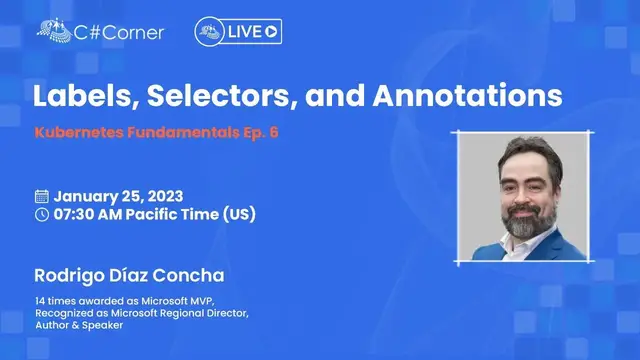
Join this live session with Rodrigo Díaz Concha for the next episode of Kubernetes Fundamentals on January 25, Wednesday at 7:30 AM Pacific Time (US).
After attending this session, you will learn about Services.
ABOUT SPEAKER
Rodrigo Díaz Concha is a Solutions Architect, Microsoft Regional Director, and Microsoft MVP with more than 22 years of experience. In addition, he is a book author, speaker, and course author for LinkedIn Learning.
Rodrigo has dozens of professional certifications from different companies such as Carnegie Mellon SEI Software Architecture Professional, Microsoft Certified: Azure Solutions Architect Expert, Microsoft Certified: DevOps Engineer Expert, and HashiCorp certifications.
He also has the distinction of having written the first books on Silverlight 5 and Xamarin.Forms in the Spanish language.
C# Corner - Community of Software and Data Developers
https://www.c-sharpcorner.com
#CSharpCorner #CSharpTV #Kubernetes
Show More Show Less View Video Transcript
0:00
Thank you
0:29
Hey, welcome to this session about label selectors and annotations. This is session number six of the Kubernetes Fundamentals series, only in C Sharp Corner Live
0:50
My name is Rodrigo. This is section six. The other day I was explaining services and I was explaining
0:59
node port kind of services and cluster IP and the different types of services that we have
1:06
However, I failed spectacularly showing the node port service. And that was because
1:15
I was using another container in the pods that were behind the service
1:24
So I wanted to clarify that before, because if you see the recording session, you know
1:32
session five, and then you realize, hmm, that didn't work. Why in the world that happened
1:39
Well, that was the reason. And let me show you what happened
1:45
So I was on session four, and I had this mydeployment.jama file, and that was the first deployment
1:55
And then I changed it to Redis. You know, I changed the container image name to use Redis
2:02
and then I rolled back because in the previous session, I was explaining how to roll back deployments
2:14
So I rolled back to, actually, that was the other way around
2:20
This is the edited file. First, I had Redis and then I changed it to Nginx
2:30
and then I rolled back, okay? So I was using Redis, and of course, I wasn't able to execute curl and the IP address and the name of the port, the port number of the node port service that I deployed
2:48
And that's the reason why the node port service was okay. The thing is that I was using Redis underneath it all. Okay
2:57
So I just wanted to clarify that. And today I'm going to talk about label selectors and annotations
3:04
And let's get started, okay? So we've been using labels when we create a pod or a replica set or a deployment or even a service
3:21
We're using labels, which are key value pairs that are attached to objects
3:27
So you can think about labels as metadata that you can add to your own objects in your applications
3:38
And they're used to organize and select subsets of objects. Actually, that is the functionality of labels
3:47
You can query for objects that match a label that you want to filter out
3:55
Okay. So that's how a replica set knows what are the pods that are the back and pull pods for that particular replica set
4:09
And that's how a deployment knows what are the pods that are behind the replica sets and of course the services as well and so on
4:18
Okay. So the thing about labels is that they must be unique for a given object
4:24
you cannot add the same key in a particular object if it already exists
4:32
If you do that, you're going to have an error, or you can rewrite the value
4:40
You can override the value of that particular label, okay? And there are recommended labels, and you can define your own
4:49
So in the Kubernetes documentation, you can find a lot of well-known labels that you can use in your own objects
4:58
There are hundreds of different labels for, again, labeling things. However, you can define your own if you need to
5:09
So we define labels by using the labels element inside the JML file
5:17
Of course, this is for declaratively defining an object. Okay. I think you can do that with the kubectl command
5:28
However, most of the time we're going to use the jamml files
5:32
for specifying the labels of the object that you want to deploy, right
5:37
So in this example that we have here in the screen, I have the labels element and it's defining three labels
5:45
Env, that stands for environment. Say that I want to shortcut the name
5:54
You can do that. You can use any kind of naming that you need
5:58
Actually, it supports alphanumeric characters. So environment or env, dash, something, I don't know
6:09
You can use those naming conventions, okay? And the second one is a tier
6:15
and a value and then add in a value. So this is very simple because you're just using strings
6:23
for defining your labels, okay? Those are just strings. So it's very easy to grasp labels if you think about it
6:34
okay? So we can query for objects that match a particular label
6:42
that we need. For instance, here in the screen, we can see this kubectl command
6:47
for obtaining all the nodes in the cluster, and we can show the labels attached to those nodes
6:57
and also for those pods in the second command. So in the interest of time
7:04
I already deployed a mini kubectl cluster with four nodes this time
7:10
So if I execute kubectl get nodes, you can see that I have four nodes
7:16
in this particular cluster, right? So you can execute this and add the show labels flag
7:23
to show the different labels that are attached to those nodes to those objects that you querying right Because you executing get and you specifying hey you know what I want to list the nodes
7:36
I want to list the deployments. I want to list the pods and whatnot
7:41
So in this case, as you can see, there are many, many different labels already attached
7:49
to those nodes in the cluster, okay? Here's one, here's another one
7:55
Those are separated by a comma. So the name of the label is beta, for instance
8:01
this is just an example, okay? Beta.kubernetes.io forward slash arc. And then the value is amd64, okay
8:12
That is actually a label that I didn't specify. Minikube specified that label
8:17
when it deployed the cluster for me, okay? What about pods? Actually, kubectl get pods. I don't have any pods right now. However, you can remember that we can execute run and then specify the image name or better yet, let's do the following
8:43
Okay, let's change to session four. I don't want to make the same mistake as the other day
8:51
Let me create a new folder, session six, and then let's copy all the files from session four
9:00
I guess we have something in session five, session four. Is that the command
9:09
Yeah. actually, I don't know what's going on with my copy command
9:14
Session four, copy. Do we have a copy? Yeah. Copy everything to session six
9:24
It should work. Yeah. Session six. Okay. Okay. Okay. So I have those jammel files here and I have this pod
9:35
Okay. That is specifying. Actually, it's not specifying anything. Let's replace this with Kubernetes pod
9:48
Pod, okay? So my app is fine, image, say Nginx, and the container port, say 80
9:57
Okay, I'm just specifying this pod very rapidly. Let's remove the resources element
10:02
because I don't want to use that particular feature in this moment, okay
10:09
We're going to see that in a future session. So, okay, I have this mypod.jml file
10:17
and you know the drill, kubectl apply and then the file is mypod.jml
10:22
and this is going to create the pod so I can execute kubectl get pods
10:29
and actually let's do that. kubectl get pods and I have this pod
10:35
and actually I wanted to show you the labels because this is the main topic of today session
10:42
And the label is, I just have one label, right? Which is name and the value is my app
10:52
And this is because I only have that label here. Okay, I just used the template here in Visual Studio Code
11:03
and I don't have any more labels. And of course I can change this for instance
11:10
series and Kubernetes fundamentals only in C-sharp corner live
11:23
So let's save this and let's apply the file again. Actually this has an invalid value
11:33
an invalid value. Valid label must be an empty string or consists of alphanumeric characters. Okay
11:40
So I think the dash is not going very well there. And I guess the C sharp corner live again
11:56
I think something's going on with my label. So let's do something more easy
12:05
So there was something wrong with that string. Anyways, I applied this file again
12:12
and I can search for the pods and show the labels. And of course I have another label
12:18
So actually it's not that you're gonna modify the labels all the time while you're running your applications
12:24
in production. you do for managing purposes? Of course, I'm just here showing the labels feature, right
12:36
And I can go and destroy a pod and then create a new label
12:42
and so on. And yeah, for managing purposes, labels are the things that you're going to use for querying objects
12:54
I'm just attaching a new label to the pod and then I can query for all the pods
13:00
that have a particular label in this case series with a value of Kubernetes or something like that
13:08
So labels are quite easy to grasp because they're just key value pairs
13:19
Those are strings and you can query for objects by using those strings
13:28
And one of the places where we use labels are selectors. Selectors allow us to identify a set of objects
13:39
Those selectors are actually the queries for specifying a group of objects
13:46
that you want to use for a particular purpose. For instance, a service targets a set of pods, so you can use a selector, and actually you must use a selector for specifying the backend pods for that service
14:01
Another example could be a replica set manages a set of pods
14:07
Again, there's a selector behind it all. And a deployment manages a set of pods
14:12
And again, you're using a selector for identifying all the different pods
14:18
that this object is going to manage. So let's see the code for a service
14:28
Demo.jml. This is a replica set. This is a deployment. Okay, let's use this
14:33
Okay. So I have this deployment. Okay. The name is mydeployment. Actually, this is the same file that I used the other day for, you know, creating this deployment with 10 replicas and so on
14:53
And here I can specify labels in two different places I can specify labels for the deployment object itself okay
15:05
By using labels and then series, colon, Kubernetes, and so on. Okay
15:15
I don't have labels for the deployment object itself. I do have labels for the pods
15:23
that will be the back end pods for the deployment. So I have this label, which is app
15:35
and the value is my deployment. And as you can see here on line seven
15:39
I'm using a selector. This is actually the object or field that specify, you know what
15:49
I want to manage those pods that have the label app with a value of my deployment
15:58
What happens if I change the label here to my deployment old or something
16:03
Then the service is not going to find the backend pods for this service
16:10
You know, the service won't get any kind of pods in the backend
16:14
to redirect requests, right? So the service is not going to manage any kind of pot
16:21
That's what I'm saying. So this label has to match with this selector
16:28
That's how we match things inside Kubernetes. And if you think about it
16:34
this is a quite interesting and elegant solution for matching things, for querying objects inside the cluster
16:44
and inside your applications. Okay. So this label, this app, colon, my deployment has to match with this other
16:54
Of course, I can have another label such as series, Kubernetes. And then I can say, you know what
17:02
I want all the pods that have the series label with a value of Kubernetes
17:06
and then a match will be found and the service will be able to use those pods
17:14
those 10 pods, okay? So those are selectors and that's the way how services match pods
17:25
and also deployments. And you know what? Let's do this. This is the deployment
17:33
So I created a pod. let's use this okay so let's go back to the terminal
17:41
kubectl get pods delete pods and let's let's delete this okay so I don't have any more pods
17:54
however I want to apply kubectl apply and then my deployment dot jammel to create that deployment
18:01
And of course, if I execute get pods again, I have those 10 pods being created right now
18:11
You can see that in the status column, right? And let's describe the deployment
18:20
So kubectl get deployment, deployment or deployments. Actually, you can use both
18:28
Remember that those are aliases. So kubectl describe and deployments
18:37
my deployment, that's the name. And you can see that this created all the different pods
18:49
and it matched. You can see here in the labels element right here
18:57
that is using this label. And the selector is here, so it matches
19:06
So that's why this deployment can manage those pods. And of course, if I deploy a service, it will be the same
19:15
So let's go back here. I don't have services, I'm surprised. The other day I was explaining
19:21
oh, this is because I copied those files from the session four, I guess, not session five
19:29
Okay, myService.jml, and let's create a new service, which is MyAppSelectorMyApp, and let's do this, okay
19:42
You can see that this selector is specifying that it wants to detect all the pods
19:49
that have the app label with the MyAppValue, and of course, I don't have that, okay
19:54
I don't have my app. I have my deployment, which is different
20:04
So Kubernetes is going to allow you to deploy this kubectl, apply my service
20:11
Even though it's going to allow you to deploy this, the service won't have any kind of pod
20:18
All right. So kubectl, describe service, my app. right you can see that there are no endpoints in this moment because it didn't detect
20:32
what are those pods that i'm talking about there are no pods with the label specified in the numel
20:38
file what happens if i change that to my deployment so selector up my deployment and i
20:48
I apply this file again, kubectl apply my service. And then again, I execute describe
20:58
So you can see that this, in this moment, I have 10 endpoints because it detected those existing pods
21:09
that have this label, right? So this is the way that you can match things
21:14
and objects inside Kubernetes. You need some elegant way in a very clever way of doing this
21:22
So there are two types of selectors, equality-based and set-based. So equality-based, they use equality operators such as equals and not equals
21:34
You can specify more complicated filters in addition to, I want this value to be this specific value
21:46
You can say, okay, I want those pods that don't have this particular value
21:52
You can do this. Okay. And when you specify the quality-based selectors, you can use a comma to specify an AND operator
22:03
Okay. And you can mix those equality-based selectors with set-based selectors that I'm going to explain right now
22:09
with set-based selectors, you can use logical operators such as in, not in, exists
22:17
and doesn exist okay does not exist And these kind of selectors of course they are more expressive than equality selectors You can specify more sophisticated things okay Because of course in your cluster
22:36
and you will have a lot of nodes and a lot of applications
22:39
a lot of deployments and a lot of pods. So you need a way to filter out things
22:50
most of the time, right? So equality based selectors are not enough
22:56
for those scenarios. That's why we have set-based selectors. Again, you can mix set-based selectors
23:03
with equality based selectors, okay? So as you can see here in the screen
23:11
we have different examples of equality based and set-based and a mixed selector
23:20
So for instance, the first one, It's specifying the selector flag. And it's just saying, you know what
23:27
I want to filter out. I want to list all the pods
23:31
that doesn't have the production value in the env, EMV label. Okay
23:40
That's nice. That's nice that we can do that. Set-based, there's another example here in the middle
23:46
I want to list all the pods that the label, the EMV label value
23:54
is production or QA. Okay? So you can do that. And finally, in the third line
24:04
in the third example, you can mix those set-based and quality-based. Okay
24:11
I want to list all the pods where the app label has app A or app B as the value
24:21
but EMB shouldn't be QA, okay? You know, just logic to filter out things
24:30
I guess it's nice to have this so you can do sophisticated things
24:37
when trying to query for objects. So again, we use selectors in services, replica sets
24:49
deployments. I showed you the deployment object and service. Actually, if I go back here to Visual Studio Code
24:58
yeah, here's the selector. I already showed you this in my deployment
25:04
In this other case, here's the selector, okay? So we use those objects for matching
25:11
and finding objects, okay? And okay, some comments here, original objects, this is those objects that have the v1 API in Kubernetes
25:25
they only support equality based selectors, okay? For example, the service. Service, if I go back here
25:35
you can see this is using the API version v1. This is one of the original objects in Kubernetes
25:42
and the services, they only support equality based, okay? Selectors. However, if I go back here to the deployment object
25:53
you can see that this is another API. And for instance, deployments support
26:01
both equality based and set based selectors, okay? deployments, replica sets, jobs, and daemon sets
26:12
are examples of objects that support both, okay? So here's another example of selectors
26:22
Actually, this is very similar to the service that I just showed you in Visual Studio Code
26:28
And here's another example of a newer object such as deployment that uses equality-based
26:37
or set-based selectors, okay? Actually, here's another example of a more complicated deployment object
26:46
that is using that match expressions field for specifying more sophisticated filters
26:54
such as, okay, tier should be cache and EMV shouldn't be dev, right
27:04
in addition to the match labels element that we have here, which is the quality based
27:11
So you can mix and match. You can mix those different techniques in this deployment
27:20
And this is the way that you use it in a jammel file
27:26
Okay, so labels are for querying things. They are used by selectors
27:34
and you can have hundreds or thousands of objects in your cluster, right
27:41
However, there are other, there are other, how can I say that
27:50
kind of labels. Of course, those are not labels. The name is annotations
27:55
Those are the same key value pairs, the string based. However, the difference is that you cannot query objects by using annotations
28:06
That's the difference between labels and annotations. Okay. So annotations is just for regular metadata that you want to attach to an object or a group of objects in your cluster or applications
28:21
such as phone numbers, name of people, URLs, comments, documentation, or whatnot
28:31
For example, what was the reason of a rollback? When you rollbacked a particular deployment, you can annotate that rollback
28:44
so other people can know, okay, this was rolled back because this fact
28:52
because of this reason. Okay? However, you cannot use annotations for querying objects
28:59
That is the difference. Okay? So you specify annotations, very similar to labels
29:08
However, the field is annotations, as you can see here on the screen
29:13
annotations field, and then all the annotations that you want, right? So annotations, phone numbers, blah, blah, blah
29:22
I guess this is the problem that I had before a few minutes ago, because I was using
29:29
a single quotation mark instead of the double quotation mark. I guess that was the problem that I had
29:37
So I'm sorry about that. very similar to labels. Let's go back here and say
29:50
I want to modify the my service annotations series. Let's try again, Kubernetes
29:59
fundamentals, right? So let's try again. kubectl apply. No, no, no, not that pod
30:08
My service.jml. Yeah, I guess that was the reason why I had a problem
30:17
because I was using a single quotation mark. Anyways, I annotated this service
30:23
with the series annotation with a value of Kubernetes fundamentals. So I can go back here and say kubectl get services
30:36
and all white. Let's see if white has the annotations. It doesn't
30:44
Let's see if there is show annotations. I don't think we have any annotations
30:57
all namespaces, allow missing. I executed the dash dash help command for detecting
31:05
If I can show the annotations here on the screen, I don't think so
31:10
What happens if I describe, let's try again. Let's describe kubectl get services
31:19
No, no, no. Describe services, my app. So here in the describe command
31:27
we can find the annotations. For example, this one that I included in the jamml file
31:38
Again, the most important thing, the gist of annotations and labels are
31:47
or is that you cannot use annotations for querying objects. Okay, that's the difference
31:55
Okay. So, labels are used to identify and organize objects, and annotations are used to provide additional information about objects
32:09
That is the difference. Okay. So, there are some common commands that we can use
32:20
of course you can use jamml files for specifying your objects and most of the time you want to do that because if you use jamml files you can store those changes and track changes because Jamal files could be stored in a source control platform
32:42
such as Git or whatnot, right? However, you can still label and annotate things
32:52
by using kubectl label and kubectl annotate. You can use those commands for adding and managing labels
33:01
not only adding, but also modifying existing labels and existing annotations. So let's try to do that
33:10
So kubectl annotate, that was that the name? Yeah, annotate. So I have the service, right
33:19
I have this annotation. I can execute kubectl annotate, right? service the name of the service is my app and then the name of the annotation which is series
33:37
and then say i want this other value other value right other value and i can specify override
33:47
override because it already exists, right? Let's describe the service again
33:58
and it has another value, or I can use, say, let's clear the screen and say session equals
34:12
I don't know, session six, okay? I don't need to specify override because
34:17
In this moment, I don't have this session annotation, right? So it's telling me that this object was annotated successfully
34:26
So if I go back here and describe the object again, we can see that it has this annotation, right
34:34
Session six in series, other value, because I changed it by using the override flag
34:42
Okay? And this is the same with labels. so actually let's label the service label service my app session six and also series
34:55
equals kubernetes fundamentals only in c sharp corner live no actually yeah there is some c sharp there is a character that is not supported I guess is the dash or the numeric character
35:21
Fundamentals only in C sharp kernel. Maybe it's too long to string
35:29
So I guess I won't be able to do that. Maybe you should separate those blank spaces are not supported
35:40
Maybe that was the reason why. Maybe those spaces are supported only in annotations
35:48
However, in labels, you cannot use white space. You can use the underscore or dash or something
35:57
So for instance, I can do this, is Kubernetes underscore and override, override
36:05
And yeah, let's describe the service again, right? So it makes sense
36:13
Maybe the white space is the one that is not supported. It makes sense because remember
36:20
that labels are used for querying objects and actually white spaces could be a problem with that
36:26
I'm 99% sure that this is the problem that I have when specifying the label
36:32
However, with annotations, you can just use whatever text you need, right
36:37
Series, other value, as you can see there, there's a white space between other and value
36:43
while in the series label, there's not. I have an error, okay
36:51
So this is fantastic. This is fantastic. Again, labels are used in selectors
37:00
and you can use them for querying objects because potentially you will have thousands and thousands
37:09
of different objects in your cluster, and labels are a very elegant and clever way
37:15
for querying those objects. So, great. This is what I have for you today
37:26
in the next session, we're going to see namespaces and some other topics, such as, I guess
37:34
we're going to see config maps and, I guess, secrets. I don't think we will have the time to do that
37:43
in a single session. However next session we going to see namespaces and then config maps secrets and ingresses after that then some other beautiful things in Kubernetes
37:56
which is a fantastic platform for executing containerized applications. So great. Thank you very much for your time
38:09
and see you in the following session of this kubernetes fundamental series
38:39
20 years ago, a seed was planted and cared for
38:57
We painstakingly nurtured it and weathered it against adversity, until one day it blossomed and the fruits of our labor began to show
39:04
Today, millions have learned, shared, and been inspired by what our community has produced
39:10
We proudly serve 21 million users from 204 countries in 2019. For our 85,000 technical articles, code samples, and videos, our 450,000 forum questions
39:21
and our highly anticipated conferences and events featuring keynote panels, live streams, and industry experts and influencers
39:28
We recognize and reward members for their dedication to the community. Through content contributions and mentorships, we ranked number 2,620 in the world with a reach of millions across our social media channels
39:41
Thanks to you, our global community of software and data developers grows stronger each day
39:46
For more information, visit us at csharpcorner.com. 20 years ago, a seed was planted and cared for
39:52
We painstakingly nurtured it and weathered it against adversity until one day it blossomed and the fruits of our labor began to show
40:00
Today, millions have learned, shared, and been inspired by what our community has produced
40:05
We proudly serve 21 million users from 204 countries in 2019. Thank you