live_tv
Livestream Starting Soon
00
Hours
:
00
Minutes
:
00
Seconds
Up next in 10



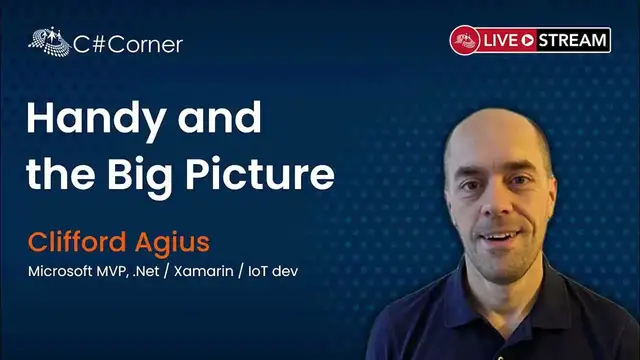
Join Clifford Agius in IoT Virtual Conference 2021 where he will talk about how he has 3D printed and used embedded electronics to build a Prosthetic hand/Arm for his friend's Son.
About Speaker:
Clifford Agius is an Airline pilot flying the plastic fantastic B787 around the world and he is Microsoft MVP and a freelance .Net/Xamarin/IoT dev, tech enthusiast.
He is a senior first officer with a Major UK Airline on one of its newest jets the 787 Dreamliner. He has a passion for flying from an early age, although his earlier career was spent as an apprentice at the Ford Motor Company and then a Project Engineer covering Electrical/Software/Robot engineering in major automotive brands. However his drive, focus and determination was always to become a pilot.
After self funding his pilots license and passing all necessary exams his first commercial flight was with Aer Arran (Irish regional airline), where he flew ATRs from Dublin and Galway to Ireland regions and into the UK. After this the jets got bigger, the cattle slightly less and eventually he applied and was selected to join a Major UK Airline.
After initially flying the Airbus A320 Cliff has continued his personal development and now fly’s the fleet of 787’s across the world, including the recently arrived B787-900 with the new First Class.
Although the current jets are technologically advanced its Cliff’s every decision and calculation on a minute-by- minute basis that carries over 215 people safely back and forth over the Atlantic or Siberia, therefore every decision is a critical one. He therefore has acute awareness of people’s decision-making processes and the consequences of these.
Its these decisions that impact on people’s lives, from lost luggage to engine issues to landing in fog, every decision is critical and everyone has an impact on how the airline remain competitive minute by minute, if not second by second. When not flying the plastic jet he spends his time huddled over his laptop thrashing the keyboard and working on some project from embedded systems to .Net.
Personal challenges are always part of Cliff’s spare time and as well as continuing to design computer software he is busy with family life of a Wife, 3 Boys and 2 dogs and is also a keen cyclist, with the Alps Passporte’s challenge as next year’s goal.
Clifford's Blog: https://www.cliffordagius.co.uk/post/handybigpicture/
Conference Website: https://www.2020twenty.net/iot-virtual-conference/
C# Corner - Community of Software and Data Developers
https://www.c-sharpcorner.com
#csharpcorner #conference #iot #3dprinting
Show More Show Less View Video Transcript
0:00
This is, as Simon has already alluded in that great little intro, I haven't seen that
0:06
I'm an airline pilot, as it said, for British Airways. I fly the 787s around the world
0:12
And when I'm not doing that, I work as a freelance.net Xamarin IoT developer
0:16
If you want to reach out to me, you can see my Twitter handle and email address on the
0:20
slide, and it'll be on every slide from now on. But I'm not here to talk about that. I'm here to talk about how I helped a young lad with a 3D printed bionic hand, a little
0:29
bit of iot and the xamarin mobile app so if i there we go um so let's say my my job is uh is
0:37
flying an aircraft uh around the world and that's the the flight deck of a boeing 787
0:42
i'm not mentioning the fact i'm an airline pilot just on the shelf look at me i'm an airline pilot
0:46
as well as a coder you know i can do what you do and more um it's not about that um i'm sort of
0:51
barely dangerous as a as a developer um i'll come back to what i mentioned as being an airline pilot
0:56
later on in my talk but it is quite important to this project and where we see it going forward
1:02
my passions coding developing things playing with electronics iot i love learning new things i'm
1:07
all about learning you know on the learn platform of docs.microsoft.learn and supporting others to
1:14
learn as well so i'm more than happy to come along to anyone's meetup group and talk about either
1:21
iot xamarin or or even how to to do team building and teamwork that i bring from the aviation
1:26
sector um but that's enough about me as i say let's move on let's talk about caden
1:31
uh young lads uh he's 16 now um he's a little bit younger when we started this project but as you
1:36
can see there um an image caden was uh was born uh with a limb deficiency he's missing his left
1:44
forearm and uh you'll notice in the low of the the picture in the center there on his right hand
1:50
the hand it does have is missing his middle finger. So he's pinky, his little finger and his thumb
1:56
So he calls it his claw hands because he kind of grips like a crab hand
2:00
He grips like a crab. And then he also has a prosthetic arm provided to him by National Health Service
2:06
the NHS here in the UK, which is a wonderful, awesome part of the government system
2:14
Helping us get through this pandemic, which is amazing. but let's move on and talk about what the NHS
2:19
and National Health Service do provide for Cain you can see there he's off to the London 2012 Olympics
2:22
he's on the London Underground going along to the site, you can see his
2:26
prosthetic arm there so he would have been 8 or 9 there
2:31
going off to London 2012 and that was his party trick was to click his
2:34
arm on something and step away from it and everyone looks, that boy's
2:38
arm's just falling off you can see there in detail the fact that he's just a claw with a
2:44
with a formed in that case fiberglass and sort of colored to look like a human arm which Caden
2:53
hated and we'll come with that in a little while and then there's a bit of fishing line that goes
2:58
across the back of his shoulders to strap on his other shoulder and as he moves that shoulder in
3:03
and out it opens and closes the claw so very very basic you can see there in the lower picture you
3:09
You can see every year he goes along to the hospital, sees his prosthetic surgeon, and they take a cast of his arm
3:18
the part that he has, and they make him a new arm. But he keeps the claw-ups
3:24
Every year he gets a new one. I've got the red one, the photo. The family have happily loaned to me for my talks, which is amazing
3:32
Every year since Cain's been born, unusual for him because when he was born
3:35
we went into a group that were looking into how to give prosthetics to children
3:40
So he was quite lucky to get into this group. So every year he gets a new arm from there downwards and the wrist part unclips
3:49
and he keeps that until he breaks it and then he gets a new one. Now, this arm costs the NHS, for them to produce it
3:56
costs only between £4,500 and £6,500. So they're not cheap to make
4:02
it also takes Caden out of school for two days because he has to go along to be fitted and then
4:07
go back to be checked to make sure it works you've got all the technicians and the time and money
4:11
that goes into their time behind the hook that goes on the end costs anywhere between two and a
4:16
half and three and a half thousand pounds and then it just has elastic bands here that pull it back
4:21
together and you can see the the fishing line hundred pound fishing line which the family use
4:26
and replaced quite often when Caden breaks it. But it's quite a dumb instrument
4:32
So we go back to my slides. Thank you, Simon. We look through it
4:37
Back in 2016, Christmas time in 2016, there was a news article on the BBC News and Sky News here in the UK
4:44
about a dad 3D printed prosthetic hands. And, you know, back after the school holidays
4:51
my kids go to school with Caden or did. um they uh they you know his mum come up to him in the playground and said you know clif you've
5:00
seen the news about his dad's 3d printing hands i have i have and she went you got 3d prints haven't
5:05
you and it's like yes yes yes i have uh and i realized instantly what i've fallen into that
5:10
that trap uh where you kind of kind of offer yourself up to help but i was more than happy
5:14
to help so i went home um and you know fired up the browser and started looking around but before
5:19
we look at what we found let's see what Caden can do with his uh his current uh arm or what he had
5:25
before so uh if we just watch this hopefully you can hear the audio as well um not that you need
5:31
the audio it's just cups clinking together but Caden's uh quite adept at using his his arm um
5:37
that he has and his hook so you know he can make me a cup of tea when I go visit um he can even
5:42
pick out a tea bag um and make me a cup of tea um and that's because Caden's used one since birth
5:49
and that's the reason i'll just move on uh from that so cate's used once at birth um she's had
5:55
many years and human body is amazing we can adapt to anything um so uh because of that he's adapted
6:02
and he's using them but a lot of children that need a prosthetic limb is because they've had
6:06
either a life-changing injury or they've had uh an illness like um say meningitis or diabetes where
6:13
have had to have a limb amputated for various different reasons. So they've then suddenly got
6:20
to try and learn to use a hook, which they're not used to. The hooks are quite expensive for the NHS
6:24
as I said earlier. And every year, that's an ongoing cost for the National Health Service
6:30
But what if you're in a third world country? What if you're in a part of the world where there isn't a national health service? What if you're, you know, in a part of the world where you have to
6:37
pay for your own insurance, and they don't want to cover that cost, that ongoing bill for the child
6:43
to have a limb um so you know what do you do then so i thought myself well let's say we can make
6:49
cane an arm so we then looked at um looked at where's my mouse gone there it is um we then looked
6:57
at uh the hold on it's there it is uh we then looked at the internet and uh the first thing we
7:06
come across was the limbless association now in my tour anyone has seen this talk before would know
7:11
that I show a page where they show you links and it says still under development. That
7:15
disappeared about two weeks ago. So clearly Limnless Association has now had their developer
7:20
they give them a kick up the backside. Because the last three years it said under development
7:24
and now this new fancy site has started to come together which looks amazing and maybe they seen my talk and realised that they need to kick the developer If that was you I sorry for highlighting the fact you been lazy for three years
7:37
But you can see here the Limits Association. But, you know, you go in there and it's, you know, they're a fantastic association linked to the National Health Service here in the UK
7:45
And I hope you come through to find a prosthetic limb. But it wasn't what I was looking for
7:50
I then stumbled across the news article and dug a bit deep and found Team Unbelimited where they are 3D printing
7:58
As you can see here, the Isabella edition arm has moved on since I was looking at this project three years ago
8:08
And you see there it's hands. But you can see the section of in the 3D print here where the fishing line comes up and hooks to a hub
8:18
and then again it works in the same principle where you move your shoulder and it opens and
8:22
closes the hand in fact we even made one of these for Caden um and he hated it because the fishing
8:28
line come out the bottom and as he moved his his hand back to forge and the reason he hated it
8:33
because if I put it in front of the camera it doesn't quite make a grip um so Caden was unhappy
8:39
he couldn't pick things up like he could with uh with his hook so it lasted all of about under
8:44
two minutes before he decided he didn't want it so we went back to the drawing board we then
8:50
stumbled across the open hand bionic open hand project which is 3d printed project but it's got
8:55
some motors inside so now we're starting to talk we're talking about robotics now and as a person
9:01
that worked in the in the car industry for 11 years as a robot programmer and software engineer
9:06
that's more my world that's more iot rather than just 3d printing something you can see here that
9:12
Joel Gibbard the guy that invented this picks out the fact that a prosthetic limb costs upwards
9:19
of a hundred thousand pounds a hundred thousand dollars sorry for full biomechanical with motors
9:25
etc prosthetic limbs so you know that's way out of the reach of even the NHS National Health Service
9:30
unless there's a compelling reason like you're a sports star or you need it because you know
9:35
it's the only way you can you can live and carry out your job functions etc so again this was
9:42
a great project and it was the start of looking into this
9:46
And then we stumbled across OpenBionics. Now OpenBionics is what Joel Gibbard went on to create as a company. And it's called OpenBionics
9:56
at the time. Everything was open and on GitHub. You can see here, this is their
10:00
Bruno hands that they produce now. And so we can go along to OpenBionics and buy one of their hands or arms and they'll make it bespoke for you
10:10
or your child and you know they're trying to get it into the national health service and i know it's
10:16
available in the us and france and germany at the moment and they're trying to roll it out as a
10:22
business and good luck to them it's amazing the life they're changing is is fantastic but we look
10:29
at that github and so mine's in dark mind i forgot to change it before uh for the talk uh we look at
10:35
github you can see here the last commits were three four five years ago um so the stl files
10:41
and stl files what you take in the incentive 3d printer um to to print out um the electronics and
10:47
software is even longer um so you know you can see the fact that they've they've not iterated on
10:53
their design for quite a while even though us as the community we're putting in uh prs they're just
10:58
not taking them in and accepting them. So we go back to, if we minimize this, we should go back
11:06
to my slides. So we've looked at Google and Bing, and I fired up a 3D printer and started printing
11:13
Now, my RappRapp Mendel printer that I had at the time was good at printing boxes for my IoT
11:18
projects, but didn't really have the dexterity to print the small parts for hands. You know
11:25
this is the index finger. It wasn't brilliant at printing that. So what do you do
11:30
Obviously you upgrade. So this is the Prusa Mark III i3 printer
11:37
I've got two of them here off to my sides. I've got one, which is the one that's built there
11:42
Another one, which my 11 year old son built and put together with no help from me
11:47
with me appearing over his shoulder every now and again, just to make sure the important parts were correct. And I'll come back to why that is later
11:53
The reason there's a blue part, that's circled in the image there
11:56
It's a little bit dark, actually. I should change the contrast on that image. It's because when I was building the printer
12:01
I broke that part. I snapped it. So I fired up the old RepRack Mendel printer
12:06
and all I had was blue filament at the time. So I printed the replacement part
12:10
and all the black elements of that printer, except the main square frame in the centre
12:16
all 3D printed by Parusa in a factory in the Czech Republic. So, you know, you could buy one of these printers
12:22
when I bought it is best part of a thousand pounds and now around 600 um so what a thousand dollars
12:28
if you're in the US um and they ship all over the world they're amazing printers they are you know
12:33
top of line far better than you'll get anywhere else um for a home built uh 3D printer I highly
12:38
recommend them um I've got another one which has got a five filament spool on it so it can take in
12:42
five different colors as well so we've built that we print out all the parts you can see there
12:47
there's all the uh the white plastic parts the red plastic parts are flexible filament
12:51
so they're like the tendons so they hold it all together and keep it in place in the top corner
12:56
there top left corner we've got the uh the four motors they're linear actuators you apply voltage
13:01
to go in and out by 20 millimeters there's a load of springs and and dowels and parts and some uh
13:07
little brass inserts if you need a thread in 3d printed part um these inserts you put in with
13:12
so they heat up you push them into plastic plastic melts you pop so 9 out and it solidifies around
13:18
it such that you can then got a machine thread screwing to
13:21
rather than a screwing out of plastic so we had all the parts and then we
13:25
need to connect it to Cadon, so this is my 3D printer printed out of socket, so remember I talked
13:29
about Cadon's arm and how it connects to him, he has it remoulded every
13:33
year, we took one of the moulds that the hospital provided, the
13:37
prosthetic surgeon was very helpful in providing that and this is the
13:41
plastic mould here, so we took this and my oldest son uh mccauley is a dab hand at 3d design she was going to games development world and he
13:50
free drew that in in blender um we printed it as you can see there in the uh in the um
13:57
video you can see there's five hours and 45 minutes after remaining and so i went off to bed
14:03
tend to leave the printer run no night because it's normally pretty good at uh coping come back
14:07
in the morning to uh 3d printer's worst nightmare the print failed um you can see it popped off the
14:12
bed and it's just off the uh off the back here um in the uh it pops onto the windowsill uh thankfully
14:18
and uh the printer just carried on printing in free air which is why you got the spaghetti monster
14:23
mess in the middle but thankfully it printed just enough um that we could try out on canem so we
14:28
did that and it didn't fit too small so we increased the size we printed a second one and that was too
14:34
big and in true uh once upon a time uh story lands um red riding hoods uh we printed a third one and
14:42
it fitted just right and there's version three you can see there kaden trying out um to the point
14:47
where he said it actually fitted better and it's more comfortable than the nhs one um just because
14:52
we could blend off some of the corners inside a little bit uh easier for him um and that is the design we have now and every uh few months he his parents or he texts me and says it getting a bit tight we make a new one i print a new one it six hours
15:05
on the printer to print off at least 80 pence or less than a dollar in plastic to print a new one
15:11
i drop it on his doorstep and him or his dad fits it to his arm and he carries on with his day
15:17
so you know awesome stuff and super cheap no more of this thousands of pounds in their chest
15:23
and weeks of waiting so we see here this is a spreadsheet i put together all the 3d printed
15:28
parts now the molds at the top these molds here in the in the hands you see it better on the on
15:35
this hand here these black elements uh you don't want those because this is similar plastic to lego
15:40
plastic um so you don't want those because it's hard you can't really grip things so this is um
15:45
molded on and it's a neoprene rubber so it goes into a mold which looks like this and we fill the
15:51
reservoir with neoprene we put the palm of the hand inside there so there's a few different molds
15:55
and then we squash this down and it squashes the the resin in and molds leave it on the side for
16:00
24 hours and then take the screws out pop it out clean it up a little bit with a dremel and job
16:05
done it's literally you know about an hour's work um to to mold all the parts in total and then you
16:11
have all the parts molded on like this go back to my slide again please son
16:15
uh you can see there so the cost of the mold is uh is total cost of 10 pounds so what 15 dollars
16:23
give or take a bit um and i've still got the same set of molds i made at the very beginning of this
16:28
project and i've probably made about 16 17 hands now um i'm still using the same set of mold so
16:33
that's a one-off cost for a hospital or a unit somewhere in the world to print the hand though
16:39
We're talking five pounds, six to seven dollars for all that plastic, all these parts of the hand that you can see
16:47
That is it. And the only other part you need is the flexible parts. These are the red parts that you see that hold the fingers together up the sides and and also the thumb as well
16:57
You see in the earlier picture, that's 20 pence worth of plastic. We need to buy a spool which costs 30 pounds per kilo. But I'm still on the same spool
17:05
And as I say, I know I'm using 20 pence worth of plastic each time
17:09
um so the whole thing if you take the molds away it comes to just over five pounds so six or seven
17:14
so super super cheap not six and a half to to best part of eight or nine thousand nhs producing
17:20
to produce one of these and then every year they have to change it this is make it once and then
17:26
every year all i have to do is change the socket part uh and then caden um goes off and uh and uses
17:33
it so how do we control this well openvionics had a board called chestnut board which is based on
17:40
arduino uh chipset the sam md uh sam d m0 chip uh was in there um and uh they they it was a home
17:51
grown home design chip uh which fitted in the back of the hand perfectly and uh and they they you know
17:56
had these uh built for themselves for their their uh arms that they sold the problem they had was the
18:01
the fact that the the boards were um they made them in batches uh and uh the problem was that
18:08
they only sold on their store that had a lot of time um those that had left over uh which was you
18:13
know rare to find one and you could get one made but they were you know very expensive to have one
18:18
made and obviously he wasn't 100 certain it's going to work um when you made it so you know
18:23
it wasn't overly happy with the cost of board because if caden then broke his board he's a child
18:28
you know he dips it in water um that sort of thing and he gets damaged he's got to wait weeks
18:33
if not months for a new one it's going to cost hundreds of pounds um wasn't working for me he
18:37
wasn't happy with that how do you how to open bionics and uh they've moved on from this design
18:42
now but uh how did they control this well they use one of these which is a my aware uh muscle sensor
18:48
so these little muscle sensors i've got one here um as you can see in the image these here stick on
18:55
your arm and uh and you stick the the little uh the fly leads goes onto a a junction which is
19:02
where there's no muscle and it will sense the uh sense of signal so we'll go back to slides again
19:06
um and i'll talk through how it works so what it does you stick it on the center of the muscle mass
19:13
uh and that's a correct place which you can see there in green um to get the most signal
19:17
differential if you stick it along the muscle center line but near the ends of you'll get the
19:23
intervention zone where you don't get enough signal even off to slightly to sides you'll get
19:27
the midline offset which means you'll get no signal at all and the junction is where the little fly
19:31
lead goes where you want to so what you want is the biggest signal against the junction where
19:36
there's no signal which is the noise effectively uh the system and it will give you a signal as to
19:41
whether the muscles um being tensed or not what do we do with that then obviously um you stick up
19:46
the muscle that's not scale my muscles are nowhere near as big as that one but you can see kind of
19:50
the idea now Caden had enough muscle mass in uh that what was left of his arm um from his elbow
19:57
for us to stick the sensors on he's weirdly 90 degrees up to where you and I would have ours
20:02
um so you stick the uh sensor on the uh on the inside forearm and outside forearm and the reason
20:08
you do that you need a sensor for open and for close uh and so you need two sensors these cost
20:13
35 pound each you need two sensors the sticky pads a pack of 50 cost five pounds I know I'm
20:19
doing this in sterling um i'm pretty certain you can work out the exchange rates um so wherever
20:24
you are in the world watching this um so these sticky pads need to be changed you need six per
20:29
day um so a pack of 50 was going to last you just over a week so that's an ongoing cost uh the boards
20:35
that this one's broke uh it's been snapped already um didn't last very long for caden
20:39
um so he's a child he's going to break it it's stuck to his skin it's not going to last very
20:44
long it's not going to work um and no expensive boards so i didn't want to uh um didn't like the
20:49
idea either how does it work though where we want to do uh open is uh as you can see in the image
20:54
there and close um this is audience participation time so if we can put your arms straight up like
20:59
this if we can get a bigger picture of me it's nicer to see if we get our claw fingers put them
21:04
just either side of the muscles here and then if you open your arm and put your palm out as in a
21:10
picture you'll feel the muscle at the back there goes tense if we close our arm so it's pointing
21:16
towards us the muscle at the front the forearm muscle goes tense we hold our hand straight up
21:20
and create a fist both muscles go tense so now we've got open signal closed signal and change
21:26
grip signal so now we've got a way of controlling our board so open barnets can't these five grips
21:32
that they believe were the five most commonly used grips and these are the ones they load in
21:37
their things but when we first tried to discade me well i want to play my xbox my friends can i
21:42
have a special grip just for me well okay right we'll put that on the to-do list it went into
21:46
galley issues and uh we thought about it for a while how we're going to sort this out for him
21:51
but let's look at how we control these grips at the moment now this is uh all written in in arduino
21:57
c if anyone's played with arduino c it's a subset of c c++ adapted for microcontrollers
22:03
uh and given a bit of an arduino flair it's awesome it's a great way to learn um as well
22:09
But what they have is a 3D array. Now, if I zoom in on this to make it a little easier to see
22:14
So we look at the point gesture, which is this one here. There's an animation array that runs and it counts 0 to 100 over a period of time
22:24
And that is set in the settings in cadence arm at the moment It 1 seconds So over 1 seconds it counts 0 to 100 And when it gets to 0 it sets the fingers positions to fully closed fully open fully closed fully closed fully closed
22:35
And then over the period of time, it animates. If it's blank, it looks at the previous one
22:40
So you can see that. And when it gets to 100, it fully closes, fully closes, fully closes, fully closes
22:45
So you can see what it's doing there is it's closing all the fingers up
22:48
Now, the finger is, so the thumb is closed all the time
22:55
And you see the open, close, close, close. So it's creating the point gesture for making the point gesture of it's over there and you're pointing to your best friend of where to go to get to the bathroom, for example
23:07
So you can see there, that's, you know, I've explained it. We're software developers. if I said to you go and make an Xbox grip you'd probably go away and spend an hour or so and be
23:15
able to come up with an array that fit in there that counted up um similar to the pinch grip which
23:20
counts up 0 10 40 and 100 so it's got some steps in the middle you could create one that gripped
23:25
the Xbox controller and every time it tends to muscle it twitched the trigger finger um you could
23:30
create one of those but then you'd need the Arduino IDE loaded you'd need all the the SDKs
23:35
and all the other things you need the cable plug in you need to take the hand apart to plug the cable
23:39
into the board um you need your laptop set up and plug it in to load the thing they need to make sure
23:45
it works and debug it it's a lot of work and we're software engineers we'd know how to do it
23:49
but would a parent would a doctor would a technician in a in a prosthetic unit know how to do that
23:54
possibly not so again that's something else that i wanted to fix it's a drawback so i'm going to
23:59
cover this quickly because i know i haven't got a lot of time here um but the processing boards is
24:04
one of supply i want to fix that the malware sensors they were expensive and um you need a
24:09
play with them to tweak the uh the muscle uh gain levels and then the the grips and secrets if you
24:14
want to get our own so i use adafruit feather boards a lot in my ot projects because they're
24:20
awesome you can get them anywhere even from amazon um and they're awesome the feather unit here the
24:26
uh the red section at the bottom there that area there is the kind of area where they put the
24:30
difference you can get one with wi-fi bluetooth laurang etc etc so this one's got bluetooth and
24:35
an antenna on the end there. It's got the same process that was in the OpenBionX one
24:41
It's got a GST plug, which means you can charge a battery. Awesome. And it had everything I needed, all the og inputs and outputs I needed
24:48
So there's some specs. I'm going to skip past that. You can look those up if you wish. So this is the circuit I built
24:54
And the other board that you can see here, this is the Adafruit board here. The other board you can see there is the Merck controller board
25:02
also an Adafruit board as well. And that means I can just use I squared C, which is a serial protocol to talk to that board and say move motor one to this position
25:13
And it sorts out for me. I don't need to worry about it. And then the main process can go back to doing other things like listening to the listening to the og input of the potentiometer that's built into the motors
25:25
The circuit there is fully built a little bit closer. you can see there's also a polilu uh voltage regulator in there which is to take the uh the
25:34
voltage from the battery and step it to the voltage needed for the boards and the reason they did that
25:39
was because uh the open bionic system they have a big battery on the on the upper um arm here um
25:46
which is 14.4 volts the motors draw 12 volts um and they draw quite a big current when initially
25:52
move but then it's milliamps afterwards you only really move in a small amount but they have a big
25:56
battery 14.4 volts and that is from an rc car so you use the same cells from that which means you
26:03
then need a specialist charger i didn't like that um i wanted a charger that anyone's got usb charger
26:08
so i use these anchor power bricks we've all got them we all know them and we get them from
26:13
conferences hopefully um but this one is 20 pound from amazon um it's a 10 000 milliamp hour battery
26:19
it will run the arm for at least a day if not more um except cain and unplugged it to charge
26:25
his mobile phone or his friend's mobile phone from time to time um so the polylumen unit there
26:29
steps this voltage which is five volts down to 3.3 which is required by the um by the boards
26:35
there's another polylumen it steps up from five volts up to 12 volts which is to power the motors
26:40
um which works really really well um yet to burn any of the boards out and kane's been using it for
26:45
quite a while now um the flat ribbon cable there i need to wire on sending a bit of uh soldering
26:52
there to get it to work to wire on to plug in the the bits of the motors if I go back you can see
26:57
that I'm holding it in the right hand image holding the flat ribbon can come from motors
27:01
so I needed to to put some some connectors on there bit of soldiering but other than that it's
27:06
a fairly simple circuit to build so I've crossed off the processor my aware sensor then how do we
27:12
do this I'll find Japan I remember the flight vividly so somewhere over the middle of Russia
27:18
no one to talk to on air traffic control and when there's not much to do
27:22
we'll read a magazine or flick through do a crossword or something
27:27
in between running the aircraft and I know you're probably thinking my god the pilots are watching
27:32
reading a magazine and not flying the plane the old pilots are flying the plane
27:37
and you become very adept to be out and read a sentence or two and then scanning up
27:42
the instruments having a look around and then reading a sentence or two and looking around again
27:46
and it's otherwise you will get you know um you know sort of uh watching all the instruments all
27:53
the time uh intently um you know certainly in the middle of night you'll just become sleepy and
27:58
drowsy imagine staring at your speedometer when you're driving and just staring at that or even
28:01
the lights on the night drive uh of the cat's eyes that fly past you on the motorway um yeah it
28:06
becomes a bit you know so you have the radio on uh and you listen to music you know we can't do
28:12
actually have to listen to our truck controls we'll read a magazine uh or you know something
28:16
simple um so i was reading this magazine hacksbank magazine you've not heard it go to their website
28:21
and uh and sign up and get it it's awesome if you love iot uh this article is about arduino
28:27
debugging you notice they um that they're talking about uh graham's uh morrison is talking about
28:32
arduino debugging and the sensor is using uh there it's plugged into the board is a piezoelectric
28:38
sensor much like your piezoelectric sound that is in your your laptop or your pc which makes a
28:46
sound when you turn on it goes beep beep beep if you've got a memory problem for example that is where you apply electric voltage to the piezo crystal and then make a sound it vibrates
28:54
this one if you knock it or bash it it vibrates and creates a micro voltage output which you can
29:01
then measure so that's what he was using this here and there's a little resistor in the middle
29:05
there as a resistor bridge um just to make it work um so we i landed in japan i ordered a pack
29:10
of 10 of these cost one pound delivered from amazon um and how they can be made wherever
29:15
they're made in the world and shipped to my door for less than a pound i do not know but jeff bezos is a multi-billionaire so he obviously knows how it works um so i got that we tried it
29:25
it didn't quite work caden hated it because we could only sense the um the trigger of opening
29:29
and close, couldn't control the middle. So SparkFan, another site I use for buying electronics
29:36
they have these force sensitive resistors and you can see in the GIF there
29:41
or GIF, depending on what side of the fence you sit on. As you apply pressure, it changes the resistance
29:47
of that resistor that it's built into. You put a resistor bridge across it as well
29:51
It can control how much it ramps up and down. And we fitted those and I've got one that I did have
29:59
It's around somewhere and it's just fitted inside the socket. So you can see the pad there. On the back of it, it's got some 3M glue. So you peel off sticky things, stick it inside the socket. And there's no electronics then for cadence of damage as a child. There's nothing for him to break. So we've got rid of the Moes sensor. You can see there a pack of two for £6
30:21
pounds um so i've now gone on slightly bigger square ones which are five pound each um purely
30:28
because we needed the muscle sensor um it's a bigger area for the muscle to squish it and because
30:33
the plastic is hard it's squashing it against the hard service so as you touch your muscle
30:37
your muscle kind of grows in size and it squashes this sensor against the hard plastic
30:42
and and gives that a reading we can use a measure which means now kayla can stop the hand mid grip
30:46
if he wants to do something different or change to a different grip or open again etc
30:50
He can do all that because he's now got infinite control using that muscle sensor
30:56
So this is just a fricking drawing of the circuits put together
31:00
It looks complicated, but we've just got the battery, the two polyumets, one stepping up, one stepping down
31:05
two controller boards, two sensors in the corner and four motors. And I can build this. I've done lots of them now, but I can solder this together all in under an hour
31:14
I could probably teach you how to solder and put one together in two hours, even if you've never soldered it before
31:20
it would take that long so to teach someone technician in a hospital unit somewhere around
31:24
the world that's completely doable so we cross off the my aware sensors now we come to the last bit
31:31
which is the other grips now as i said the sensor board has a bluetooth transmitter on the end and
31:38
i write xamarin project so we wanted to work on building something for that if you work with
31:42
bluetooth it's complicated as in it's got so many different names because so many different companies
31:47
all vying for calling it and their name being the right thing. We went with Bluetooth Low Energy
31:52
because we only need to send a packet of data and then the device to turn off and reconnect later
31:57
and send a packet of data. So the way Bluetooth works, I'm sure you know, is a central device
32:02
your tablet, your phone, your computer, which talks to peripheral devices, be that hand in the hand
32:06
your watch, your Fitbit, your Garmin, be that, I don't know, your car, when you jump in your car
32:13
you chuck your phone down and it talks to your car, et cetera, they're the peripheral devices
32:17
Central processor does the main thing, and that's the, they're still called master
32:21
even though really we should be calling it main now, but it's still called master. So we look at this, you see the master and the slave
32:29
the master and slave talk when they did initial connection and then agree a connection interval
32:34
which means then the master will, at that agreed time, will turn on and send a packet of data
32:39
and the slave will reply with its data or replies to the message that's sent
32:44
then they'll both turn off until the next connection interval elapses. And you can set that connection time
32:49
as wide or as short as you need it to be. And that's the way Bluetooth flow energy works
32:54
How does that packet data look? It's just much like a class that you have inside your .NET program
33:00
your C-sharp. You know, you have your class, then your service is going to be
33:04
your model within that, your character, it's going to be each of the different properties
33:08
within there. so um you know your your service could be uh heart rate um for a watch and then another one could be
33:15
the steps uh um and then within that character how many steps a day and how many steps in the last
33:20
hour and the heart rate could be what's the instant heart rate what is the heart rate over the last
33:24
hour so you can see how it builds up so now if we go across to uh to visual studio um and i need to get the right one
33:40
There we go. And that should resize. You can see here that we've got
33:45
we just pull in the Adafruit parts for the Bluetooth and the libraries
33:50
It's all in C as I said. And then we give it a name here, which is handy
33:56
And we set some factory settings. And then all we're doing is sending SEAL data back to boards
34:01
So that SEAL data is just sent as a SEAL protocol using UART
34:07
which is the SEAL protocol using IoT. And it just sends commands back and forth
34:11
So super, super simple. Just being told, I've got a five-minute warning. So I'm going to not labor this too much
34:20
And come back to my slides. I talked about the fact that I do Xamarin development as well
34:25
I'm going to blame Alan for this because he stole some of my time out of running 10 minutes long
34:31
So in Xamarin, you have traditional Xamarin forms. Traditional is where it's all C-sharp back end, but you write each of the different UI layers in iOS, Android or UWP for Windows
34:42
Or you have Xamarin forms, which is where even the UI layer is written in Xaml or in C-sharp
34:47
And it's shared across the three different platforms. We've now got that now we coming in .NET 6 in November
34:55
adding into iOS, Android, GWP, you've got Mac OS as well. And Community have also bought in Tism
35:03
which is a Samsung used for fridges and their stuff. So, you know, it's growing as well
35:10
So look at the Xamarin.Forms shell. And in fact, I'm not going to do that
35:13
because I haven't got time to whiz into that. But in Xamarin.Forms shell
35:17
you can create the app that you want. I want to get on to actually showing you
35:25
this working so what I do is I create the projects and if I bring on
35:31
visor which is here and I just need to quickly close this and reopen it again
35:38
and click the hands you can see here this is by this is my mobile phone that
35:45
is in front of me it's all written in Xamarin and you see it's not connected
35:49
connect first and I'll try to make this simple so I'm connect the battery because It only does it on power on and connect this and we'll start scanning a Bluetooth
35:57
You can see it's got Bluetooth there and we scan again. We've got handy. It's been renamed now because the board's booted up and it comes into the app
36:07
My son's, oh God, get rid of that. Don't know why he's picked up calendar things
36:12
I thought I'd just muted that. We go into the UR connection. I think I've, yeah, let me do that again because that's interrupted what I was doing
36:23
so connect do this there we'll start scanning and we got handy so going to that it's now connected
36:36
it stops scanning and then we go into the uart and we'll see the fact that it should there you
36:41
go start talking so now they're talking between the two this is got um this uart connects at the
36:46
moment is set up for me as the developer so it's sending stuff that would stream out to um to my
36:52
laptop that I can see, see the commands there, setting it up and it's got some settings in there already
36:57
But if I go back to the grip selection, you can see here is all the grips
37:02
and this is a carousel view and you got some that are grayed out because they disabled You can see there that I controlling by just tapping the screen So I got the fist grip there and you can control this
37:16
So there you go, even better. So you can see this is the hand moving
37:20
You can see Caden's got control of the fist grip. And we've got a point gesture
37:25
So it's over there, mate. You can go that way. You can see also in the top, you've got the heart
37:30
So you can make it a favorite and the likes. If we go across the grip order, Caden may not want fist grip, hook grip, point grip
37:39
Maybe he wants to point first because he's kind of telling people where to go
37:43
So you can put that at the top of the list, save that back to the hand, and now that's the order
37:47
You remember I said earlier you can open, close your fist to control the grip
37:52
When you close your fist, it will go to the next grip in the grip sequence. So he has three grips in the grip sequence there because if you go back to the grip selection
38:01
they're the three that he's got selected. Also, you can create a grip buildup
38:06
So you've got the animation step timer at the top there. You can put the step, move the slides across
38:11
and it'll move the hands, and then you can add it to the grip and create your own grip sequence
38:18
And we did this using the app to create Cadent and Xbox grip
38:23
And then going back into the menu, this fly-out menu is all part of Xamarin Forms shell
38:27
I highly recommend you go to docs.microsoft.com and look up on Xamarin Forms
38:32
and look at the shell architecture. It's brilliant. Super simple. We've got the UI control
38:37
which we talked about earlier, which is for me as the developer to send commands, but also a technician in the hospital
38:41
to send commands, changing things like the muscles controls and the muscle sensing as well
38:47
But this is low level stuff. So we created a setting screen to change the hold times
38:53
and the threshold peak times, et cetera, enable and disable the motors, set the muscle sensors
39:00
muscle modes, et cetera, as well. so that can all be done as well we keep a lot of stuff out there so Caden can't break his hand
39:08
because in his version of the app the you are control is disabled and then we've got a muscle
39:13
sensor check so every couple of days Caden's prompted to go in there and connect his hands
39:18
and then he does open and close for just the muscles and it'll move those two green bars up
39:23
and down and he does that change grip does that change grip does that change grip as it says
39:29
and it records a sensor values it's sent sent up to an Azure function in the cloud stored in
39:35
in the cloud in storage and the idea is it will then come back later and get a machine learning
39:42
model to learn how to adapt those sensor values in settings as well so just going to disable that
39:48
the reason here the whining is because I have the motors tuned so that I can hear them so I know
39:53
when they're on and also when it's tuned out of our audible range it drives my dogs bonkers it's
39:59
still in their audible range. So we will get that down. I do the builds in Visual Studio for the Xamarin project
40:10
I then do a Git push, goes up to GitHub and is stored there
40:16
App Center, a free service from Microsoft as well, is monitoring that GitHub push and pulls in and does a dev build for me
40:24
and pushes it down to my phone. And if I push to main now, this slide's old actually
40:29
if I push to main, it will do a dev build and push it to Caden and his parents phone
40:35
and the other people who are involved in the project as well It push to their devices because I made a major change that I want to push to them as well App sensor pricing is free There is a paid for tier as well if you want more build minutes But 240 build minutes is a lot of build minutes for building mobile apps
40:51
It's pretty darn quick. So drawbacks, then. We said earlier we've got rid of the malware sensor because we've gone to the sensor from SparkFun
41:00
And I bought them from Amazon now because they sell them as well. We got rid of the process by going to a native fruit board
41:06
and we've got rid of the grips now because now we do it all with the Xamarin Forms app
41:10
and Caden's got his Xbox grip which is awesome he can now play his Xbox with his friends and he's
41:15
got his set such that the grip is that when he opens and closes it does a trigger finger
41:19
so he can shoot as quick as his friends can and it holds that so he can then use his other two
41:24
his thumb and his finger which is on his other hand for moving the joystick and pushing the
41:29
buttons and to see him use this is phenomenal it's really really clever how he's adapted to
41:34
using this. But he can now play his Xbox with his friends. So this here is a total project. You can see
41:41
the two sensors, the Xamarin app, his open source on the GitHub. You can go out there and
41:44
see. There's a private GitHub at the moment for some work we're doing, which hopefully I'll release soon
41:50
to the public preview. So there is some bits there that are not the same as the app you've just seen
41:55
But you can go up there and download it. All the STL files, 3D printing, all the circuit designs are up there on
42:00
GitHub. Download it, build one for someone or even for your desk
42:04
because you want to show off that you've got one but all the components um the whole lot comes
42:08
just over 500 pounds or you know 680 dollars um all the components to make one of these hands
42:14
i've got some motors on my bench behind me which i'm trialing uh in the hands uh in this one here
42:19
um uh to see if i can switch out these motors because they're the most expensive part their
42:24
best part of 80 84 85 pounds um uh to buy in shipped in from the us um if i can get rid of
42:30
those I can reduce the cost drastically and get it down to two three hundred pounds which would be
42:35
awesome so what's next build out the Xamarin app as we're doing connect it to machine learning to
42:41
send the values back to the the change of settings in the app which then gets sent back to the hands
42:46
go full dotnet and we're going to use the meadow board for that because that's dotnet on board
42:51
iot if you've not heard of that go out to wilderness labs and look up their meadow board the f7
42:55
awesome and I'll skip over that why do I mention being a pilot at the very beginning it's because
43:00
because the plan was this 3D printer my 11-year-old son built without any help
43:06
I was going to put it in a box with some filament and some of the parts that are needed
43:10
and take it to a part of the world and meet up with a hospital unit
43:16
There's a hospital in Pakistan that are interested in hosting me, and they're going to take this 3D printer
43:22
I'm giving it to them free of charge. I'm going to teach them to fly back to the forge every now and again
43:26
to help them build prosthetic limbs for the children there. so giving back to the community
43:32
and that is the aim if you know of another hospital unit somewhere else
43:36
in the world maybe in your local area that wants to learn how to do this
43:39
please reach out to me my Twitter is there, I'm on Twitter and let me know and we'll see if we can hook up
43:45
and sort things out everything that's in the box comes to less than £1,000
43:49
and they can make about 15 hands with that and then they need
43:53
to start buying their own filament and springs and nuts and bolts and things
43:57
which is as we said earlier is very very cheap so that's why i mentioned being a pilot that's my talk i'm gonna say thanks to
44:03
caden and family they've been awesome in helping this journey over the last couple of years
#Robotics
#Assistive Technology
#Pediatrics