live_tv
Livestream Starting Soon
00
Hours
:
00
Minutes
:
00
Seconds
Up next in 10

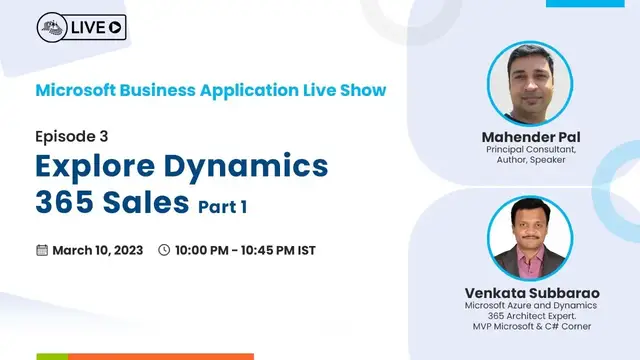
Explore Dynamics 365 Sales - Part 1 : Microsoft Business Application Live Show - – Ep. 3
Nov 15, 2023


Join this live session with Mahender Pal and Venkata Subbarao for the next episode of Microsoft Business Application on March 10, Friday at 10:00 PM (IST).
In this introductory session, we will be giving a walkthrough on the following topics.
• Introduction
• Overview
• Review the sales lifecycle
• Work with Leads
• Creation of Lead
• Addition of a Phone Activity
• Close an activity
• Qualification of a lead
C# Corner - Community of Software and Data Developers
https://www.c-sharpcorner.com
#CSharpCorner #CSharpTV #Dynamics365
Show More Show Less View Video Transcript
0:30
okay welcome everyone thanks for joining us today for the another so for the business application
0:39
so we are here today to discuss about the sales app and this show is uh you know hosted by c
0:46
sharp corner community so let's see that what is the agenda for today
0:51
so in last two sessions we discussed about the fundamentals of the dynamic 365 app and
1:02
the power platform fundamentals now we are starting with the first party apps that is
1:08
you know basically from the microsoft so first app that we are going to discuss about the sales app
1:13
so here is the agenda today we will start a basic introduction about the sales app you know
1:18
why we use sales app and what is the use of sales app and you know all the things and then we will
1:26
start with the basic keywords so you know you will be hearing these keywords when we will be
1:30
discussing about the different apps and then we will know that what is the customer and what are
1:35
the different types of customer in you know Dynamics 365 and then we will discuss about the
1:41
sales life cycle so how you know when we start from the lead and get me finish it to the invoice
1:47
so what are the steps in between that we do okay and then we will see uh you know quick overview of
1:54
how to create that lead and what are the internal sales process that is normally used for the lead
2:00
entity and we will have uh you know discussion about the activities as well that that's very
2:05
you know uh important part of the you know any any first party app so whenever we are working with
2:11
any entity we capture lots of you know details so we will see about that and then we will have a
2:16
quick demo on that sales app so this is our first part that we are going to discuss today
2:24
so before jumping to the much on the sales app let's have a quick uh you know introduction about
2:30
ourself myself mahinder and i'm principal consultant at him back so i have been working
2:36
with the microsoft technology it's like 16 years and i have been catered up with me and he's also
2:41
lead software engineer at epm and he's also you know 13 plus years experience in microsoft technology
2:48
so when you want to say hello to our audience hi everyone
2:55
okay so i'm not going to spend more time on it so let's jump into the first slide
3:02
so as i said that uh you know this uh today we are going to talk about the sales app so this is the
3:09
you know when when we talk about uh that first party apps or you know when we earlier used to
3:15
talk about the crm modules so that's the first uh you know app or module we discuss uh when we work
3:21
about the dynamic crm so the main first party app that whether it's a customer service app or the
3:31
marketing app or field service or any app the main centric point here is the customer and the main
3:38
first motto of using these apps is to you know keep track of our customer data right so we store
3:45
lots of customer information whether it's a you know sales information whether it's a the basic
3:51
need details that we capture on the lead or you know it's their ordering information or their
3:56
product or services so everything that is tracked into that sales app okay so when we track this
4:04
information on the another hand we build a strong relationship with our customer right because we
4:10
we know that you know what are their requirements you know beforehand because we have a dashboards
4:15
that is available out of the box or we can also create our own dashboards in the dashboards we can
4:22
get that you know data insights which help us to know about our customer requirement beforehand
4:29
right so we know that okay what are the you know going future what may be required by our customers
4:35
so that help us to you know build a strong relationship with our customers right it help
4:41
us to you know complete the sales process so you know we depending on that uh you know what what
4:48
you are purchasing or you know whether it's a product or service or you know in fact i will say
4:54
that every day you know whenever we are going to uh you know buy something so basically we perform
5:01
a sales process right so it's it depends on that what you are buying it can be very short like for
5:07
example you know you are going to that departmental store and you know something the product name and
5:12
you know you just ask for that product and you pay the price and that sales process is over but
5:18
on the another hand we have a you know long sales process so when we are doing the long sales process
5:24
we have different stages so all the stages information that we capture into the sales app
5:31
okay this app also help us to build the you know collaterals or sales brochures about our product
5:38
or services so that can be you know stored and created in the sales app and the same can be
5:45
shared with the customer if and when required okay so when we have so many things so obviously it will
5:51
help us to you know close our sales very faster right so we have the required information we have
5:57
the customer data and that details are there so we can quickly fulfill our customer requirement
6:03
using the sales app right now we know that uh basic details of the sales app so let's
6:12
talk about the keywords that we will be using into that all these first party apps the first
6:18
one is the customer and this is our centric point for any any app that we will be discussing in the
6:24
future as well right customer is basically who are buying the service from us who are buying the
6:31
product from us so okay so whom we are serving so that's basically a customer right so we can have
6:37
different customers so we will discuss that in the next slide the next thing that you will you know
6:45
hear about that when we'll discuss about the sales process is the lead so lead is a basic you know
6:51
information that we get from our customer that okay our customer is interested in some service
6:57
or the product or you know what what we are providing like what we are selling what we are
7:02
are producing so all these that basic details that we capture into the lead table or you can
7:08
say the lead entity okay then we have one called opportunity this is the another you know table
7:15
that we have in dynamics 365 where we store that information about the customer requirement so
7:22
in the lead we have the basic details and from that we you know proceed on the opportunity in the opportunity we add the product or services So we have the product catalog that is available into Dynamics 365
7:36
where we store our product and the services, depending on that, what you are working with, right
7:43
So those informations are captured into the opportunity. And then we have the code
7:48
The code is basically the, you know, you can say the formal document
7:52
where we include the pricing information right so if we are selling the product how much this
7:58
going to cost to our customers so the all that details basically you know documented into the
8:03
code details and the another keyword that we have is the order so in the order basically we capture
8:13
that all the shipping informations right apart from that what we have in the code so we also
8:19
provide you know capture the details of the address where we are we are going to ship our
8:25
you know services or the product so that's what we have the order and then we have the invoicing
8:32
so this is the final stage where you know we we get that price for the our services or the product
8:38
so this is basically you know where the sales process is basically completed so these these
8:43
are the terms that you are going to hear you know when we will be discussing about that you know
8:48
different uh you know processes or that apps into the our different sessions okay so now we know
8:56
that keyword so let's jump into that uh our customer what i said that is basically that
9:03
you know centric point for our the customer engagement so customer is as i said that
9:09
you know it can be uh you know an organization or you can say that it can be an entity or a company
9:19
or individual you know whom we are basically selling our goods or services or the product
9:25
okay so if we are dealing with any organization so let's say for example if i have some product
9:31
and there is a you know called a company called abc and they are interested into our our product
9:36
so we are going to capture the information of that company into the account object into the
9:42
account entity or into the account table right so that is the account the another one let's say
9:51
the product that i'm you know say uh selling so there is a individual person who is interested
9:57
into my products or my services so that individual that the data we will be storing into the contact
10:05
entity so so we have basically in the broad way two type of customer one organization that we use
10:12
you know store into that account entity another one is the individual and that's where is the
10:18
contact okay so these two things basically form a customer object for us so we will see when in
10:25
the demo we have a you know you know look up there we can select either you know account or a contact
10:31
so you know as the customer can be account or a contact right so that that what we have here
10:38
for as a customer now we know that what is customer and we know that what is the keyword
10:48
so let's talk about the sales process so sales life cycle okay so as i said before that whenever
10:56
you are going to buy something okay whether it's a very very small thing you are just
11:02
departmental store or you're going to that you know supermarket or you're going to any you know
11:09
big market we have so you have to follow some basic steps right so let's take an example that
11:17
you know we are we just want to buy some you know couple of laptops or couple of computers right or
11:24
we have lots of hardware that we need to buy right so we go to the marketplace and you know
11:30
we go to that some some store somewhere we have the it market and we look for different different
11:35
stores there so we look for different different brands there right and we go there and we check
11:42
that okay what is the price they are offering right we compare different pricing information
11:47
right we do some kind of negotiations and based on the negotiations we finalize the price
11:54
and once the price is finalized you know we may provide the details like okay where you need to
11:59
ship this you know hardware to our office location or to other you know our inventory or maybe where
12:06
our warehouse is there so these these kind of things you know that is performed right in all
12:12
this so these steps what we have performed what we call is sales life cycle okay so we have a
12:20
standard sales lifecycle that is part of the Dynamics 365. So that start with the first object
12:27
that we have is the lead. Okay. So we have the first object that we start with the lead. In the
12:33
lead, we capture the basic details. Okay. What information they like, for example, the name on
12:41
you know, the contact information, their phone number, email details. Okay. And that if they
12:46
they are individuals that's we just captured the first name and last name and if they are belongs
12:51
to some company some organization we also you know capture that information and then we proceed to the
12:59
next table which is the opportunity so there are there are some set of you know criteria right
13:05
that you know which help us to identify right okay this is the right lead is basically the
13:11
kind of a potential customer right so this help us to you know identify that okay this
13:18
customer is really interested into our service and we are going to get some business from
13:23
him or her or from this organization then we move into the opportunity where we fill some more
13:31
details and the other product and services so we capture that okay who was the stakeholder like
13:38
who is the decision maker who is going to take that decision you know about the pricing and all
13:44
those or about that you know product and services so all that information is basically captured into
13:50
the opportunity okay now next is the code in the code we go and you know provide and generate that
13:59
formal you know information about the pricing and what are the basic details that how much you know
14:06
that real cost of this product if we are going to offer some kind of discount we also mentioned that
14:11
there right and then we prepare a formal document that we share with the customer
14:18
and if the customer is agree okay we are good with this price so we move to the next stage which
14:23
is the order otherwise we do revision on that and maybe we you know provide some kind of you know
14:30
discount or more discount on that and we have different options that we can you know do that
14:36
so we can revise the code and once we are final on that code we move to the order part okay and as
14:44
i said order we get that you know shipping information and then final one is the invoicing
14:50
so this is the standard sales life cycle but it depends on the organization to our organization you know they can say that okay we don use the lead part we start directly from the opportunity or maybe you know we use the lead part we use the
15:06
opportunity part we use the court part and then we use the order from order we transfer that
15:13
information into the erp system so we don't use the invoicing we don't create invoicing here we
15:19
just pass it from crm to the erp system right or we can also maybe there there is another object or
15:27
another table that we want to introduce here so this sales process is you know very flexible so
15:33
depending on the company requirement it can be changed we can move that you know objects from
15:39
here to there depending on that so what process we want to follow that totally depends on the company
15:45
right so this now we know that sales process so let's jump into that you know how we capture that
15:56
lead so the basic idea of the lead is to identify that this the customer that that basically they
16:05
are inquiring for some services or the product so they are really going to become our customer or
16:12
not okay so we store the basic information on the lead and then we work on that so there we have
16:18
you know our customer representative or maybe we have a sales person so to work on this lead
16:25
so they call to the customer and get some more information and they identify okay
16:29
this customer is really interested in the deal or not okay so you can see here this is the basic
16:36
form that we have for the lead where we capture that you know the basic details like okay he's
16:41
interested on this product or services so what are the basic details like first name last name and you
16:47
know if he's from the organization what is the job title so all these information are basically
16:53
captured here okay and then you can see here this is the another you know process that we have so in
17:01
the lead we follow this internal process so we have different stages on this so we will discuss
17:07
this on the next slide but there we have this one thing that you see here this is the lead source
17:14
okay so we can capture lead from the different sources so maybe they are you know directly we
17:21
are getting some you know call from the customer or maybe we are doing some trade so or maybe we
17:29
have a public website and we have you know one form there where we say that you know contact us
17:35
and customer you know entering their basic details there and sending that information
17:39
to us so whenever they will post it so we can have integrations that will you know come
17:45
i mean to the crm and this list is basically there out if you want to customize it you can do it yourself you know you can add and remove options
18:00
from here and depending on that you know from where you are capturing the basic data for creating the
18:06
lead so that can be is the capture the basic information about the lead and then our sales
18:22
person start working on the lead part okay so they will you can see that this is an example of the
18:28
traditional you know sales process so we can see that okay we got that lead information and lead is
18:35
created and then we we see that okay so salesperson will you know start interacting with the customer
18:41
and they will you know know more details on that okay what is their specific requirements or how
18:47
soon they want to you know buy or get our services or there are you know they are just doing some
18:52
inquiry and maybe in near future they will be buying our product so those kind of things are
18:58
basically you know captured here on the lead so lead have a basic you know qualification criteria
19:05
okay so depending on the company it can be different right so maybe you know some company
19:12
let's say they are saying that okay we only you know take bulk orders so if there is some some
19:17
less amount of order we don't take it just just an example okay so it could be anything depending
19:23
on the company so if the lead is qualified so then we create it a new opportunity if it's not
19:31
qualified then we simply disqualify and the record is deactivated okay so that deactivated
19:39
record will be there for the lead and now opportunity is created and then we have that
19:44
next stage that is the develop stage and here we will you know identify that okay so we will add
19:52
some more details on the opportunity like product and services and here also we identify that okay
19:58
this is a new customer we got this you know inquiry and that is coming from the new customer
20:04
or that is the existing customer that you know this opportunity you know we want to associate with
20:10
okay so depending on that it's an organization or company uh you know or a individual contact
20:16
so we can relate our customer into the opportunity so they will you know again uh do this just make
20:23
sure that you know everything is filled there so we have couple of you know information and we can
20:29
easily modify that it's highly customizable we can configure it or modify it and then
20:36
once we have that enough information on that opportunity we move to the code create process
20:43
and here we provide that you know again the same thing like the you know pricing details the pricing
20:49
discount details and all that information that we entered here in the opportunity that come into
20:57
the code part so we don't need to enter anything new just the other information which was not part
21:04
of the court uh sorry the part of the opportunity only we entered here in the court so all the
21:09
information basically flow to the next table okay so depending on the you know negotiations with the
21:17
customer so we do the revision and provide that best uh you know pricing for our product and
21:23
services and once that is accepted then we create a order so we have option to convert that record
21:30
into the order so just like we from the lead we convert lead to the when it is qualified we convert
21:36
into the opportunity similarly from the opportunity we have option to create the code and from the
21:43
code we have the option to create the order so when you click on the button create order
21:48
all the information you know follow from this code to the order and then we put that address
21:54
information there and our shipping information and all those there or once that is done then we
22:02
move to the next final stage which is the invoice okay so at any point of time we also have the
22:10
provision so for example let's say if there is maybe there is some reason that you know a customer
22:16
want to cancel that order so they can cancel it here okay so if they don't want to move further
22:22
they can cancel it here so we have the option for as well for cancelling sale so this is the standard you know sales process that we follow when we work on the lead side and we follow from the lead to the opportunity and quote and
22:37
you know our orders and the invoicing okay that that's as i said this is a traditional standard
22:43
but it can be customized and we can do that changes in that okay so now uh we know that
22:52
how to work with the lead so let's have a quick look on the activity
22:57
so activity is basically where we capture all the interaction with our customers so whether we are
23:06
you know doing a phone call or we are getting some emails or we are sending email to the customer
23:11
or we are you know creating some reminder tasks to us that okay i need to get some document detail
23:17
from the customer or maybe i need to get some basic information or some some other information
23:22
that missing okay which is required for the opportunity or any any set of uh you know table
23:29
so all that information is basically you know handled under the activities so we have different
23:35
options that you can see this is the timeline that you will mostly see on that every records here
23:41
so any interaction that will be visible here in the here you can see that you know we have
23:45
option to create that you know different activities so these activities are available here when you
23:50
will click on the plus sign so you can select you know you want what activity you want to capture
23:56
so that you can select that option and then it will you know open the window where you can
24:01
fill that information and then you will submit and complete that automatically you will see that
24:06
record here so which you can you know if you want to easily capture and you see the history of the
24:11
interaction you can see on the timeline and you can also open it quickly from here okay so that
24:18
that that kind of thing that we have in that activity and activities are basically related
24:23
for you know all of our sales entities and you can create you know capture that activity for any
24:29
any table that we discuss on that sales process okay so the task is basically normal you know
24:36
follow-up things that we want to do appointment is basically when we do want to do a meeting
24:41
so it's maybe it's a you know online meeting team meeting or maybe say offline meeting you want to
24:47
visit the customer you know or customer is visiting to you or you want to you know have the email
24:53
tracking so that can be also done on this here or the phone call if you are doing this you know
24:58
phone call to the customer okay so the out of the box we don't have you know here but it can be
25:05
uh we can do that integration and we can have the cti integrations can be done here so we have the
25:11
team integration you can initiate the call from the you know crm interface itself sales have the
25:17
interface itself you can do that okay so this is all about for that activities and now uh you know
25:24
we will jump into the demo and we will show you all this uh part into the demo environment so i
25:30
will pass my mic to my friend my minkata so i think you can share your screen yes sure
25:42
hope you can see my screen yeah so hi everyone i hope uh you got uh good information regarding the
25:50
introduction of the sales app and what are the main uh main entities that are being used
25:56
so as i said you before in the first session of our
26:04
so okay if you observe here we do have this is the sales trial dashboard and here if you observe
26:13
the activities that just now uh mahinder explained the calendar tasks and calls the phone calls all
26:19
these things and comes here and sit here in these particular activities okay so tasks whatever the
26:25
the tasks that have been created those all comes and sit here so i have not created any particular
26:31
tasks so just these are the tasks that has been created and any calendars if i have been created
26:37
them it will come and sit here if you go and see the all appointments then i will see all
26:43
those appointments the same way for the calls if i have respective calls so just i did the calls
26:49
for today all these things okay so the main important part here is in the pipeline you can
26:56
see in the breadcrumb this pipeline of the navigation the leads opportunities so sales
27:03
these are the two eyes you can consider leads and opportunities okay so if you go ahead and
27:12
see right just if you click on the leads by default all
27:15
all the leads that you will see it all the open leads and all all these details that you can get
27:23
visible so by default we will get all these default views that are present which are out
27:30
of box in nature so before going to that right just we do have as mentioned earlier for customers
27:37
they could be a contacts or an accounts example so on behalf of and one particular company
27:44
we generally call it as an organization or an account we get this particular lead the inquiry
27:51
or just as an individual as a normal retailer or who are interested to buy a phone that we consider
28:01
as in contact so don't get confused here basically a customer can be a contact or an account or a
28:09
list of accounts or the list of contacts okay so but in a nutshell just for sales process
28:15
who from where we will get it is we can get this sales process get initiated through the inquiries
28:21
through the contacts or from the accounts so basically as mentioned before these are the leads
28:29
that are present so let me zoom it a bit again so i will click on this particular new right so this
28:37
is a quick view form where with the minimal information you can simply create a lead so
28:44
just i am saying like okay i wanted to know about the windows products like the xbox
28:54
or else just i wanted to have the details about it so what is my budget just i will be
29:02
telling some random number here and the purchase time history i wanted to see the as an immediate
29:11
so to make it more sense just i will say that the mobile phone okay and immediate and the lead
29:17
source how i got these details right as mentioned the advertisement employee referral advertisement
29:23
through in the form of the news you may get it employee referral just in case if this product
29:31
is been given in the form of an company where in the where if you get an employee referral you'll
29:37
get the details or else if you wanted to buy a particular product where if you wanted to gain
29:44
some kind of referral amount and all these all things that will be happen so these are basically
29:50
So basically, these are the different streams where we can create the leads
29:57
So obviously, we can get inquiries through advertisement, through employee referrals, through external referral, through partner, through public relations, through the seminars
30:07
Just I, if suppose for my product, I went to a seminar and I have conducted it
30:11
So there I can get that particular lead. Okay. Few of the members out of 100 members, five members are interested
30:18
So if at all, while I am interacting with that particular person, right, I can give it
30:24
So the trade show web and word of mouth and other. Okay
30:28
So just I will say that for the time being, it is an other. What is the lead person
30:33
Just Mark and Smith was the name. And he is from Mark Company
30:43
Or just imagine that he is an individual person. Mark at the rate of gmail.com
30:48
These are not mandatory. Only the last name is a mandatory. Just I can quickly create it
30:56
Okay. So if you observe whatever the lead that I have created, this comes and sits here. So if I wanted to open that particular lead, so let me show it in an aerial view
31:12
Okay, this was an if you observe here, it is in the pipeline the lead and I have opened this particular Mark Smith as in particular lead. So now for this particular lead as mentioned, right, let me zoom in here
31:28
just uh i wanted to have include one particular uh so so there are different tabs that are present
31:38
the summary details and the related details are also present so just i am not at all interested
31:44
on these details so just i am going to the summary and then i am going to click on uh the create
31:51
time rain record just what i am saying here so okay i got this uh mark smith he was interested
31:59
on my particular product so what as in sales representative what i am going to do right
32:04
just i am going to call uh the mark smith like uh the follow-up for mobile phone
32:15
details so just i am calling and direction as see there are two ways that we can go that is
32:20
incoming if at all from customer if i get the details that is incoming call if i call as a sales
32:26
representative to the customer it is an outgoing i will keep it as is just i can give some kind of
32:32
the number which that is provided by the customer duration just i book for 30 minutes and all just
32:40
the priority is a normal so just i will what i will do just i will save and close it
32:47
So with that, at the background, a phone activity that has been created. So if you observe, this is
32:55
comes in my timeline. What is the benefit here? If at all, any of the person, if they wanted to
33:02
look at this particular lead that was generated by the Mark Smith there is no need for them to go and speak with the sales representative or the sales guy who has created this particularly obviously they can simply see this particular timeline okay so as venkat just i have called
33:21
mark smith and i got all the details and then just what i can do right just
33:27
i can do this i can do few ways that i can assign to the other person or else just i had i got the
33:38
required information and the customer was satisfied. And then just I am closing that activity
33:46
What was my activity that needs to be done? It's a follow-up call to the customer
33:50
So I made it and I'm marking as the state and status
33:54
as with relevant details and just I'm closing the phone call. So now, if you observe here, so if you observe here
34:03
in the timeline, this phone call has been captured and I got all the details from it
34:08
Now, I feel after the interaction, right, what I am doing, right
34:12
so the customer, Mark Smith, was interested to get this particular mobile phone
34:17
Initially, just he was inquiring. After that, just he was very much interested with my product
34:23
and as a result, the lead will convert to an opportunity. Till that time, during this lead process
34:32
I am not sure whether the person who has called will definitely buy my particular product
34:37
But after having a conversation, then based upon the confidence that I got it from the customer
34:43
then I will surely, I can surely tell that, okay, this is an opportunity for us as a company
34:52
so that a customer can buy my particular product. So for that, just I will be qualifying my particular lead
35:00
Okay. so just it will take some time for processing so what was happening at the background so if you
35:09
observe right an opportunity will gets created and whatever the details that are present in
35:16
the lead like the contact who is the contact that he has called us for our for the product and all
35:23
so those all details will get copied at the background with an out of box way like from
35:29
the lead and it gets captured into an opportunity that means an a single record gets created an
35:36
opportunity automatically and the required values that are present in the leads that gets carried
35:41
into this particular opportunity so there is no manual intervention here just a lead gets qualified
35:48
into an particular opportunity so if you observe right the topic is the mobile phone and the contact
35:55
who was the contact that we got it it is the mark smith purchase time frame it is an immediate so
36:02
as usual the currency just uh you have to mention this particular currency for sure and what is the
36:10
budget amount it is of your choice and if you wanted to add some more products right that we
36:15
will be going and uh covering in the coming uh sessions uh so products and codes are can also be be present in the opportunity So this is how an opportunity can be created automatically whenever we qualify any particular lead So this is if you observe and go to the opportunities
36:39
and observe right you can definitely see all my open opportunities. If you go and see my
36:45
open opportunities you should see here the mobile which just now I have created. If you
36:52
open that one in the right side tab you can see this particular mobile so if you observe right
36:59
this is an automatically sensing the more the particular most probability of the customer
37:08
that okay how is the interaction based upon the interaction automatically we will get this
37:14
particular rating for it. Okay. This is how that we will be getting it. And so my opportunities
37:23
if you wanted to see the all opportunities, then there is certain dashboard that is present
37:29
And after beside the dashboard, I have all the opportunities that are present. So let me go back
37:37
a bit so if you observe right already as i have uh qualified the lead i don't see that particular
37:46
lead uh that are present here in the list of all the leads okay so in list of my open leads
37:53
as the lead was qualified it will move out of from the open lead and it go and sit in this particular
37:59
closed lead. If you observe, the lead has been closed from this particular queue and it has been
38:08
the status as qualified. Okay. So, and also if you observe here, once any particular lead gets
38:18
qualified, right, these all process will be just, it will be in read only. Okay. So, all these things
38:27
will get read only and also as mentioned earlier there are different stages that are present which
38:34
we call it as in a business process like the step on process of qualifying developing and all these
38:41
all things that you will be getting into the more details uh in the particular coming sessions and
38:48
also before going that we also can create different kinds of activities like the session note customer
38:56
voice alert and the meeting in the email and also the task also you can go it and also see all the
39:05
leads may not turn into an opportunities so in that case right few of the leads if you observe
39:12
this re this re this is an sample record where this lead is still going on if you observe right
39:19
The interaction has been occurred 34 days before. So what was there, what was happened, right
39:26
Till 34 days, I have not got any information from the customer
39:30
So simply I can disqualify it. So what I am doing, right
39:34
So no longer interested So as the customer was not at all interested this goes and sit as an uh in the it goes and sit in the all my closed leads so i just moving out into from the open to the
39:51
closer ones just if you observe right it is wasn't disqualified the reason behind is uh the because
39:58
of the various customer priorities uh rachel was not interested to buy our particular product
40:06
So, this is all about and if you wanted to learn more about this Dynamics 365 sales, then Microsoft documentation was present, which is a very much good documentation that was given by Microsoft, where you can simply go and see it here
40:30
So if you observe here, these are the things that has been explained by Mahender earlier
40:36
So this is the review sales lifecycle that are present. So just lead opportunity, quote, order and invoice
40:45
And this is the example sales process that are all present. So Mahender, if you wanted to add something, you can add
41:01
yeah thanks victor so yeah so uh you know we have uh covered uh the basic uh details of the sales app
41:08
you know today so we discuss about the lead we discuss about the customers so you know what are
41:13
the different type of customers and we we saw that you know when we convert a lead and uh you know
41:19
that customer information is created the contact and the organization record is created right so
41:24
and then we can move this further to the opportunity so we will be discussing more on that
41:30
you know other tables in the coming sessions so we are keeping you know two sessions you know one
41:39
the second friday and one is the fourth friday so now we are taking basically two parallel sessions
41:46
so this session we discuss about the sales app in the next session we are going to discuss about
41:51
the power platform so we will start with the you know canvas app so that we have two parallel you
41:57
know streams are going on and you can you know all all that our sessions are recorded and you
42:05
can watch them on the c-sharp corner live tv on the youtube and you can you know just share that
42:11
all all of this with your friends and so that you know they can also get benefited of this
42:17
topics and what we are going to cover here in the coming sessions as well
42:23
If you have any questions, just feel free to reach out to me
42:27
or Venkata and we will try to best to get your queries answered
42:35
I think that's what we wanted to cover today. Thank you. Thank you very much for
42:43
joining us today. Thanks, everyone
#Business & Industrial
#Enterprise Technology
#Sales
#Customer Relationship Management (CRM)