live_tv
Livestream Starting Soon
00
Hours
:
00
Minutes
:
00
Seconds
Up next in 10

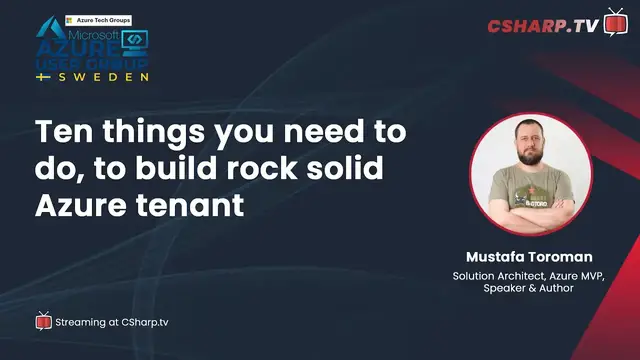
Azure User Group Sweden: Ten things you need to do to build rock solid Azure tenant
Nov 1, 2023


About Session:
Security is integrated into every part of Azure but with a shared responsibility model. Microsoft takes part in some security aspects and enables us to care for the rest.
Every Azure service has built-in security features, and we have services dedicated solely to security. Combining these features and services can bring rock-solid Azure tenants without security holes. Come see how to do it yourself and build a safe Azure environment!
Register via Meetup Community Page of Azure User Group Sweden https://www.meetup.com/azureusergroupsundsvallsverige/events/292028304/
Show More Show Less View Video Transcript
0:00
Thank you
0:29
Hi, everyone. Welcome to Azure User Group Sweden. Happy weekend to everyone. Hi, Håkan
0:41
Hello, Jona. Hi, how are you? I'm great. Thank you for asking. How about you
0:46
Yeah, it's pretty good. Yes, it's great. And today we will be having an interesting session
0:52
So we will have a session about the 10 things you need to do to build a rock solid Azure tenant
1:00
And this is with Mustafa Toromans, who's joining us today live at Azure User Group Sweden
1:08
And before we start and introduce our speaker today, I would like to introduce ourselves first
1:16
I would like to introduce Håkan Silvernagel, who is my co-leader at Azure User Group Sweden
1:24
He is an AI MVP, Microsoft AI MVP. He is the manager for big data and AI at Miles
1:35
And he is also a strong community leader everywhere, especially for leading the AI school, AI42
1:44
.NET Norwegian user group, and also Oslo AI and a lot of other community that he does
1:54
So yes, that's Håkan. Thank you. Thank you so much. So I'm also very, very proud and happy to be able to introduce Jona
2:03
So Jona Anderson is the founder of our user group, and she's also a Microsoft Azure MVP
2:09
and a certified trainer. and in addition to that she is a mentor a public speaker a blogger and also a podcast host and she
2:20
works as a cloud and DevOps engineer and in addition she's also a book author for Riley
2:26
yes that's very better interaction uh Håkan thank you thank you so much I missed some of yours
2:34
We have a lot of titles, but that's what we do, who loves community and sharing knowledge for everyone
2:41
Yeah, so that's us. And it's good that you got to know us, especially those that are joining us for the first time
2:48
And before we kickstart our great session coming, I would like to remind everyone about our code of conduct
2:57
So Azure user group suite and community is expecting everyone to be nice and friendly, listen and be respectful to others, even in the live chat or even after session Zoom meetings we have
3:13
Seek to understand, not criticize, be curious and ask questions and open your ideas and be inclusive and respectful in your comments during our sessions
3:25
And if you have questions about our code of conduct or you have concerns, feel free to reach out to me and Håkan directly
3:36
Okay. And Lønner, go ahead, Håkan. You can share about this. Yeah, so we also welcome you to claim your Lønner Badger
3:47
So if you want to have your banner badge badger, you can go to this bit.ly link, aswg.sweden.com, and then you will get a very nice banner badge from us
4:01
Yes, and also the learning path as well, the keyword code. Yes, that's great
4:07
And we will also be having the standard 15-20 minute after session virtual FICA to those who wants to join us casually with our guest speaker today and ask about Azure security related questions that you're wondering about or about the session
4:33
Okay. Yes. Yeah, so then I think it's time to introduce our guest here for today, which is Mustafa
4:42
Hello, Mustafa. Hi, welcome. Hello, hello everyone. Yes, hi, Mustafa. Welcome to our community virtually in Sweden
4:53
Thank you. Love to be here with you. Yes. Let me just have a more formal introduction
4:58
So Mustafa Thurman is a solution architect who is focused on cloud native applications
5:04
and also how you can migrate existing systems to the cloud. And he's very interested in DevOps processes and also cybersecurity
5:13
And also an infrastructure is called Enthusiast and DevOps Institute Ambassador. And he speaks at many different international conferences about cloud technologies
5:22
And he's also been awarded some prizes here. and the Microsoft Azure MVP and the C Sharp Corner MVP
5:30
And in addition to that, he's also authored several books both about Microsoft Azure and cloud computing
5:37
So we're very happy to have you here. Yes, welcome. And that book is actually one of the security books
5:44
that I have been reading as well, Mastering Azure Security that Mustafa wrote with Tom
5:52
Yes. Okay, thank you. Yeah, go ahead, Jokan. So do you want to say something about the session here today, Mustafa
6:01
What will you be talking about? Yeah, so 10 things you need to do to build a rock solid area tenant
6:08
What I try to do here is provide 10 basic tips that any of us can do tomorrow
6:16
Like once we go back to work, we should be looking into these and implementing them immediately
6:22
obviously security is a big topic and cloud security i could probably talk about about it
6:28
for days there's a book proving i i i know a lot about that stuff and i've been doing extensive
6:36
trainings and if you go deep dive there are million things we need to pay attention to
6:40
but with these 10 things i'm trying to focus on the most important things and things that everyone
6:47
should be doing right now from the very start. Yes, I like that
6:51
Yeah, I'm actually interested to listen to this as well. So, yes
6:56
So, yeah, you're ready to rock the stage to give a rock
7:01
Solid Azure tenant, Mustafa. So, yeah, let me just show your presentation
7:09
And, yes, we'll remove ourselves. So the stage is yours. Thank you
7:14
Okay, so as we said, 10 things you need to do to build a rock solid air tenant
7:23
There was already said a lot about me so no reason to lose any more time about it only i work as a principal architect with the devil team here is my twitter handle if anyone wants to reach out if i can give
7:35
you any assistance feel free to do so i always try to answer the messages uh if i don't do it
7:43
immediately i'm probably very busy but it will come eventually so um let's start with a little
7:51
introduction to cloud security in general so they are really the security in the cloud is a little
7:59
bit different than what we had previously uh than what we did in on-prem data centers
8:06
and looking at the construction of the asia data center it can be separated into
8:13
few different layers so the physical uh layer where we are actually talking about the physical
8:19
access to the data center to the hardware where it's all running itself it's kind of funny like
8:25
when we discuss the cloud it's always like it's obstructing the hardware from from our premise
8:33
from from our locations but there is still hardware in the background right so as they say the cloud
8:38
is just someone else's computer so there is this physical aspect and and and cloud provider is
8:45
always protecting it in a you know you know best uh possible way uh then we have infrastructure
8:53
layer where we have again many different things like it's secured by design operation security
9:00
controls compliance certification industry leading standards penetration testing done all the time
9:06
ddos protection forensics it's all in place then we go to the network layer uh where we have uh
9:13
uh isolation between customer environments uh access control is forced tunneling secure appliance
9:23
security appliances and other stuff and finally we get to virtual machine and application layer
9:29
where we have anti-malware key vault throw based access controls login auditing and from very
9:36
beginning when we discussed cloud security, we had a lot of discussions about how secure it is
9:45
And then there was like always this, especially from the cloud provider, it always came as a
9:51
yeah, it's very secure. You should always look at it like that's very secure in your local data
9:56
center. And to some extent, I do agree, but not by default. That's what we need to keep in mind
10:03
So the part that Microsoft as a cloud provider does in their Asia data centers, it's probably the part of the security they are responsible is probably more secure than most of the organization, like 99.9% of organization will ever reach
10:24
we can maybe exclude like military or some government agencies and stuff that
10:31
are putting that security especially the physical security and other stuff kind of ahead of everyone else but for most organizations what cloud providers are doing
10:45
it's simply unreachable because cloud provider is always doing it at a certain scale and we cannot
10:51
completed that but putting stuff in the cloud doesn't make it secure by default we need to
11:00
understand that there is this shared responsibility model in the cloud and depending on which type of
11:09
services are we using software as a service platform as a service infrastructure as a service
11:13
what kind of what type of service we are using it depends how much responsibility falls on us
11:19
right so as i said the part that microsoft as a cloud provider is doing is going to be a top-notch
11:26
industry standards best possible uh uh security that we can provide in the local data center but
11:34
there are certain elements that we need to do by ourselves right so things like data governance
11:41
and and rights management that's always going to be uh on our side as a as a customer we need to
11:47
control that plane that no matter if it's a software as a service platform as a service
11:53
infrastructure service we are only going to control that then we have different things like
11:58
when we discuss identity and directory infrastructure then it's kind of becoming a
12:05
little bit bigger who controls what like responsibility is a little bit shared then we have
12:10
uh the application layer which is again split for software as a service application uh is going to be
12:17
on the on the cloud provider on the microsoft so if you are using microsoft 365 that's that's on
12:23
microsoft with the platform as a service it's completely is split like parts of it are on our
12:30
side part part of it on microsoft and finally when we discuss uh infrastructure as a service
12:38
that completely falls on us and it really complies only all also with that infrastructure as a service
12:45
platform as a service software as a service model on how much control we get over the environment
12:51
so this is kind of like uh in the opposite direction the more control we have the more
12:57
responsibilities on our side so more security we need to look into now understanding that there is
13:06
part of the security that is our responsibility let's look at these top 10 things that we need to
13:13
look at straight away things that should be implemented on our side from the very beginning
13:19
as soon as we are starting to use cloud so first one is obviously mfa i cannot emphasize enough
13:29
how much important it is to enable multi-factor identification for your cloud accounts uh when
13:38
we compare this part to on-prem and how we handle uh accounts in the on-prem environment it was kind
13:47
of like uh on-prem in general had its perimeter defense so accounts were usable and even if if
13:56
credentials are leaked and and someone has gained uh your username and password in on-prem environment
14:02
they still needed physical access to the location right they needed to access your network to
14:09
actually use that account and do any kind of damage with the cloud it's completely different
14:15
with the cloud if your credentials are leaked they can be used from anywhere in the world
14:21
because everything is online it's reachable over internet and now we are no longer protected by
14:27
this physical location because everything is accessible from any point in the world
14:34
so multi-factor authentication as an additional layer is very important i definitely recommend
14:41
doing this it should be a default and not just for microsoft asher any type type of online account
14:47
that you have you should have multi-factor authentication enabled on it easiest way to do
14:53
it is definitely with authenticator app which is very simple to use easy to use and after all our mobile phones are too with us at all times like we don uh there are different ways of doing it they could
15:10
be physical tokens and and other stuff but we don't leave anywhere without our mobile phones
15:16
right they are always with us when we sleep they are right next to us next to our bed when we go
15:23
outside we could forget everything else but we are not going going to forget our mobile phones
15:29
so they are very convenient and easy way to do this there are obviously other methods uh but
15:37
even with mobile phones we can use a call option or receive a sms code
15:46
however i definitely recommend using authenticator app because when discussing the that part we
15:52
definitely need to consider security aspects and microsoft uh authenticator app is definitely more
16:01
secure than having option of a phone call or sms message because sim cards can be duped they can
16:10
be redirected they can be duplicated and it can be it can prove to be a unsecure way of communicating
16:18
however using app is directly on your device it cannot be uh manipulated and it's it's it's
16:24
mostly a secure way of using through through through through the mobile phones and speaking of
16:33
multi-factor notification we cannot definitely uh ignore the aspects of today's password-led push
16:40
and uh things like fighter two keys that can help us even further secure our our accounts
16:48
so it's definitely also something to look at and something to to to use
16:54
second part is used role-based access controls um this one so this this this point uh and and the next one are very much going into
17:10
uh zero trust approach that we are going with the cloud so zero trust approach is is is uh
17:17
we want to verify everything and we don't want to over extend our uh privileges right
17:26
it also comes with a traditionally when we look into two principles it is like principle of of
17:33
least privilege and just-in-time access so no one should have more more privileges than they are
17:41
required to do their work and no one should have access when they don't need it right so role-based
17:49
access controls comes with this uh a least privilege option with the role-based access
17:54
control we have different types of roles that we can assign on different uh access layers
18:03
in azure so we can actually um perform our role right so very often and especially in on-prem
18:11
environments we kind of tend to overdo it with the permissions we don't recommend doing that
18:18
in in the cloud especially again zero trust different approach than what we did in the
18:23
on-prem environment we need to focus more on security aspects uh with with exposing everything
18:33
over the internet having in access over internet which makes it a little bit more vulnerable so
18:40
anyone should have this least privilege approach where we are having enough to do our work whatever
18:50
our job is it's it should be enough but we don't get over or over the point so assigning everyone
18:58
with the owner permissions not cool we should not do it we should find appropriate role on which we
19:06
actually need to do our job and assign it on appropriate level uh they can be assigned on the
19:12
management group level on the subscription uh group on subscription level resource group or
19:18
or individual resources so if i'm for example database administrator in my company and i'm
19:25
taking care of databases do i need management group level as an owner for everything i don't
19:32
think so so assigning me with the uh or with the role of the database administrator and someone who
19:39
can do something with data and perform different operations related to to my role that's much
19:45
more appropriate so there are hundreds of roles that are built in and we are also able to build
19:52
our own individual roles if you want to customize it even further also what we need to remember is
20:00
that we should more try to do group level access than individual accounts so it is recommended not
20:10
to assign these roles directly to accounts but actually create groups that are doing uh
20:16
that are shared that that i have that have a shared uh level access level and then assign
20:24
these role-based access controls on the group level and assign individual accounts to those
20:30
groups which makes it much easier to maintain in the future trust me okay second one is uh
20:39
privileged access management i already uh mentioned that it's the previous one and this one
20:46
are our lines of that and this one is taking of this just-in-time access so basically if i have
20:53
account that has a privileged access so some kind of like privileged role i'm i'm a global admin or
21:00
uh owner of certain resources or whatever is it good idea to have that um open like available to
21:10
me by default so the scenario here is like still it's uh accessible over internet so my cloud
21:18
environment i can open the portal login and i can see the resources i have access to right
21:25
so even we are taking certain precautions like there's already multi-factor ratification for
21:32
example but there is still a chance that my account is exposed for whatever reason it's
21:38
still there still is a chance it's exposed that someone uh gained access to my account and is
21:45
trying to do something so the idea behind the privileged access management is that we don't
21:51
get our privileged roles by default, we actually need to activate it. So basically, even when the
21:57
bad actor is gaining access to my account, and they are trying to do something bad in my environment
22:03
they cannot do it by default. So when they log in with my account, when it's compromised
22:11
that account will be a simple user account. It cannot do any damage. So we are all using things
22:17
like privileged identity management, privileged access management, to actually have those roles activated
22:24
for a certain period of time and then we can perform our job So as I said by default I a regular user If I actually need to do something I can go to Pro Identity Management Portal
22:40
activate my role, whatever it is. It can be an owner, global admin, security admin, whatever it is
22:45
And then when I'm required to do work with this particular role
22:51
I activate it for a period of time. And once the period is expired, I either need to extend it or it's expired and done
23:00
And we can also associate appropriate approvals with these roles to even further increase the security
23:09
For example, if we have security team, right? And everyone on the security team are required to activate their role
23:16
And they also need an approval from someone else from the security team
23:19
So, if, for example, my account is compromised and then someone tries to gain access to it and they know that we are using Prodidentity Management and they go into the portal and try to activate a role
23:35
But then my colleague who knows that I'm on vacation right now is kind of thinking, yes, something's wrong here
23:43
Like Mustafa is not in the office this week and he should not be activating security administrator role right now and decline that activation is completed
23:54
So there are many methods and definitely a way to improve security of our environments
24:02
Next one is secure endpoints. So with the public cloud and especially with the platform as a service model, most of the services by default are accessible over the Internet, right
24:17
So whatever it is, like for web applications, that's probably not the best example because for most of the time you want the web applications to be accessible over the Internet, right
24:28
That's their entire point. Web, Internet, applications, accessible, right? But let's look at the other services from the platform as a service, like databases, right
24:41
For example, like many different options from Azure SQL, Cosmos DB, whatever you want to use, then maybe storage accounts, all kind of backend services that should not be exposed directly to the internet
24:52
like there should not be access so there is an option that we should elevate and use private
24:59
endpoints for this kind of things because it will increase uh security of our services we are not
25:07
exposing our uh endpoints anymore unless it's really necessary so any service like i mentioned
25:18
databases storage service bus whatever you're using inside your application whatever doesn't
25:24
need to have public access it should be protected with the private endpoints because we are removing
25:32
a certain element of exposure a certain element of risk in this in this example certainly like
25:39
when we look at those services like they have option to limit the access but there is always a
25:45
way to uh let's say network access like asia sql database uh uh if i have an asia sql databases by
25:57
default it can be accessed it needs to be accessed from somewhere because if i just create an asia
26:04
sql database and i need to create certain rules uh ip rules that will allow access to the database
26:13
because without the access, it's just a database that no one can access, right
26:17
Not really cool. So let's say that I'm going to use my Azure SQL database together with App Service, right
26:26
I'm going to have a web app, the App Service, and I want to give that web app access to that Azure SQL database
26:33
So I'm going to create this firewall rule saying, yeah, this is my IP address
26:37
This is my outbound IP address. I'm going to access it from here
26:42
All fine. i kind of limited the exposure most of the people cannot access it so the database is protected it
26:50
it requires connection to come from a certain ip address but if you know anything about cyber
26:56
security then you can know that these uh things can be fixed i can think that i'm coming from
27:02
certain ip address so that kind of uh protection might not be enough so you want to take it step
27:11
further and put it on the private network isolate your uh uh sensitive endpoints put them on the
27:19
uh uh private endpoints put it in the in the inside the virtual network and and increase the
27:25
security and allow only access from from from certain uh uh services that are also on your same
27:33
same network um additionally what we can do with the combination use network security groups so
27:40
So network security groups allow us to filter out the traffic and say what goes on on this particular subnet or IP address
27:51
And also there's an option to use firewall to even increase the network filtering and create certain rules that will control the traffic entirely, both for inbound and outbound traffic
28:09
right now one of my favorite services in azure of all times web application firewall i remember
28:18
the first time i discovered this and how blown away i was with the service so um web application
28:26
firewall is a service that comes along it's basically layer 7 load balancer that does additional
28:34
uh uh additional filtering and checks and protection of your web applications it can be
28:44
used together with application gateway or asia front door and it can separate many different
28:53
invalid requests malicious requests coming to your website filter them out block them and only
29:01
provide access to valid uh requests it's based on the of up top top rules so it's constantly
29:08
updated so rules are constantly being updated and it's looking at the option like any type of
29:14
cross-site scripting sql injection it will be prevented from access it will be blocked
29:21
ahead and it will not be allowed to uh reach your application so on the web application layer on
29:29
on the application gateway, these requests will be stopped. They will be halted, and then only valid requests will be forbidden
29:40
However, I want to remind you, like I'm also, we mentioned in the beginning
29:46
I'm also DevOps Institute ambassador. I'm very into software development like Cycle and how we need to build our application properly
29:54
So just because we have this tool that will protect us from
29:59
certain vulnerabilities is not saying that we should ignore these vulnerabilities on the code
30:06
side so this is just additional layer just additional protection for your for your web
30:12
applications but please try to improve quality of the code uh fix any vulnerabilities that that
30:21
they are in your code kind of try to do certain uh scanning code scannings that that will provide
30:28
you with the with the vulnerability assessment and try to fix those on the code level uh layer
30:35
rather than having only this because no tool is perfect try to have it on every every every layer
30:43
that is possible so both application and infrastructure layer should work together to
30:48
to prevent uh any kind of malicious attack and try to uh kind of uh uh minimize the the the
30:58
the exposure and and the possible risk Azure Key Vault very cool service that you can do for million different things so
31:10
Azure Key Vault can be used for secrets password certificates to store connection strings used as
31:17
an infrastructure as a code very cool service that can help us maintain all the sensitive
31:28
information that are happening in Azure, right? So in on-prem environments, again, I'm constantly
31:35
comparing, but that's what it is, right? When you discuss security, we need to compare these things
31:41
These kind of were approached again a little differently. Again, public cloud exposed over
31:49
internet, we need to take care of certain things. So Key Vault can help us in handling
31:56
things like secrets, password, certificates, so they are never exposed directly. They are encrypted inside
32:03
the key vault, and we are providing services access to the key vault
32:07
where they can grab the sensitive information, use them for our application
32:12
without ever exposing them in the plain text. So very important thing. Same thing goes to the connection
32:19
strings. Like in the configuration web configs, we are going to store
32:25
certain connection strings that's not a best way to do it rather than that we can store them
32:32
securely in the azure key vault we provide access to our key vault to a service it can go in grab
32:40
connection string and and never expose it in a in a in a plain text and similar thing goes to
32:47
infrastructure code i am a big infrastructure code enthusiast i i i love the expect i kind of
32:55
used infrastructure as a code before it was very cool thing to do i tried to automate everything i
33:01
could possibly do and the tools that we have today are just so cool we can do so many different things
33:08
but many of the services many of the things they are requiring uh certain sensitive information or
33:16
when we are deploying services with the infrastructure as a code we are going to need
33:21
to provide things like admin passwords or a certificate for for something etc again
33:29
key vault to the rescue we can store the sensitive information in in in the key vault and in our
33:36
infrastructure sorry in our infrastructure as a code we just reference where the key vault is
33:45
this way these sensitive information are never exposed because let's say if i'm running
33:51
infrastructure to code if i need to provide an admin password and if i just type it in in the
33:56
repository not the best way to do it we must agree on that right not a cool way to do it because
34:02
anyone who gains access to the repositories automatically gains the password again if you are looking at the best practices
34:12
very a limited number of people should have access to add uh to production environments right
34:18
for the test, for the dev test, even pre-prod, we are a little bit more open
34:25
People can access, can go in there, try to troubleshoot, et cetera
34:30
Access to the production should be very limited. So if I'm having my production code in the same repository
34:36
and I kind of deploy it and the insensitive information are there
34:40
not a good idea. So rather than that, we use Key Vault and with a key vault we protect it with the infrastructure as a code as well
34:51
next one again key vault encrypt your data you want to encrypt your data everywhere all the time
35:01
we want data to be encrypted so we need to remember that with Azure data is encrypted by default so
35:12
data is encrypted by default and any kind of data service that you deploy is going to be
35:19
encrypted by default. Let's again take, for example, Azure SQL database. By default
35:26
when you created Azure SQL database, today it's going to be protected with TDE
35:32
Transfer Database and Prescription. That wasn't always the case. So back in the day
35:38
and that was some years ago you didn't get the encryption by default you needed actually to
35:44
enable the encryption to to have it it was not the default option today by default if you create it
35:50
if you don't specify anything it will it will be uh encrypted with the td however that encryption
35:58
is done with microsoft managed keys so what happens for example with that data if it's
36:05
exported outside the asia so if i want to do my backup and want to export it what's going to happen
36:13
it's going to be unencrypted so it kind of breaks this principle of uh encrypting data uh everywhere
36:21
both in move and in rest we want data for applications to be encrypted at all times
36:28
so if we encrypted with the microsoft uh managed keys first of all uh any kind of export of data
36:37
that we do it's not going to be encrypted anymore uh simple ways like if i'm exporting it outside
36:44
the azure so if i want to download that the backup of that database to my local machine right uh i
36:51
want to do something i want to restore it locally whatever uh if if it's encrypted with microsoft
36:57
manage keys i cannot decrypt it anymore right because i don't have the keys so if it's still
37:02
decrypted it breaks the purpose so it's going to come out uh unencrypted right already decrypted
37:09
from the azure the second part is um many organizations and many industry standards
37:15
are questioning if we should trust this uh microsoft to encrypt data with their keys because
37:22
that means if microsoft hold the keys they are able to decrypt the keys as well right They are able to decrypt the data So it is recommended to use our own encryption methods We use Azure Key Vault We have encryption keys inside our
37:41
Key Vault and then use those keys for encrypting the data. First of all, exported data will no
37:50
longer be unencrypted because we now own the key we can use the key to decrypted and the second part
37:56
is also now we own the keys uh if we want to go a step further there are also hardware modules
38:05
with with the uh with a keyword that can uh take this step even further and the the
38:12
encryption is is double and and no one can actually access our our keys in any way
38:19
okay um number eight microsoft defender for cloud one of my favorite services and um i wrote uh john mentioned that i wrote the book together with tom who is uh
38:37
He is a program manager for Microsoft Defender for Cloud. So, a very cool service
38:48
And the purpose of this service in Azure is to provide you with your security posture
38:59
So, what Microsoft Defender for Cloud does is it takes your current situation
39:04
So what is the state of your resources and how does it compare to the best practices and recommendations
39:11
And then it provides you with certain security score and with recommendations how to improve it
39:18
So if I go, I don't know, if I deploy the storage account and that storage account is publicly available, so it's accessible over the Internet
39:32
and then it's unencrypted and I don't know let's say that those two are enough Microsoft Defender
39:43
for cloud will flag that storage account it will bring my secure score down it will say yeah your
39:48
secure secure score sucks you need to improve and it will also provide it would also provide me with
39:55
a recommendation what I need to do so if I went to the recommendation it will list my storage
40:02
and say, okay, first of all, you need to create some kind of network controls for your storage account
40:09
You should not be exposing it to everyone over the internet. And the second part is you need to encrypt that storage account as soon as possible
40:21
So Microsoft Defender for Cloud is for giving you some kind of security baseline
40:29
So it compares all your resources to what's recommended from Microsoft and then provides you with the list of things that you need to improve
40:41
So very cool and very, very useful to do. We can also track regulatory compliance
40:48
So if we are aiming as an organization to reach certain compliance standards, so if we are looking into ISO 27001 or PCI DSS or whatever, there are several dozens of those industry standards
41:05
We can track down how our current situation compares to any of those standards
41:11
Now, when we are speaking with Microsoft Defender for Cloud, I cannot exclude but mention a thing that is kind of a natural extension of Microsoft Defender, and that's Azure policies
41:26
So how does Microsoft or how does Microsoft Defender for Cloud provide you with those recommendations and the list of resources that are not compliant and extra
41:36
It's basically using Azure policies. Those are Azure policies in audit mode
41:41
So they are telling, okay, this is the best practice. You're not doing the best practice
41:46
I'm just auditing here and listing you with the resources that are not compliant with what we are recommending through this Azure policy
41:54
What you can also do with those Azure policies is especially like in the beginning, audit is fine
42:00
It's just telling you what needs to be improved. But let's say I created a storage account
42:05
Microsoft Defender for Cloud told me yeah, it's not compliant, you should fix that
42:10
I go there, I fix it and now it's good like my secure score goes up
42:16
everything is nice I'm compliant to the standard, blah blah blah but tomorrow one of my colleagues
42:22
comes along and deploys a new storage account and does the same thing all over again
42:27
now secure score drops again it shows up as a new recommendation
42:32
to fix this storage account how to prevent it But Azure policies, as I said, are coming when we look at from the Microsoft
42:40
Defender for Cloud, they are coming in the audit mode, but we can also put them
42:43
in different modes like deny, for example. So if I put a policy that say that's tracking down if my storage account is
42:53
encrypted and if my storage account is exposed to all, is exposed to the internet
43:01
then I can switch it to deny effect and say don't allow deployment of such service
43:08
So in that way, we are enforcing that future deployments are going to be compliant
43:15
So definitely something to look into and policies are very cool way of keeping track of our environments and keeping them highly secure
43:25
Next one, Azure Sentinel or Microsoft Sentinel, it's changed since then. But I have been very many times asked, what is the difference between Microsoft Defender for Cloud and Sentinel
43:40
Because both are security tools, and then people are having a hard time to distinct one from another
43:48
So, Microsoft Sentinel is a CM solution. So it basically ingests a lot of logs, a lot of events in a single place, and then tries to provide you a way to query what's going on in your environment
44:06
It's a cloud solution, so it's totally cloud native, but allows you to ingest information from basically anywhere
44:15
You can ingest data from on-prem. You can ingest data from other clouds as well
44:22
Disguise, like whatever you want to do, you can get it. It uses logs to align the workspace to ingest data
44:29
Once the data is stored, you can use Azure Sentinel to yze the data
44:33
So how you can do it? You can do it in many different ways. You can create your own queries, and then you can do a manual threat hunting
44:42
searching through the logs, what's going to happen. It very recommended to actually create some kind of dashboards that you can track down what going on in your environment How to it easier to detect anomalies But the best part of all of this is it also leverages machine learning right
45:08
In the background, it yzes data for you. And then it has ability to, with the machine learning, to detect certain incidents
45:20
and certain events that we could not detect ourselves or even connect events that on first glance
45:30
look completely unrelated, but because Microsoft has this database, historical database that tells them
45:39
that if these four events happen in sequence, the fifth one is coming
45:45
So something that we could probably never see for ourselves, it it helps us uh uh definitely understand better what's going on in our environment and and uh
45:59
we can detect any kind of uh uh incident security incident and and and and uh
46:07
different alerts almost in real time and and try to stop uh bad actors for for doing certain damage
46:15
in our environments before it actually happens. Many times I often discuss the security aspects
46:22
and what happens when someone is in your environment. So if you look at the traditional environments
46:30
it takes up to nine months to detect that bad actor is inside your network
46:39
So nine months is a lot of time. They can do a lot of bad things in your environment
46:44
in the nine months. They can steal a lot of data, manipulate the data to their advantage
46:50
They can destroy some services for you, create your complete downtime, et cetera
46:57
It can be bad. On the other side, that amount of time that bad actors spend in your cloud environment is decreasing because we have all these cool tools
47:10
We have very interesting ways to protect ourselves today. We have behavioral ytics, machine learning on your side
47:23
We can yze huge sets of data in near real time and detect things that are happening across our environments
47:34
It doesn't really matter which cloud is it on-prem. We can interconnect everything. Everything is meshed together and we can detect attacks on our organization across different vectors, across different services, across different environments, etc
47:53
question but even with all of this uh we come down to the last point of this talk and and I believe
48:04
the most important one is and it's train train train try to train it train people all the time
48:13
we need to keep learning and understanding what's going on in our client environment at all times
48:20
This is the most important thing that we need to remember to keep progressing, keep learning and spread that knowledge across our organization
48:30
Because when we look at it, like, as I said, we have all these nice new tools, different firewalls, behavioral ytics, machine learning
48:39
And then we have a user, which remains to be a weakest link
48:44
So we need to train users. But also as IT professionals, we also need to keep training and learning all the time
48:52
One thing that is constant in cloud is a change. So cloud is changing all the time
48:59
I've been using Microsoft Azure from its very, very, very beginning. So from before it became globally available
49:09
And when we look at how Microsoft, it wasn't even a Microsoft Azure in the day, right
49:15
It was first Red Dog, but it went globally available with the name Windows Azure
49:21
Then we got Microsoft Azure in the end. But so the names even changed
49:26
But in how it looked, it was completely different. It was very few services, very limited
49:32
And now we have this entire stack of security services available to us, right
49:37
We have all these like Microsoft Defender, Sentinel, Azure policies, different security tools, right
49:46
That Azure Firewall, for example, Web Application Firewall. Those are the security services
49:51
And then every service by itself has also some kind of security feature enabled
50:01
Like I mentioned Azure SQL Database or Storage Account. I mentioned them several times
50:05
So you have option to limit the access to those services over firewall, or we can encrypt those services or use our own keys to encrypt those services
50:16
Or when we look at the web application, like for app service, we can control version of the TLS
50:24
We can enforce HTTPS that is used on our application. We can use our certificates to encrypt the data, et cetera
50:34
Excuse me. So both from our side, so us as IT professionals, we need to keep track of what's going in our environment and what are the new stuff, new things that are available for us, right
50:48
Because a lot of these services are coming along. They are constantly progressing
50:52
They are getting new functionalities. New services are released. We need to keep track of that
50:57
So what is the new service? Can I use it? Does it provide me an edge when it comes to my security
51:03
And the second part is we need to train our users to know what to do when something goes bad and how to react
51:11
Phishing emails are going to come all the time. There's no way to protect ourselves, but teaching our users how to react when they have a phishing email is a key way to move forward
51:27
Okay. I don't know if you have any questions. I will keep waiting for questions, but anyway, I hope that you found the session interesting
51:42
that it was informative, and I'm still waiting if there's any questions
51:46
Yeah, we do have a question that came right now. Thank you. First, I want to say thank you so much, Mustafa, for the great tips
51:53
I literally wrote down the tips that you have in 1 to 10
51:59
Yes, that's right. But we do have a question, actually, from Nikos
52:05
Yes, Nikos asks, which tool should I use to check what is open in my VNet
52:16
Okay, so what is open? So the VNet itself should tell you what is open
52:23
like if you go to network security go uh network security rules you should see what is open on the individual subnets of your vnet by default if you don have a network security group everything is open right it
52:39
everything is is like you should have uh on each of the subnets you should have network security
52:45
group assigned that will limit access to to certain ports that you should say it they should
52:52
If you just put it out, if you just create a virtual network and the subnet without any protection, everything is open
53:01
So you need to be very careful on how. There's no direct tool, but maybe Network Watcher can tell you different things, but you would not see what is open, but you can check if it's open, let's say like that
53:17
Okay. Thank you. Yeah, go ahead. yeah yeah there's another question here also from nico says another question am i safe enough with
53:27
an app proxy or a relay uh depends on how you set it up it can be a way to be protected it really
53:38
depends it it can be very well good way to to protect yourself app proxy really that that's a
53:45
essentially the same thing but it's also very important to understand your entire architecture
53:51
and how you communicate like it's very important that even if we have a proxy
53:58
it should still be encrypted the trust how the communication identification works
54:03
between the two sides it's still something we need to take care of okay yeah thank you uh nico said uh thank you for the answer i do actually we don't have any
54:18
other question from the audience that i see uh so far uh do you have any questions hoken before
54:24
i should in mind i have a few thoughts yeah yes you know um because i really like this it was very
54:32
comprehensive presentation Mustafa but what would you say if you would just recommend
54:38
one thing what would you recommend then if I had to say one thing
54:44
out of these 10 one thing that we should do start with the
54:48
MFA definitely for everything any online account that you have enable MFA on it
54:54
yes I have a follow up question before we take Nick as other question so I
55:00
I use actually MFA, so I have the authenticator up and I do have the Fido key
55:08
And one of the things that I wonder that I'm curious about, maybe you can answer this
55:14
what if you lose your phone? I mean, you have this authenticator up
55:19
Is there a way to back up your authentication details on the phone
55:26
Just like having a break glass account in Azure, for example. So basically what you should do
55:33
So as an admin, there are ways you can handle it. Right
55:36
As an admin, there are ways. Like you mentioned, a break glass account can happen that can restart
55:44
But as a user, you might end up in a difficult situation. As a regular user, what happens if I use my account
55:52
Yeah. you can probably reach out to your admins and they will be able to reset your authentication
55:59
requesting you to register again on the next sign. But I also recommend having an additional way to verify, right
56:11
Besides your mobile app, it is good to have something additional. Like you mentioned, you also have a FIDO key, right
56:18
Yeah, that's right. So you can switch between those two. So my authenticator app can be your default one
56:25
and you can have a FIDO as a backup. So if you lose your phone, whatever
56:33
you can go in with your FIDO key, and then disable the second authentication method
56:38
register a new phone, or whatever you need to do. Yeah, that's right. So you always choose two methods, at least
56:44
That's my recommendation. And SMS also. I think call or SMS, the MFA
56:50
I mentioned that out of the mobile options, app is the most secure, right
56:56
But you can have different methods. Like with the phone, you can have SMS or a phone call
57:01
but you can have additional email registered as well, right? Where you can receive a code on your personal email
57:10
different from your work account or whatever. So it's also something you can do
57:13
So there are different methods here you can set it up. All right. Thank you
57:17
All right, let's show another question from Nikos. Really? Yeah. I have an on-premises machine located in the intranet via an app proxy
57:30
I connect to an app service and then to API management. Is it safe enough
57:37
I cannot say with 100% certainty before looking into entire configurations and the setup
57:45
But it sounds fine. like the the workflow you mentioned here intranet app proxy uh application uh
57:55
app in in the in the process that sounds fine like it sounds fine as a process it's question
58:02
if it's configured properly but it it should work in theory thank you for that uh a comment
58:12
from Stefan about my question that we can back up also with the Microsoft
58:18
account. That's the point, like if you don't have a backup for your MFA, then
58:22
you might get in trouble. It has an ability to backup, however
58:26
there is like how many of you try to restore it, restore the backup
58:35
Let's put it like, I have my Antikyto app app is is has a huge list of accounts for different clients for whatever so first i use it for
58:47
everything for my personal things so my all my personal accounts are in there and then i have
58:52
my work account and i have uh accounts for for different customers as well in there and the list
58:59
is huge so let's say for my work account i have a backup i restore it all good sounds fine like i
59:07
see all the accounts i restore the backup and i can see my uh work account in the list however
59:15
there's a question mark next to it and it asks me to go to my uh account details for my work account
59:25
and verify the method which i cannot do because i need way to get in i need additional way to get
59:33
to my account. So it's kind of like it's a cool thing, but doesn't work all the time
59:40
Yes, that's a good input from you. That's a good one. Yes. Thank you also, Stefan, for sharing your
59:50
input there. Yes, I think we don't have any more questions so far. And we are in the last minute. So
59:59
Any more further questions we can take on our 15, 20 minutes after session Fika with everyone
1:00:10
So please join us. Mustafa will be there and spare his free time with us this weekend to answer more questions related to Azure security
1:00:22
And I believe. Did we have the link here? Ah, yes. I do actually have the link prepared. Let me just send it on the chat. It was me that was
1:00:34
organizing this one. So the link is shown there. Let me just go to my Bitly link to share it with
1:00:46
you. So in the chat, that is the link to our Zoom meeting. If you want to join us and mingle a bit
1:00:55
before we finalize our session later. Yes. Anything else? By the way, Mustafa
1:01:05
how can our friends and community reach out to you or connect with you if they want to follow your work there there twitter handle right there in my name or linkedin yes yes and i also recommend a book i i love the books about security
1:01:25
i'm actually preparing myself to to get certified as azure security engineer so the az500 is also a
1:01:32
good associate certification to take if you want to be better in Azure security
1:01:39
And I truly believe as a developer, we really need to start from the code and not wait until
1:01:45
it's in production in terms of that. Yes, Håkan, any final words before we switch
1:01:55
No, yes. We wish everyone a happy weekend and a relaxing weekend here
1:02:00
Yes. I hope to see you next time. Yeah, at the FICA session as well after this
1:02:06
All right. So thank you, everyone. And thank you, Mustafa. Have a great weekend
1:02:11
Bye-bye. Thank you, everyone. Bye
#Online Communities
#Photo & Video Sharing
#Virtual Worlds
#Video Sharing