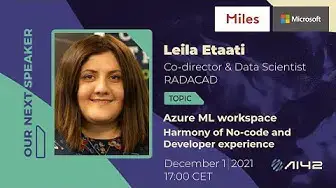
Up next in 10



Azure ML workspace is a multi-user environment for the aim of machine learning. In this session, the audience will learn how to use Azure Machine learning with a no-code environment using Auto ML or drag and drop environment to create a customized machine learning solution. And finally, how to use python inside Azure ML notebook for customizing machine learning development. This session provides an overview of three main authoring machines larning as Automated ML, Notebook, and Azure ML designer.
About our speaker:
Leila is Microsoft AI and Data Platforms MVP since 2016, and she was first AI MVP in New Zealand and Australia. Leila has a Ph.D. in Information Systems from the University of Auckland.
Leila is the co-director and data scientist in RADACAD Company with many clients around the world. She is one of the bloggers of RADACAD, with 800 articles and more than 9 million readers around the globe annually. Leila is the co-organiser of Microsoft Business Intelligence and Power BI Use group (Auckland meetup from 2021), SQL Saturday Auckland (from 2015 till now), Difinity Conference ( from 2017 till now), Auckland AI global community (from 2018 till now).
She is an international speaker at most Microsoft conferences and has facilitated over 200 sessions and full-day workshops). She loves solving Jigsaw puzzles, playing board games, and her dogs' company!
Show More Show Less View Video Transcript
0:30
hello good morning and good afternoon everyone we have today with leila she just came to us
0:42
from new zealand online of course hello leila hi keshia hi how are you today oh going well just woke
0:52
up it's about 5 a.m in new zealand and i think it's 5 p.m in uk yeah i'm all right it's 4 p.m
0:59
Yes, but it's evening, yes. Yes, so thank you for coming that every morning for us
1:05
and doing a session about Azure ML. Thanks so much. Thank you
1:12
So before we'll start talking to you and your session, should we just introduce AI42 first
1:21
Yes, of course, yeah. so welcome today on the session for uh with leila etati uh so we started ai42 with motivation
1:48
or to comes to recognition that there are it's not good starting materials for a materials for ai
1:55
So, AI42 is a strong team, consenting of free Microsoft AI MVPs that strive to provide with a valuable series of lectures that will help jump start your career in data science and artificial intelligence
2:09
AI42 aims to provide you with the necessary know-how that can help land your dream job as long as it's related to fields of data science or machine learning
2:18
learning. The concept is simple and innovates professionals from all around the globe
2:23
explaining to you the underlying mathematics, statistics, probability, calculation, data science, and machine learning techniques. We'll guide you. All you have to do is follow
2:37
our channel, enjoy the content every second week, filled with real-life cases and experts
2:42
experience. Don't you worry, we all started from scratch and we are happy to help you
2:47
build it up from there. You can always stop and rewind the videos or ask the clarification in the
2:53
comment section. We hope to assist you on this wonderful journey and have you as a speaker one
2:58
day. By creating cross collaboration with other organizations, we can give the best opportunities
3:05
to broaden your network in the AI and data science communities. With the combination of
3:11
our offered services, we will support less fortunate people and organizations that are not that
3:16
recognize yet, even true, they deserve it. So our organization is sponsored by Microsoft and Miles
3:25
and we are humbled by all the support we get from our contributors as well
3:30
Thank you, first of all, Leventa Ponger, for all the beautiful graphical content
3:36
and Mina Marie for the cool intro music before our event. We are in close collaboration with C-Sharp Corner
3:44
and Global AI Community, So our lectures are going to be available on their YouTube channel as well
3:51
additionally to our own media. So Nicolás Thoughts creates and reviews all our text content we use on our website
3:59
or advertisements and during our sessions. So you can go ahead, follow us on Facebook, Instagram and Twitter
4:07
to become a part of a growing community where we'll share knowledge and fun
4:12
You'll find every information that would bring you to an advanced level on the field of AIM data science
4:19
You can watch our recorded sessions on our YouTube channel, and you can find our upcoming sessions on our meetup page
4:29
And as well, we have the code of conduct and all outlines explanation for participation in our community, as well as steps of reporting unacceptable behavior
4:38
We are committed to providing a welcoming and inspiring community for all
4:43
Be friendly and patient. Be welcoming and be respectful with each other
4:50
So I think we can now bring back the Leila on the stage
4:58
Good idea. Hi, welcome back Laila
5:11
Hello, hello again. So today we'll talk about Azure ML. Can you just give us a little sneak peek what you will talk about
5:20
Oh, of course, sure. So I'm going to talk about Azure ML Workspace
5:26
That's kind of the new-ish platform that Microsoft provides that support people from very kind of business background
5:36
So they don't know anything about AI to people who actually have been in AI and machine learning space for a long time
5:45
Oh, that's perfect. We just can't wait to just listen to your session
5:50
But before we start, can you just a little tell about yourself? Because you are AI MVP and you're doing a lot of great stuff
5:58
So we're really ready to hear all what you're doing. Oh, thanks so much, Gashia. Yes, actually, I've been in AI and data platform kind of area from kind of 2015. And so, yeah, so this is my interest. So I'm kind of used to be a C-sharp developer and kind of the Windows application developer
6:22
but gradually I'm more interested to the data part. So going, moving to the SQL and then BI
6:29
But at the same time, when I creating reports, we see that we really need to get more insight out of data
6:36
So living in a data kind of the environment that I kind of face with lots of data
6:43
I feel that's a good opportunity to get more insight of the data
6:48
using machine learning and predictive and descriptive ytics beside all of the stuff like Power BI
6:55
So that's a start-off thing. So back after 2015, I started writing books and speaking
7:03
and kind of learning myself about AI. And so, yeah, I'm really enjoying that journey
7:12
Yeah, I think it's really surprising that from developer, you can be a data AI person. So it's really great that it's so maybe not easy transformation
7:22
but it possible Yes exactly So that a kind of the you know just baby steps happen to me So from a kind of developer I more interested to data parts And then from data SQL part I more interested to the BI and then to the AI So it kind of the transition from I can say from 2004 till now So but that was a really fantastic journey
7:50
Yeah, it sounds like that. So should we see what you are going to show us
7:58
I just can't wait to learn more about Azure ML today. Yeah, of course. Sure
8:04
So hello, everyone. Thanks so much for having me. AI42, that's really great to be part of this amazing kind of area
8:14
We're really looking for that for a long time. So as I mentioned, Yaptop, this actually, I'm working in AI
8:22
Microsoft AI and data platform MVP. So that means that I work in this boat area for some years
8:29
So after my session finished, so if you have any question, this is my Twitter and my LinkedIn and also my email over here
8:38
So please contact me if you have any question, more than happy to answer
8:43
So machine learning. So that's machine learning is kind of the really parts of the AI part that we have
8:50
and many companies now looking through that. So as you know, that machine learning process can start from data
8:57
So we need to have a data. So if you're working with Azure space
9:01
your data can be in a SQL database, in a Cosmos DB
9:05
to the data lake, blob storage. There can be many places, even non-Microsoft tools
9:11
So that's the data there. So there's a process of getting this data
9:16
preparing the data for the process of the machine learning there are lots of pre-processing the
9:21
simplest one was removing in all values and kind of scaling the data and the others so there are
9:28
some pre-process not just for data quality they are essentials but also some pre-print process
9:36
for machine learning and after that we actually be going to learn from the data that we have to
9:42
to create some models out of them and to kind of train the model based on the data that we have
9:49
and then deployment. So that's a kind of the end-to-end process. And we are not alone through doing that
9:56
So yes, previously we need to do all of this process by writing codes in our Python
10:01
But these days there are many tools that actually help you to kind of eliminate the process
10:08
that's actually you need to write code so everything can be created automatically for you
10:17
I'm talking about the Azure ML workspace. Before I'm going to show you this very huge kind of chart
10:25
let's see that what we have over there. I'd love to go through some space that we have here
10:34
So coming from the Microsoft Azure, so everyone can kind of go to the Microsoft Azure
10:41
There are some free tiers that you can use it. So about $300 is a dollar, I think, or $200
10:49
You can actually kind of get an account for that and logging through that
10:55
So after you're going there, you can create a resource. The resource that I'm going to talk about in this session is Azure ML
11:04
actually machine learning. It's easily you can go here and search for that one as machine learning
11:12
and you will get that one. You can create that one and see the different plans that we have
11:22
It's very easy to set it up. It's not just a really big deal to set it up
11:29
After you set it up, you will see the environment like this
11:35
Let me zoom in so you can actually see that. As you can see, you set it up, the location that you want
11:44
the subscription, and also there's some kind of validation through the Microsoft Azure, which is great
11:54
because actually you get more layer of security to access to that one
11:59
After that, you just easily click on Launch Studio and it navigates you to the main environment of Azure ML workspace
12:09
For people who work with Azure ML, you remember we have an environment or you may heard about that
12:16
If you just search for Azure ML Studio, that was a very traditional machine learning place that we have before
12:29
So that's actually, there's a traditional one, that's a drag and drop one, and it was really interesting one, and it's free to use actually
12:36
But that one is actually common combined over here. So let's see what we have in this environment
12:44
So in this environment, as you can see here, we have a ribbon here
12:48
So this is the home that we are here. And we have the area named altar that is here actually
12:56
and we have the some assets. So author is actually a stand for places
13:02
that we are going to develop or altering our machine learning. And we have three ways to doing that
13:10
We have notebook that is a stand for Azure notebook. That means, so notebook, we can write code
13:17
that is mainly for data scientists, people, so people who knows how to write R or Python
13:24
or at least they have the code to doing that. In the second step, we have automated ML
13:30
that I'm going to also talk about that. This is mainly kind of clicky area
13:36
So I will go through that. What is that? You don't need to write the code
13:40
And I can say that can be used by everyone. So you don't need to kind of
13:46
with a basic knowledge of the machine learning, still you can use it
13:50
And then we have designer that I can say something between these two
13:55
That means that you still need some knowledge about machine learning process
14:00
but still you don't need to write the code. But again, you should be more kind of experiment on that
14:08
but you don't need to write the code. So we are going to see that, how's they going
14:13
And of course, we need some assets. We need a place to store our data
14:18
So we have actually data store. and each data store can have some data sets
14:25
We have a place name experiment that's actually doing that. Let's have a look at the chart that I have here
14:34
Here, we need to have some things like, for example, Azure Machine Learning needs a virtual machine
14:45
so we need to set up a virtual machine to run our data over here
14:49
we have data sets we have pipeline that I will talk about in
14:54
my session in the next week so don worry about that that help us to orchestrate all of the process that we have from creating a machine learning model to deploying
15:06
That's the one. We have different deployment part and the other that I will also talk about them soon
15:18
Let's go through the first part that is Azure ML AutoML. What is that? In the previous example that I showed to you
15:29
we prepare the data and deploying the model, but let's have a look at as a practical example
15:37
that we are going to see how much a car can work
15:42
We are going to predict how much a car can work and how we can actually do that
15:48
So this is kind of the simple machine learning process. So first of all, we know that what features we are going to put to predict how much a car can work
16:01
So it can be, as you can see here, it can be a mileage of the car, the condition of the car
16:09
actually the car brand, year of Merck and regulation. Beside that, so we need also some algorithm that actually help us to train our data and kind of doing that
16:21
So your set of algorithm, and of course, each algorithm has their own parameters
16:29
So in a real world is actually when we're going through that, so we come up with some features
16:35
We find that some of the features or attribute has more impact on the car price
16:40
So we select them. That's the call it feature selection. In the next step, we are going to choose the algorithm that we think is good
16:49
So we choose one algorithm with a set of parameters. So we tune that
16:54
We come up with an accuracy like 30%. So this is a kind of the manual way that we're doing for machine learning
17:03
So now we say, oh, no, 30% is not really good. So we go and try the other algorithm
17:09
So maybe with different features, with a different algorithm, with a different set of parameters
17:15
And then, so this is a manual process that most of the time we have to go
17:21
So we have to choose different algorithms with different features, with different parameters
17:25
You see lots of combination. And if you want to write it code for them, it takes lots of time
17:31
So because we want to find out the best accuracy through that
17:37
So we need to run it for a couple of times to come up with a base number that, for example, in here is 95%
17:46
So that's a kind of the automated ML helping us. So automating ML, it has some set of algorithm behind the scene with actually helping us to try different parameters, the combination of the features
18:02
and it's kind of help us to come up with a final result
18:07
So you don't need to run, you select your algorithm yourself or set the parameter yourself
18:13
or it also help you to the feature selection that was choosing which attribute has much
18:20
kind of how much impact on the final attribute. So these are the concept of the automated ML
18:28
Let's have a look through what he's having here. So this is automated ML area
18:35
So you see the second one. I'm going to kind of show you what we have over here
18:41
It takes a bit time to run. So I just show you how to set it up
18:46
And then we are going to look at the run that I already have
18:50
So here you need to click on here. You need to kind of create a data set
18:59
You can get it from your local computer or from your data store
19:05
That means that if you want to start it and get it from specific data
19:11
you need to first set up a data store. That means you need to come here
19:16
define a new data store. This data store can become from a blob storage
19:22
data lake, Azure SQL. It can be from different places. And kind of with your one also
19:33
Yeah, so that's a kind of the things you can set it up
19:36
And after you set it up, it's actually, I just cancel it
19:43
I don't want to create a new one. Then you can see that one inside here
19:49
So it's actually you set up, you create a connection into the data store
19:53
you bring some data and the data will be available in the data set
19:58
We have two concepts, data store and data set. Data store is a container for that data will be put over here
20:07
I'm going through the automated ML. I already bring a data set that is famous Titanic example
20:15
For people who don't know that, that's a sample of data that we have information about people
20:23
like gender, age, passenger class, and if they survive or not. So if you remember from that disaster, there are in the movies and books
20:33
that they start to help people who are elderly or the first class and female
20:38
and then they start. So we are going to see if similar situation happened
20:43
So what's the chance of people to survive up? So here we are going to kind of select your data set
20:51
and then we're going to the next step. Here, now you can actually set up an experiment
20:59
That means a new place to create. For example, you can create a new one or select the existing one
21:08
I have that one, so I click that one. Now, you need to specify which kind of column you're going to predict
21:17
That in our example is survived, that is integer. and also you need to set up some compute or virtual machine
21:29
So that's another setup that we need to do that. I'm just going to show you over here
21:36
So compute or virtual machine. So we have different type of virtual machine over here
21:41
We have compute instance, compute cluster, inference cluster and attach compute. So these two are mainly used when you are going through the pipeline
21:50
and actually push it to the IoT edge and the other. But these two, we can use it for the training
21:58
and for deploying the things over there. Here is a compute instance that we needed
22:05
for the compute cluster that actually we needed for the training the models
22:11
If I back over here, I compute cluster, so I choose that one
22:19
I already have already created one. Just remember when you create a compute instance if you don use it just simply just stop it So just select that one and stop it if you don use it because it kind of take some money
22:38
It's same as the virtual machine. So if you come in here, for example, you create a new one, you will see that actually same as the kind of same process
22:50
that same CPU or the other. So you can see that is actually you setting up one with a two core
23:00
14 gigabyte RAM and the other. So similar to the one that we have
23:06
So I'm not going to create one. I already have one and I'm going to one
23:11
So here you see that. So till this step, I didn't write any code
23:15
I come to the select my data and come here to select what I'm going to do
23:22
We can classify all of them on machine learning. We can do two, three steps here for the use of the Azure ML
23:32
One is classification, regression, and time series. Classification is referred to when you just predict two situation
23:41
Or you want to predict a continuous, like predict the sales price, predict number of customer and the other
23:49
So in our example, I use the actually the classification one, but you can actually choose the other
23:58
And also based on your data is actually helping you. You can enable deep learning
24:03
So deep learning is actually using kind of take extra time, you know, using the algorithm of neural network and the other, but can be, it depends on, I couldn't say every time it's become accurate, much more accurate than there is depends on your data
24:21
But in some scenario, if you have lots of variables can be actually much more, but not always
24:28
I don't think in our scenario it can help. So I'm going to the next
24:32
So here, yep, so before I'm going to next, let's have a look on the additional configuration over here
24:44
So here you can specify what metrics you are going to validate
24:50
So if you remember from the chart that I'm showing to you over here, just let me back here
24:57
So you remember that we come up with the best accuracy over here
25:06
So what attribute actually we said, okay, based on what attribute we said, this one is best one
25:12
So there are many things for classification when you're doing. It can be accuracy, AUC under the curve metrics, based on the other
25:23
So there are many different ones like precision, recall. there are some accuracy methods that you can tell which one is better
25:32
Here is actually, if I back to the data of course here, we have some kind of the primary metrics that we have here
25:43
If you want to know what we are exactly, just check the documentation that we have for the one
25:50
The simplest one is accuracy. We have under decay weighted, norm, mark, color, or I never used to be honest that one
25:59
average precision, and precision score. So you can choose which attribute you want to do in that, and also you want to explain that one
26:09
So here is the second step. We have the list of the algorithm that we have
26:15
As I mentioned before, in a normal machine learning process, we may try different algorithms
26:23
So here for the classification, there are a list of the algorithms that will apply
26:30
So here, we don't choose which one to apply. We want to see which one I don't want to apply
26:36
So that's why the name is block algorithm. So here you can choose, for example, I don't want to apply this and this and this and the other
26:44
So you select some of the one that you don't want to actually to apply, and you come up with a kind of the algorithm that can apply
26:55
So, for example, in this example, only K-nearest neighbor, decision tree, and random forest will be applied to my model
27:04
What else we have? So here we have actually, you can specify the positive class labor
27:11
So, for example, if they survive, what's the label should be? you can specify how long these training can go are
27:20
Because, for example, the training job, as you can see, can be to six hours
27:25
It's going to try different algorithm with different parameters, with different hyperparameter tuning and features
27:32
So you can limit that time. So if you think that that can be limited and the training will be stopped
27:40
so you can do that. and also in the same time how many algorithms run at the same time so for example in a one run it's
27:49
run kin in with a specific parameter in the second run is going to run the other one with the other
27:55
parameter so you can specify that so you see that everything here is manual we don't write anything
28:02
over here. So just you can save that one. Also we have the setting for featurization. So
28:11
featurization means that which attribute, so I know that some of the attributes has impact on
28:17
the survival people, but I'm going to see that which one has a kind of more. So it's kind of
28:23
help us through doing that. So it's actually kind of help us to which feature we need to
28:31
choose. So here I already selected one, so it's kind of choosing them, but you can, if you have
28:40
more data over here, it helps you to enable the featurization, so you can enable that one
28:46
I don't doing that for that, for this scenario. I'm going to the next step. So for the validation
28:52
type, again, you can choose the other kind of validation type that you have. So I just put it
29:00
other here and test the data set. I don't want to, that's a kind of the preview feature that's come
29:07
For example, about the kind of provide the test data set or not
29:13
you want to train the data and then split the data for the test
29:18
For now, I'm just leaving that and I can click on the finish
29:24
When I click on the finish, it's going to start the training and it can take
29:29
lots of time. So definitely in this session we couldn't see the result because it's become a bit
29:36
but you can see that this actualist provides some information about what is the target
29:42
what is the status of the training, and still you can see the configuration setting over here
29:50
Let's have a look on one of them that I already finished and you can see that one. So I'm back to here
29:59
Let's go through the experiment or I can go to the automated ML over here
30:09
I'm looking one of them that is completed. You see that is actually I'm going to look at this one
30:15
Here, when you actually is finished, so it's been completed, you can see that actually when you click on the, let's go to the child run
30:28
So there are some different runs that happen over here. So these are the different running, kind of the iteration happen over here
30:39
Just go through the one of them. And you can see that actually for each of them, you can see the accuracy of each of them
30:47
And if I back to the other one, so for example, another child run, you can see that is kind of what
30:57
Okay. So here you can see the different accuracy over here
31:09
So you will see that the different ones over here. So let's have a look on one of them that actually we have over here
31:22
So here, as you can see, that's actually, this is an algorithm that get the highest one, that is 80%
31:30
So you can see the other metrics related to that one, that is accuracy
31:35
So there are different measures that you can oversee over here. Also, if you go to the algorithm parameter, you can see the different kind of the sampling
31:46
I didn't set the data for test and training. So you just see the 100% aware here
31:53
So here also, if you remember, there was an explanation for the model
32:01
If you set it up, you should see some kind of charts that shows you that how's the model performance happening or what's the data exploration should be
32:15
Sorry, just back to the explanation here. Sorry, just going here. Just loading the data
32:26
Here, you can see that actually the distribution of your data and the feature importance
32:33
Here you can see, for example, gender or sex of people has much more importance than passenger class than age
32:40
So it kind of provides you some kind of the feature selection and also model performance idea
32:49
Also, there are kind of two type of the charts that you can see over here
32:56
So there are lots of kind of the different things that happen over here, and you can see the duration of that
33:04
And let's have a look on the one that is already running
33:09
So I'm back to the automated email and to see that what has happened on the running one
33:15
So you see that is a start running. So you set up the run. So you can see all of the steps over here
33:22
Or if you want to look at that, there is an output log that actually provides information
33:29
about what's the process happening over here. So you can see what's the setup happening here and it's going on and on
33:38
I just leave it for a while, this one, before I'm moving to the other one
33:44
This is the setup over here. It actually gives you a model
33:49
After you create the best model into the automated ML that is here
33:55
this is my best model, I can go through that and I can deploy it
34:00
Also, I can download it and use it in the other application
34:04
or if you want, you can actually use it to explain the model
34:09
That's why we use this model. And also, you can test the model by providing a specific data set that you have
34:18
So that's the one. So after you deploy it, you get on the model part
34:23
So here in the model section, you get a model that has been deployed
34:29
So you can actually use this model to create an endpoint. So you can kind of deploy it and get the endpoint
34:39
And for that endpoint, you get a REST API that you can use it in other application
34:46
And this is a first step. Also, that can be a pipeline through that
34:50
So that's next kind of thing. The next presentation, I will talk about that
34:55
Here is just overview of the automated ML and how it actually works
35:02
This is an automated ML that has been used. If you're using Power BI, you see that we have AI inside that use this one
35:11
If you use in Power Platform, if you use AI Builder, again, behind the scene, they use automated ML
35:18
You see that in automated ML is actually, we didn't do any coding and the other
35:25
which was really fantastic and it just give us the final result
35:29
I'm just back to the other one. The next one is Azure ML Designer
35:40
Azure ML Designer actually is a new version of the Azure ML Studio
35:47
So Azure ML study exists from 2014 till now. But after a while, because they create Azure ML workspace
35:55
they prefer to embed that one here. So same site. For people who don't know what is
36:00
this is actually a drag and drop environment that has a flow to create a machine learning
36:06
So for example, we get our data, raw data here, and then it's connected to the next step that is
36:15
select specific data set and then we have another step to remove or clean missing data
36:23
Then in a normal machine learning process, we divide data set to training and testing
36:29
and we use some algorithm and the rest. These are the flow style that we're using. Let's have
36:38
look how it actually works. I'm just back. It's still running, so I'll just leave it for that
36:45
But meanwhile, I'm going to the Azure ML Designer. Azure ML Designer, as you can see here
36:52
we can easily show you one of the things. I'm just creating new pipeline over here
36:59
Again, running may take run, so I just set it that one
37:06
I need to specify which one I'm going to use. I set the compute that I'm going to run through that
37:18
Here I have different options. I have some sample datasets that Microsoft provides for me or again I can have a dataset set the same concept so you can bring your data store from data lake or the other over here and then define
37:38
the data set here so you can just easily drag and drop
37:42
the component from here to actually to the experiment area. This is my data, I can see the inside of the data
37:53
preview of the dataset over here. Just take a bit of time
37:59
Here is actually just a preview, so you can see your data over here
38:04
Or actually, there was another one that actually you can see that on the output of your dataset
38:14
Here is actually you can see the parameter that we have, and you can see the data over here
38:24
Just back to the one. You can see your data over here
38:29
number of the rows, number of the columns, and some other information
38:34
In the next step, for example, you want to select columns. We said select columns
38:43
Or you can type it there, or you can go to the data transformation tab
38:48
that is here, there are nine modules that you can doing that
38:53
Here, for example, I said select column if I can find. The best way is to search over here
39:01
I'm always doing that because there are many things to cover. So I said select column in the dataset
39:10
So here I can kind of connect the output from the node to the input over here
39:17
So here you can see that one. And then I can set, okay, I just want to select, edit the column, some of them by name or by rules
39:28
So here I said I want to select, for example, all of them in this scenario at all, something like this
39:36
And so you see the process coming here. And then I can set I want to remove the missing value, clean the missing data
39:45
All of the process can happen like this. Here, I believe I have something on there
39:54
Here, I want to clean the data. You see that all of the process happening like this
40:02
After this is a preparation of the data, in the next step, I want to split the data to here
40:10
So I just put the output from clean missing data to the split
40:16
And then I have two outputs. So one of the output, this is hard coded here
40:22
So here, that's the output over here for the training. And this is the output for the testing
40:32
So here, I can access to some of the data for the training and testing
40:38
So let's have a look here on the model training. So you have a module for the training, the model
40:45
Also, you have access to some of the algorithm, machine learning algorithm over here
40:52
Some of them for regression ysis, one of them just for clustering, and about 12
40:59
of them for the classification. So you can choose the algorithm here
41:03
So when I choose the, for example, one of them, I said classification
41:13
When I said, for example, classification over here, I have two classification and multi classification
41:22
You can choose one of them. So this is your model. As you can see here, this is one type of decision, forest one
41:31
You can specify, you can see some of the setting for the model
41:36
For example, a number of the decision tree you want or the depth of that one
41:42
but you couldn't see the algorithm. So this is something between coding and the automated ML
41:50
And then Omkhan said I want to train models. So I'm looking for the train model, and then I just bring it over here
42:00
I'm not going to complete that one because it's take a bit time
42:04
just showing you how it actually work. Here we said we want to train based on survive
42:12
Let's have a look on the one that I've already created to see that how it should look like
42:20
I think I'm go for this one. That's a different one. You see that this automobile price prediction
42:32
you have to do all of the steps. We use linear regression, we train the model
42:37
We actually run two model over here. One is algorithm fast forest
42:45
a quartile regression, and another one linear regression. These are the actually you set it up
42:52
you specify which compute you actually, you are going to use it and check the virtual machine that you have, and you submit
43:02
When you submit it, it's same as the other one that we have, is going to run it, and then is getting prepared for pipeline
43:10
I'm not going to talk the pipeline over here, but it's actually possible to give you
43:15
an endpoint as a web service that you can use over there
43:20
This is an example of the designer. Again, it's very easy to use
43:27
You don't need to write code for all of the steps, but you can see here
43:32
still you need to choose which algorithm you have to use. There are some sort of algorithm over here you can choose from them
43:40
But still, for example, you may choose to run five or six algorithm at the same time
43:47
Then you can actually compare the result to each other in the evaluation one
43:54
That's a bit different from automated ML. You get more deep into there, but actually it's still different
44:02
Let's look at one of them, that example of the already run over here
44:09
Just some examples. If you don't have anyone, just start with the one examples that are already available here
44:16
so you can check them to here. They are really interesting ones
44:22
There are some questions over here. I will prefer to finish this part
44:29
and then I will back to the question. I can see them over here if it's okay
44:34
I will back to question very soon. The last part that we have is Notebook
44:40
Notebook is actually an environment that you can write code. For example, here, there is a simple Python code over here
44:55
In this example I going to just create a workspace in automated ML I have an endpoint and key and I just write bunch of Python code to call that one
45:07
Here, if I want to show to you, here, if you remember from the Azure ML one
45:17
I deploy it and I get the endpoint for Titanic model, and it gives me an endpoint over here
45:26
I just copy. I don't have any key through that. I just put it here
45:31
Very simple to use. You can create a new file over here
45:36
You can say, I want to create a notebook, Python, R, or text
45:41
You can choose that one. The default notebook is Python. You can create, if already exists, create a new one
45:52
So it's going to create a new Python code for you. So that's a one
45:57
And you can start to write the code. So similar to what we have here
46:02
So you can actually have the code or as a mark done over here
46:08
So you can say, for example, I just bring the code over here. Don't want to take time to write the code
46:15
So here I can come here and start to run. So if I click on that, it's going to run it on my computer instance
46:25
And in the next step, for example, I want to add some note that this is the set variable section
46:37
And then just done. So in the next step, I'm going to add a code
46:41
So you can combine the same as the notebook that you have
46:45
you can write your code over here and run the example. In this example, I use the same automated ML that we have to get the key
46:56
I have the array that's a sample of the data set over here by Python code
47:02
Then just convert the array to the JSON format, some things to see the results
47:08
Here is actually I use that one to see that if I have a passenger class one and female with the age of 78 is going to survive or not
47:21
That's actually, I can change it to be male. You see that was a difference, for example
47:28
If I run it again, it actually tells me that is not going to survive
47:34
These are the Python environment that we have here. If you go to the venue set up your Azure ML
47:44
there are some samples tab over here. There are lots of example of the machine learning
47:51
You can go through that. We have about the manage Azure ML services
47:56
reinforced learning, responsible AI, and also training and testing. Let me show you some sample over here
48:07
For example, let me choose one of them. Yep, that one. These are the example of using automated email
48:21
Automated email is not just a click. There are some kind of command
48:26
there are some library in Python that actually simulate the automated email
48:31
So you can see here the process of the automated ML, how to set up the workspace, the resource group experiment
48:39
You can set it up by code over here. You can specify which virtual machine you are going to use
48:47
get the data over here. And you remember we set up some setting for automated ML here
48:55
You can write them by code. So if you are a Python code and you don't want to use that kind of the visual environment for automated ML, still you can use that library here
49:11
The library name is actually, that's a library one, so Azure ML Core
49:18
So that's Azure ML one, so you need to import that one
49:22
so Azure ML core experiment and train and automate. Azure ML actually is one library in Python that you can
49:31
actually do all of the steps that you see in automated ML over here
49:37
I think it's really exciting. Without going to that environment, you can bring it here or you can use your own data or your own algorithm
49:48
So here is you not kind of, no one is going to force you to doing that
49:56
So use Actual is a place that you can write your own code
50:00
and then test it and kind of deploy it through that. So there are some examples that you can doing that
50:09
So that's our view of the environment that we have in the future, in the next session
50:15
I'm going a bit more deep through how we can actually do
50:21
the process of creating the model, then deploy it and using the pipeline
50:26
going to deploy it in Microsoft Edge over through that. This is the process
50:35
In the next session, you see that actually after creating experiment how we can train and test, register the models
50:41
I will talk about the rest in next two weeks. Here you just see an overview of that, but in the next step, we are going to the end-to-end process till deployment
50:53
I already shared some of the links to learn about one. Of course, it's continuously they update the framework, so it's not limited to this link
51:06
I mean, these are the articles I wrote about them. There are many different ones
51:10
day by day, they improve this environment. New feature added, I can say it's really hard to keep updated about them
51:21
But if you're interested, I think I already share this one with the AI42 team
51:27
so they can share it with you. Let's see there are some questions
51:32
I can see some interesting questions in the chat. There is a question about when you recommend
51:39
choose Azure ML of a custom data science project Python? Actually, is it the first one question
51:50
Can I go for that one? I think, oh, yeah. Let me first, that one
51:57
It's totally depends. From my experiment, sometimes using, most of the previous stuff
52:06
let's see, look at the higher previous stuff, like pre-trained algorithm, pre-built AI tools, like in the cognitive services for image tagging
52:16
and the other. If you're using the general data sets, your data set is so general and it actually
52:23
doesn have that much complexity you can still use it But it depends Sometimes you use these pre tools and you don get that much good accuracy because your data is a bit different
52:36
and also you need to do some data preparation. So if it's a general use instead of putting lots of time
52:42
on coding, I prefer first to test it over here to see that how much accuracy you can get
52:48
If it's not good and you think that it doesn't help you
52:52
through that to improve their things, then go through that one. But to be honest, the number of the algorithm here is limited
53:00
if you want to try different algorithms than here. So yes, you need to bring that
53:07
There is another one is what is the limitation of the tools
53:12
What are use case when this tool is not powerful enough? I think mostly the..
53:18
So the notebook one is good because you can bring your own code. I can say there is no limitation for Azure Notebook over here
53:26
There may be some limitation through them. Let's be back to the code here. Sorry
53:35
There may be some limitation over the Azure ML Designer because the number of the algorithm is limited over there
53:45
I can see one of them here. Another one is, actually, I just stopped the compute, so don't cost me
53:54
Another one is the limitation about the accuracy and improvement here. So here, if I go to the designer, there are some things that I can say, okay, I want to improve it
54:10
So for example, I can see the feature selection component, but you're not competent
54:15
Maybe you need more steps. I can set you have some limitation in Azure ML designer and later in automated ML
54:24
but in the notebook, you don't have any limitation. There is another questions over here
54:32
Cool. Yes, please, Eva. Please go ahead. guys
54:51
wow thank you Laila you just uh went into the middle and started to answer all the questions
54:57
so we have some questions uh from the other part of the audience as well so let us bring that up
55:04
Oh, thank you. So Gabriel has some questions, for example, this. So can you train a machine learning model in your local computer
55:14
and later deploy to Azure? Actually, not here, but if you're using the C sharp
55:22
actually, there's a kind of the library in the C sharp that you can doing that over here
55:27
But for now, we don't have that one. So it's not on premises
55:32
Again, that one, if you run the ML in your .NET, in your local computer
55:37
still it's connected to the Azure environment. For now, as I'm concerned, we don't have..
55:43
We used to have an Azure ML workbench before, but nowadays it's more on the cloud
55:52
Yes, but you can still put in your own models and whatever in the pipeline
56:00
Yes, yes. Yeah, that process can be. So in the next session, I will show you that actually when you create that
56:07
your model is created, then you don't have any limitation to be on the cloud
56:13
Okay, next question, Gosha. So, okay, good question. So we have a compute instance and compute cluster
56:24
So a compute cluster is when you're going to training the data
56:30
for the training part and compute instance when you're actually going to run it
56:35
and kind of getting the output for the run. So this is the virtual machine for run the machine
56:43
the train the model and compute instance is when you're actually going to run it
56:48
and in the notebook, you're going to use it. So it's a bit totally different
56:54
So this is more training. This is for kind of the instance
56:58
getting the result from the code that you write, like the one that I show you into the notebook
57:07
We have also the last question. So can you use automated Azure ML also for big data
57:14
Yes, you can actually use that one. But to be honest, I never tried
57:20
So I couldn't see what the problems and cons of using that one
57:23
But because this is used in the Azure environment, so it gets data from resources, so it's so powerful through that
57:32
But to be honest, personally, I never tried on the big data
57:36
with the high volume and high dimension things. I didn't try it, but I believe so it should be okay
57:42
But about the pros and cons, I'm not sure that much. Thank you, Laila
57:50
Do we have more questions? if you have more questions we'll have in next two weeks also the session with leila so feel free to
58:02
write them and leila will happy to answer i believe of course yeah that's the thing so also
58:09
in the meantime this is my email and twitter so you can actually back to me also guys you and eve
58:15
and hakan they are really great you know you're with me so you also more than welcome to ask them
58:21
definitely they have more inside of me. You never know. But thank you a lot Laila
58:32
It was really cool to look into this tool. To be very honest, I am really fond of this Azure ML
58:39
This is also one of my favorite tools for performing AI and data pipeline solutions
58:46
So, oh, we have yeah. So the links that you showed us, Leila, we will share that
58:54
I think we will maybe share it on our team, on our Twitter and these places
59:00
So it's not getting lost in the chat of YouTube. Oh, that's great
59:09
Yes. Thank you. Thanks so much. And we thank you too. Thank you
59:15
Thank you. Yeah, so how I mentioned, we will see Leila next event
59:23
so it's on the 15th of December, where she will talk about Azure ML of history and deployment
59:29
So we can't wait to see the next part of the session
59:34
Yes, thank you. Same, I'm looking forward to that. Yes. Yes. Okay, cool. Thanks so much for having me and I wish a good evening for everyone in Europe and other parts of countries, other countries. Thank you
59:53
Thank you, Lailan. Go ahead, Gosha, sorry. Yeah, go ahead. for speakers for next season
1:00:01
So if you would like to join us and be one of the speaker like Leila today, you can go and for the page
1:00:09
we'll share this on the link with you. So you can submit your session if you have something
1:00:15
to talk about AI or data science. And thank you for all of us
1:00:21
So for me, Yves and Hakan that create this event and go with all great speakers that we had in all the time
1:00:35
So thank you everyone for joining us. Have a nice evening and see you next time
1:00:43
Can't wait. See you
#Computer Science
#Intelligent Personal Assistants
#Machine Learning & Artificial Intelligence