Up next in 10

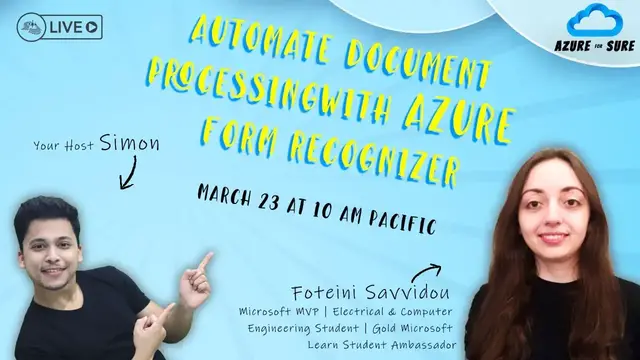
Automate Document Processing with Azure Form Recognizer - Azure for Sure - S2 - Ep. 8
Nov 1, 2023


Join this live session with Foteini Savvidou and Stephen SIMON to learn about Azure Conversational Language on March 23 at 10:00 AM Pacific Time (US).
SESSION DESCRIPTION
One of the challenges every business faces is converting documents, such as invoices, contracts, health records or printed forms, into a machine-readable format and extracting useful information. Form Recognizer, a cloud-based Azure Applied AI Service, is here to help! In this session, we’ll explore the features that Form Recognizer offers and show how you can leverage those features into a document processing system.
GUEST SPEAKER
Foteini Savvidou is undergraduate Electrical and Computer Engineering student at Aristotle University of Thessaloniki, Greece, Microsoft AI MVP, and Gold Microsoft Learn Student Ambassador. She is interested in machine learning, AI, IoT and cloud technologies and especially in applications of technology in healthcare and education. Always passionate about teaching and discovering new things, Foteini helps people expand their technical skills through organizing workshops and writes articles on her blog and the Educator Developer Blog - Microsoft Tech Community.
C# Corner - Community of Software and Data Developers
https://www.c-sharpcorner.com
#CSharpCorner #CSharpTV #AI #Azure #AzureForSure #ConversationalAI
Show More Show Less View Video Transcript
0:00
Thank you
1:00
Thank you
1:29
Thank you
1:59
Hi, everyone, and welcome back to the episode of Azure for Sure
2:08
As always, I'm your host, Simon, and we are back once again. I can't believe we're only at the episode number eight
2:14
We started this Azure for Sure season only eight weeks back. And in just about two weeks, we're going to conclude this season, which definitely makes me sad
2:23
having said that i have still not decided who's going to be my final final guest of this season
2:30
so if you have any suggestions please let me know in the comments and welcome everyone who is
2:35
joining i see quite a few folks joining us in the chat so welcome back uh for someone who's
2:40
joining us for the very first time we do this show every thursday at 10 a.m eastern time u.s
2:45
it changes sometimes but uh in most of the cases it is and today we have an absolutely amazing guest
2:51
i am hosting her for the very very first time i cannot believe that i have been doing virtual
2:55
wins for almost like three years now and i haven't hosted her i've hosted almost everyone almost
3:01
every microsoft mvp but for some reason i think this episode was meant for her i'm talking about
3:07
none other than the crocs are in the eye community we have is for any i cannot say her last name i
3:12
just tried in the in the in the green screen a green room i couldn't i couldn't do it uh for
3:18
Fothanyi is a final year electrical and computer science, computer engineering student
3:23
She is interested in IoT, AI, cloud technologies and biomedical engineering. Whoop, it goes over my head
3:29
Fothanyi has been awarded as a Microsoft most valuable professional in AI
3:34
She's absolutely great. And she's actively involved in the Microsoft Learn Student Ambassador Community Program
3:40
If you don't know about it, go ahead and bingle it. That is Google plus Bing
3:45
Or if you want to do chat GBT these days, She constantly shares her knowledge on Microsoft Azure technology
3:50
speaks at conferences, user groups, and runs a technical blog at, oh, there's an S in ahead of Potheni, that is spotheni.github.io
3:59
So let's welcome none other than Potheni. Hi, Potheni, welcome to the Azure for sure
4:03
Hi. Hi, thank you very much. So thanks, Potheni, for joining us
4:09
A quick question, where are you joining us today from? So today I'm joining you from my country in Greece
4:17
Wow, I love Greece. I want to visit Greece someday. So what time is it actually at your place? Is it 7 p.m. something
4:25
Yeah, 7 p.m. in the evening. It's very good. That's good. So that's great for the new. So how's the weather out there
4:33
What's the typical weather at your place? Is it hot? Is it cold
4:39
It's sunny today. It's sunny? But it's not too cold. It's not too cold. It's something in between
4:47
Oh, that's good. That's good. I want to be that place. Here in India, it's very hard. Nine months is just hard. You cannot live in India. So for the coming back to the topic, but you're already five minutes into the show. Today, you're going to talk about automate document processing with IJF from the organizer. Now that topic itself goes over my head, just the way your biomedical engineering stuff
5:09
But quick question before you actually get started with the session that why did you end up choosing this very specific and niche topic to talk today
5:21
Okay, I have the question. Because despite all the advantages that we see in technology and the other ecosystem, every day we use phones to communicate information and between industries and between people
5:38
I mean, we fill in different types of forms like contracts, health reports, or we use invoices and receipts
5:48
So we want an automated solution to process all these files and extract data from these files
5:56
and embed all this data in our workflows and create visualizations of the gain insights about our companies
6:05
So I decided to show you how to use Azure Form Recognizer to build an automated solution
6:13
That's very interesting. I think this will be of use to everyone. Right. So I'm really excited
6:17
And I'm going to add your screen to the stream now in three, two, one
6:22
Everybody else, please feel free to go in and ask a question in the comments. And we'll take it whenever for the new ones
6:28
And for the new, the stage is all yours. Thank you. So, as Simone said, we're going to talk about Azure Form Recognizer, which is an Azure Applied
6:38
AI service that is used to extract data and information from documents, either in printed
6:45
or online format. I'm sorry. So, this is a slide about me
6:56
Simone said wonderful things about me. So, I'm a senior student at the electrical computer engineering department
7:06
of the Aristotle University of Thessaloniki in Greece. And I specialize in the field of telecommunication
7:14
And I'm also involved in Microsoft Tech Communities, first as a Microsoft student ambassador and now as a Microsoft MVP
7:23
in AI. So today we are going to talk about the optical character recognition and document understanding capabilities of Azure Form Recognizer and build an
7:36
automated solution for automated document processing using logic apps, Form Recognizer, databases and Power BI
7:50
So the first slide, it was about why I have solved this
7:54
topic for today, but Simone already asked me this question. So I'm going directly to my second
8:01
slide, which is why we care about automated data extraction for files. Because all these type of
8:09
documents, either in printed format or in electronic format, like PDFs, cannot be used directly in our
8:16
workflows. And this is because they are not in a machine readable format. So how can we
8:24
How can we process a huge amount of data without having manual intervention
8:32
We'll see how we can use optical character recognition and documental standard technologies based on AI to streamline this process
8:41
Our scenario for today is let's consider that you work in a company that provides customer
8:52
service to different types of customers. And every day, customers give feedback about their experience with the customer service
9:00
that they receive, and you want to yze this form in order to extract information
9:06
about the experience of the of the of the customers and their satisfaction with the
9:12
service that they receive and find any areas of improvement of improvements i'm sorry and
9:22
we have two different types of forms that the customers can complete and you want to be a single
9:28
service that i will be able to yze this form in real time and provide insights about
9:36
the data that was extracted. This is the workflow that will be
9:44
we will use Form Recognizer to train a custom model using our forms and then set up a solution
9:52
use logic apps for automated document processing and visualize the result in Power BI
9:59
So let's start. This is the Azure AI platform, which is a collection of services
10:11
print-trained models and tools that enable to big apps that can take decisions or
10:18
do things like see the world or produce
10:30
voice and understand text. And Cognix and Azure AI platform is is made up of three categories
10:41
of services. The Azure Machine Learning, the Azure Cognix services and the Azure Applied
10:46
AI services. Azure Machine Learning is a platform for operating machine learning workloads in
10:52
the cloud. It provides you a set of services that help you
10:57
be a model, prepare data, label data sets, and publish and manage predictive services. On the top of the Azure Machine
11:08
Learning, we have the Azure Cognitive Services, which is a collection of pre trained models that enable you to build
11:17
apps that can see, understand language, speak or take decisions. And of course, we have the new OpenAI service. And
11:29
Applied AI services are built on the top of the Cognix services and
11:35
provide you pre-trained models for common tasks. Form Recognizer is an Applied AI service that applies machine
11:45
learning-based optical character recognition and document understand technologies to extract text, table data, layout information and key value pair from
11:55
your documents. Form Recognizer is built on the top of Azure Cognizant Services for Vision and
12:02
the Azure Cognizant Services for language. Now, what kind of services does Azure Form Recognizer
12:10
offer? We have the Document ysis Models which are pre-built models that are designed
12:18
to yze a general type of forms. They can extract goals, paragraphs, lines
12:26
debit data, selection marks and barcodes from your document, while the pre-bid models are
12:33
models that are pre-trained on a specific type of a document like an invoice or a receipt or
12:41
and identity documents. These documents are trained mostly using US-based prototypes and
12:50
they're available in very few languages. And if the document ysis models or the pre-built
12:57
model doesn't suit your purposes, you can just build a custom model and upload your data, label
13:04
your data and then publish a new model that is specific to the data that you will receive from
13:14
your users. Now, to use Form Recognizer, you have to provision either a Cognitive Service or a
13:23
Form Recognizer resource. The Cognitive Service resource is a multi-service resource, which means
13:29
that you can access all the Azure Recognizer services at the receipt endpoint and key
13:36
On the other hand, Form Recognizer is a single service resource that is about Form Recognizer only
13:47
And to develop models with the Form Recognizer or just explore the pre-built models
13:53
we can use either the Formicognizer Studio, which is an online graphical user interface
14:00
or use a client library for the four available languages. Today we'll work with the Formicognizer Studio, and see how we can use the pre-print models and
14:16
build the cost models. The read model is the simplest model that Formicognizer offers
14:23
i can only extract a words paragraphs and barcode from your documents layout model can in addition
14:32
extract and debit data and selection marks for example let's try this document
14:46
and all the documents in the outer form recordizer can extract handwritten text but
14:52
but this capability is only limited to Latin letters And on the right we can see the text that was extracted by the model and table data
15:07
and selection marks. The general document can also extract key value pairs
15:18
Let's try this one. key value pairs are span of text within the documents
15:27
key is like a label and the value is a span of text that the model associates with this key
15:37
like in this case we have the key is the proposed start date and the value is the actual date
15:48
Both the key and the value is part of the document
15:58
And now we have the pre-built models. Here we can use this model to extract a predefined set of feeds
16:09
This is a model for yzing invoices
16:19
And the difference between the pre-built model and the general document model is that the
16:25
fields are predefined by the model while key value pairs are extracted dynamically
16:32
What this means? And for example, this one, the field name is the vendor name
16:38
is defined by the model and the value is the name of the company that extract dynamically in the key
16:45
value pairs uh in this case we have the key is also a part of the text that appears in the document
16:58
while in this case we have a predefined field name. You can also find some features that are under preview right now and
17:16
these are all the previous models that are offered by the Form Recognizer
17:21
Now for the Cosmum model, we have two types of Cosmum models, the
17:31
Cosmum extraction model and the Cosmum classifier, which was recently added to the form recognizer collection
17:39
Cosmum extraction models are trained to recognize, feed and extract key value from your documents
17:45
and can be one of two types, the costume template model or the costume neural model
17:54
With the costume classifier, you can train a model to identify the type of a document
17:59
and then use the exact type of a document to invoke the best matching costume extraction model
18:07
So, this is a comparison about the available custom extraction model in Form Recognizer
18:18
The custom template model accepts documents that have the same page structure, which means
18:25
that the position of the elements within the page is the same across the entire dataset
18:33
And if you have a dataset that contains documents with different base structure and visual appearance
18:42
you will notice that the accuracy of the model is not very good
18:48
And in this case, you can build different models for each set of different documents
18:54
and then compose them together into a single model. On the other hand, Cosmoneuron models can have documents that have different page structure
19:06
but have the same information. And this is because Cosmoneuron model uses deep learning technologies and transfer learning
19:17
to train the new model. And this means that the Cosmoneuron model starts with a base pre-trained model on a
19:26
large collection of documents and then adapt this model to fit your data set
19:34
Cosmonora models are only available in a very few languages. Previously, they were available only for English, but with the new release of the
19:47
Azure Form Recognizes API, the Spanish, German, French and Italian were also added
19:54
in the supported languages of the Azure of the costume neural model
19:58
To build a costume model, either template on neural or classifier, you need a storage account and a container to upload your dataset
20:11
And you also need to configure cross-origines resource sharing in order for the container
20:21
to be accessible from the Azure Fombe Recognizer Studio. And how you can do this
20:26
You can go to the resource setting pane of your storage account
20:32
And in the allowed origin release, you can add the URL of the Azure Fombe Recognizer Studio
20:42
And now you can train your model. There are four steps that you need to follow
20:47
in order to train a model using the Azure Fombe Recognizer studio the first step is to create a project and specify the name of the storage account and the
20:58
container which contains your training data set and for training and model you need at least
21:06
five samples of your of your forms the next step is to yze the forms and the Azure form recognizes studio runs each document
21:20
through the the layout API and the no CR dot JSON file is generated for each document
21:30
The OCR files contains information about the layout of each document and also contains the
21:37
exact text. Then you create the fields that you will use in this project and in the storage
21:47
account, a field JSON file is created, which contains information about the name of each field
21:54
and their type, like their string or their number or their selection mark
22:03
And the last step is to actually label your documents. And by doing this, a label.json
22:12
file is generating the storage account that contains the labels for its documents, the
22:20
keyfile pairs and the coordinates of the polygon area that surrounds its span of text And now let see how to build a Cosmomotors
22:37
I have already created a demo project for you to see the process
22:47
On the left pane, you can see the dataset. On the right pane, you can see the fields that I will use in these documents
22:57
And you will see this document is yzed by the layout, which means that we have extract the text from the document
23:06
And I have also assigned labels to the values that I want to extract
23:12
extract. For example, this is a selection mark that says whether the user has selected
23:18
the product service information selection mark. Let's yze a new document. And now
23:32
that I have used the layout API to generate the OCR result of the document, I can go on
23:42
and label this document by selecting the span of text that I want to assign a field
23:49
For example, in this case, I want to assign the field product service information in this selection
23:55
mark. So I only select the selection mark and then select the appropriate field. You can also select
24:03
a span of text like if you want to mark that this sentence contains the value of a key
24:15
you can just mark this sentence and select the name of the field
24:22
And you can also create new fields by using the plus sign and selecting the type of the field like
24:29
like field, selection mark, signature, or table. And if you select field, you can also specify the subtype like string
24:41
number, date time, or integer. And then you can go and click on the train button to train your model
24:52
On the model window, we can see that I have already trained some models
24:57
They are trained as template models. And I can test this model locally on the studio by providing a new document
25:18
And on the right page you will see that the Formic Organizer generates the results
25:24
And I can see the results either in this graphical format or I can see the JSON output, which
25:33
is what I will use when building an app or a workflow
25:41
Because I use the template models and my dataset contains only a very few samples, you will
25:50
notice that sometimes the accuracy of the model it's not very good in this case is actually very
25:56
good but if this is like a handwritten document and scan if in some cases the form recognizer
26:11
may not be able to extract correctly the handwritten test or the selection marks
26:19
So in this case, we may need to pre-process the images in order to improve the contrast ratio
26:29
or improve the quality of the image. Okay, let's go back to our presentation
26:41
and see our overall document processing automation solution that we will be
26:50
So, consider that LogiCap exists raw forms that are uploaded in the Blob Storage container
27:01
Then, inside the LogiCap, we call the Phone Recognizer API to yze this form
27:08
and to extract the key value pairs from the submitted form. And then we save the result in a Cosmos DB
27:16
NoSQL database. And we can ingest this data in Power BI and visualize the insights from the forms
27:31
Okay, back to the Azure portal to see how we can automate this solution
27:38
of the document processing. This is my Logikub. This is the Logikub Designer
27:44
which is a graphical user interface to build a workflow. To build a workflow, you need to select actions
27:53
in the form of blocks and specify some deterioration. The first step is the trigger
27:59
I use Invert as a trigger and Event Grid is a kind of event broker
28:08
that some application can push events to an event topic and some other application which for subscribers
28:17
can have these events pushed to them. So using the event grid
28:23
I then create a trigger to run my workflow when a new block is created in my Azure storage account
28:32
To do this, I specify the name of the Azure storage account
28:37
and the type of event that I want to have in this case
28:44
Event grid generates a JSON output that contains important information about the file
28:51
that I have submitted to the Azure storage account. And in order to get this information in our workflow
29:02
we need the part JSON action. And in this case, I have to specify the schema
29:11
of the output of the event grid event. And how to do this
29:18
You can use this command, the use payload JSON schema and copy and paste a JSON payload of the event grid
29:30
for the action, which is called Azure Blob Storage Created. and then the in this case the the partition generates automatically the
29:49
expected schema of the result. Now we can use the information extract from this
29:59
In the next step, which is the yze document using the Form Recognizer API
30:07
In this case, I have to specify the name of the model that I created in the Form Recognizer
30:14
Studio and I want to use to yze new forms. In this case, I use a compose model, which means
30:22
that I have composed the two models that I created previously, this one and this one
30:32
Each of these models correspond to the different types of the forms that the user may compete
30:40
And by creating a composed model, I can call only a single model
30:48
for yzing different types of forms. How this works, Form Recognizer first classifies
30:56
the document that it saves, and then invokes the best matching model
31:02
and returns the results. And in the document image, I use the dynamic content
31:11
that generates from the previous step, and I choose a URL of the document
31:15
that I have uploaded to the Azure Propt Storage container. other form recognizer API also generates a JSON output that contains the key value pairs from
31:30
the documents. And we can read these key value pairs by using another part JSON action
31:40
And as I did before, we can use the same payload to generate the schema. In this case
31:48
I'm mainly interested about extracting the fields and the value for each field
31:55
And the output of the asun-formic of NISER response contains a section which is named fields
32:02
And this section contains all the key value pairs as well as some other information like
32:09
the coordinates of each polygon area. By using this section which is called fields
32:17
I can generate the expect schema for my JSON output. And now I can extract all the key value pairs
32:26
that were generated by the Azure Form Recognizer and create a new JSON file, a new dictionary
32:36
and save the result in an Azure Cosmos DB database. I use a NoSQL database in this case
32:44
And using the compose model and some if statements, I can check whether the form recognizer have extracted a value for each field and then compose all the results in one JSON file
33:03
And save this file in the Cosmos DB database in order to yze the result in the Power BI
33:09
Now we can click this run and we can see the output of the Azure Logic App when we upload
34:21
and now we can see that our workflow is running and in the compose we can see the results the
34:41
the key value pairs that were extracted from the Azure Phone Recognizer model
34:51
And now what I did is to make a connection between the Azure Cosmos DB database and the Power BI
35:01
in order to create a dashboard to visualize the results about the data that I have extracted
35:07
This is a table that contains all the data that were extracted
35:15
And you can also see some simple charts to visualize the number of documents received
35:22
by each category. And you can also see the satisfaction level of the customers
35:29
so that's all i i know that i could cover a lot of things today and i i encourage you to try to
35:53
build this workflow by your own in order to see how form recognizer works and how you can process
36:00
the output of the form recognizer to generate insights about your documents that you want to
36:07
yze and those you can be the power bi dashboard to visually inspect the results
36:15
Here you can see two Microsoft learning paths from Microsoft Learn. The first one is for beginners and the second one is for the immediate level
36:29
And you can also go and see what these models cover and try to build the exercises that they provide
36:39
provide. Also, if you like this document process automated solutions that I present today, and you can stay stay tuned with
36:49
my blog because and next week I will publish a detailed guide
36:54
on how you can be the custom model called the Formic organizer API through the other logs caps and yze the
37:03
results in the Power BI. So thank you everyone If you have any questions you can just go to the chat and submit your question and I will try to answer some of them if you have some time
37:24
Whoa, that was absolutely great for Danny. You didn't stop even for five seconds
37:31
And to be honest, right, I wasn't expecting that you will complete an end-to-end presentation
37:37
I mean, not the presentation, but also the demo application that you showed, right
37:42
Starting from the form, then going to the logic apps and eventually ending into the Power BI
37:46
That was absolutely great. You were able to do it in about 30 minutes. So quick question, maybe I've missed it, right
37:53
is when you were actually training your models, right? Did you create any compute engine behind it
38:02
or it was everything? Did you create any computing engine in the Azure
38:06
or it was all happening within that Form Recognizer? No, everything is happening in the Form Recognizer studio
38:15
I only need to provision a Form Recognizer resource and a storage container to upload the dataset
38:23
Okay, and all the computation part is then carried out on its own, right
38:29
Yes, yes. It's in the cloud, in the Form Recognizer Studio. I don't have to provision any kind of VMs or computing resources
38:38
That's easy. I really liked it. And these are all kinds of forms, right
38:44
So I remember in the early preview of Azure Form Recognizer, right
38:49
in the very early preview, they would say that it works only with some US builds and UK builds
38:56
US kind of formats. What about now? Does it recognize every kind of form or are there
39:02
particular some standards? Yes, read, layout and general document models and Costco models are
39:11
available in in more than 150 languages okay but briefly models are only available in like
39:20
less than 10 languages yeah and the custom neural model was available only for english languages
39:28
but now is uh under preview spanish french italian uh german and dutch they don't do hindi
39:37
for some reason i don't understand why i think they do hindi for the culture model oh okay they
39:44
do okay that's okay i don't know for some reason i've seen people just ignoring hindi maybe because
39:48
everyone here in india speaks english or understands uh that is why in most of the
39:53
cases people don't translate to in uh hindi but yeah i think it was already come complete as i said
39:58
end-to-end the demo now that for me you have worked with azure form recognizer i see i've used
40:03
other tools there are many other tools right for instance azure form recognizer is using ocr which
40:08
is an open source library right and i see in even a power automate people using a form strategy
40:15
extract the data then put it in a form or maybe json and do it you working on azure form recognizer
40:21
what is the most irritating part because i know ai is still not there you know i know the chat
40:27
jibdy thing is coming but what do you think there's a there's still room of improvement or something
40:31
that people may face problem when they are getting started with Azure Firm Recognizer
40:38
I think that many people are struggling to extract data from paper form So if you can just scan a document and then upload it to form recognition you can easily extract all the data in less than a minute So this is the
40:54
most like amazing part of this. Yeah, I have to, yeah, I have to say that the extraction
41:06
of handwritten text is not always so good that uh than the digital text yeah so you have to like
41:16
apply some processing yeah it is i think you can maybe add on top of it and whatever you like but
41:22
i think it does save a lot of your working hours imagine if i have to scan a form right and then
41:28
actually i don't know how i would copy it but you're right to to to digitize the forms that i
41:35
have already, right? This is the only way one could do it
41:40
If I end up doing like 100 forms in a day, in eight hours of work, my boss is going to
41:45
kick me out, right? If I just try to fill it. So these tools would be really helpful
41:50
And I'm glad you also shared some of the resources towards the end
41:54
Anything else for the new you'd like to add apart from Azure Form Recognizer, any other
42:00
services that you like in the AI suite of Microsoft? I think the most, the best part to learn about Form Recognizer is Microsoft Docs
42:15
And then you can go to the Microsoft Learn to see some end-to-end solutions using Form Recognizer
42:23
Perfect, perfect. All right, so I'll ask you one final question for the thing that I ask to everyone
42:28
Okay, I'll ask you, and this is going to be a tough one. Okay, so I want you to put on your seatbelts
42:32
so what apart from all these demos and great uh text what do you do
42:39
on your free time what are some of your hobbies uh no i don't have free time at this time but generally i like to study yeah
42:53
You like to draw? I like to draw things. Yeah, in the final semester, so I have so many things to do
43:03
But I like to draw and to do, I like digital arts or play with robotics and IoT
43:11
which is both something I do like in professional, let's say, but it's also a hobby
43:19
yeah I see some maybe robot pictures in the background so that definitely makes sense
43:26
drawing is good yeah you're a rock star you're involved with this so that's great for the name
43:33
thank you so much anything finally you want to add before we wrap up the show no I want to say
43:40
a huge thank you for you for having me today and thank you everyone for joining us
43:46
I know some places it's very late in some places very early yeah so thank you i would also let you go for the i know
43:57
it's already about 8 p.m at your place probably right it's time for dinner so thank you so much
44:01
for accepting invitation i finally get to host you have been following all the amazing work that
44:05
you do would love to host you again whenever you're possible until then for any and thank
44:09
you so much everyone for joining we'll see you in the next episode tada bye