Up next in 10

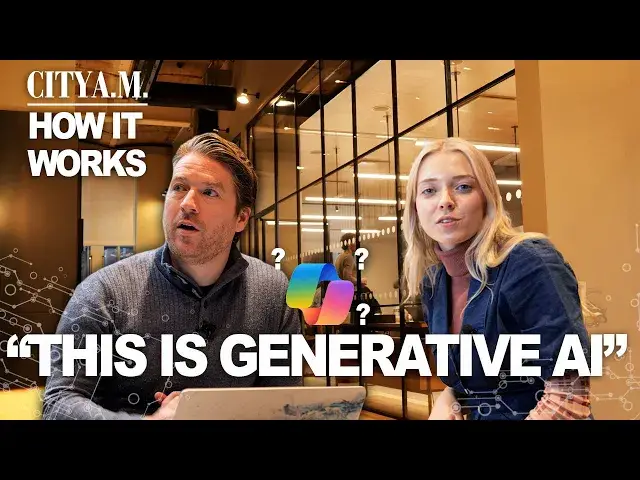
Is Microsoft's Copilot the future of how businesses use AI productively? | How It Works
Oct 7, 2024

Dive into what some businesses might call the future of productivity with Jess Jones as she sits down with Nick Hedderman from Microsoft, who explains to her how Copilot works.
Get more of City A.M. 👇
🌐 http://www.cityam.com
X(formerly Twitter): http://twitter.com/CityAM
Facebook: http://www.facebook.com/cityam
Instagram: http://www.instagram.com/city_am
LinkedIn: http://www.linkedin.com/company/cityam
Show More Show Less View Video Transcript
0:00
Hi, I'm Jess Jones. I'm the tech and media reporter for CTIAM
0:16
And today I'm here with Nick from Microsoft. Great to meet you, Nick
0:20
Hi, Jess. Please, can you introduce yourself to our viewers? Of course. Yeah, Nick Hederman, I lead the modern work business for Microsoft in the UK
0:26
Today we're discussing a bit about Microsoft's new co-pilot offering for businesses. So could you start by telling me a bit about how Microsoft came up with the idea
0:34
of Copilot and what it can do? Well, Copilot for Microsoft 365 is really your AI assistant
0:40
It's going to help take all that drudgery out of your day-to-day work and free you up and give you
0:46
more time back to really focus on the things that matter, creating things, innovating, and becoming
0:51
more strategic in your thinking. And can anyone in the organisation use this software
0:57
So you need to be licensed to use Copilot and once you have that, licence, then it comes to life in all of your M365 applications, such as Outlook, Teams, Excel
1:05
PowerPoint and Word. And what you'll find is it does two things really well. It helps you speed up
1:11
the work that you do and it also helps improve the quality of your work as well. Great. Well, I mean
1:16
should we go and have a look and see if you do that? Yeah, let's do that. Yeah. Should we start with a
1:20
meeting? So many people often turn up to meetings just to be informed about what's going on. So
1:26
Imagine re-architecting how meeting works in your organisation and just have the core decision makers in that room
1:33
And then allowing those that have the permission to access that content to come back at any time
1:38
after the meeting to interrogate the transcript and really just get to that information layer
1:42
I just need a little snippet to know what's going on. So this is an example here where I wasn't in this meeting
1:48
There were a bunch of my colleagues who were and they were discussing things
1:52
I can go back and I can play the stream of that meeting if I wanted to watch it
1:56
but actually, even better, I can see when different people were discussing things
2:00
I can see some of the topics that they were also discussing. And even it's been smart enough to create chapters of the meetings as well
2:06
So I can just jump in and out here. And what if I wanted to find something specific that somebody said
2:12
Yeah, great question. So this is where co-pilot becomes really helpful. So that experience I just showed you is consistent for every single member of the meeting
2:20
But now I'm in the environment where I'm showing my co-pilot. So I'm going to say, okay, what
2:25
what did, and let's see who was in the meeting quickly so we could, let's go with Diego
2:31
Let's see what did Diego say, question mark. And now co-pilot is going to go look across that entire transcript of the meeting and specifically
2:41
what was Diego talking about. Here we go. He spoke twice during the meeting and he talked to a little about the technical support team
2:48
and he's identified some of the solutions to the action plan with the incident that came up
2:53
So as an onlooker for this meeting, I can quickly get to the information
2:57
And so what about, for instance, if I was wanting to use, what if I wanted to use copilot in my emails, how can it help there
3:04
Well it does a few things really well actually Firstly it will summarise your entire inbox and help you focus on the emails you should start with So it really good at helping you triage all of your inbox especially if you been away from the office for a few hours or you just come back from
3:16
holiday. Secondly, if you've got really long threads, it will do a good job of reading all of those
3:21
and giving you a simple summary at the top, which is a really way of cutting through
3:25
Yeah, exactly. Yeah. Yeah. Can you help me, Jess, question mark. And then you see 25
3:31
responses on these. So they're great at doing that. But maybe I'll show you, show you
3:35
you my favourite feature at the moment, which is called Coaching by Co-Pilot. So I've got an email here
3:41
where it's talking about the festive party plans for my team, which I'm just about to send out
3:47
but I thought it might be smart to turn on my coaching feature first. So as opposed to me walking
3:52
away from the desk and coming back and rereading it, I've now got a second pair of eyes
3:57
taking a look through my email. And it's going to look for things like tone, for clarity of
4:03
communications. So everything it's doing here is helping to create a better quality outcome
4:08
And how is this different from the, you know, you usually get those sort of pop-up kind of
4:12
auto-generated finish your sentence kind of prompts? How is this different from that
4:16
This is way more advanced than that. This is generative AI. It's going into the email
4:21
It understands language really well and it's going to start not only highlighting some of the
4:25
challenges, but also some of the recommendations. So for example, you know, adjust the tone for a bit
4:30
formality, it feels like it's a little bit too formal. It's also saying consider the diversity
4:37
and inclusion of the team. Not everyone might like festive traditional turkey and crackers. And also
4:42
from a clarity point of view, hey, you haven't even mentioned the time, the date, the location of the
4:46
party and how teams should our SVP. So I'm lacking some significant detail there. So now
4:51
I mean, given that, it's also made some suggestions for how I might improve it. So there you go
4:56
At the second sentence at the beginning of the second paragraph, the party will take place on this
5:00
date in this location and so I could easily add that in and then once I send it I know I'm producing a
5:06
better quality outcome in this case and have you had much feedback on co-pilot yet from businesses
5:11
who have already started to use it because I believe that you beta tested it for a while and now
5:16
it's now it's fully launched that's right yeah we we had a number of our customers using it
5:20
over the summer and we've learned some really interesting things so first of all 77% of the
5:25
people that were using it said don't take it away really enjoying this 70% of people said
5:30
they're more productive as a consequence. 68% it's improving my quality. And then some other really interesting stats
5:37
Firstly, catching up on meetings four times faster than they were prior
5:40
So this is really accelerating that meeting follow-up. And then getting stuff, especially the mundane stuff done quicker
5:48
28% faster is what we're learning from these initial stats. And then finally, we asked them whether they would rather have a free lunch or co-pilot
5:55
And 88% of people said they'd rather take a copilot over a free lunch every month
6:00
And how long has co-pilot been in the making? Is it kind of since the pandemic or since when
6:05
So we leverage the power of the Open AI large language model
6:11
the GPT language model in the background. And as we've seen that's accelerated very rapidly
6:15
over the last six to 12 months Microsoft has been behind Open AI for much longer than that and investing to make them our partnership successful That information comes to life through the apps itself
6:29
and then starts to bring all of these scenarios no matter the situation
6:34
And why do you think the businesses are turning to technology like co-pilot
6:38
and other generative AI options? Is it to maximise their profits or are there other reasons for this
6:46
Well, it's really at the heart about augmenting human performance. If we can help people to perform better in the workplace, then ultimately that drives competitive
6:55
advantage for that organisation and bottom line business growth. You know, there's a direct correlation there
7:01
And so what's really refreshing is, especially when we speak to leaders in our Work Trends Index
7:05
we speak to a cohort of leaders, the number one thing they say that they would see the benefit
7:10
of this technology is employee productivity, employees productivity gains. And how have employees reacted to using this? Because, I mean, one of the concerns that we've heard
7:20
a lot recently is that employees are really worried that AI is going to steal their jobs. And this
7:25
is obviously big anxiety going around. So how does this, does co-pilot address those concerns
7:30
in any way? Well, first of all, it's there to help you and augment you as a human being
7:35
It's the clues of the name. It's there as your co-pilot. This is not about automating the job
7:39
that you do. And secondly, when we ask people, would they like some sort of AI assistance in
7:44
their workplace over 70% of people say yes please this would be great and when you
7:49
ask them specifically what sorts of things would you like help with finding
7:52
information number one pain point for most people on a daily basis in the
7:56
workplace getting on with administrative tasks that I don't want to take care of
8:00
helping me be a little bit more creative if that's not my natural flair
8:05
organising myself organizing my day organizing my inbox you know these are all
8:09
things that are a burden you know this is the digital debt that has built up
8:13
over many decades in cases with individuals in the workplace. And so how can I cut through all of that digital debt
8:20
And separate the noise that that creates from the actual signals, the insights
8:24
the things that really matter. And then once I get to those signals, then I can use that to be creative and generate
8:30
something as a consequence. And the companies who use copilot, can the companies who use co-pilot trust that their
8:38
data is safe with it? How does the underlying data work there? Yeah, it's a great question
8:42
So copilot for M365 adheres to all of the company's existing security, privacy and compliance rules that they've put in place
8:52
So it's just a layer on top of their existing implementation. And so all of your data stays within your tenant
8:58
It's not used to train the language model. We don't have any eyes on access as Microsoft
9:03
It's your tenant. It's your data. So that's fully respected. Okay. And lastly, a couple of more fun questions
9:10
What's your favourite feature of co-pilot? Well, quite a lot of them actually
9:15
I'll pick two. I love this coaching by in Outlook. It's making me a better communicator
9:22
The other thing is I probably know about 5% of Excel. And it not only showing me how to write better formulas because it doing that for me based on what I prompt it with It then teaching me why it coming up with that for me And I learning that as a consequence
9:38
I'm actually getting much better at Excel as a consequence of copilot. And where do your teams and Microsoft teams use copilot
9:46
Is it mainly when you're in the office or can it be used from anywhere? It can be used anywhere as long as you're connected to the internet on your phone, on your PC
9:53
I'd say it's used in lots of different scenarios. is it depends to some extent on your role within the organisation
10:00
I'd say the more senior you get, you're typically consuming and summarising more
10:05
And it also depends what function you work in as well. So let's say you're in the marketing team and you're writing copy
10:10
It's really helpful for that. If you're in the finance team and you're using Excel to get into more advanced ysis
10:15
then it's really helpful for that. So we tend to see quite a different number of use cases
10:19
And actually, what's really exciting is just how many prompts can people dream up
10:25
We've got something called the co-pilot lab that captures all of these prompts and allows people in the community to share prompts with each other
10:33
And what's really exciting is when you let this loose within an organisation, you encourage people to just really innovate and test and play
10:39
How do you write a good prompt? Yeah, it's a great question. You've got to unwire how you use a search engine in your brain
10:46
You should treat it like it's an assistant or someone that works for you
10:51
And you should be really directive as what you want to get
10:55
set the context, be specific about the outcome you want, be clear about any other information that you want to be included in that
11:02
You can reference, for example, file names or file locations if you want to point it towards those
11:07
So the more detailed you can be with that prompt, the richer the outcome will be as a consequence
11:12
Do you have a personal favourite prompt to ask co-pilot or generative AI in general
11:18
I am fast. My prompt library in my head at least is expanding on a daily basis
11:24
The one I use a lot, especially if I'm getting ready for a week ahead on a Sunday night
11:29
is just tell me what's happening in my week and what are the things I should be spending my time preparing for
11:33
It's really good at that because it will go through all of my calendar. It will look where I'm, for example, spending time externally versus internally
11:41
It will start sharing some of the files that I might want to read in advance
11:45
And so that's a really helpful thing that just gets me ready for the start of a week. Great. Finally, more broadly, how do you see Generative AI changing the future
11:54
of the workplace, especially in modern Britain? Well, I think it can certainly help to create innovation in the market
12:00
and competitive advantage in the market. If we can free people up, we learn in our study just recently
12:07
that people are spending as much as 53% of their time purely communicating with their colleagues
12:13
which is only leaving, you know, circa 47% of the time to create. So if we could have generative AI help compress some of that communication element
12:22
I mean, you're always going to need to communicate, but let's say you could get it down to 20 or 30 percent. That's going to free up more time to start creating more and innovating more
12:30
So I think generative AI can be the catalyst for innovation and therefore companies can really start to grow and flourish as a consequence
#Software
#Intelligent Personal Assistants
#Teleconferencing