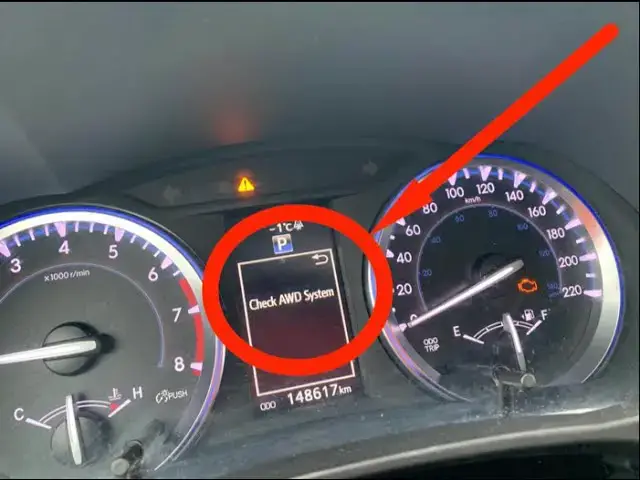

Toyota RAV4 “Check A.W.D. System” Fix in Two Minutes — O.B.D. Scanner Reset (Fast & Confident)
Dec 13, 2025

🔧 Why is that Light On? Stop Guessing! A mechanic charges $100+ just to plug in a computer. Get your own scanner for a fraction of the cost and know exactly what's wrong with your car in seconds.
✅ Best Budget OBD2 Scanner (My #1 Recommendation):
➤ ANCEL AD310: https://amzn.to/4sx9u7g
(Simple, fast, and works on almost every car)
📱 Upgrade to Wireless Professional Scanning:
➤ BlueDriver Bluetooth Pro: https://amzn.to/4pwoq2I
As an Amazon Associate, I earn from qualifying purchases. This helps support the channel!
If your Toyota RAV4 just showed a “Check A.W.D. System” message, this quick walkthrough gets it cleared fast. Think longer about the root cause, then take direct action: use an O.B.D. scanner to read and clear the stored fault codes — that read-and-clear step fixes most electronic hiccups and takes about two minutes. No fluff, no unsure options.
What this video shows you:
Read and clear the A.W.D.-related codes with an O.B.D. scanner, step by step. If you don’t have a scanner, use the battery-reset backup to reboot the E.C.U. module safely. Quick visual checks to spot corroded battery terminals or damaged wheel sensor connectors. What to do if the message returns and why a shop might be necessary.
Tools and parts mentioned:
An O.B.D. scanner that can read and clear codes. A wrench for the battery terminal. Basic safety: parking brake on, car off while you work on the battery.
When to get professional help:
If the code comes back immediately after clearing, if the Check Engine light is also on, or if codes point to a wheel speed sensor, A.B.S. module, transfer case actuator, or E.C.U. communication fault — schedule a proper diagnostic. Don’t ignore persistent warnings; they can disable traction control and A.W.D. features.
Show More Show Less