Up next in 10

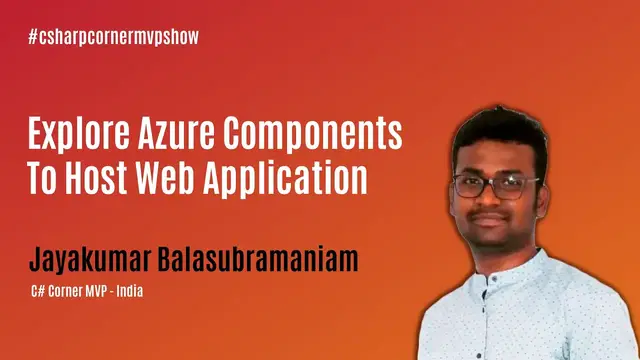
Explore Azure Components To Host Web Application - MVP Show ft. Jayakumar Balasubramaniam
Nov 7, 2023


Join us on March 17 with Jayakumar Balasubramaniam to Explore Azure Components To Host Web Application as a .NET Developer.
ABSTRACT
• Azure Components
• Azure Components Features
AGENDA
• Azure
• Azure Components
• Publishing .Net Web Application in Azure
LEARNING OBJECTS:
In this session, we will explore what are the top essential components required to publish a .Net Web Application in Azure and go live within few minutes. Apart from just publishing the app, we will explore few key features in the respective components. Let's get it done as a Hands-on session
JAYAKUMAR BALASUBRAMANIAM C# Corner Profile: https://www.c-sharpcorner.com/members/jayakumar13
C# Corner - Community of Software and Data Developers
https://www.c-sharpcorner.com
#csharpcorner #mvpshow #live #chsarpcornerlive
Show More Show Less View Video Transcript
0:00
Thank you
0:29
Hi everyone, welcome back to C Sharp Corner Live Show. I'm your host Stephen Simon and we are back with another episode of C Sharp Corner MVP
0:42
show, one of the very favorite shows of mine that we run on C Sharp Corner
0:47
I get to go ahead and talk to C Sharp Corner MVPs who are the real community heroes and
0:53
contribute to the community. And today I'm really excited as we have some really exciting guests waiting for us behind the scenes
1:01
So we're going to do some chit chat. He has been a longtime contributor in the community, not just C Sharp, but the community and other communities too
1:08
So if you are joining us for the very first time, before we go and invite him, some little announcement
1:13
If you are joining us for the very first time, we do many shows on C Sharp Live
1:18
And I would definitely suggest you to go ahead and check it out. So on Mondays, we do Azure AI show
1:23
that's in 10 am eastern where we talk about the uh entire ecosystem and the services that's provided
1:29
in the field of ai and machine learning by azure uh then on tuesday we have product showcase or
1:34
coffee with pros uh now product showcase is more like we talk about some of the product it may be
1:41
a product right you get that that's self-explanatory plus we also have coffee with
1:46
pros where it's more like a video podcast we do just chit chat no demos no technical conversation
1:51
just simple chit chat with the technical folks then on wednesday as you are as you can see right
1:56
now uh it's the c sharp on the mvp show on thursdays we have ask me anything show then on
2:03
fridays we have good mindset show and a pretty interesting thing that we have a few new shows
2:08
coming up actually we have already started streaming it and let me go ahead and find it
2:14
to find all the new shows, please visit csharp.life. That's your one destination to find all the shows that we stream
2:24
And if you, let us know which location you are joining. Drop in the comments your location
2:30
It's always very interesting to know what different part of the world this live stream reaches
2:35
You never know, maybe your neighbor is joining the live stream. So apart from that, we have a quick announcement
2:43
And we have a growth mindset conference coming up on March 19th, this Friday. Very unique of its own kind
2:49
It's not a technical or a coding-based conference. It's more about building your personal brand, diversity, culture, and your personal growth
2:58
And a few very interesting stuff with that conference is that you're going to have live music
3:04
There's going to be some rock band, comedy, and all that stuff
3:08
So, very, very, very interesting conference. so apart from that let me go ahead and invite our guests of the show without any further ado
3:17
a quick introduction about Jay he goes his name is actually Jack Kumar I cannot say his last name
3:25
is very challenging for me right so he goes by the name Jay Jay is a Microsoft certified trainer
3:31
and a Microsoft certified professional in Azure and .NET he's a technology evangelist working on
3:36
Microsoft 365, SharePoint, and Azure. He gets his hand study with the latest and greatest of
3:42
SharePoint, Azure, and Frontend Frameworks. Currently working with Hublify, I hope I say it
3:47
right, a unified digital workplace as a product engineer. And he's a C-Shop owner MVP. So that's
3:54
what he's here. So let's go ahead and our guest. Hi, Jay. How are you? Yeah. Hi, I'm good. Thank
4:02
you thanks for the great intro it's great so jay thanks for accepting the invitation and i was just
4:08
looking at your profile um that that's good your articles have been read by close to a million
4:13
times yeah that's a lot right that's a pretty really lot we're gonna talk one more about but
4:19
where you are actually joining us on today i actually i'm going to tamilnadu south part of
4:24
india okay that that's a nice place how's the weather is it's like raining or summer yeah
4:30
It's summer, right? So probably going to somewhat better in summer also because we have a
4:36
Milly Ooty like, places near to us. So we lost your voice. Jay, you know the funny thing
4:42
I'm not sure if this is charged. Sometimes that is the problem. We kind of lost your voice
4:47
Just a minute. Just a minute. Yeah, we got it back. We can hear you now. Try to say something
4:55
Yeah. I know. Can you hear me now? wonder how how can a life go without any technical difficulties yeah that is perfect
5:06
we can definitely hear you now yeah yeah we again lost you now no we cannot tell you jay
5:18
and see what audio works fine you click on cam mic audio that should help so
5:32
but hello is it good yeah yeah it's perfectly fine i hope it stays this way
5:39
yeah all right so so that's great so uh jay i did uh go ahead and talk about your background but
5:47
um i would definitely suggest you to go ahead and talk about who you are what you do and and how
5:53
things have been at your place yeah so uh basically so i'm from coimtura as you said so i work as a
6:00
technical lead here in a company called upfly so we are a we are a company who works on microsoft
6:07
365 platform and Azure so I manage the delivery over here for the team of around 20 people
6:14
so we do products and the consulting as well so I may need to share sharepoint and obviously spend
6:20
and Azure so that's why my articles are into that so basically I'm a developer
6:26
no a team of 20 is big team of 20 is big and very challenging to handle so that's great and
6:32
and I see you are focused more on SharePoint as you say right yeah more on SharePoint Office 365
6:38
but I also see Jay that you work on like Angular, Azure I get it right, Azure is like one place
6:46
people always go there but you also work on Angular and different frameworks what's what story with that
6:53
Yeah so yeah as in that I am a developer from the beginning so I'm a complete full star so one
6:59
even though i work with sharepoint uh we do a lot of integrations like angular react and even flutter
7:05
as well that's so you can find my articles in flutter as well so i i like i love to explore
7:10
technologies and i love to uh fix all the issues problem solvings so i mostly touch up all the
7:17
platforms uh wherever i get chance oh my goodness wonder how challenging it is i i from all that you You said I could hear only one sentence but never mind I just try to figure out what you saying there some audio issue but never mind so uh Jay looks fine you have you have quite a few
7:35
articles and you have great contributions on forum do you remember your first article on C-Sharp
7:41
Corner? uh yeah I think it should be it should be on SharePoint I guess I very well remember I
7:48
started with SharePoint as an article I think reading some 5,000 items I guess uh there are some
7:54
there's some challenge at least there's some challenges in sharepoints uh assignment comes
7:58
a lot of challenges and restrictions so i wrote one article to avoid that as a kind of a workaround
8:04
so my journey started i think three four years back i guess with sheesh up now
8:11
all right so i think we will have to go through this audio issue all through this time so never
8:17
mind jeff actually gonna talk about a topic that looks very interesting is what explore
8:23
Azure components to host web application, right? I've not seen many people talking about Azure
8:28
components, right? So it looks pretty exciting. Before you go ahead and share your screen and
8:35
get started, what actually made you go ahead and select this topic to talk about today
8:42
Yeah, so basically, there are some Azure components. Azure is a booming tech now
8:49
but rather than just because that's a go to live immediately we can go live whatever the
8:54
application that we do it's easy to move live but apart from going live we need to know what
8:59
the benefits and what are the advantages and also we need to some in and outs of that not
9:05
only just the boosting there are a lot of options available even if you take a single azure component
9:09
to host a way back there are multiple options available so uh over the years i have come across
9:15
many things so i just like to share so it can help someone yeah it's great that's something
9:19
interesting and this this reminds me i am sundar bhai sundar uh we have been missing you where have
9:26
you been we want you to be on this show if if not next then we are just dropping this show we're not
9:33
doing this show anymore if you are not the next guy sundar it's been a while there is an amazing
9:39
amazing community leader. I know him. He has been very, very active
9:43
not recently, but from a very, very long time. You often see him in some of
9:48
the great conferences that happens across India. So a truly focused person on the community and
9:53
glad that we have him in the C-sharp community. So, Chair, feel
9:57
free. I won't take much of your time. Feel free to go ahead and share your screen, and
10:01
then you can go ahead and get started. Yeah, sure. Let me share the screen
10:09
So hope you are able to see my screen. Yes I can see your screen and I'm adding
10:14
Sundar to the screen so that everyone can see and then you cannot back off
10:20
Alright Jay, I'm adding it to the screen and now everybody can see your screen and
10:25
next 30-35 minutes, 40 minutes or whatever you want to take, it's all yours
10:29
Yeah, thank you, thank you Simon. Let's get started. So welcome everyone. So Dre, as you said
10:36
we are going to see like what are the Azure components that helps to host a web applications
10:41
being a development developer and some in and outs of the features that covers within the
10:47
components that we are going to see and kind of what are the other components that you're going
10:55
to use like not only like app service there are a lot of component function storage everything
11:01
are going to see now being a development developer. So here's a start intro as Simon
11:08
Seals, I'm a Jack Marbola-Supermaniam, work as a Hubfly, as a technology lead. So I'm
11:15
certified trainer, blogger and frequency speaker. So I don't want to waste the time with the
11:23
slides that I would like directly go into the demo part so that we should be able to
11:29
see something in the real so you get better understanding like like read
11:33
rather than seeing something in the theory so let's get into the demo so
11:38
basically first I'm going to touch with the I should have service because the
11:42
publication when we talk about web application the first thing that will
11:46
come to mind is like maybe an Azure app service because the church was multiple
11:51
platforms right multiple different kind of apps so let me show yeah the meantime let me create one application is a app yeah I think I have
12:15
I have multiple projects created so let me so I have just opened one of the
12:29
Visual Studio pop which I have created now before that let's let's see what is
12:33
Azure App Service so App Service is the one so which where you can host the
12:38
applications I mean many a web application be developed in an angular
12:43
or .NET Core or even .NET Framework or React or Node based application, whatever the things
12:49
you should be able to host it here. That's the major use. So if you're not aware of it, if you're new to cloud, the only thing that we'll be using
12:58
is different type of hosting services. Like in Windows, there is an option called IIS, Internet Information Manage Center, so
13:07
where you can host your applications. And now it comes to Azure
13:12
If you have your own Azure account, you should be able to go live within a minute
13:16
So, for example, I'm just going to delete this. Let's use the same one
13:21
So let me create something new. I will show you how easy it is to go live with the help of your app service
13:34
That's the first step to this session. Then we'll explore some of the components in it
13:39
yeah have deleted so Azure is always a pay a CD model so whenever you if you are doing
13:45
something kind of a POC it's always better to delete it and whenever you want you can
13:51
just enable it or it just if you want you just stop it right away
13:57
So now when you want to create an Azure App Service the major thing that we need to consider
14:02
it starts from the creation itself the first thing as you know that we need to pick up the
14:05
subscription where we are going to create and resource groups so resource group is the one
14:10
it helps to club your resources for example uh if i'm going to uh this is a c-sharp kind of
14:16
right so uh let me uh let me create a resource group called c-sharp uh corner so what what it
14:23
helps is you can host multiple resources for example your app service then if you want to host
14:27
any sql then if you want to host any storage accounts everything can go within this resource
14:32
It's kind of a grouping all the components in here a single collection. It just gives to group the things and some of the features also
14:40
so Just created this Now I need to pick my runtime stack. So that's what I told me we have a lot of options
14:53
You can host Ruby Python PHP node Java even a dotnet dotnet core node Jason because everything so now I am going to choose SB dotnet core because I have created one application in is that go
15:08
So here there are some things coming in so whenever you create an app if you're great if you have you are
15:14
Obviously, it's it's complete involved with money, right? So when you create you need to consider what options that you're picking up if you miss it anything
15:22
Then you will end up with your money will get less get away, right? So you need to be very concentrated
15:29
So for example, if I am choosing Yeah, let me let me go with this demo group because I have already created
15:40
So now I have created this one. I have choose the center view Yes, but if you look at here at the bottom by default the standard plan will be chosen
15:48
So that is by default but if you go with the standard plan that your cost is around 5000 I guess
15:56
Per month, let me let it load I'm not sure why it is
16:07
Yeah, so if you look at this Standard plan so you have around 3158 per month. So it is estimated
16:15
So but being if you want to do some POC or some deal you don't want to go with that right
16:20
So you can just choose this option and change your day one is plan
16:24
Which is very less if you want to go with the free or if you want to go with any
16:29
Start plan it is something around seven. So that's the one thing that you need to consider and also about the location for example
16:38
Since this is my location, so let me yeah I have other plans so yeah yeah so when you when you create a new app
17:03
service plan if you have already created any app service plan by default it will
17:08
not if you want to list it out here there is one trick you need to follow
17:12
Because the app service plans whatever the plan that you create it is in central US. So you need to create the same kind of
17:22
Same same you need to be the same region that's then only it will appear for you. For example
17:26
I am just going to pick another region and now I am going to use
17:42
yeah so let me offer for this and this is the JTA I have created one demo plan now I'm going to
18:00
choose central you yes so let this plan be a standard I am NOT going to change it so let
18:04
me go in and create it now if the next step would be like review and create if you go to
18:11
review and create it will not actually go here but there is another trick involved in here let me show that also
18:20
Yeah, so by default your application insights will get enabled if you enable this application inside then it is an additional cost for you
18:27
So it is not so it is an additional cost whenever you enable an application inside
18:32
So it's always better to disable it if you're just doing a something kind of the POC then you can enable it whenever you want
18:38
So now I'm just going to create
19:08
monitoring just going to disable it yeah it's validator now let's create it my app service is getting created so now
19:26
we have seen two tricks like how disabling the app service inside now I'm
19:31
going to create another app service so that I can show you what I mean in the
19:35
first step. Let it create first. In the meantime, let's see our solution got
19:41
loaded. Yeah. So this is a simple.net core application. So which is created
19:45
with the help of the react react is integrated. It's just a sample
19:51
application created using a default Visual Studio template. Yeah. Our demo is
20:01
ready. Our app service is ready. Now if you look at I have chosen demos the
20:05
resource group and I have chosen the location is central US and I have created one app service plan is demo group with a
20:11
Stire called standard tire, right? So now let's go and create another app service and I will show you what is the difference
20:25
Yeah, now I need to switch the directory every time I think I can set it as default. Yeah
20:35
right now let me create another one new going to same description subscription same resource group now I'm just going to maybe
20:58
test web one something sample and I'm going to pick test.net four again and if
21:08
I choose different location if I want to go to different locations and for
21:12
example Korea South now you see it is creating the different standard I mean
21:17
different app service plan so we have we will not be able to choose the same
21:21
access plan so when you choose the region for an app service plan if you
21:25
want to use the existing app service for example this one get created sorry
21:33
again I think I can reference this picture this one get created the
21:37
standard one this one get created standard one when we when we choose the
21:42
location as central you yes so if when you create the second app service you
21:47
need to use the same location then only is a region generally it is possible for
21:52
To use the same one else you will end up with creating another standard one
21:55
We have already seen the pricing that's a single standard is it will be cost around 4,000 for you in Indian money
22:03
For one based on the usage and if you choose another app service plan, then it will be something around
22:08
8000 so very be very careful when choosing that and the second one is like
22:15
Disabling the application inside Yeah here is the React app that is running and it is with the Core along with Node Let me publish that So as you know that there are multiple options available to publish
22:45
Yeah, so now I am just going to import the package. Yeah, I have downloaded from this Powery page you should be able to get this published profile
23:04
and now I'm going to the import profile, browse for the thing which I have downloaded
23:15
yeah the study let me publish it
23:45
Yeah, okay. Let it publish. In the meantime, let me show you something
24:15
It's getting published. So let it publish. So in the meantime, let me tell you how this pricing works in your app service when you
24:28
choose for the basic free tier. So this is what the pricing shows
24:32
So when you plan for something to go something in the Azure, so the better always look at
24:37
the pricing and decide which one you want to go. So if you have some neat thing like whether you want to go with hourly or monthly, then
24:43
you can choose and you can look at the pricing over here and you can decide it so for example
24:48
if you want to host there's a lot of plans available now we have go with the standard one
24:54
and free is available so free no cost and but there are some restrictions available like you
24:59
can see only 60 cp minutes per day and if you go with the shared one you have only 250 minutes per
25:05
day then you have the rest of the things like b1 b2 standard something like that
25:10
It started deployment. Yeah. Okay. Now, uh, till it get published. Yeah. It gets published now
25:21
Now, as a dark developer, suppose if you want to, uh, make a deeper question, the publish
25:30
you can configure over here in the publish page. So if you come to this section, you can, uh
25:35
look at this configuration. So where you can pick, uh, whether you want to go with the debug or
25:39
release mode and if you want to change the .NET you can framework and change it over here and if
25:44
you want to remove any additional options something just export all these options over here it
25:49
definitely going to kill to automate some things and when you uh to enable some configurations in
25:55
your Azure app service so it gets published right now this is uh now by default this this will be
26:03
enabled HTTPS but still if you if you even if you browse for the HTTPS it will get loaded. So
26:13
let me open it in different browser. Try it in there so that I can show you
26:27
If you want to enable the HTTPS as a forced one in this options so now we are going to
26:32
see multiple options within this app service so that you can you'll be able to know something
26:37
So now I am going to look at this custom deals as settings section
26:48
So where you'll be able to turn on HTTPS only. So when you turn on this so
26:53
even the user enter the HTTP URL, so it will automatically force them to redirect to HTTPS
27:01
So, the user don't need to change anything, for example, like this here
27:05
So, even if I enter like HTTP URL, I just use HTTP, it will automatically force it to the HTTPS URL
27:13
And this is one option that you can explore. And the other one is like enabling the custom domains and turn on the certificates for your application
27:25
As you know that when you enable a custom domains for an app
27:30
For example, this is the section where you can enable custom domains
27:35
If you want to add any custom domain, for example, let me add something like
27:42
MVP dot com just an example, if you want to enable this MVP dot com
27:45
it will be get validated against your against your DNS setting. Once it is getting validated, if you you need to apply some certificate
27:54
Right. For example, this is a certificate by default, which we get for this Azure website.net
28:01
And if you go to any site, for example, even if you're going to
28:05
she shop on a site, they have they do have their own certificate, which is issued to she shop corner.com
28:11
Something like that. Every site is for them. If you take LinkedIn, that also have it once
28:15
It is for LinkedIn.com. Same similar to that. If you want to enable some custom domain, you need to map some certificate to that
28:23
Right. So certificate is again a cost. when you enable a web application, it has to be secure
28:29
So you need to apply some certificate to that. So coming with Azure App Service, Microsoft is providing a free certificate
28:39
With some restrictions available. Of course, there are some restrictions available. But still, you can able to go some free certificate as well
28:46
For example, if I have mapped some custom domain, I can go to this
28:50
TLS settings and in the private key certificate section, I can look at
28:55
Create an App Service Managed Certificate, this is the option that I talk about
29:01
So you can create a free Azure App Service Certificate. So by default, your certificate will get hosted within the Azure App Service
29:10
and it is managed within that. So you can better try with these options
29:14
And the second one I want to talk about is like, Cost Policy
29:19
So Cost is something like cross domain hit. So when you come to this pause section, so you have multiple things available, right
29:28
So you can restrict. For example, if this is an API that you have hosted here, then in that case, maybe there
29:37
are some security restrictions. It's something like enabling firewall. So when you enable, when you create a, when you create one API service, there may be some restrictions
29:48
For example, this Microsoft dot com. So if this is an API, I need to restrict
29:54
only the hints coming from this Microsoft.com should be allowed to this site
29:58
So I can't enable This has a cross domain here. There is no need of writing a single piece of code. You just enable this over here
30:06
And one of the hits coming from this side be the JavaScript call or be it a C-Shub code or whatever the code
30:14
The hits coming from this domain will get accepted to this. You don't need to write any piece of code
30:19
At the same time if you want to open it to any pub, any domain just mark it as star
30:25
Then it will accept hits from all the domains. And the next thing is like deployment slots
30:35
So slots is one of the important thing that we need to consider
30:40
So for example, I have hosted one application, right? So now it is being used within here
30:46
Now let me try to republish this one, just trying to republish the same time
30:52
Assume that it is a production ready application, right? Suppose if I'm going to have my another change coming in
30:59
So I'm just trying to republish it, right? Suppose if there was any mistake, any errors or any exceptions, or if you miss something
31:08
then we need to roll back the changes, right? So probably what usually we will do, we will be writing some rollback scripts, or we need
31:15
to plan something to move the changes back to the server or to down these changes to
31:21
go back to the previous versions right now with the help of the deployment slot you can do that
31:27
within within a few seconds as well so let me show that to you how this works
31:35
i think it's trying to install npm every time when it gets started because it's a react based
31:40
application yeah it's going to get published now
31:58
It's creating some build
32:08
I think I should have created a normal web application rather than the React one
32:23
yeah okay so let it uh let me keep on refresh this page
32:40
okay so yeah so uh deployment slot is one so where you can create a pre-production kind of
32:49
state something like that so suppose if I have made some change over here now I
32:54
am going to make some change in this application right so let's take some
33:00
page over here like maybe component counter right counter JSON. So this is a sample example component
33:21
Let's let's think I have missed I have removed some content in just a
33:26
component here which is it is not meaningful. Suppose if I want to publish
33:30
this now I'm going to create a slot here that's purpose of the slot I'm just
33:33
going to tell you now. So let's create a one slot here. So slots you should be able to create only
33:40
when you go with the app service plan of standard. So we are looking at the plans here, right? So
33:44
when you choose the standard or premium or islet, you should be able to use the slots
33:49
Now let's create a slot here. Let me name it as prepro. So gshapkonna.prepro by default
33:56
since I am creating this slot within this app service, I will get it is a prefix to gshapkonna.net
34:03
So I'm just going to add this
34:20
It's creating one slot for us. So basically this helps to move your changes without any downtime
34:30
So basically whenever you publish an application, production ready application, then it will
34:35
be used by multiple people. So obviously we will be moving our changes only in the off time, but still if it is being
34:43
used, then it will not allow you to publish because it's already in use by someone else
34:48
So to avoid that cases and also to avoid the rollback and steps and to move the changes
34:52
without the downtime, you can go with this slot. So let me open that
34:58
So slot is also again going to be an another app service within the existing app service
35:03
So let me download this profile. Yeah, now let me publish this to this slot
35:18
I will show you the difference. Pre-prod, just chosen this one. I'm just going to publish this
35:32
Now I have made some change over here. Like as you see, this is just a component
35:36
Maybe I'm just going to publish it with a bug like a component. It's just a text change, but let's assume that if you have made some breaking changes
35:43
or if you have made some functionality level changes and you are moving into production
35:47
So earlier we just directly deployed to the app service. Now we are just deploying it to a slot, right
35:53
Let's see the difference, what the difference is. it get published let explore some other options as well yeah sure Yeah So as I said if you want to enable application inside
36:14
you can come and turn on later on, but maybe in the dev phase, you may not need that
36:19
That's why I have asked to disable this one. When you create app service
36:24
OK, now coming to how we are able to view the files
36:28
Once the files get published, how we are going to view that. always you have an advanced section because since this is a comp when you publish it to the ias and
36:36
your windows you should be maybe it will be available in your uh c3 inet pub folder right
36:41
the same appears here as well so that's an option called advanced tools yeah here's an advanced tools
36:51
when you go to the advanced tool section you can find the all the files that you have published here yeah this debug console you can
37:04
go to command and in this command section you can find it it's something like an mtb so you
37:15
can access all the files here see you have its site so under www root you should be able to find
37:20
all your files over here, all the DLLs and what are the things that you hosted be available
37:24
here. If you want to remove or if you want to make any configuration changes, you can
37:28
make it from here itself, right from here. Yeah, our app got published. Now we just published
37:33
to the pre-prod location and you see it is a counter. It's a misspelled term. Now, unknowingly
37:43
what I'm going to do is I'm just going to move these changes to my actual site. Actual
37:47
site is this one without tripod right how i'm going to move this let's see so just open the slot again
37:59
now click on the swap option this is the one that we are going to use swap or even in the
38:04
overview section you have the same swap option and you after you enable the
38:10
slots you will get this back option so your source will be like your pre-pro so where your
38:17
latest files are there and this is your target site. Now I am going to spam this one. So what it
38:22
does is it will completely move all the files from your pre-pro to this slot and if you enable your
38:28
UAT or K environment with this pre-pro you should be able to test it from here right away
38:35
And if this is success then you should be able to move it. Suppose even after in some cases
38:40
missed in the testing phase and if you have deployed it to production, you don't need to
38:45
worry about rolling back the changes that's where this slots helps in
39:00
so it actually move the complete changes from this actual side to this side
39:04
Let it publish. I think we have last 5 to 10 minutes
39:16
In the last 5 to 10 minutes, we'll cover something in web as well
39:27
Okay, come on. Yeah, it has got successful. Now you see this is my application in production and this is my pre-powered application. Now it should have get swapped. Just refreshing it. My changes come to this location now and my actual production changes should have gone to this place
39:56
Now I got this here and it gets up. Okay, now that's a problem right in your actual life
40:03
So you want to roll back and to roll back, you don't need to write any script or you
40:07
don't worry about anything. You just click the swap again and just make sure that sources your product or sources your
40:18
thing and then you are going to target this one. It's just going to target it again, change it again
40:24
make sure this swap again. Now the all the changes will get rolled back. So without even
40:30
a single downtime, you can change it to this previous step. Now let's explore something
40:37
in the Azure Blazor as well. So what's the why we need to go with being a dotnet developers
40:44
the Blazor is something new which comes to the place. So what's the there are two things
40:48
you know that in Blazor right, so there are server assembly and the web assemblies are
40:52
Now we are going to see what is WebAssembly and what is the benefits in WebAssembly
40:57
Right. So let me show you something. So this is a standard web architecture being we have used in long days, right
41:05
So whenever you host an application, so you'll be hosting something in the server, your app
41:12
code will be executing your server like we do now. So we will be creating our C-Shop code and whatever the server side codes and we'll be
41:20
hosting in something kind of a computing services like Azure App Service or any VMs or even your
41:27
Windows IIS servers. Whenever the user makes a fit, it will go to the servers and it will
41:32
process and will come back to the user. Right. This is a single user that's so that's fine
41:37
Suppose you are getting multiple hits like 1000 users or 2000 users, your server will not
41:43
balance that load. Right. So you'll be go to multiple, multiple servers to balance the load
41:49
to manage the multiple hits. So in that case it's going to increase your cost, right? So, for example
41:54
if you go with four to four to five servers, that cost going to be very high, right? So that's
42:00
a standard blockchain, but we are using that as benefits as well. But if you have any
42:06
now in the recent days with the help of Blazor WebAssembly you should be able to host this kind of application So we adjust a storage storage So whenever we compare with the computing services and comparing the storage storage
42:20
is always cheaper, right? So you can get any number of storage with very less amount
42:25
So that's why serverless web architecture comes into place. So when you create the Blazor WebAssembly or .NET applications, so you should be able
42:32
to host the same in your storage and it will process all your requests directly within your
42:38
browser client itself and the files will get served from this storage and this storage account can act as your
42:44
file storage as a storage bar which serves your files request from the users. So again, since it's a storage
42:54
all the records will get processed within your browser, right? Suppose if you want to make any secure call kind of
43:01
of accessing any database or any SQL servers, any, to connect with SQL servers, obviously
43:08
we would need some connection strings, right? So that we cannot expose to the browser client
43:12
because it is easily accessible. So that's where Anika serverless component Azure function
43:17
comes into place. So you can connect your database using Azure functions and you can
43:23
just directly call the Azure function within your code. So now your database gets segregated
43:29
with the Azure functions, but still without help of any of the servers or Azure app service
43:36
by using a single storage account, you should be able to host your Blazor WebAssembly apps
43:42
So let me show you how to enable this option because by default it will not be enabled
43:48
So this is the concept called static web apps, you know, right? So I think you must have heard static web apps
43:54
So let me show you that as well. I think everything got swapped now. Now I have just rolled back right. Now if I refresh
44:03
My changes are rolled back now. So this is the advantage of slots
44:08
Now the last piece let's go to the Azure storage accounts. Let me
44:17
Yeah, I have already created one web assembly app. So even though let me create one
44:23
one other storage, let me show you that. Again, you can choose something like demo group
44:33
c shop storage, let me go with next monitoring, review and create, just creating it
44:45
Let me close all of the wraps, validation passed. So let's create a storage, click git create
44:53
So I have already posted in one storage account within my Azure account
45:16
So let me open that up. So this is one Blazor web assembly
45:23
Yeah, I have got my resource created
45:35
Now you see containers. So whenever you create a storage account, you will get some containers, file, share
45:40
tables and queues. Now I'm just opening the container. You see there is no container available here
45:45
Right now, when as I told that it is a concept called static web ads
45:49
So when you search for the static here, you get an option called static website
45:55
So when you enable it, you just need to give something in dextrot HTML
45:59
You just need to give the static page, there are things and just giving something like this
46:05
And here you get your primary endpoint and our storage account is converted into a static
46:10
website now. So once it is get converted in your container, you can find an option called dollar web
46:16
So this is the default container where you need to place your WebAssembly code or any of the
46:23
website codes that you want to serve from this storage account. Here you need to publish it
46:27
I have already created one as I told it's a Blazor WebAssembly app
46:32
And again, I have posted all my files here, just like a storage, a folder under the files
46:39
Let me open the URL and show it to you. I'm running out of time
46:46
but it's okay. This is my primary endpoint and you see this is my storage and I'm going to run my Blazor app
46:56
from this location. It's just a storage even though Blazor is a .NET based application
47:01
I just hosted it in a storage account and it's running successfully. So this is the web assembly
47:05
approach from the .NET Blazor and as I told in this structure, you can make the Azure calls as
47:10
as well in using Azure functions. And this will fetch the data from the Azure
47:19
So that's it for today. Hope I have given you some insights
47:22
about Azure app service and what are the things that you have used as a .NET related configurations
47:28
and hosting .NET Blazor apps. So if you have any queries, please feel free to reach out to me
47:36
in the following social medias. So I would like to thank Simon for his time and C-Shep for arranging this session so I
47:44
can share something useful to someone when they look at this session
47:48
So thank you. Thank you everyone. All right, Jay. That was an amazing session
47:54
I really loved it. I think even people joining across the live stream, they really loved it
48:00
I was just looking at the screen. You were just moving from this screen to that screen
48:05
Azure looks like a piece of a cake for you. How long you have been working in Azure
48:10
I mean, around 40.5 years. Yeah. Okay. That's great. I mean you are definitely an expert The way you were moving across the resources and all the options available and that I was really amazed with that So we have one question coming up from Irwin He says
48:27
good evening from Indonesia. Hi Irwin, thanks for joining. Is it possible to set up zone
48:32
redundant for app service so that code and availability will be increased
48:40
I think zone redundant for app service, I think it's not possible. I'm not sure. I have to check
48:47
that out. It's available for VMs I guess but app service you have to check that out. Maybe when you go with the higher plans like premium or this kind of
48:59
plans, app service plans, maybe we will get that. All right, all right, makes sense. So Jay, I was looking at you did say that
49:07
one of the advantage that hey you need not go you can just go ahead and use the storage, storage is pretty cheap, then use Azure
49:13
function which is actually the azure static apps right yeah uh so when he's when he when we compare
49:19
that hey it is cheap that is okay money money is a important factor but does that take us through
49:25
a little rigorous or complex process to save money or the process is is simple and not clumsy
49:33
no it's it's not a complicated process so as you see now right i just published using the uh an
49:39
App Service is a simple step. There are a lot of ways also available. Also, the storage, it's like
49:44
a file explorer, right? You can just drag and drop your files over there. It's just a means of enabling
49:50
You need to know right options how to enable it. That's it. So be it an App Service or be it a
49:57
storage account, if you want building it for a business, you need to do some steps like
50:01
as I showed now, enabling cost policies, applying custom domains, and applying the certificates
50:06
everything applies for both the steps. The only thing is how it gets completed and how it gets
50:11
written the results. That's it. Okay, definitely makes sense. But I really love that
50:16
where you showed you can add some custom domains and also use the free SSL or the certificates that
50:22
Azure gives on the fly. I discovered custom domains very quickly. I mean, I used to work on
50:29
Azure back in 2014 and it took me really like two or three years that you can just go and buy
50:34
domains within the Azure so that's great many people I don't know many people working different
50:41
resource or different products know about it but yes you can go ahead and buy custom domains
50:46
from the Azure itself. Jay you also did compare about the web assembly and the server side you
50:53
did say right so about the storage and the computation but you did compare uh what are
50:57
the some of the challenges I'm really interested what are some of the challenges one may face
51:02
building and web assembly application and maybe a server set application what do you think
51:07
one will have to go through because we know it is pretty new right we know it is pretty new server
51:12
side is production ready web assembly it's still okay so what do you think the some challenges one
51:19
people may face yeah the the main thing is to consider is the web assembly when you have the
51:27
performance you need to consider because it's all getting all the your .NET DLLs all getting
51:33
downloaded to your browser it's going to execute in that and you don't have any server contact over
51:38
there except the kind of a workaround that I do like Azure functions you can use that's one challenge
51:45
maybe that based on your requirement you need to pick up which one you need to go web assembly or
51:50
which one if you have some complex server oriented concept but still you want to go with the Blazor
51:56
it's always better to go with server assembly and as you told now it is not a production ready right
52:02
so when we go with the production based application we should go with the standard one
52:05
so for now it's better to go with the server assembly then we can go come in the web and get
52:11
stabilized probably as the days close Microsoft will announce multiple options and features
52:17
to stabilize both the things yeah definitely and and now if you just go ahead and if you just try
52:24
to create a sample application and and run both server and web assembly and check in networking
52:28
tab it for the web assembly it really downloads a lot of the files whereas the servers it may
52:34
download only seven eight or ten but for the web assembly it's going to download a lot it's going
52:38
to take a lot of time and that's just this simple plain application that you get on the fly imagining
52:43
go and build an entire application right so one needs to consider uh the security versus the
52:48
performance so that definitely great really amazing session I think people joining it also loved
52:54
it too thank you so much once again any final thing you want to plug in
52:58
before we close this show or anything you want to talk about something
53:03
anything like different anything like okay let me ask you let's make it easy
53:12
Jay you are an Azure expert you are a full stack you work
53:16
react angular blazer right you work so much what do you do apart from this what are your hobbies
53:23
when you're not coding when what do you do uh i used to watch some videos like uh series then i
53:32
used to go use chorus to learn something apart from the technical stuff so need to learn something
53:38
apart from that then couple of books not a frequent book reader i will read some books
53:42
that's great that's great reading books are okay all right reading books are really good
53:48
because sometimes you don't know what you don't know so reading books really helps so uh chair
53:53
thank you thank you so much what an amazing session it was i think it's one of the finest
53:57
session that i would have ever hosted on this mp show thank you so much once again uh we are more
54:02
than honored and humbled to have you at c sharp for the community and all the contributions that
54:07
you're making thank you so much and we'd love to meet you in person let's hope yes definitely
54:12
and we'll definitely meet you uh if you cannot make it to delhi we'll make sure that we come
54:17
to koeba tour and we go inside okay thank you so much thank you everyone who has joined thank
54:24
you so much see you next Wednesday thank you bye
Arts & Entertainment
Business & Productivity Software
Windows & .NET