Up next in 10


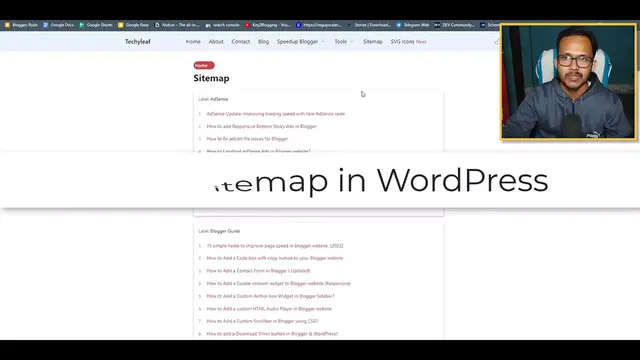
In this tutorial video, the content creator demonstrates how to create an HTML sitemap in WordPress using the RankMath SEO plugin. The tutorial likely covers the installation of RankMath, its configuration settings related to sitemaps, and step-by-step instructions on generating an HTML sitemap for a WordPress website. By following the guidance in the video, WordPress users can easily implement an HTML sitemap, which can contribute to improved website navigation and search engine optimization. This tutorial is beneficial for those looking to enhance the user experience on their WordPress sites and ensure that search engines can efficiently crawl and index their content.
Show More Show Less View Video Transcript
0:00
Hi everyone, welcome to K2 blogging and in this video I will show you how you can create
0:04
a HTML sitemap page in your WordPress website. So if you are using WordPress and you want to create a HTML sitemap page, then this video
0:12
is for you. And by the way, if you found this video helpful, then make sure to hit the like button
0:17
So to create a sitemap page in WordPress, we need to install the RankMath SEO plugin
0:22
So let me just go to the plugin section and click on install plugins here
0:28
And here as you can see, I have installed the RankMath SEO plugin and in recent version
0:32
1.0.103, you will get the HTML sitemap feature in RankMath. So first of all, you need to update your existing RankMath plugin or install your RankMath SEO
0:42
plugin in your WordPress website. So you can do that by clicking on add new button and you can simply search for RankMath
0:54
and here you can install this plugin. And after installing this plugin, you will see this option RankMath and under the RankMath
1:01
you will see this option sitemap setting. So just click on here and here you will see this option HTML sitemap
1:09
Just click on here. Now you need to enable the HTML sitemap button and here you will get the shortcode
1:17
You can paste this shortcode in a blank page and your HTML sitemap page is ready
1:22
Or you can also select that page from here. So let's select the sorted by modified date and or you can select as published date here
1:35
and here you can select item titles and click on save changes first
1:42
Now we need to create our HTML sitemap page. So I will go to pages and I will click on add new here and I can simply set the title
1:50
as HTML sitemap. Now you need to save the draft first and then here you can change the permalink like HTML
2:02
sitemap and here you can publish this page. So before that, let me just select the page layout to something like narrow and let me
2:12
just publish this page. Now you can just paste that shortcode here in this page or you can just go to RankMath
2:19
and select this page as HTML sitemap. So I will go to RankMath and I will go to sitemap settings and I will go to HTML sitemap
2:30
and here I will click on page and I can select that HTML sitemap page here like this and
2:37
I will click on save changes. And you can also copy the shortcode and paste it in the page
2:46
So let me just go to pages here and let me just open that HTML sitemap here in a new
2:51
tab and as you can see the HTML sitemap page is added like this and here you can see this
2:58
date and here you can see all the links like this. So this is how the HTML sitemap page looks like using the RankMath SEO plugin and you
3:08
can also further customize it using CSS code if you want. Now you can just copy the HTML sitemap page link here and you can add this link in the
3:19
header menu or footer menu. So let me just change this link with the new HTML sitemap and what I can do is just go
3:28
to customizer here and I will go to footer section here and I will select this element
3:35
wizard 2 and I will select the HTML sitemap here and I will change the HTML sitemap link
3:45
here like this and let me just publish this page. Let's close this page
3:56
Now let me just refresh this page and let's go to homepage first
4:01
Let me scroll down and I will click on sitemap and it will take me to the HTML sitemap page
4:09
So I think we need to refresh it first and then let's click on sitemap here and as you
4:15
can see it is taking me to the HTML sitemap page. So in this way you can add this page in the footer section and I can also add this page
4:24
in the header section. So for this let me just go to dashboard and I will go to appearance and here I will click
4:33
on menus here and then I can add the page here. So I will click on HTML sitemap and I will click on add to menu and I can add the menu
4:46
under the block here like this and let me just save the menu
4:52
Now let's go to visit site and under the block I will see the HTML sitemap and user can easily
5:00
navigate to different posts in your WordPress website through this HTML sitemap page
5:05
Now let's understand what are the benefits of HTML sitemap. So if you use HTML sitemap then it helps you organize your large website in WordPress and
5:14
it also helps search engine bot to crawl the web pages faster and index the pages faster
5:20
in Google search and it also distribute your page rank across your website and helps in
5:25
internal linking. So you should use your HTML sitemap page in WordPress and by the way if you are not using
5:32
RankMath then you can just download the RankMath plugin and use it in your WordPress website
5:37
I have included the link in the description. So if you found this video helpful then make sure to hit the like button and do subscribe
5:45
our channel for more upcoming videos like this. I will see you in the next video
5:49
Thank you
Search Engine Optimization & Marketing