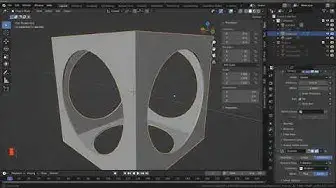

Different Ways To Cut Through Objects In Blender 3
Oct 17, 2022
https://bit.ly/3N0iFrT Copy And Paste The Link Below To Sign Up For Our Free Geometry Nodes Starter Kit Including Our Free Course, Blender Cheatsheet And Procedural Building Pack.
Use The Link Below And Get 1 Month Free On 1'000s Of Courses On Skillshare Ranging From 3D Modelling To Baking Cookies
https://www.skillshare.com/r/profile/Joe-Baily/8586007?gr_tch_ref=on&gr_trp=on While it may seem like a mundane skill to learn, the ability to cut holes into your objects is important for the creation of 100's of different objects from bowls to cars. There are different ways of cutting these holes into your geometry and each method affects your topology in a different way.
These are some of the methods that you can use to create holes in your mesh objects:
Inset And Extrude Combination
Deleting Geometry And Then Solidify
The Boolean Modifier
The Knife Tool
Knife Projection Method
Geometry Nodes Boolean
The best method for you will depend entirely on the shape of the model. For example, a simple object may only need to use the inset and extrude combination to create the hole, while a more complex object may need to use another object's geometry as the boolean.
You can check out our full article on this topic at blenderbasecamp.com. To learn about geometry nodes using our own super learner system, check out our own course using the link below.
https://blenderbootcamp.teachable.com/p/the-geometry-nodes-boot-camp
Show More Show Less #Visual Art & Design
#Software
#Crafts