0:00
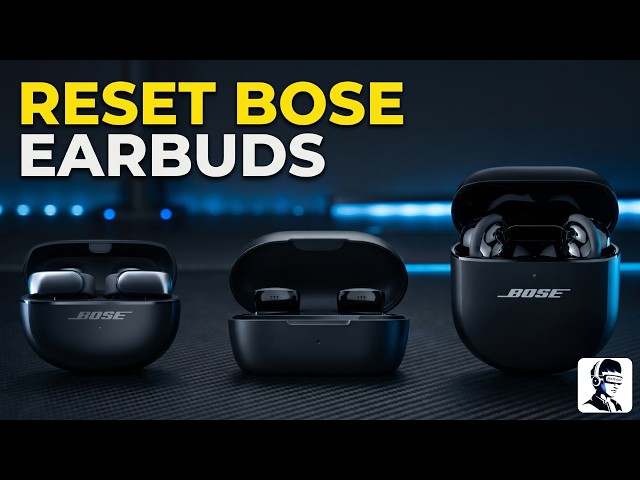
Your Bose Quiet Comfort Earbuds 2 are
0:02
connected, but something isn't right.
0:04
Maybe they won't pair properly, the
0:06
audio keeps cutting out, or they just
0:08
feel glitchy and unresponsive. It can be
0:10
really annoying when your earbuds stop
0:12
working the way they should. The good
0:13
news is this is a common issue and
0:15
usually fixable without any tools. In
0:18
this video, I'll show you exactly how to
0:20
reset and factory reset your Bose
0:22
earbuds step by step, depending on your
0:24
model. So, make sure you follow each
0:26
step in order to fix the problem
0:27
completely. First, let's start with a
0:29
basic reset because this clears
0:31
temporary glitches without deleting your
0:33
settings. This method works for Quiet
0:35
Comfort earbuds too, Quiet Comfort Ultra
0:37
Earbuds, and Ultra Open Earbuds. Place
0:40
both earbuds inside the charging case
0:42
and make sure the LED lights turn on
0:44
when you insert them. Now, close the lid
0:46
and connect the charging case to power.
0:48
Once the LED on the front of the case
0:50
lights up, press and hold the button on
0:51
the back of the case, keep holding it
0:53
until the front LED turns off, which can
0:56
take up to 30 seconds. After that,
0:58
release the button and try using your
1:00
earbuds again to see if the issue is
1:02
fixed. If that didn't fix the problem,
1:04
now let's move to a factory reset
1:06
because this clears all settings and
1:08
restores the earbuds to their original
1:10
state. First, remove your earbuds from
1:12
the Bose app. Open the app, go to your
1:14
account, then manage products, tap edit,
1:16
select your earbuds, and delete them.
1:17
Confirm the removal. Next, go to your
1:19
phone's Bluetooth settings and remove
1:21
all entries related to your earbuds,
1:23
including any duplicates with LE in the
1:25
name. Now, plug the charging case into a
1:27
wall charger, not a computer or laptop,
1:29
because proper power is important for
1:31
this step. Place both earbuds into the
1:33
case and keep the lid open. Press and
1:35
hold the Bluetooth button on the back of
1:37
the case for up to 30 seconds. You will
1:39
see the status light start blinking
1:40
blue, but keep holding the button. It
1:42
will then blink white twice, slowly
1:44
blink blue, and turn off. Once that
1:46
happens, release the button. The status
1:48
light should blink white times, glow
1:50
amber, and then slowly blink blue. This
1:53
confirms the earbuds have been restored
1:55
and are ready to pair again. Now, let's
1:57
move to the standard quiet comfort
1:58
earbuds. Start with a reset because this
2:01
can fix minor issues quickly. Place both
2:03
earbuds in your ears. Touch and hold one
2:05
earbud for about 15 seconds until you
2:07
hear a tone. Then repeat the same step
2:09
for the other earbud. After that, touch
2:11
and hold one earbud for 1 second to
2:13
power it back on. Then repeat for the
2:15
second one. Once both are on, check if
2:17
they are working normally. If the issue
2:19
is still there, now let's do a factory
2:21
reset. First, remove your earbuds from
2:23
the Bose app. Open the app, go to
2:25
settings, and select disconnect
2:27
headphones. Then, confirm. Next, go to
2:29
your phone's Bluetooth settings and
2:31
remove all entries related to your
2:32
earbuds, including duplicates with LE in
2:35
the name. Now, make sure both earbuds
2:37
are in your ears. Touch and hold the
2:38
right earbud for about 7 seconds until
2:41
you hear ready to pair, followed by a
2:43
tone. Release when you hear the tone.
2:45
This means the earbuds have been
2:46
restored to their original settings and
2:48
are ready to connect again. That's it
2:50
for resetting and restoring your Bose
2:52
earbuds. You've now covered the most
2:54
common fixes for connection and
2:55
performance issues. If this video helped
2:57
you, give it a thumbs up and don't
2:59
forget to subscribe for more simple and
3:01
helpful tech fixes. If one of these
3:03
steps worked for you or you still have a
3:05
question, let me know in the comments
3:07
below. Thanks for watching and I'll see