0:00
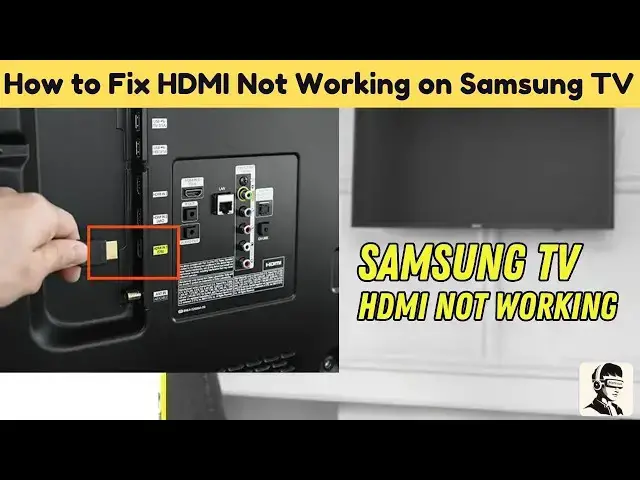
getting a no signal message on your
0:01
Samsung TV don't worry you're not alone
0:04
this is one of the most common HDMI
0:06
problems and while it can be super
0:08
frustrating it's usually an easy fix in
0:10
this video I'll guide you step by step
0:12
through the most effective ways to solve
0:14
it whether your console streaming stick
0:16
or Blu-ray player isn't showing up on
0:18
screen stick around and we'll get your
0:20
HDMI working and your screen back to
0:22
normal in no time first things first
0:24
let's double check you're on the right
0:25
input source sometimes the problem is as
0:28
simple as having selected the wrong HDMI
0:30
port on your TV using your remote go
0:32
into the TV menu and locate the source
0:34
or input button from there cycle through
0:36
the available HDMI inputs especially if
0:39
you've connected multiple devices it may
0:41
seem obvious but it's a step that's
0:43
often overlooked if that doesn't do the
0:45
trick a power cycle might just be the
0:47
quick reset you need turn off your
0:48
Samsung TV unplug it from the power
0:51
outlet and wait for about 60 seconds
0:53
then plug it back in and turn it on this
0:55
resets the internal hardware and
0:57
refreshes HDMI communication between
0:59
your TV and connected devices it's
1:02
simple but surprisingly effective now
1:04
let's inspect your HDMI cables and ports
1:07
begin by unplugging the HDMI cable and
1:09
looking for any signs of visible damage
1:11
frayed wires bent pins or even light
1:14
scuffing can all impact performance try
1:16
using a different HDMI cable if you have
1:18
one nearby also check your TV's HDMI
1:21
ports to make sure they're clean and
1:22
free of dust a soft brush like a small
1:25
paintbrush or an old toothbrush can help
1:27
remove any debris be gentle while doing
1:29
this and avoid forcing the cable back in
1:31
loose or dusty ports can easily cause
1:33
signal interruptions next it's time to
1:35
talk compatibility are you using a
1:37
modern HDMI 2.1 cable with a device like
1:40
a PS5 Xbox Series X or a 4K Blu-ray
1:43
player if so your Samsung TV needs to
1:45
support HDMI 2.1 to handle those higher
1:48
refresh rates and resolutions if your TV
1:50
is older and only supports HDMI 1.4 4 or
1:53
2.0 there could be a mismatch refer to
1:56
your user manual or search your TV's
1:58
model number online to confirm which
2:00
HDMI versions your ports support if
2:03
there's a mismatch try using a cable
2:04
that aligns better with your TV's
2:06
capabilities to restore the signal
2:08
samsung also includes helpful built-in
2:10
tools to detect HDMI issues go to your
2:12
TV settings then navigate to the support
2:14
menu under device care or self diagnosis
2:17
you'll find an option for HDMI
2:19
troubleshooting run this self test to
2:21
check for port related errors if you're
2:22
using ARC which stands for audio return
2:25
channel or EERC for enhanced audio with
2:27
a soundbar or receiver make sure any
2:30
plus HDMI CC is enabled in the general
2:34
external device manager settings this
2:36
setting allows your TV to communicate
2:37
with other HDMI devices and is essential
2:40
for proper audio sync and volume control
2:42
now for some hands-on tips if you're
2:44
still having trouble try lightly
2:46
pressing around the HDMI port with your
2:48
thumb while the cable is plugged in
2:50
don't force anything but sometimes
2:51
connections can become slightly loose
2:53
from repeated use applying gentle
2:55
pressure can help receat the cable just
2:57
enough to restore the link still no luck
2:59
if none of the previous steps worked
3:01
your last option might be a factory
3:03
reset just a heads up this will erase
3:05
all your apps settings and personal
3:07
preferences and return your TV to how it
3:09
was when you first bought it to do it go
3:12
to settings general reset you'll be
3:14
asked for a PIN the default is usually
3:17
0000 once your TV restarts go through
3:20
the setup process again and check if
3:22
your HDMI is finally working we've
3:24
covered a lot but these fixes are often
3:26
all it takes to get your HDMI inputs
3:28
functioning again hopefully your Samsung
3:30
TV is now picking up signals as expected
3:32
and you're back to enjoying your content
3:34
if this video helped you avoid replacing
3:36
cables or calling support give it a
3:38
thumbs up it really helps more people
3:40
find these fixes subscribe for more
3:42
nofluff tech guides and if you're still
3:44
having issues or have a question drop a
3:46
comment below i do my best to respond