Up next in 10



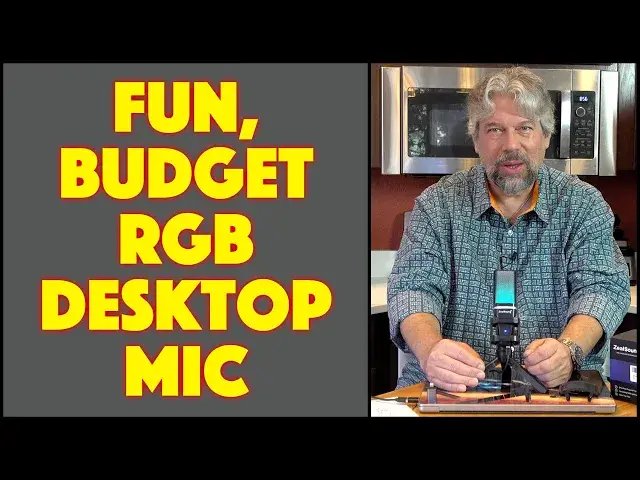
You don't actually need to spend hundreds of dollars to improve your microphone setup for gaming, Zoom calls, online classes, podcasts, or even just to record yourself singing or playing an instrument. The ZealSound RGB Gaming USB Microphone [model BKD-11] offers very good audio quality and a really fun RGB light show at the same time. Compatible with Windows, Mac, Playstation, iPhone, Android, and anything else that can work with a USB-A / USB-C / Lightning connector external mic, it's one worth checking out. Tech expert Dave Taylor puts the ZealSound RGB USB Gaming Mic through its paces in this unboxing, demo, and review.
Check it out at Amazon: https://amzn.to/3vj06uY
Visit Dave's Q&A Web site at: https://www.AskDaveTaylor.com/
#zealsound #gamermic #rgbmic #microphone #gamermicrophone #usbmicrophone #rgb #askdavetaylor
Show More Show Less View Video Transcript
0:00
You won't believe how inexpensive this RGB gaming microphone is
0:04
Let's check it out. Dave Taylor here with the Zeal Sound
0:15
RGB Gaming USB microphone model, BKD-11. And it's pretty cool. Let's open up the box and see what's inside
0:23
Now, as I open it, let me tell you that this is a 96-kilhertz microphone
0:29
picking up 24 bits in a cardioid pattern. What's a cardioid pattern
0:34
It's basically, if you're in front, then it's like this pickup pattern
0:40
So it really is sort of a front biased microphone, but it'll pick up sound around you
0:46
but not so much directly behind you. Now, let's see what's in here
0:50
First off, this looks like cables. So we have a USBC to USBA cable
0:57
and a couple of adapters. One of the things that the company's done really well
1:02
is they've given you a bunch of adapters. So this is USBA to Lightning
1:08
so you can plug it into your iPhone. That's pretty cool. And then this one is USBC to USBA
1:15
So depending on your configuration, you can plug it into a lot of different things
1:20
Now, one of the things about this microphone is that it has a shock mount
1:25
It also includes a pop filter. always nice if you happen to have a very sibilant pee then sometimes when you're leaning
1:34
towards your microphone and you get excited it might become a little bit too much and you are
1:40
starting to pop your peas so putting that shield on it alleviates that all right so now let's
1:47
see we have everything on box is not a lot in there there is an instruction manual and
1:54
that gives you all the basics for how it works it shows you you the cardio pickup pattern and everything. And we have the cables, we have the pop filter
2:03
and then of course the most important and most interesting thing is we have the microphone
2:08
itself. Now notice it comes with this little tiny stand and that's pretty sweet. You want
2:14
to extend the legs all the way and then it's pretty stable. And so now you're looking at
2:19
and you're like, um, do I talk here? Do I talk here? Do I talk here? The answer is there's a mute button
2:27
on the front and that is in fact the front so I'm going to set it up like this so
2:33
it's facing me so then that cardioid pattern is like this right so as long as I'm
2:40
facing it I got it all ready to roll but if someone was directly behind me like the camera then that not going to pick it up quite so well and it designed for that
2:51
Now, it has a shock mount. You can see in this close-up, there's sort of this little
2:56
like webbing that it's in, and that's so that it doesn't pick up ambient noise
3:01
So if I'm sitting here and this is my computer and I'm doing this because I'm pounding away on a game or something
3:08
then it will shield and buffer some of that. buffer some of that so it won't be quite so loud otherwise you hear this boom boom boom
3:15
because the vibrations would go up the microphone so that's really slick now it has that detachable
3:21
pop filter like I said I'm going to put it over here I actually don't have problems with my
3:25
sybilant peas so we're good with that and let's have a look at what else is on this so the microphone
3:33
stand is super flexible if I loosen it there's a lot of things I can do here to adjust it to
3:40
exactly what I like. And really there's that button on the front, but most of the action is on the bottom
3:46
And you can see there is a USBC connector that is for the wire. There is a 3.5 millimeter jack and you can use that to have a monitor
3:58
So you can use headphones or earbuds to real-time zero latency monitor what it's picking up
4:04
That's great if you're just getting the hang of it. And then that dial is a gain dial
4:09
And gain is sort of like the input sensitivity. So you want to have your gain down if you're in a louder environment
4:17
And you want to have it up if you're in a quieter environment. And that gives you more freedom
4:22
So if I have my gain way up, I can put my microphone further away and have it work just fine
4:27
But if it's lower, I'm going to probably want that gain to be a little bit closer to that microphone
4:35
So let's go ahead and plug this in. I thought I'd just plug it into my Mac because my Mac is super easy for recording
4:42
So I'm going to plug in that USBC on the bottom. And then, of course, we're going to get to see the light up modes
4:49
And that should be pretty fun. And since that's USBA, my Mac doesn't have USBA
4:55
So I will use the included USBA to USBC adapter. So let's get this computer turned around and plug it in
5:06
Ah, and there we go. So now it's lighting up and so you can see it steps through seven different modes
5:12
And let me go dark for a second so you can see what that looks like. If you don't want the light up mode, you can push and hold the mute button
5:26
That is a lights on lights off feature Why would you ever turn it off I mean it so cool And then the mute button if you just mute it real quick It turns red which is a nice bit of feedback that you know it muted and
5:42
Then it goes back and it might not be working right because I don't actually have it hooked up to something that's actually
5:49
Picking up the signal so with that there Let me get let me get my computer all set up. I'll be back in just a second
5:57
Alright, so I have it hooked up and now what you're hearing is my voice as picked up by the Zeal sound
6:04
RGB gaming USB microphone and it's pretty nice now I'm gonna push that mute button again and it's a little tricky because it's a little bit
6:13
partially underneath the top of the crossbar, but I'm gonna push it and watch what happens to the color of the microphone
6:23
and of course when I was muted you couldn't hear me it's kind of how mute works right but that's really everything and you can hear it does a remarkably good
6:32
job and if i move it closer then i'll be louder but it does a really clean job this is good for
6:39
podcast if you want to record yourself singing or doing some music composition if you want to do
6:46
this while you're on a zoom call if you take online classes all of those situations it's actually
6:52
not only a really good microphone but it's also really really fun looking because of course it has that great light up feature so I'm gonna put
7:01
it here and I'm gonna go ahead and switch back to my other microphone so let's
7:06
stop this and I'll leave my computer open just a little bit so that the lights
7:13
actually I guess we'll do it like that make sure the light stay on and notice photos
7:18
that it illuminates all around which is nice too and if you're in a darker room
7:23
which a lot of people are when they're using their computers this is really fun. So what else can I tell you about it? It has seven colors that it cycles through in a gradient style
7:33
You can't change modes, but you just leave it and it just goes through those colors. You also, I don't think, can pick an individual color that you're favorite, but I like this. I think it's really fun
7:44
As I said, if you get to the right point and you push the mute button, see, so the mute button only works when it's actively picking up a signal
7:53
So when I have it like this, it's powered, which illuminates it, but that mute function doesn't work because there's nothing actually listening to the microphone, which makes sense
8:04
So if you push it and it doesn work then that because your computer or your PS4 or your PS5 or your mobile device isn listening to this So that something where you might want to go into settings and double check your audio input which is something reasonably easy to do now speaking of which let talk compatibility so this will work with PCs and Macs and
8:27
PS4s and PS5s and iPhones and iPhones and tablets like iPads and Android
8:35
tablets it works with a wide range of different devices and of course that's
8:38
also why there are all these different adapters so it's very flexible
8:43
and that lightning and USBC gives you really a wide range of different devices that you can plug it into and get really nice sound
8:52
So not much else to talk about. I mean, it's a straightforward device
8:56
I will say that there's a fair amount of plastic on this device, so it feels a little bit fragile
9:05
But I don't think that's an issue because for most people, you're going to set this up
9:10
You're going to get it hooked up to your PC or to your mobile. mobile device or whatever and then you're good to go. So it does make it really easy to work with
9:19
And again, I just love the lighting effect. I think that's really fun. So that's everything I got
9:24
here. So again, this is the Ze ancestors sound, RGB gaming USB microphone. And it's definitely
9:32
at a very affordable price and it's a really great entry point into audio gear for your systems
9:39
So definitely wanted to check out. But we do need to talk about it
9:43
the price. So let's get there. However, before we get to the price, I'm going to invite you to
9:48
subscribe to my channel. Click or tap on that subscribe button. Go ahead and click on that little bell
9:54
icon so you get notifications. I post lots and lots of reviews and thumbs up or a comment
10:00
Give me feedback. Tell me what else you wish I would have shown with this. It's totally up for
10:04
input here. And that is really where we are. So this is the Zeal Sound, RGB Gaming, USB
10:13
microphone model BKD11 and it's 3599 currently with a $5.00 coupon dropping it down to $30.99, which is really like crazy inexpensive for a device like this. So $30.99 at Amazon.com. If you want to up your audio game and you want to have a desktop microphone, as you can see, this is a really fun addition to anyone's setup. So it's all I got. I hope to catch you in my next video
#Consumer Electronics
#Virtual Reality Devices