Up next in 10



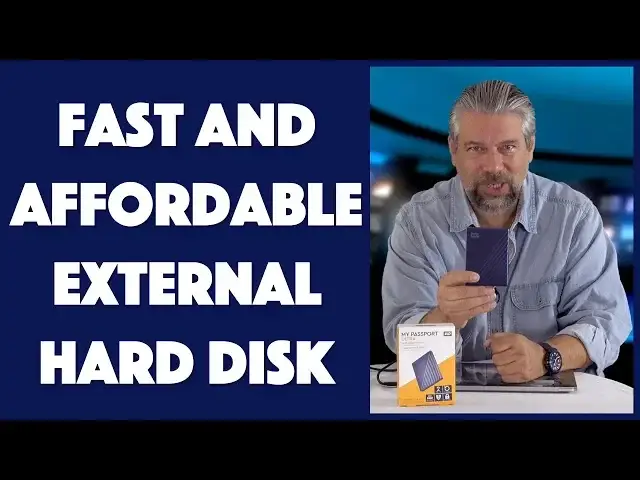
Seems like you can never have enough disk space, but cloud storage is so darn slow. Enter external hard drives. An old tech that's still darn useful. Like the capacious Western Digital My Passport Ultra in 2TB and 4TB and featuring USB-C connectivity.
Tech expert Dave Taylor of https://www.AskDaveTaylor.com/ got his hands on a 2TB My Passport Ultra USB-C (in blue!) and ran it through some tests and benchmarks to see just how fast it was. You can see the results in this review; it's a pretty solid addition to your computing lineup, whether you're Mac, PC or Linux.
Check it on Amazon:
2TB: https://amzn.to/2SHQr9K
4TB: https://amzn.to/2SFPM8S
Show More Show Less View Video Transcript
0:00
2 terabytes in something this small. Let's check it out
0:04
Dave Taylor here and I'm always looking for more disk space
0:15
So I use a lot of external drives. Enter this. This is the newest one in my catalog and it is the Western Digital My Passport Ultra USB-C external drive
0:27
And as you can see, it is pretty darn small. In fact, it's 4.3 by 3.2 inches
0:34
And I don't know what the thickness is. I'm going to say maybe less than half an inch
0:38
It's mighty small. Very, very light. So light I almost dropped it
0:42
How light is that, right? Comes with a USB-C to USB-C cable. Also includes a USB-C to USB 3.0 adapter
0:51
Pretty handy, but hopefully you don't need that because you're running on a USB-C computer
0:56
Working with it is obviously super easy. You plug it in. You plug it into your computer. I'll move the box out of the way so you can see
1:04
Ready? Plugged in. Pretty cool, huh? But here's the thing is that when you install it, it actually comes with software
1:12
And that software gives you something called WD Discovery. It's a pretty slick software package giving you things like 256-bit AES hardware encryption
1:23
So you can password protect your drive if you want to. Includes backup software for Mac and Windows
1:29
And it even gives you the ability to do things like mirror your Facebook or Dropbox or Google Drive content onto this
1:37
Pretty handy just in case like Google Drive were to have a hiccup, right
1:41
But the default format for this particular unit, this is not the Mac version
1:47
This is just the generic version is something called NTFS. And NTFS, NT file system, isn't actually supported on the Mac native
1:57
So when you plug this into your Mac, you get a read-only drive and the option to install a new device driver, which then gives you full support
2:05
So when I encountered that, I said, you know, this Discovery software is pretty cool, but I'm just looking for an external drive
2:12
So I reformatted it as EXFAT, which is a different file system, which both Mac and Windows know and run native
2:19
So I actually reformatted it, lost the Discovery software. Que sera, sera
2:25
But really, I just wanted an external drive. So it does come with a three-year warranty and that USB 3.0 adapter
2:32
So it is highly portable and functional anyway. But I thought, hmm, let's run some speed tests
2:39
So I compared this first off with a Lasse, Lasse, I'm not sure how you pronounce that, Porsche Design hard drive
2:47
And you can see it's roughly the same thickness, a little bigger, and it's roughly the same performance
2:53
So this one gives you 118.3 megabytes per second on write and 127.4 on read
3:02
And the Passport, this actually gives you 121.8 on write and 125.7 on read
3:12
So, yeah, pretty much in the same ballpark. But then I plugged in and tested out my OWC SSD solid state drive
3:20
Now, keep in mind, this isn't actually a drive. This is actually a lot of memory chips
3:26
And this is screaming fast, right? Not sure it's even a legitimate comparison because it's a lot more expensive
3:32
But this gives me 845 megabytes per second on read and 690 on write
3:38
So probably not a fair comparison, but it's faster. Anyway, they also make SSD drives
3:45
So if you really want that screaming speed, then you can do that
3:49
Now, the test I was showing, that's the Blackmagic Design Disk Speed Test
3:54
You can actually download it for free on your Mac or PC and test out your own drives
3:58
So you can get some comparison numbers. So really handy. But I wanted to give you a demo
4:04
So here's what we're going to do. I'm actually going to launch my Mac
4:08
And then I'm going to run a copy of a 2-gig file onto this and then a 9-gig file off of this
4:16
So give me a second and we'll spin things around. The drive's already on the desktop, so let's open it up
4:21
And you can see here's our 9.7-gigabyte video file. So let's start out with that
4:27
Let's go ahead and copy that onto my desktop. And we'll see how long that takes
4:32
So 9.7 gigabytes is plenty of files. So this hopefully will go reasonably quickly
4:38
It says about a minute. That's pretty fast. But again, we were seeing test performance scores of somewhere about, what, 125 megabytes per second
4:51
So really, a 9.7-gigabyte file should go reasonably quickly. And it looks like we're chugging along
5:00
I might actually stop talking for a second so you can enjoy this beautiful background music
5:21
Are you feeling this is a little bit like watching paint dry? Yeah, it is
5:26
But think about this. 10 gigabytes might be bigger than any file you ever work with
5:31
So this might be something where your really big 1-gigabyte or 500-megabyte files would be zipping off of this drive super fast
5:40
So that would be really nice. Looks like we're just about done
5:44
And then we'll copy onto it. Okay, so that was obviously a read because it was reading from the hard drive onto and then copying it onto the desktop
5:55
Now let's do the opposite. So now I have a 2.1-gigabyte file and I'm going to actually write that to the hard drive
6:02
So let's see how fast this one goes. Oh, this one's much, much faster
6:06
That is pretty nice. And if you've ever tried to copy a gigabyte file onto like a USB 3.0 flash drive, you are looking at this with great amounts of envy right now
6:17
And I totally understand. And that's it. That is pretty darn fast performance
6:22
So I'm just going to go ahead and turn this off and eject it
6:26
And let's see. So we are good to go. That was actually pretty decent performance
6:31
So let me unplug this so I can show it to you again in case you forgot what it looked like in the interim
6:37
So I'm impressed. This is just a basic external hard drive, but it's pretty darn fast and it's definitely getting performance out of that USB-C connection
6:46
So that's really great. And it's made out of anodized metal, by the way
6:50
So it has a really nice feel. And it does have a little light that gives you an indicator, though since it's the same as where the plug is, then I have a feeling a lot of times you're not noticing that it's flashing
7:02
But that's okay. Turns out in the WD Discovery software, you could actually turn that off
7:07
That's kind of a neat feature. I'll leave it on. Whatever. It's all good
7:13
So before I get to the price and the color options, let me ask if you can subscribe to my channel
7:18
Really appreciate when you do that. Oh, let me turn the box the right way up, too. Okay
7:23
So now this is the Western Digital My Passport Ultra USB-C external drive
7:31
And it comes in a blue-black combination, which is what this is
7:35
It's blue on one side and black on the other. Or it comes in silver
7:39
And there are size options. So the 2 terabyte, which is what this one is, 2 terabytes, is $89.99
7:47
And if you want to get even bigger, the 4 terabyte unit, which is a little thicker but otherwise the same dimensions, is only $119.99
7:56
Both of them at WD.com for Western Digital. These are actually pretty darn good deals if you're looking for really good hard drive performance and a lot of space
8:07
2 terabytes is a lot of space. 4 terabytes, surprise, is twice as much space
8:13
4 terabytes is a lot of disk space. It's way more than your computer has, I'm sure
8:17
So, totally worth having one of these. It's small, it's light, it's easy to carry in your briefcase
8:23
Honestly, you could put this in your pocket and it would work fine when, you know, you needed to use it
8:28
I'm a big fan. I need disk space and this solves the problem
8:32
So, I suggest you check it out and check out everything Western Digital has, including their solid-state drives, which will give you even faster performance, but, of course, at a little bit more expensive price tag
8:43
So, that's all I got. So, I'll catch you in my next video
#Computer Hardware
#Consumer Electronics