Up next in 10



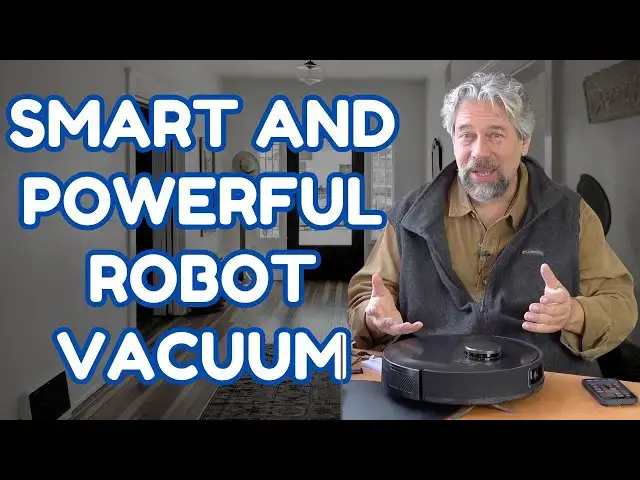
You're not still manually vacuuming or, worse, manually emptying your robot vacuum every time it does a pass through your home or office, are you? And your vacuum is smart enough to minimize the impact of obstacles with an AI-powered vision system, yes? If not, you'll really want to check out this review of the powerful and sleek bObsweep UltraVision robot vacuum and mop by homeowner and tech expert Dave Taylor. Your dog might not be a fan of the device, but it sure works well with fur and excess dust too, along with being able to mop and vacuum quite efficiently.
Check it out at: https://www.bobsweep.com/ultravision
Visit Dave's Q&A Web site at: https://www.AskDaveTaylor.com/
0:00 Introduction
1:08 Meet the bObsweep UltraVision Vacuum
2:40 Self-Emptying Base
3:37 Vacuum Docks and Empties
6:11 Mopping Demo
8:30 Vacuum Demo
9:06 App Demo
11:03 Map Sneak Peek
12:53 Review and Commentary
15:40 Pricing and Conclusions
#bobsweep #vacuum #robot #robotvacuum #robovacuum #ultravision #askdavetaylor
Show More Show Less View Video Transcript
0:00
you'll live a cleaner house with this
0:01
smart robot vacuum and MOB let's check
0:04
it
0:05
[Music]
0:12
out Dave Taylor here and my house gets
0:15
dirty I have pets they just bring in
0:18
dirt and they just are a source of fur
0:21
and dust and dander and all sorts of
0:23
stuff so it's just inevitable you go to
0:25
someone's house where they have a pet
0:27
and there's Pet fur around so
0:30
you need to clean but honestly who wants
0:33
to be cleaning especially on like a
0:35
daily basis if you have a dog like we do
0:38
who sheds a lot well it can be a real
0:41
pain so enter robot vacuums and here's
0:46
the tradeoff until recently if you had a
0:50
robot vacuum it was a lot less powerful
0:53
than an actual handheld vacuum and the
0:55
problem with that is that meant that you
0:57
really still had to do manual
1:01
vacuuming enter the latest generation of
1:04
really powerful robot vacuums and that's
1:07
what this is this is the Bob sweep
1:10
ultravision self-emptying Robot vacuum
1:13
and mop yes it does everything but let's
1:16
start with its spec first this has an
1:19
8,000 Pascal suction capability which is
1:23
enormous for a robot vacuum and that
1:26
means that it can get dirt in carpet it
1:29
can really pick up so much but of course
1:33
the first question is is my dog chill
1:36
with it so let's cut right to some
1:37
action footage and see how he handles
1:40
when the vacuum shows up in his little
1:43
world of
1:44
[Music]
1:56
existence okay so he's not a huge fan of
1:59
it which I understand that's okay cuz it
2:02
still does a great job now let me show
2:05
you a little bit about it and then I
2:06
have a couple of super fast running
2:08
demos to show you its mopping and
2:11
vacuuming capabilities but first off
2:15
8,000 pcal suction and the last Bob
2:18
sweep I looked at this is worth
2:19
mentioning is I reviewed the Dustin
2:21
which is a very similar design but that
2:24
maxes out at 5,000 pascals so this is
2:28
honestly what like 50% more powerful
2:31
than their previous powerful vacuum so
2:34
that's great most importantly what this
2:37
big honken thing is here and let me just
2:39
show you has a really nice user guide
2:41
I'm going to just put that out of the
2:43
way but this is the self-emptying base
2:47
if I open it up you can see there's a
2:51
vacuum bag in there so every time this
2:55
comes up to the base it actually sucks
2:58
all the dirt out of of the vacuum into
3:01
the vacuum bag and then once every so
3:03
often so far I've found maybe 3 or 4
3:07
months I guess I don't have a huge
3:08
amount of dust but every so often you
3:11
get a notification that it's full or you
3:13
can just feel that it's full and you
3:15
swap it for another one and how nice is
3:18
this Bob sweep includes four extra
3:21
vacuum bags which by my calculation
3:24
should take you at least a year if not
3:26
two years into ownership before you have
3:28
to worry about it
3:30
so let me show you real quick what it
3:32
looks like when this guy comes up and we
3:35
actually let the base pull all the dust
3:37
and dirt out of the
3:57
unit speaking of the vacuum bag it's a 6
4:00
L vacuum bag with odor filtering
4:03
charcoal so for some reason this picks
4:06
up something that is a little smelly or
4:08
become smelly maybe child's cereal or
4:11
something like that then you will not
4:13
have this end up being stinky which is
4:15
so nice now it's Auto charging which
4:19
actually I think all of them are now and
4:21
it has a scheduler in the app the app is
4:24
super sophisticated we'll get to it I'll
4:26
give you a demo of that too um stare and
4:28
obstacle detection using their on device
4:31
vision camera in fact you can see the
4:34
camera right there and what this does is
4:37
this lets it notice and avoid obstacles
4:41
that would otherwise be a problem cuz
4:43
you really the the nightmare with these
4:46
robot vacuums is that they just pick up
4:48
everything including wires and shoelaces
4:51
it can be chaos so having this be a
4:53
little more smart is actually a huge win
4:56
it's what honestly even like if you
4:58
could trick your six-year-old into
5:00
vacuuming a lot of six-year-olds like
5:01
vacuuming actually but they're still not
5:04
going to try to vacuum over the cat's
5:06
tail or something this would actually
5:08
recognize that there are obstacles and
5:10
try to avoid them I do not recommend
5:12
having the cat's tail immediately in
5:14
front of it that is something that is
5:16
not
5:17
recommended but it also uses a lot of
5:20
really sophisticated Technologies this
5:22
part actually is a lidar detection
5:26
system and it uses slam or Quantum slam
5:29
mapping and what happens is as it
5:32
cruises around your floor it's actually
5:34
building a map of how your house is laid
5:36
out and it's smart enough that you can
5:39
actually switch between floors I do this
5:41
on a frequent basis where I'll just pick
5:44
one of these up and just put it upstairs
5:46
and let it vacuum up there cuz we don't
5:48
get a lot of traffic upstairs in my
5:50
house so it doesn't need to be as
5:51
frequent as the main floor but every so
5:54
often it just says huh this is new okay
5:57
I'll just start a new map that's fine so
5:59
so no big penalty to that which is nice
6:02
now I'm going to show you that let's see
6:06
let's go through a tour of all of the
6:08
hardware but you know what before that
6:10
let me show you how this does with
6:12
mopping so let's just do a demo of its
6:15
mopping my kitchen floor and I've sped
6:18
this way up cuz it tends to go kind of
6:20
slowly this is not something for the
6:22
impatient but you just turn it on and
6:25
then like a you know couple hours before
6:27
you get home you come home it's all done
6:30
everything's cleaner so let's get into
6:31
that
6:33
[Music]
6:45
mopping it's not exactly a perfect back
6:48
and forth as you would expect from a
6:50
human doing mopping but it does
6:51
ultimately get every spot which is all
6:54
that I really care about and in terms of
6:56
using the mop then on the back if we
6:59
pull this piece out then here's where
7:02
you put the water in and it actually has
7:04
a pretty good capacity for water which
7:07
is important because if you have a large
7:09
surface then you're going to need a lot
7:11
of water and then the other step is that
7:13
you have this mop and it comes with a
7:16
spare mop cloth but you basically just
7:19
put this on the
7:22
vacuum and then make sure in the app
7:24
that you enable mopping and that's
7:26
really all there is to it now let's go
7:29
through to some more Hardware here so
7:31
this is the base unit and it has that
7:33
removable section this plus this it
7:36
actually I can just show you um it's
7:40
just sort of a neat setup goes like that
7:45
and we would be ready to go and then
7:47
there's a power cord in the back you
7:48
can't really see so this needs to be
7:50
plugged in because it's actual base unit
7:53
this is how the it charges and this is
7:55
how it empties the vacuum out so it does
7:58
need power and and then also included in
8:00
the box is a spare mop a cleaning Gizmo
8:05
if you end up getting like really long
8:07
hair Tangled Up In It a spare
8:10
filter a spare Edge brush and four of
8:15
these vacuum bags so there's a lot and
8:18
then when you open it up it has this
8:21
quick start guide which will in fact to
8:23
get you started pretty darn quickly it
8:26
is really easy to get this thing up and
8:28
paired with your phone and working in
8:31
fact let's go to a quick demo of my
8:34
phone but and the app but before we get
8:36
there let me show you how it actually
8:38
vacuums on carpet and again I'm going to
8:40
speed this up quite a
8:42
[Music]
8:52
[Music]
8:54
bit well it did knock the shoe but it
8:57
didn't actually like have a problem with
8:59
with it so I take that as a marginal
9:02
success of the vision system but let's
9:04
jump into the app and this app's
9:06
available for iPhone and Android and if
9:08
I just launch it then you can see I am
9:11
right here and it's ready to clean and
9:13
it's showing me that it has a 79% charge
9:18
so you know if I know that it takes me
9:21
75% of my charge to do a full vacuum I
9:23
could either wait till it gets to 100%
9:26
or I can just let it go because one of
9:28
the settings is to say if you have to
9:31
stop and recharge before you're done
9:33
once you're charged go back and finish
9:35
the job so in fact let's go into
9:38
settings and cleaning preferences is
9:41
where all the fun stuff is so the
9:43
self-emptying you can have it do it
9:45
every single time or you can do it a
9:47
little less or you could give it an
9:49
intensity boost then you can specify how
9:52
much and how powerful the vacuum is you
9:55
can specify mop mode what I highly
9:58
recommend is when you're not using mop
10:00
mode take the mop attachment off and
10:04
empty the water out of the container and
10:06
then leave mop in off position so you
10:10
don't want to have it permanently with
10:11
water in it cuz it will get a little
10:14
tiny bit of water leakage when it just
10:16
sits on its pad of course that's why it
10:19
has the pad but my experiences is that I
10:22
vacuum almost daily and then I mop once
10:25
a week or so so it's you know 2 or 3
10:28
minutes of fiddling with with it and
10:29
then it's all good to go and then when
10:31
you're done you take this off and it's
10:33
as easy as literally just popping it off
10:36
and then I usually just leave it up here
10:38
to dry and be ready for the next time I
10:40
use it now back to Here auto resume is a
10:44
setting so I can decide that I really
10:47
would like to actually have this thing
10:49
turn on and go back and finish the job
10:52
object detection Edge detection you can
10:55
mute it if you don't want to hear it
10:56
talking to you which I have not done um
10:59
and then there's software update
11:01
probably the most important thing is
11:02
firmware updates and then you get to
11:05
these major controls and the first one
11:07
let's show you map and this is the main
11:10
floor of my house and it's pretty
11:12
entertaining I actually sort of messed
11:14
with it by putting a lot of things out
11:16
and you can see that in my dining room
11:18
it has found a lot of obstacles that's
11:20
what those squares are and what I did
11:24
was I let it map my main floor and then
11:26
I went into the editor and it was a
11:29
little tedious but I put the dividers in
11:31
to create each room gave each room a
11:35
name and then the blue and white grid is
11:38
actually no mop zones and you can have
11:41
discontiguous mop zones so my kitchen on
11:44
the top right in sort of a light green
11:47
and then my entryway on the bottom in
11:50
light blue those are both M surfaces and
11:53
it can handle moving from a mopp surface
11:58
to one one that's mop through a carpeted
12:02
area and it won't try to mop the carpet
12:04
which obviously would not be good so
12:06
it's very smart and one of the other
12:08
benefits of actually setting it up by
12:10
room is then if I go back here and I go
12:14
to Quick clean I can specify that I just
12:18
want it to clean a specific room which
12:20
is fantastic so I might have it vacuum
12:24
in the kitchen twice a day cuz it tends
12:26
to be the dirtiest room there's the
12:28
schedule there's the history and at any
12:31
point you can actually tell it to go if
12:34
you don't want to wait for the schedule
12:36
and while it's going if you're like uh
12:38
you know I just want to just not hear it
12:40
I want to just turn it off just tap on
12:42
charge and it'll stop and it'll go back
12:44
to the base and charge and it'll empty
12:46
depending on your emptying preferences
12:49
and that's all there is it's that easy
12:51
to work with so I have to say all in all
12:56
I really like this device I mean
12:59
I have to say that I never vacuum my
13:02
house anymore and my house is the
13:04
cleanest House of any house I visit um
13:07
sorry kids including your houses because
13:10
I endlessly have my robots doing the
13:12
work and to me that's the point of
13:14
having these devices is that they're
13:16
doing the work for you and then because
13:20
they're doing that and all this does is
13:22
vacuum and mop it has no other purpose
13:24
in life it's perfectly fine vacuuming
13:27
twice a day if that's what I wanted I
13:29
don't want it that frequently but if you
13:31
just really want to have a nice clean
13:33
environment this is so nice to have one
13:36
of these and of course having this with
13:37
its 8,000 pascals of suction means it's
13:40
going to pick up a whole lot more than
13:42
other competing vacuum systems that's a
13:45
really important number to be aware of
13:47
and in terms of Dimensions well it's 13
13:50
in by about 4 in tall and it does have
13:53
low object detection so theoretically it
13:56
should not be getting caught on like the
13:58
edge your sliding glass window and stuff
14:00
it certainly manages mine without a
14:02
problem it is Alexa and Google home
14:05
compatible it's
14:06
82b and I mean honestly it feels pretty
14:09
darn light in terms of carrying it
14:11
upstairs or downstairs and then just
14:13
pushing the button and saying just do
14:15
your thing vacuum and then pick it up
14:18
and bring it back to the base easy super
14:21
easy so 2-year warranty 5year subsidized
14:24
repairs if something happens after those
14:27
2 years I mean this is kind of a
14:29
no-brainer it is spendy but this is
14:33
honestly these sort of devices are game
14:36
changers and this is very much the best
14:38
of all the robot vacuums I've ever used
14:41
and this is the one that now lives on
14:43
the main floor of my house and I promise
14:46
you when I'm done with this recording
14:48
all of this is going to just go back on
14:50
the floor and I'm going to have it turn
14:52
on and I'm going to have a vacuum while
14:54
I drive away to meet some friends for
14:56
lunch how perfect is that so definitely
14:59
this is one to check out if you would
15:01
like to have a cleaner living space and
15:03
of course it can work in a retail store
15:06
it can work in an office environment you
15:08
can also set it up where it might just
15:10
be your own office that it vacuums
15:12
because you've set up virtual barriers
15:15
in the app which makes it really easy so
15:17
I leave the door to my office open but
15:20
this is not allowed in my office cuz
15:21
there's too darn many wires and I just
15:24
have these sort of nightmare visions of
15:26
it saying hey what are these 400 wires
15:29
so it's just blocked but I can leave the
15:32
doors open because the software controls
15:34
the device exactly the way you would
15:36
like so definitely really really nice I
15:40
am going to ask you to subscribe to my
15:42
Channel please click or tap on that
15:44
subscribe button hit that Bell icon for
15:47
notifications and if this was of value
15:49
and I certainly hope it was give me a
15:51
thumbs up if there's something you think
15:52
I missed or should have demoed then
15:54
please let me know I mean I feel like
15:56
this was pretty comprehensive
15:59
okay this whole setup is the Bob sweep
16:02
ultravision self-emptying Robot vacuum
16:05
and mop comes in brushed stainless or
16:08
carbon steel this is the carbon color
16:11
the stainless steel is also very
16:13
attractive and it is a pretty spendy
16:17
$1,129 at Bob sweep. comom however I
16:21
will encourage you to check out the
16:24
internet to see if you can find it at a
16:26
discounted price through another retail
16:28
Channel I found that prices varied quite
16:31
a bit but of course if you get it from
16:34
Bob sweep you know you've got the real
16:36
thing from the real company and
16:38
everything's all good to go but you know
16:41
you might wait for a sale or something
16:43
$1,129 is pretty expensive for a device
16:47
but if you have made or cleaning service
16:50
how much are you paying over the course
16:51
of 3 to 6 months for someone to come and
16:54
vacuum your floor and mop your kitchen
16:56
right so that's probably what you should
16:58
be looking at when you're thinking about
16:59
this price so that's everything I got I
17:02
got to put everything back together so
17:04
it's going to start cleaning my floor
17:06
again so I'll hope to catch you in my
17:09
next video
17:14
[Music]
17:29
he
#Cleaning Agents
#Cleaning Services
#Home Appliances
#Vacuums & Floor Care
#Household Cleaning Supplies