Up next in 10



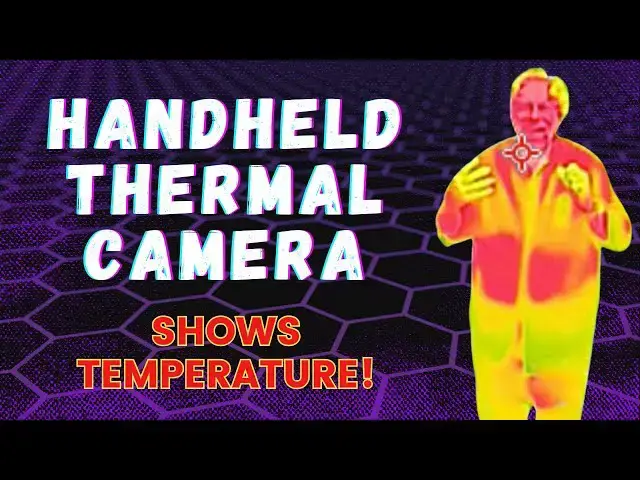
Ever wonder whether your doors or windows are leaking heat on a cold night, or whether that crack in your fridge door is causing it to work harder to keep your food fresh? Tech expert Dave Taylor reviews the HSFTools HP96 Handheld Thermal Camera and finds that it's quite fascinating. In this video he'll demonstrate how it works by showing just how much heat pours out of his toaster, how cold is fridge and freezer are, and where heat leaks out of his home on a chilly evening. Contractors will love this easy-to-use thermal camera but it's surprisingly useful for anyone!
Amazon link: https://www.amazon.com/HSFTOOLS-Thermal-Imaging-Resolution-Recording/dp/B0CXNYMG1M?maas=maas_adg_0CBAFB18F066E68F7C8DCE08B96E2ED6_afap_abs&ref_=aa_maas&tag=maas
Visit Dave's Q&A Web site at: https://www.AskDaveTaylor.com/
#HSFTOOLS #HP96 #thermalcamera #askdavetaylor
Show More Show Less View Video Transcript
0:00
this handheld thermal camera is pretty
0:02
darn cool let's check it
0:05
[Music]
0:11
out Dave Taylor here and I'm checking
0:13
out this this is the hsf tools HP 96
0:19
handheld thermal camera and as you can
0:21
see on the screen it actually is
0:24
producing thermal images so it's
0:27
understanding all of the temperatures
0:29
that it seeing it is essentially a tiny
0:33
camera so you can see that there's a
0:35
lens here and then there's the display
0:38
screen and this is a touch screen so
0:40
it's pretty slick it's a 3.5 in
0:43
touchcreen and the infrared is 96x 96
0:47
resolution so it's a fairly small image
0:51
and it can do camera photos or video but
0:55
you can always Zoom it in and it's
0:57
actually pretty slick I'm going to have
0:59
some really fun Demos in just a minute
1:01
or two so 96x 96 IR resolution you can
1:05
upscale it to 240x 240 the camera itself
1:10
is taking images at 640 by
1:12
480 and it uses what's known as a vadium
1:17
oxide detector so this is one of a
1:20
couple of ways that devices can identify
1:22
temperatures and this one's considered
1:25
to be one of the best it's used heavily
1:28
in medical and Automotive and security
1:31
and Industrial and now you can use it at
1:33
home or in the office or in the shop or
1:37
in the garage lots of interesting
1:39
applications so it does video and audio
1:42
recording and its field of view is 50°
1:46
so it's a pretty wide field and
1:48
hopefully you can see me on there and
1:51
I'm probably looking fairly red cuz I'm
1:54
going to be the warmest thing that this
1:56
camera is looking at right now so it
1:59
actually can protect from -4° to 662 de
2:04
F depending on how you set it up with
2:07
plus or minus 2% accuracy so it's not
2:10
exactly perfect but it works really well
2:13
to identify hotspots or for example if
2:17
you're sitting in your house and you're
2:19
like it's really cold what's going on
2:21
you can just look around your room and
2:23
identify the cold spots and that's like
2:25
aha that is what I need to fix or
2:28
replace or update and I'll show you that
2:30
in a second too so it has five image
2:33
modes that are thermal Optical Fusion
2:36
blend and pip or picture and picture and
2:40
then there's eight different color
2:41
palettes the idea being you can try all
2:43
these different variations to get the
2:45
one that gives you the most visible
2:49
differentiation in your image so you can
2:51
get the best results you want now in the
2:54
box is the device and it's rechargeable
2:57
so there's a USBC on on the side and you
3:01
use that to charge it fully charged up
3:03
it'll run for 4 hours and the Box
3:07
includes a very nice little carrying
3:09
case it includes a little strap if you
3:12
want to just put that on the end and
3:14
then you can have it around your wrist
3:16
most importantly it includes a usba to
3:19
USBC cable and this is pretty important
3:22
cuz this is the best way and possibly
3:24
the only way to get data off of the
3:28
device so I used it to record some video
3:31
and that's how I got it onto the
3:33
computer so I could integrate it into
3:35
this in fact speaking of which let's
3:38
just jump into my demos so the first
3:40
demo is I just want to spin everything
3:43
around I have boiling water and ice and
3:46
I'm going to show you on the screen what
3:48
that all looks like then we're going to
3:51
go back in time to last night when I
3:54
actually took it and went outside I
3:56
started out in my kitchen I'm going to
3:58
show you my to toaster and my freezer
4:01
and then we're going to go outside and
4:03
look at the hot spots in the front of my
4:05
house and then we'll come in and look at
4:07
the cold spots in the window and then
4:09
I'll come back on camera let's go
4:11
through the five different image modes
4:13
this is Fusion so it adds some Optical
4:16
information if we go to Thermal all
4:19
we're getting is the temperature
4:20
information and then this one gives us
4:23
picture and picture which is interesting
4:25
cuz you get the sort of General Visual
4:28
and then there's a little box in in the
4:29
middle that actually shows you the
4:32
temperatures and then we can go here to
4:35
level and that gives you the ability to
4:37
set different sort of boundary States
4:40
and then finally there's also visual so
4:45
I actually prefer Fusion I think that's
4:48
the most interesting and then you can
4:51
switch here and we can try different uh
4:54
color
4:56
palettes and you can see how that makes
4:58
it more or less obvious what's going
5:01
on uh rainbow actually seems to work
5:04
pretty well and then here's some
5:07
settings you can have in terms of the
5:10
how things are set up and we're going to
5:14
go over to settings speaking of which
5:15
and just real quick here's some of the
5:17
settings you have here and I'm going to
5:20
go back and we can look at saved
5:24
images and if I want to take a video all
5:27
I have to do is push and hold on the
5:30
button on the top and now we're actually
5:33
taking a video of what it's seeing which
5:36
of course means that I can also do
5:38
things like pan up and pan down and move
5:42
around and see what's up so those are
5:45
all the key features here now let's look
5:48
at this at night it's night time and
5:51
it's really cold outside so the window
5:54
behind me should register as being
5:56
really cold I'm much warmer hopefully
5:59
and then here this is going to be fun
6:02
this is my toaster and this thing
6:04
generates some heat so let's turn it on
6:07
and watch what happens it generates a
6:10
lot of heat and it all comes out the top
6:12
and then it tends to hit this cabinet
6:14
too so as you can see the thermal image
6:19
of the toaster is changing as these
6:23
temperature is going up and it's warming
6:25
up my hands which is nice but I wouldn't
6:28
want to put my hands much lower so this
6:31
is the sense of how the thermal imagery
6:33
works and it's really pretty darn
6:35
interesting there's a lot you can do
6:38
with it so let's go around my house and
6:40
check out a couple other things this is
6:43
my fridge and the lower portion is my
6:45
freezer so let's start by opening the
6:48
fridge and you'll see that becomes the
6:51
coldest spot in the
6:55
room but what happens if I open the
6:58
freezer I'm find
7:01
out the freezer's obviously going to be
7:04
colder than the fridge the freezer
7:06
should be at about 0°
7:09
F Well I'm going to go ahead and close
7:11
it don't want to lose all the heat but
7:14
let's go outside and check one more
7:17
thing it's pretty cold outside I'd say
7:19
it's in the low3s and no surprise I am
7:23
losing heat through my windows what's
7:25
interesting though is the hottest point
7:28
is actually the light immediately
7:30
adjacent to my front door which
7:32
apparently is generating heat in a way
7:35
that other lights are not and those
7:38
windows are not doing me any favor with
7:40
an insulation but check out my garage
7:43
door when we do that it's an insulated
7:46
garage door so the center part isn't
7:48
losing any heat but the top and bottom
7:51
it almost looks like it's not even
7:52
closed properly it's definitely losing
7:55
heat there and that's just the nature of
7:57
it because you can't have a perfect
7:59
ative seal and have it be able to be
8:01
opened and closed but it's not great
8:05
then again look on those upstairs
8:07
windows they're doing pretty good maybe
8:09
the one right over my front door is
8:11
losing some heat but the other ones are
8:13
in pretty good shape also notice that
8:16
the little dots there those are actually
8:19
some holiday lights they're very festive
8:21
and they're LED lights so they're not
8:24
generating any heat which is nice but
8:27
I'm really a bit concerned about those
8:29
front windows so let's go inside and see
8:32
what they look like from the other side
8:35
this is the inside view and as I
8:37
predicted those windows are just dark
8:40
blue and that's the coldest spot and I
8:43
actually have left one of the windows
8:45
open a little bit and notice where it's
8:47
highlighting the coldest spot is exactly
8:50
at the open window and it's showing you
8:53
that the room is in the 70s which is
8:56
very pleasant but that cold spot that
8:59
open window is bringing in air that's
9:02
about 42° so that's going to cool my
9:04
house down pretty darn quickly it's
9:07
really cool I've had a really good time
9:09
experimenting with this and trying it in
9:11
different scenarios and as you saw you
9:14
can turn on or off but the little tiny
9:16
crosshairs show you the hottest and
9:19
coldest and average temperature in the
9:22
entire image that it's looking at and
9:24
you can even set up not to exceed alerts
9:27
so if you're monitoring for example Le
9:30
maybe your fuse box while you're
9:33
actually running some appliances trying
9:35
to understand why something keeps
9:37
getting triggered and you could set it
9:39
up and say if it ever gets hotter than a
9:42
certain temperature then let me know
9:44
with some alert sound so that might be
9:46
something you use in your shop you got a
9:48
new tool and every time you run the tool
9:50
the breaker flips so this could help you
9:53
diagnose that problem now as I said it
9:56
has a 4-Hour battery and it gives you
10:00
storage on board for up to 30,000
10:03
pictures or 20 hours of video now
10:07
remember this is not shooting 4K UHD
10:11
video this is just a very humble 96x 96
10:15
with various overlays and such so you
10:18
know that's why it has so much storage
10:20
space but it's exactly what you need and
10:23
there's a lot of ir systems out there
10:25
that are like a gun with a tiny tiny
10:28
screen
10:29
not a fan of those this by having this
10:32
much larger screen becomes far easier to
10:35
use so if you're at all interested in
10:39
thermal imagery for whatever application
10:41
whether it's industrial or commercial or
10:44
personal then this is definitely a great
10:47
option and it's really fun definitely
10:50
one to check out now I'm going to ask
10:52
you to subscribe to my channel click or
10:54
tap on that subscribe button hit that
10:57
Bell icon for notifications give me a
10:59
thumbs up if you found this of value and
11:01
I obviously hope you did excellent this
11:04
is the hsf tools HP 96 handheld thermal
11:09
camera and it is
11:12
$259.99 currently discounted down to
11:16
$189.99 at
11:18
amazon.com regardless of what price you
11:20
find it for this is a really interesting
11:24
device and there's a lot of fun you can
11:26
have with it so it's all I got I'm going
11:28
to go back and look at my toaster again
11:30
really closely you can see it right
11:31
there let's try to figure out why it's
11:33
wasting so much heat anyway that's what
11:36
I got hope to catch you in my next video
11:43
[Music]
11:59
he