Up next in 10



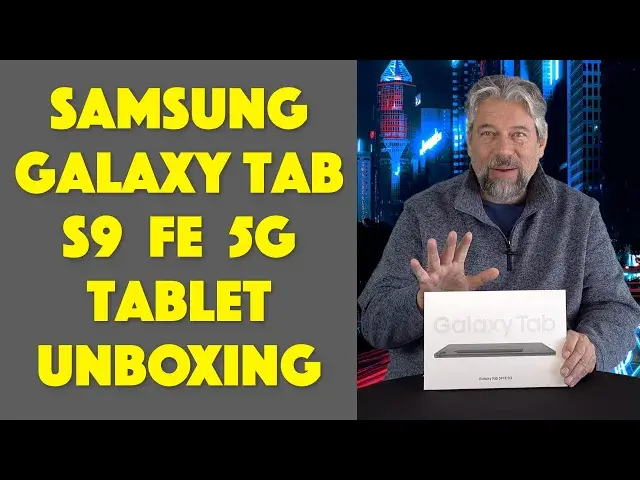
In the market for a big, bright 10.9" tablet with a beautiful better-than-HD display? Then you'll definitely want to check out the slick Samsung Galaxy Tab S9 FE 5G Connected Tablet running Android 13. Tech expert Dave Taylor delivers an unboxing while going through every important spec, and even includes some handy close-ups of the key components.
Check it out at AT&T:
https://www.att.com/buy/phones/samsung-galaxy-tab-s9-fe-5g.html
Visit Dave's Q&A Web site at: https://www.AskDaveTaylor.com/
#samsung #galaxy #tabs9 #tab #galaxytab #askdavetaylor
Show More Show Less View Video Transcript
0:00
The new Samsung Galaxy Tab S9? Let's crack open the box and check it out
0:12
Dave Taylor here and I'm checking this out. This is the Samsung Galaxy Tab S9 FE 5G
0:21
connected tablet. Now, I want to say 5G is the wireless network for cellular
0:27
and FE, I love this, FE is the fan edition. So what Samsung does is they occasionally come out
0:33
with versions of their hardware designed specifically to reflect all the interests
0:38
and all the desires of their fans. So I'm expecting a really cool tablet in here. I
0:44
will say it's fairly hefty. Now, we're just going to do an unboxing and I think you'll see
0:50
it's pretty darn sweet. But let's start with some specs. So the tablet, the S9, is powered by an
0:58
Exynos 1380 octa-core CPU, which gives you four processors at 2.4 gigahertz and four processors
1:06
at 2 gigahertz. It has 128 gigabyte of storage, plus you can put an additional 1 terabyte micro
1:14
SD card, so you get a ton of storage. Why you would need a terabyte of storage on your tablet
1:19
I'm not sure, but for example, if you're on an airplane, it gives you a lot of choices of what
1:24
movies to watch, even if you're disconnected. That's okay. Now, the screen itself is a 10.9 inch
1:31
display at 2304 by 1440, so that's better than HD quality and, you know, you know Samsung. It's going
1:39
to be a gorgeous display. 8 megapixel rear-facing camera, 12 megapixel front-facing camera, it's
1:45
IP68 water resistant. I want to just stop there for a second and just say I love that all these
1:51
companies are now creating water resistant products. We have spent too many years as consumers
1:58
where if it got humid or you spilled a cup of water on your device, you were out of luck. So
2:05
no longer. Things finally are starting to be able to handle inclement weather or incidents in our
2:10
lives. So IP68, huge win here. And battery life's crazy, up to 113 hours of battery life if you're
2:19
just doing audio playback through your headphones, best possible scenario. But it's going to be less
2:25
if you're using the speaker, if you have the display on, if you have it on full brightness
2:29
you know the drill. If you want to maximize your battery life, don't use the speaker and lower the
2:34
brightness. Even just 10% can make a surprising difference. And I know you're wondering, hmm
2:41
Samsung Galaxy Tab S9, what operating system is it running? Well, according to Samsung, this is
2:47
still running Android 13, but I would expect that it's going to bump up to Android 14 as soon as
2:52
that's available from Samsung. That's going to be nice. Now let's get started with this unboxing
2:58
because I've been talking for way too long. So I have my unboxing tool. Please do not use this at
3:03
home, children. And we're just going to go ahead and cut the stickers to make sure that we can open
3:09
it up. And to be totally honest, I'm not expecting much in this unboxing. I don't think there's going
3:15
to be much in the box. It's going to be a tablet and a charging cable and maybe some instructions
3:20
So you ready? Let's see how accurate I am. So here is, if I can lift it off. So here's the tablet
3:29
And I was wrong. There's actually a lot more going on here. We'll get to that in a second. So here's
3:33
the tablet and I'm going to go ahead and take this protective film off and then it should slide out
3:40
And here's our tablet. It is a beautiful piece of hardware. It is, let me give you the dimensions
3:48
It's 10 inches by 6.5 inches by a quarter inch thick and it's 18.5 ounces. Let's find that power
3:57
switch. I think that's this one and turn it on. Hopefully it has a charge. Yes. So it will now
4:03
start the boot process. So we might even just leave it here and let it actually start powering up
4:10
And while that's happening, let's see what else is in here. So AT&T sent me this device. So they've
4:15
also sent me a SIM card for the cellular connection. It's very nice of them. And then it comes with the
4:22
terrific Samsung pencil. And this is an absolute game changer. If you've never used a tablet with
4:29
one of these, it's really fun. And you'll find that particularly for doing creative work
4:35
marking up documents or using it for art, it is a game changer. Super fun. So it comes with that
4:42
And then let's see what's in these two boxes. So one of them, this is feels very light. Okay. So
4:49
this one has the charging cable and that charging cable is USB-C to USB-C. So that's easy to work
4:57
with. And then the other one has a tiny little SIM removal tool, which you will need when you
5:05
go to put your SIM card in. And then I'm guessing everything else in here is instructions. Let's just
5:12
see what's going on. It looks like everything. So yes, this is the AT&T quick start guide. So this
5:19
is the AT&T version of the Galaxy Tab S9. And so if you get it from T-Mobile or Verizon, or you get
5:28
it directly from Samsung, you're going to get slightly different stuff. Mostly you'll get
5:32
different documentation, but honestly, it's probably exactly the same documentation with just a different cover on it. But most importantly, what we have here is we have the tablet itself
5:42
Let me get that back on. And it's just really nice. It comes with this pencil. There's nowhere to store
5:49
the pencil. I think there's a magnet on one of the ends. Let's see. Somewhere there's some mechanism
5:55
I think. There we go. That makes it easy for you to keep the pencil. So that is the Samsung Galaxy
6:02
Tab S9 FE 5G. And let me give you a couple more specs about it. So it works with Wi-Fi, 5G, 4G LTE
6:12
Bluetooth 5.3, which is the very latest version of Bluetooth. And it has an EcoStar rating. I want to
6:18
give Samsung big props for this. An EcoStar rating of 20 out of 20. So they've really put a lot of
6:26
effort into creating something that is actually environmentally friendly. And in terms of buttons
6:32
and ports, a lot of these really end up being like really big Android phones. So on the right-hand side
6:39
or I guess you could say on the top, is power and volume up and down and obviously a magnet spot for
6:45
the pencil. On the bottom is that USB-C charging and a cutout for speaker. On the left side is
6:54
docking port if you want to put this on with a keyboard or something like that. And then on the
6:59
top is actually another cutout for speakers and the SIM. Now what you don't see here, what I don't
7:07
see here, is I don't see any sort of hole for 3.5 millimeter audio. So what that means is if you're
7:13
going to use this with a headset, it's going to be Bluetooth or you'll use the docking connection to
7:19
hook it up to a keyboard or something. And then that might give you that 3.5 millimeter. But like
7:25
so many modern electronic devices, this has no way to plug in audio unless, and these are just
7:32
coming out now, you get some earbuds or headphones that actually use that USB-C port. If you do that
7:39
then obviously you can't listen and charge at the same time, round and round to some extent. But it
7:45
is still worth knowing. And that's really everything. I think Samsung has done a wonderful job. This is a
7:51
beautiful tablet that I'm really looking forward to configuring and using. And of course, mostly
7:58
because the pencil is so fun. These are really fun. I mean really, you got to go even just to the store
8:04
and just try one. Really very entertaining. And that's all I got. Those are all the specs. That's
8:09
everything you need to know. Definitely this is a tablet worth checking out. But we should talk
8:14
about price. And before we get to the price, I'm going to invite you to subscribe to my channel
8:20
Go ahead and click or tap on that subscribe button. Give me some feedback on this unboxing
8:24
Let me know what you thought. I really appreciate your feedback. And price-wise, this is, again
8:31
get it to that welcome screen. This is the Samsung Galaxy Tab S9 Fan Edition 5G Connected Tablet
8:40
And it is $549.99 or $1528 a month times 36 months at att.com. And I will note, if you make
8:49
those payments, there's no interest. It actually, you do the math, it adds up to being exactly the
8:54
same price. Well, one penny more for 36 months of payments. But in an era where we have very
9:01
expensive interest rates, this is actually a really nice deal to know about. But mostly
9:06
if you're looking for a tablet and you're just not into that Apple ecosystem, this is an extremely
9:11
viable option. That's all I got. I'm going to get this thing configured. So I hope to catch you
9:16
in my next video. Transcribed by https://otter.ai
#Online Video
#Consumer Electronics