Up next in 10



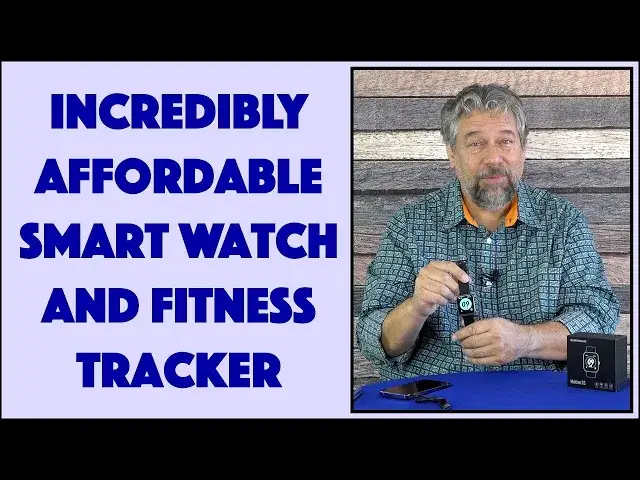
Love the idea of a smart watch that can track your exercise, movement, heart rate, and overall fitness, along with, yes, telling the time? The Riversong Motive 3S Smart Watch and Fitness Tracker can do all that, and adds custom watch faces, phone notifications, and compatibility with Android and iPhones! Tech expert Dave Taylor cracks open the box to see what's inside, then demonstrates some of the key features of this remarkably affordable Riversong smart watch...
Check it out on Amazon at: https://amzn.to/3FxzrKY
Check out Dave's Q&A Web site at: https://www.AskDaveTaylor.com/
#smartwatch #riversong #fitnesstracker #fitnesswatch #applewatch #motive3s #askdavetaylor
Show More Show Less View Video Transcript
0:00
There's a new smartwatch in this box. Let's check it out
0:03
Dave Taylor here and I'm checking out the Riversong Smartwatch and Fitness Tracker
0:16
But, it's in the box. So, let's crack open the box and see what's included
0:21
Now, I will admit that I have already opened up the box once and I have already set up the watch
0:27
because it's much more interesting to look at a smartwatch when it's configured
0:32
But, we can still do an unboxing, right? So, unboxing tool, carefully closed so that I do not hurt myself. Be careful
0:40
Then, here we go. This is the Riversong Motiv 3S smartwatch and I can tell you that
0:49
let's get rid of the box, it basically is identical in appearance to an Apple watch
0:55
You're like, hmm, what? And, I will show you. So, here you go. That is, like I said, the Motiv 3S and it's actually pretty nice
1:06
Let me show you what's in the box. First off, it is the watch and this watch has a 42mm face and it's strap
1:15
It's a sort of rubberized strap, very typical design of this type with all the little holes
1:23
which gives you a range of 17cm to 22cm for a wide variety of different wrist sizes
1:31
And then, also in the box is a charging cable, which we'll get back to
1:35
and the little tiny instruction guide, which is actually pretty darn helpful
1:40
So, there's our unboxing. It is the watch with the band already attached and the charging cable
1:46
and, yes, instructions. So, let's put some of this back together, put the instructions away
1:53
And, there we go. I'll just leave that there. And now, let's talk about this watch because it's pretty cool
2:01
So, it has a touch screen, so I can look at, whoops, I can look at notifications
2:06
I can bring it up and get to various functions, I can check my fitness status or start recording exercise
2:15
You can see there's a lot going on and at any point you can just push the button and get back to your home screen
2:20
And, it has an activity tracker, so there's 14 built-in sports that you can set and start and have it track
2:28
I will note that it does not have a GPS, so if you want it to track your location while you're doing a run
2:35
then you'll want to have your smartphone along too. And, it works with Android or iPhone using an app called VeryFit
2:42
I'll give you a demo in just a minute or two, let's just get there
2:46
Pedometer built-in, that's one of the features I really like in smartwatches
2:50
so I can say, wow, I was really not very active today or I really walked a lot
2:56
Heart rate, stress monitor, blood oxygen level, sleep tracker. And, here's the thing, is sleep trackers on devices like an Apple Watch aren't very useful
3:06
because you've got to charge the darn thing all the time. This has a battery that will run 10 days without a charge
3:14
which means you can charge it, takes two hours from completely dead to completely full
3:18
so it's pretty fast, with this charging cable. And, then you can wear it for, you know, 10 days straight and really get a sense of how you sleep
3:28
and how long you sleep and the quality of your sleep too. All of that's really great
3:33
Now, I want to point out with the charging cable that it's USB-A, that familiar rectangle on one end
3:40
and the other end is a custom magnetic charger thing. So, you just basically put it, honestly, like pretty near the watch
3:49
and, let's get it in the right orientation, and there we go. And, it's a strong enough magnet that you can pick the watch up with it
3:55
So, that's all you need to do and you plug it in and you charge it
3:58
The downside is, if you lose this cable, you're kind of in a pickle
4:03
So, watch out and make sure that cable stays safe. So, 5 atmospheres waterproof
4:09
What the heck's an atmosphere? It's a measure of the depth of the ocean
4:13
So, 5 atmospheres is pretty darn good. That's 50 meters or 165 feet
4:18
Now, I don't know that this is per se a smart diving watch
4:22
If you really want to dive down to 165 feet, that is pretty darn deep
4:27
This is probably not the watch to wear. You probably want to wear a specific diving watch
4:31
but the important thing is, you can wear this in the shower, you can wear this for a swim
4:36
you can wear this while you're surfing or body surfing or something
4:39
So, you don't have to baby it. You don't have to say, oh my gosh, it's drizzling
4:43
I need to put my watch away so it doesn't get damaged. So, thank goodness
4:48
The face, like I said, it's a 42 millimeter face, and the screen is only 240 by 280 pixels
4:56
I'm just putting it on, and it's super easy. You just pick your favorite notch
5:01
slide the rest of the band through this little holder, and good to go. So, here we go
5:07
And it does actually have a setting where you can say, light up when I tilt my wrist, which is really handy
5:15
And you can also change faces. One of my favorite things about smart watches
5:19
is that you can pick any of dozens, or often in some companies, even more than dozens
5:25
hundreds of different faces. Apple does a nice job with their own faces
5:31
but no one's innovating. There's no artist saying, let's do something radically different
5:35
Apple just doesn't do that. Whereas, like the Samsung Gear, the Android smart watches have that feature
5:42
This watch definitely has a really nice watch library. In fact, let's switch to the phone
5:49
I'm going to go ahead and launch my, let's see, VeryFit app
5:54
And it takes a couple of seconds to pair with the watch
5:59
And I haven't done much because it's been sitting in a box, right? So, you can see I've taken a whopping 197 steps so far
6:07
But here's my home screen, and it shows me how much I've exercised so far today
6:12
how many steps I've taken, sleep, heart, my oxygen level, SpO2, I guess is oxygen
6:21
my stress level. I am not very stressed, even on camera. How about that
6:26
And my menstrual cycle, not an issue for me, but something that other people might appreciate tracking
6:32
We can go into the exercise screen, and you can pick, you can see along the top
6:37
a lot of different sports. So, I could choose like indoor running and such
6:43
And then when I go to the device, here's where it's kind of fun. So, first off, 99% charge, pretty handy
6:49
This model is the ID207. So, if you don't want to call it the Motive 3S
6:55
you can just refer to it by ID207. And it's a low-power Bluetooth connection with your smartphone
7:01
That's how this works. And let's see, if we go into the watch face market
7:05
then there's a ton of different faces, some of which are just absolutely fantastic
7:10
If I go into new arrivals, they have one down here. That's the shark that I just love
7:16
This is just such a great watch face. So, I'm going to do set as current watch face
7:21
And I'm going to actually take the watch off and let you be able to sort of see what it looks like
7:27
So, we have that as the current watch face, right? So, now set as current watch face
7:33
And it should switch. Let's see, do we have the new face
7:37
And there we have the new face. And in the shark's mouth is the number of steps I've taken
7:43
So, it is just a fun, whimsical face. And in terms of additional features
7:49
let's just go back here. And I will show you that you can also set up your own profile
7:57
with your weight and height and your target levels of things. And you can turn on and off, get messages
8:05
And in settings, there's a lot of different things you can do
8:09
You can set your personal goals. But mostly, you're going to be just sitting here on the home screen
8:15
And that's really terrific. It works really well. It's a really simple smartwatch
8:21
But when I tell you the price, you'll be startled. So, as I said, it looks like an Apple watch
8:28
It has fun faces. It keeps track of time really well. It does notifications
8:34
It can do activity monitoring. Lots and lots of different features. And on the back, as you would expect
8:40
there is the green laser, which is how it actually detects things like your heart rate and your stress rate
8:47
And I like that it's constantly monitoring those, so you don't have to explicitly say
8:51
what's my heart rate right now? I can just track it all, which is really great
8:55
So, only thing left to talk about is the price. Now, before we get to the price, I'm going to ask if you could subscribe to my channel
9:02
Really appreciate when you do that. Cool. This is, let's open it, turn that on
9:09
This is the Riversong Smartwatch and Fitness Tracker, known as the Motive 3S
9:15
And it is $49.99 minus $10 right now. So, it's $39.99 at Amazon.com
9:24
This is the all black. It also comes with a rose gold and pink band
9:29
Very attractive, too, depending on what your color preference is. But seriously, $40 for a watch that does all this
9:36
It's amazing. It really makes me wonder, why does Apple charge $400 or $500 for its fancy watches
9:43
when I can get 90 plus percent of the functionality? Now, I admit, this is notifications, so I can't interact on it
9:50
But honestly, how often do you need to actually interact on your tiny little watch screen
9:56
when you have another device probably in your pocket or sitting there literally inches away
10:01
Anyway, definitely one worth checking out. I love the price point. I think that this Shark Face is one of the best smartwatch faces I've ever seen, bar none
10:11
That's all I got. I hope to catch you in my next video
#Shopping
#Gadgets & Portable Electronics