Up next in 10



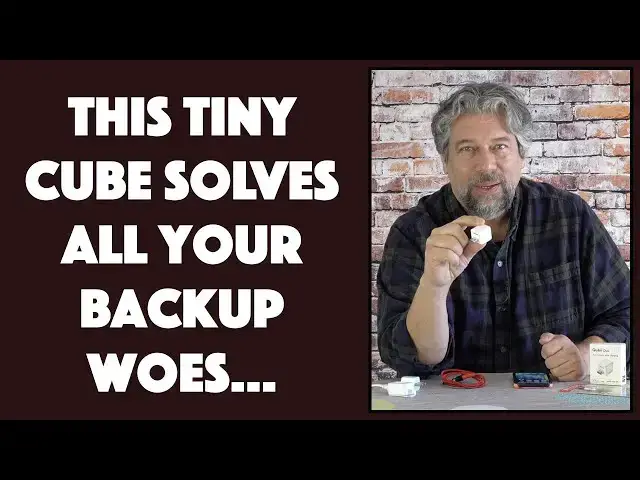
Tired of your phone or tablet being full? Or your cloud backup storage (iCloud, etc) telling you it's time to pay for a bigger partition? Solve both problems easily with the slick Qubii Duo In-Line Photo Storage and Backup Device, compatible with both Android and iPhone/iOS. Tech expert Dave Taylor of https://www.AskDaveTaylor.com/ explains this nifty little gizmo and demonstrates how it works, how to enable PIN security on the MicroSD card, and much more...
Qubii Duo Backup Device: https://amzn.to/3dw34Bh
SanDisk 128GB MicroSD: https://amzn.to/3ujUlbp
TIP: Maktar is Qubii's parent company. Find all their products here: https://r.maktar.com/1oh
Show More Show Less View Video Transcript
0:00
Can this tiny cube solve all your photo backup problems
0:03
Let's check it out. Dave Taylor here, and I'm checking out this
0:14
It's really cool, actually. This is the Cubie Duo inline photo storage and backup device
0:20
So you're looking at it and you're like, hmm, that's a one inch cube
0:24
Is this a wall charger for your phone? The answer is kind of yeah, kind of no
0:29
It's not a charger, but it goes in line. So let me put all the pieces together
0:34
First off, you need to get your own microSD card. So you put that in to the unit
0:40
And let me get this in. And here's a close-up of what it looks like
0:45
You can see the card goes completely in. And it's just, in this case, a USB3 connection
0:52
They also make one with USBC. You can choose either one. It works fine
0:57
And they're the same price. same functionality and it just depends on what kind of connection you have
1:02
They work with iPhones and Android. What does it do? Well, now that I have the card in here, I can plug this into a convenient wall charger
1:14
This is the old Apple wall charger, right? The little tiny cube
1:18
So this is a one inch cube. That's a one inch cube
1:21
So it's all very elegant. Plug it in. And now, if I can use my wire
1:28
All I have to do is plug this in as if I'm charging my iPhone and it's automatically, as soon as I launch the app, it will automatically start backing up all of my new photos. That's it. It's that easy. So, in fact, let me go ahead. I'll do a screen recording and you can see on the side exactly what's happening. So it starts out because it's detected the device in line with the charge
1:58
It is saying, all right, well, it's connected. Do you want to continue doing a full backup
2:03
which is to say, do you want to get everything that's not already on the device
2:07
And I'll say, yes, start now. So now you can see I have 435 photos
2:13
that are left to back up on this. And some of them are new, some of them aren't so new
2:18
but it takes a while as with any of these devices the very first time you plug it in there is a long time when it streaming and copying
2:28
In my case, a couple of thousand, in my daughter's case, tens of thousands of photos and videos
2:34
But eventually, all of them will be on the card, and then every time you use it, it's just the newest stuff
2:40
So, while this is going on, let me tell you just a little bit more about it
2:45
So, as I said, it's USBC or USB3.0. It's one-click secure data
2:52
So let me actually cancel this and notice, so that just, it didn't mean anything
2:59
It basically just said stop. That was the stop button, right? And notice on the top here, you can see that SD lock
3:06
Now, what is that for? Well, now that I've stopped it, and you do have to stop it, I can unplug things again
3:12
And in fact, let me go ahead and stop the recording too
3:17
So I can plug this into a computer and I can access all of the data
3:22
Super simple, right? So it already has the right connection. I can just plug it into the side of my computer and nothing happens
3:30
It literally doesn't show up on the desktop. Why? Because I have that security enabled
3:35
So it's a little clumsy, but I have to plug it back into my phone
3:41
and you know, relaunch the app, then I turn off that security
3:46
Then when I plug this into my computer, for example, on my Macintosh, you can see here
3:52
everything shows up. It's super easy. This is literally just essentially another drive
3:58
So really, really easy. Now, there are some clumsy elements to the software that they have
4:04
So they have this app called QB Pro, and it's not super smooth
4:10
So, for example, you can't just unplug things. They really want you to actually cancel the ongoing backup if it's still running
4:18
I'm not sure why they have to do that, but be that as it may. That's what they say
4:23
And once you've disabled that security so you can access this on a computer
4:28
you have to create a new password. Maybe the same one, but it's not as simple as going back into the app and tapping security
4:36
you know, SD card security again. It literally just says all right well tell me what you want is your pin So I not sure why they can save a password and just reenable that But I feel like their software could probably do with a rev to make this a little more user
4:52
But honestly, it's not really a huge hassle. Just remember that you need to set or disable your pin if you want to access the data from your computer and that you need to cancel a backup before you actually go and unplug everything
5:09
Really pretty straightforward. And what card do I have in here? I'm glad you asked
5:15
I got this and cards. Memory's so darn cheap. This is the sand disk ultra 128 gig
5:24
And it's a, what, a UHS1 card. So it's really fast. And it's 20 bucks for 128 gig
5:34
That's a lot of space. I have, by the time I've finished my backup
5:39
I won't even be using 20% of this, which means if I use this over the next year or two
5:44
I will have a complete backup of every single photo without paying for any cloud backup services
5:51
without having to upgrade my iCloud account, anything like that. This is all right here in my hand, right
5:58
It's totally under my control and easy to share if I want to give it to my friend and say
6:03
here, go through all my photos, right? Easy enough. And 128 gig, that's a ton of space
6:09
I will still have space. a year from now and I take a lot of photos and videos
6:14
So let me go ahead and put that back in there. And that's the whole unit
6:19
There's really nothing else to it. It takes a little bit of wrapping your head around the idea that instead of just
6:25
plugging your phone in and charging it, you just need to put this in line
6:29
But once you realize that's all that's involved, it's mighty easy. And then they don't seem to quite have the software written so that it auto starts
6:39
Oh, no, my apologies. It is, in fact, it already started and it's already backing up again
6:44
So I am totally wrong with that. So once you have it all set up, it's just doing its thing
6:49
And now if I launch the app, then sure enough, it shows me that I only have 431 of my photos left to back up
6:57
So I'll just let this chug along while I tell you the price, because the price is actually pretty ridiculously cheap
7:04
especially when you consider that you might be paying five bucks a month for iCloud storage for your photos versus just getting this and having the problem solved forever regardless of how enthusiastic you are
7:14
but before i get to the price i'm going to ask if you don't mind can you go ahead and click or tap on
7:19
that subscribe button and subscribe to my channel really appreciate when you do that and it gives me
7:24
a lot of leverage with these companies to get interesting stuff as i get more subscribers
7:29
this is kind of a win-win for both of us all right this device plus
7:34
in here I suppose I should actually show it to you so I cancel the backup pull
7:40
everything apart and this is the QB duo inline photo storage device it is 6499
7:49
in USB 3 or USB C models and if you want to pick up some memory the sand disk
7:56
ultra 128 gig is 2199 so together it's about 80 or 90 bucks and pretty
8:04
painless. I mean, if you're paying, especially if you're paying that $9.99 a month for a lot of
8:10
iCloud storage, it'll take you what, eight months to be able to have this pay off itself
8:16
And the fact that you can use this with multiple devices, right? So I can use it and do all my
8:21
backups onto it. And then if my daughter plugs her phone in, as long as she has the software
8:26
installed, it'll automatically create another area, another folder, and start backing up hers
8:32
and then my other kids and, you know, anyone else in the household
8:36
So you could use this. It can take up to a two terabyte card
8:40
So you put a terabyte of storage on this thing, and you can work with, gosh, probably
8:45
easily a half dozen devices, iPhones, Android, iPads, whatever you got. So all of that, super easy
8:53
I'm a big fan. This is a simple solution. I think it'll be even better with another iteration on their software
8:59
But all in all, they've got a lot right. definitely worth checking out so with that i'm going to go back to letting my phone back up
9:07
which means i'll catch you in my next video You know
#Camera & Photo Equipment
#Software Utilities
#Photo & Video Sharing
#Photo & Image Sharing