live_tv
Livestream Starting Soon
00
Hours
:
00
Minutes
:
00
Seconds
Up next in 10



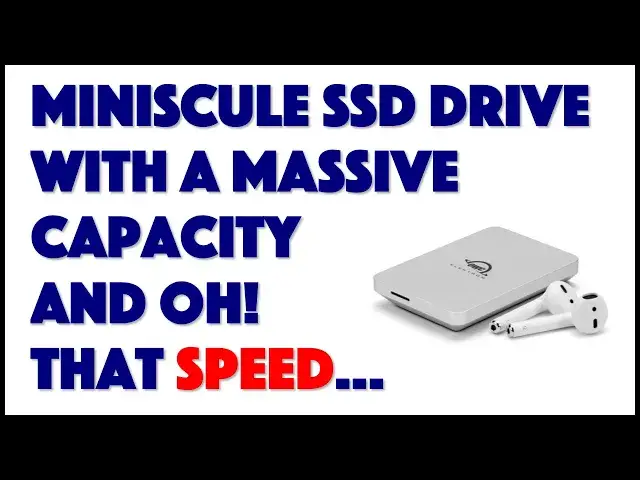
Imagine multiple terabytes of ultra fast storage space in a unit so small it fits neatly in your hand? That's the remarkable OWC Envoy Pro Elektron, in sizes from 240GB to 2TB. Tech expert Dave Taylor of https://www.AskDaveTaylor.com/ plugs one in to his MacBook and demonstrates read, write and benchmark performance on this extraordinarily tiny SSD drive. You'll want one after you watch this review.
Learn more at https://www.MacSales.com/
Show More Show Less View Video Transcript
0:00
It's tiny, but it's enormous. Let's check this SSD out
0:11
Dave Taylor here, and I'm checking out something really cool. This is the OWC Envoy Pro Electron
0:18
and you're looking at it and you're like, what is that, a big box of matches? No, it's a little
0:24
heavy, but this is a solid state drive, and it's really fast. This particular unit is
0:31
you ready for this, 480 gigabytes of storage, and you can see this will easily fit in your pocket
0:38
Not only that, you could literally palm it and just have it suddenly show up ready to go with
0:43
basically 500 gigabytes of storage. Now, if that's not enough for you, in the same form factor
0:50
you can get up to two terabytes of space. It's a little spendy, but imagine having that much
0:57
storage space in something this small. So nice. This is, in fact, a mini-size USB-C SSD, or solid
1:06
state drive, powered by advanced NVMe technology, which is non-volatile memory. So this is all
1:13
chips. There's no moving parts here, which also means that it is waterproof, IP67, and they say
1:21
it's crush-proof. I have not opted to drive over it with my car, but it feels pretty darn solid
1:27
It definitely feels like if you have this at the bottom of your computer bag and your laptop drops
1:32
on it, you're not going to be saying, oh, I just lost a vast amount of data. It also can operate
1:38
at over 1,000 megabytes per second, but we're not going to just believe their numbers. We're going
1:45
to run some benchmarks. Now, it's universal plug and play. It works with Mac or Windows or Linux
1:51
depending on how you format it. And you can use this as a boot device. So if you have a beta
1:57
version of an operating system, you can put it on here and you can boot off of this. It's that fast
2:03
You can boot off of this whenever you want to try it out. So there's no fan. The aluminum housing
2:08
can get a little warm, not a lot. It's nothing to really worry about, but it has its own built-in
2:14
cooling system, which is great. And on the front, there is an indicator LED, while on the back is a
2:22
USB-C connection. So let's actually get this thing working. Oh, you know what? Let me give you some
2:28
dimensions first, because you really, you won't believe this. It's three inches by two inches by
2:35
half an inch, and it's three ounces. So I'm saying it's heavy, but I mean, relatively speaking, a
2:41
slice of pizza weighs more than this drive. I'm not sure I can have those two as a standard
2:46
comparison, but you know what I mean. Now, it comes with a USB-C to USB-C cable, and then there's
2:54
a sort of this clumsy adapter on the end that if you don't have USB-C, but you have USB-3
3:01
then you can actually put the adapter on. What I don't like is that you can't actually disengage
3:07
and pop this adapter off if you don't need it. Not only that, but if I may say so, this is, and I know
3:13
it's a little hard for you to see, this is a really long cable for this task. Usually with drives, the
3:19
cable you want is just a couple of inches long, because odds are good you're going to just leave
3:24
it right next to your computer. Now, it comes with its own install and configuration software called
3:30
the OWC Drive Guide, and that's really handy. So you can see here, it gives you the standard formats
3:37
on a Macintosh, at least, where you can choose to have it in two of the different standard Mac formats
3:44
or in exFAT. I don't know if that's how you're supposed to pronounce it, but that's the Windows
3:50
file system that allows you to have massive files, and it's 100% compatible with Mac OS 2
3:57
So I always format things in that form, so that I can take this drive and I can just bounce between
4:03
operating systems without really worrying about it at all. And yes, exFAT is also supported by Linux
4:10
so it's really super portable. Now, when I got this all configured, and it didn't take very long, I
4:15
then thought, all right, let's jump into Disk Utility and see for a 480 GB drive, how much actual
4:23
space do I get, minus all of the formatting and organization needed for a file system. And Mac
4:29
Disk Utility reports 479.87 GB of storage space available to me on this tiny device. And you can
4:40
see the front LED is now lit up to show that it is actually running. There's no external power
4:46
needed. It is what they call bus-powered, which is really handy. And so what I want to do is, I want
4:52
to do a demo of file copying in both directions, and then we'll run an actual performance speed test
4:59
So let's just switch so you can see what's on my computer screen. All right, so the Envoy Pro is on
5:04
my desktop. I'll open it up. All right, so let's copy this 3.87 GB file onto the drive. And you can
5:12
see, it really just takes a couple of seconds. All right, let's try something bigger. Let's try a 40
5:17
GB file copying off the drive onto my Mac itself. And to do that, I will just drag and drop it onto
5:25
the desktop, and go. Now, let me make sure that this one will have a progress bar. Let's make sure
5:31
that's front and center. And so you're seeing, it's going to take about a minute, but I have a
5:35
feeling it's going to be a lot less than a minute. I mean, this is screaming along. If you look here
5:40
this is 40 GB. I can remember when computers had storage measured in megabytes. So having 40 GB
5:49
of one file is kind of crazy. And by the way, if you didn't use EXFAT or XFAT, then you wouldn't
5:57
be able to actually copy a file this big, because the file system, old Windows file system, literally
6:04
couldn't handle something that big. So that's why I chose that format. And boom, it's all copied. So
6:10
that is pretty darn impressive performance in both directions. Now, let's go ahead and run a disk test
6:16
And I have something from Blackmagic Design. It's a great little disk test program. And its purpose
6:23
is to test to see if an external drive or internal drive is fast enough that it can support 3D
6:31
rendering and 4K video editing and everything. So it's pretty easy to use. It's free to download if
6:38
you want to check it out yourself. Just need to choose the right drive. Here's our Envoy Pro
6:44
I will open it up and then we'll just go ahead and run that speed test. And this gives us real
6:49
world numbers. So instead of saying that it's up to one gigabyte a second, we can actually see
6:56
that the real live actual performance I'm seeing is 908 megabytes a second on write. And then on
7:04
read, I'm getting 861 megabytes a second. So why is that not quite at the theoretical maximum? Because
7:11
computer systems have all sorts of overhead that they have to manage. So the theoretical maximum
7:17
you're rarely if ever going to actually attain that. But suffice to say, these are some pretty
7:22
solid numbers, particularly for something with this size and this physical dimension set. So
7:28
let's go ahead and jump back to me being on screen. Well, you certainly can't complain about the speed
7:33
of this device. It's just a lovely little device. This size is so wonderful. This is so easily
7:40
something you can tote around. And of course, that performance is nothing to complain about
7:45
If you're used to dealing with little thumb drives or something, they're really annoying
7:50
because they actually might be really tiny, but they're really slow. And the more capacity you
7:56
have in a flash drive, generally the slower it seems to get. So this thing being this size
8:02
and offering me that 900 megabytes a second back and forth approximately is pretty darn impressive
8:10
So that's really all I have to say about this. There's just so much to like about this. And this
8:16
is such a great, honestly, this is a stocking stuffer that I think the person would say
8:21
oh, that's cute. And then they plug it in and they'd say, good gravy. Look how much capacity
8:26
this thing has, especially if you sprung for the biggest of them, which is two terabytes
8:32
two terabytes. That's 2000 gigabytes, two million megabytes. That's a lot of data. That's even
8:39
enough to support some of the video editing I do. So if you use a lot of disk space, this is a
8:46
wonderful little device. And of course, this is so small, you could even mail it to a colleague
8:51
Although if I was doing something like that, I would probably encrypt the file first. So there
8:55
is no built-in support for encryption, but you can always encrypt files and then save them onto this
9:01
anyway. So that works. Now let's talk about the price of this at different sizes. And let me
9:06
actually go ahead and just unplug it. I know I didn't unmount it or eject it from my computer
9:12
There you go. I was only running benchmarks, so no risk. Generally speaking, it is a bad practice
9:18
to do what I just did. So don't tell me in the comments, I already know. But when you're just
9:23
running benchmarks, it's not that big a deal. Anyway, so this comes in four different sizes
9:29
with four different price points. But before I get to those prices, let me ask if you would be so kind
9:34
as to subscribe to my channel. Just a click or a tap on that red button on the lower right, and
9:39
boom, we're connected. Great. Really appreciate that. Okay, this is the OWC Envoy Pro Electron
9:47
And let me give you a couple of close-up photos real quick. And there's not much to it. As you can
9:53
see, it is basically a piece of aluminum with a light on the front, a USB-C plug on the back
9:59
and some little feet on the bottom along with a sticker. And how much does it cost? Well, this
10:06
is the OWC Envoy Pro Electron. And at 240 gig, the smallest size, it's $99. 480 gigabytes, which is
10:17
what this one is, is $149. One terabyte is $199. And then two terabytes jumps up to $369. If it was
10:27
me, I think I'd be looking at that one terabyte in terms of how that price increases. But it's up
10:33
to you how much you can afford versus how much space you need. All of these are available at
10:38
maxsales.com. OWC is Otherworld Computing, in case you see that logo. And they've been making
10:44
great stuff for a long darn time. So definitely a highly reliable company with great products
10:51
And honestly, just look at that size and tell me you don't want one. So with that, I'm going
10:57
to go back to plugging it in and using it, which means I'll have to catch you in my next video
#Computer Hardware
#Computer Drives & Storage
#Laptops & Notebooks
#Consumer Electronics