Up next in 10



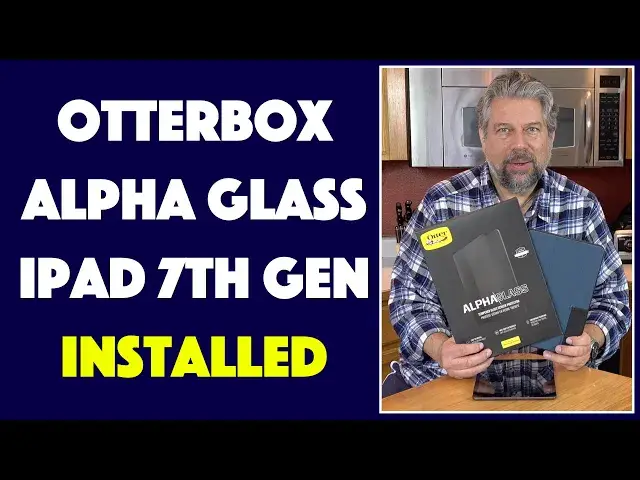
The Apple iPad is a premium tablet, but while it's tough, it's still breakable. Schools that deploy iPads have them in heavy duty cases for just this reason. But if it's your own device, a screen protector might be a smart additional option! When tech expert Dave Taylor of https://www.AskDaveTaylor.com/ bought an iPad 7th Generation for his daughter, he knew he needed protection for the device. Enter OtterBox.
OtterBox sent along its popular Alpha Glass screen protector for the iPad 7th Generation, along with a navy blue Symmetry Folio case. In this video, he goes through the entire installation process for the Alpha Glass screen protector for the iPad, demonstrating the unusual install process. Then he slips the now-protected iPad into the tough OtterBox Symmetry Folio case in color "coastal evening" and it's ready to go! Apple iPad ready for his teenager to tote around on a daily basis!
Learn more about these products at https://www.OtterBox.com/
Show More Show Less View Video Transcript
0:00
Screen Protector and Case for the Apple iPad 7th Generation
0:04
Let's do the install. Dave Taylor here with the Apple iPad 7th Generation
0:17
Now, I just got this for my daughter, so I've been working on different things to help keep it pristine and protected
0:23
Enter Otterbox. Now, they sent us the Alpha Glass Screen Protector for the iPad
0:30
seventh generation. This is a bit of a tricky install, but we're going to go ahead and install it on the iPad
0:36
And then we're going to go and put the iPad with screen protector in this very nice symmetry folio also from Otterbox
0:44
So let's do the hard part first, shall we? Now, step one on any screen protector install that no vendor ever tells you is go wash your hands
0:54
I just did that. Get all those oils off your hand. Any imperfections. Just go
1:00
wash your hands thoroughly, it's a good idea anyway, but it will help you with the install
1:05
Now, let's see, on the smaller versions of this particular screen protector, the Alpha Glass
1:14
it comes with a really nice little case that you can put around, for example, your phone
1:20
I'm gonna push that up, and you can put it around your phone, and then it makes it really easy to center it
1:26
This one does not work that way, so it's a little bit more complicated. Comes with warranty, comes with disclaimers
1:32
We don't need any of that. All of that's gone. So now, what we do need is we do need the actual piece of glass itself
1:39
And that is in here. And as soon as I pick this up, you're going to see, what's all this stuff, right
1:47
So it turns out that it has a protective coat on each side
1:52
And the basic idea is that we're going to install it with hinges, lift the hinge up
1:58
Peel the bottom part off Let it affix and then peel the top part off got that so I just keep pushing things off camera
2:06
So we're not losing anything. I'm just making this a little cleaner so we have a cleaning wipe
2:11
We have a lintless cloth which hopefully we can open up and that we will need and again
2:19
This is probably not the task to do while someone's vacuuming your house
2:23
We have a sticker for that final bit of dust removal and of course we have a sticker for that final bit of dust removal and of course we
2:28
have the protector itself. So we're going to put the protector aside. And what we're going
2:33
to do is we're going to start by cleaning the iPad surface. So start by using the cleaning
2:40
wipe And this is probably just to set expectations This is probably the trickiest screen protector install I ever done It tricky to do it on a really large surface
2:52
because your chances of picking up dust or something obviously are much higher
2:56
So you'll notice I have the screen turned on. I have the iPad turned on
3:02
Some people say you shouldn't do that. I like to do that because I can then see better
3:07
what's going on on the screen surface. So probably not a huge
3:11
huge big deal. If you have like a phone where it is edge to edge screen that definitely helps you
3:18
center everything, but in this case, that's not that big a deal. So we've done that and now
3:24
it's looking pretty good. We're going to use the lint-free cloth just to give it another pass
3:30
just to make sure it's as clean as it can be. And then I'll even use the dust removal sticker
3:37
and otterbox. Thank you for having a rational size. It's amazing. how tiny some of these are with these companies
3:44
And, you know, this is, again, just that final, make sure there's no bits, no oils, nothing
3:51
You really want your screen to be pristine because I can guarantee you that if you put this on
3:57
and you have bits or a little bit of hair or like molecules of dust or something underneath
4:03
super annoying. Okay, we're ready to go. You ready? Now, here's what we want to do
4:10
Take the screen protector and on the bottom there's like a green fingerprint sticker
4:15
We want to put that facing up. So it looks like this, right
4:21
So it fits. Now, it's easy to figure out top and bottom because there's a hole in the bottom
4:27
But what we want to do is we want to peel the blue number one stickers off
4:32
And then once we get this thing perfectly squared in exactly where we want it
4:38
then we put the blue number one stickers off. Then we put those down and then they serve as like a hinge, right
4:44
So now, let's see. I have this. It's pretty close to exactly where I want it
4:51
That looks good. So now I have it hinged, but it is still pretty much in place
4:58
It's not quite right. But I think we can fix that as we go
5:02
It's just a slight bit off. And that's okay. So we're going to lift it up
5:07
And then there's a tab here. This one says number two. So we're going to peel this off
5:13
This is the interior one. And this is pretty critical because now we are putting this directly onto the iPad surface
5:25
And if we done this right it will automatically affix And actually my favorite part of working with these screen protectors is that they just sort of magically do their job And we going to help it along a little bit
5:40
with this lint-free cloth. And we're going to wipe it up and down
5:44
And I can see there's still a couple of spots where there's some air, but we can fix that
5:50
Because now the only piece left to do is to pick up number three
5:55
And this actually peels off all. of this and you take the hinges off and so now we have we've gotten rid of all the stuff
6:04
we don't need and we just have the screen protector on and now I can actually use let's see
6:11
let's get it back to there and now I can use the lint-free cloth to just sort of work out a
6:16
couple of air bubbles is kind of inevitable that it happens not a big deal but move it around
6:22
get it just so and I think my daughter's going to be very happy there we go where
6:28
It is installed. It is ready to go. Looks really nice. So, really, that's it
6:35
So the tricky thing is understanding that those number one tabs are the hinge that goes on the top of the screen protector
6:45
Now, all that I need to do is put it in our case
6:49
And let's just double check that I have the top and bottom correct. I think I do
6:54
So it's a pretty snug fit in the case, which is nice because I'll..
6:58
Otterbox makes these great protective cases. In fact, they supply cases to schools. When the schools
7:05
acquire lots of iPads for their kids, then Otterbox will often come in and actually have
7:11
protective cases. And this is a great case. The back is clear. So if you are a school or a company
7:18
and you have an identity tag or something on the iPad, still be able to see it. It is super
7:24
tough. It has protective buttons over everything. So there's really very little exposed. There's the
7:33
actual jack for your headphones or something. There is at the very top. I'm not exactly sure what
7:39
that serves. I believe that's a microphone for the iPad. And then on the bottom, for speakers and for
7:45
charging. And that's it. So really nice case, really nice screen protector. Everything's all done. It wasn't as
7:54
onerous as I was afraid it would be. And it does have the mag closed. So, you know, it uses a magnet
8:00
So when you open it, it wakes up. When you close it, it goes to sleep. I think my daughter's
8:04
going to be very happy with this. And of course, it also has that whole folding thing. So she wants
8:10
to watch Netflix while she going and doing her schoolwork which is often the case actually then this is totally set up for that So let me tell you about the products now that we done all the install and everything So the glass this is the alpha glass for iPad seventh generation
8:28
It's ultra clear, 9-H anti-shatter, anti-scratch, tempered glass, oleophobic, which means that it's not picking up fingerprints, which is a lovely thing
8:38
It has rounded edges. So even if you didn't put it in a case, it still feels really nice on your fingers
8:44
zero residue if you want to pull it off if you need to do something different totally fine there's no
8:50
residue left it's done so i'm going to come to the prices in just a second then this is the symmetry
8:56
folio comes in a bunch of different colors this is actually the coastal evening starry night is their
9:03
fancy name for black and it features no skid rubber feet so you saw like when i have it in different
9:11
positions it doesn't slide which is nice It also has an Apple pencil holder, which is super handy if you have an Apple pencil or third-party stylus
9:20
The back is clear. It has a microfiber lining here. This is a very nice soft surface, so that helps keep the screen protected too
9:30
And auto sleep, auto-wake, and it even has, where is it somewhere here, it has support on these two holes
9:38
You can actually put a lanyard on it. So there are some companies where they'll have like their iPads
9:43
hanging around their neck as they walk around the shop. This supports that
9:48
Very nice. Now, let's talk about price. But before we get to price, I'm going to ask if you can subscribe to my channel
9:54
really appreciate when you do that. Thank you. Cool. It's just a button
9:58
Just click or tap, right? Thank you. Now, let's see. Let's start with the screen protector itself
10:03
This is the alpha glass for iPad 7th generation, and it's 4995 at otterbox.com
10:12
Then the case itself is the symmetry folio and comes in two different colors and it's
10:19
6995 at otterbox.com. Between the two of these, this is a solid amount of protection that's going to keep this iPad
10:28
way better and way in perfect shape regardless of what craziness my daughter gets up to
10:34
with it. So really great combination. Really appreciate Otterbox sending all this stuff for us to try out
10:40
That's all I got. So I'll catch you in my next video
#Consumer Electronics
#Shopping