Up next in 10



It's becoming widely known and understood that those blue frequency lights coming off your screens are bad for your eyes and your sleep cycle. Hopefully you already know that! But what to do about it? You can use something like Night Shade or Night Shift on your computer, but they make everything orange. Not optimal. Instead Ocushield offers a lineup of anti-blue light screen protectors for devices ranging from your smartphone to your tablet, laptop to work monitor.
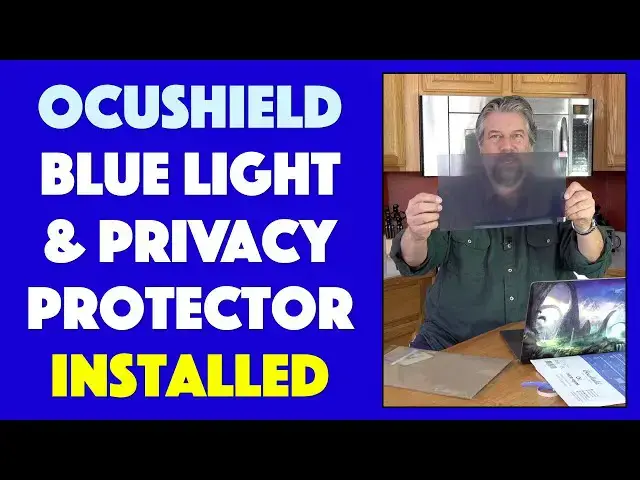
Tech expert Dave Taylor of https://www.AskDaveTaylor.com/ got the Ocushield anti-blue light screen protector and privacy shield for his MacBook Pro. The installation had a bit of a hitch (to say the least) but you'll definitely be able to learn a lot about the Ocushield solution herein!
Learn more after at https://www.Ocushield.com/
Show More Show Less View Video Transcript
0:00
A blue light filter and privacy shield for your MacBook
0:03
Let's check this out. Dave Taylor here, and I want to talk about blue light for a second
0:15
So blue light is a frequency of light that comes out of screens on your computer, your phone, your tablet, your TV, you know, really everywhere
0:24
In fact, it is actually just part of the natural spectrum. And the way it works is it's supposed to help
0:30
cue your body as to when you should sleep and when you should be awake. So if you go to sleep at
0:35
sunset and you wake up at sunrise, then that's all working right. But we don't really do that
0:40
anymore, do we? Right. We look at screens. And so those screens are still giving us that blue
0:46
frequency, which gives you eye strain and headaches, but more importantly, it messes up your
0:52
production of melatonin, which means that you have a harder time falling asleep. So it's kind of a
0:57
real mixed bag having a chance to work on your computer or play a game on your phone or switch or
1:03
TV or whatever when you're trying to also get a decent night sleep enter acu shield so ocu shield
1:10
sent me a couple things but they make blue light filter screens for various devices they even have
1:17
blue light glasses not the most stylish in the world but if you're looking for something that'll help
1:23
that could be another avenue to explore but we're going to look at these specifically
1:27
This is a smartphone shield. We're not going to look at that. We're going to look at this instead
1:32
This is an anti-glare, anti-glare, anti-blue light, and privacy shield for a MacBook Pro
1:41
Perfect, right? So what this does is it actually helps you beat eye strain
1:47
And it doesn't do, you know, the Mac, PCs, phones, Android. They all have these blue light filter software now that can trigger and turn on a
1:57
sunset and turn off at sunrise and everything. But if you've used them, everything turns orange
2:04
So it literally pulls the blue out of the color mix, which isn't really what you want
2:09
You want to get rid of those frequencies that are messing with your sleep cycles
2:14
but it doesn't mean you never want to see the color blue again. So that's where these are really great, because these do much less color shift
2:22
They're really barely noticeable that you have it on at all. So even at night, you're still getting a
2:27
white white and you're still getting you know like 99% accurate colors as opposed to if i use the
2:34
night shift or something on my mac then everything goes orange and red now i'm kind of used to it
2:40
but it's still not an optimal experience and if i'm editing video or working on photos or something i have to
2:47
turn it off so that i see true colors enter these devices so we're going to go ahead and put this one on
2:54
so this is it's a little tricky it's a little trickier than other ones that I've seen. So let's get stuff out of the way. We'll open this up. And the reason
3:03
it's tricky is because the company, and this is a company founded by Droven Patel in England
3:10
he's an ophthalmologist, ophthalmologist. And he actually worked at this from the medical
3:16
perspective because he knows that, you know, all that blue light is really messing up our eyesight
3:21
It really is not good, especially if you have kids. Man, you've got to put something like this on
3:26
So this is a tempered glass solution And let see anything goes in here Nope we got that And it a little tricky on the install because they actually give you the option of having it be easily removable
3:41
Literally, you could just pull it up and put it in, I guess, back in its plastic or something
3:46
Or you can have it be on semi-permanently. It is an adhesive screen, but you don't want it to adhere on the entire screen of your computer
3:54
So it comes with little tabs. It's a little tricky. It's a little tricky in install
3:59
So, let's see. First off, we have the privacy filter itself. You know, you can see as I turn it, it becomes more opaque. And just as a reference point, let me show you that on my Mac, before we install this, even just the slightest angle, you can see everything that's on my screen. So after we've installed this, we'll compare. So let's see, we have the screen. We're going to put that here. And then it comes with all sorts of other
4:29
stuff let's see what else is in here now the instructions are actually on the
4:34
packaging which is kind of interesting so let's get things organized so we're
4:40
ready to do the install so it comes with these which I think these are for if
4:50
you want to take it off these are what they call their holder stickers so part of
4:55
it is sticky and part of it isn't that's gonna be a little tricky to get that
4:59
line up perfectly and then they have these little guys and I'm not sure what
5:05
those are those might also be holder stickers of a different size we have dust
5:09
removal stickers and I just want to say look how little this is versus how big
5:14
that screen is maybe bigger dust removal stickers would be made more logical and
5:20
then it has two sets of these and these are the let's see double-sided tape so
5:26
the idea of this is that I'm going to put these around the edges of the screen and it has front side and backside so let's see there's no
5:37
cut out there's no anything for having my screen in fact they sent me the wrong size this is a little
5:46
awkward so um i guess what i'll do is i'll install it anyway knowing it's the wrong size because
5:55
then you can at least see how it works and then i will reach out to the company
5:59
and you will get the right size and I will at least have my computer have the right screen size on it
6:04
But I want to show you how this all works. So apparently they sent me, let's see what this is
6:09
This is the 15.6 inch wide screen, but it's not tall enough
6:15
That's the problem with all of these screen protectors is there's so many different sizes and so many different dimensions
6:21
But let's get into it. Two different attachment options. So we pick up the clear sticker on the yellow
6:29
yellow backing paper. Apply, let's see, I think if this is the front side and this is the back side, then I think we need to install it on the backside
6:42
So we're going to peel this off. And now I'm going to take these stickers
6:54
They're not really stickers, they're really two-sided tape. just going to put them on the edges and I'm assuming that once I put it on, yep, then
7:04
the other piece comes off So now you can probably not see but if you could see right here right by my finger is a piece of two tape So that ready to go So I going to just duplicate that
7:17
and we'll just do it on the four sides because obviously since this is the wrong size
7:23
it will give us a great demo of what it looks like with and without this, but it's not really
7:28
optimal for long-term use. So, you know, so it goes. Obviously, if you experience
7:35
this, whoops, that one didn't get, it's sticky. If you experience this with this product
7:40
then they would promptly replace it with the correct size. I'm just rolling forward because
7:45
it's kind of interesting, right? So, you know, when life gives you lemons, then don't complain
7:50
just make lemonade. That's what we're doing right here. So I have all four on. I will
7:56
peel off the backings so that we have the sticky. And then
8:05
And obviously, I am actually skipping two steps that are really important
8:10
Number one, and no company ever tells you this. I don't know why. Wash your hands thoroughly before you start
8:15
Get those oils off your fingers. I did that off camera. You don't want to watch me wash my hands, right
8:21
Also good to prevent virus infection. So there's that. And number two, clean your screen really well
8:28
This is not quite as bad as a lot of screen protectors, because by using the double-sided tape
8:33
it's not quite so, you know, stuck on there forever, but you still want to clean it really well
8:40
And that's why they include the dust remover, and that's why they have the lint-free cloth and everything, right
8:45
So now, let me maybe turn this around a little bit so you can see a little bit of what I'm doing
8:51
I'm just going to go ahead and I'm going to go and put this on
8:56
And I guess I'll just center the whole thing, because it is, as I said, not quite the right size, unfortunately
9:02
but I'm going to center it and then just give a gentle little push to the four sides
9:09
the spots where I had the tape. So now when I have it straight on, you can see that the privacy feature is fantastic
9:20
Look at that. Even at that angle, it's gone. You can only see the part that isn't covered by the screen protector
9:26
But I'm not done because I get to take another piece off, I think. Let's see
9:30
Yep. So now with that installed, there's another layer of protection or protective film that I can take off
9:40
And it's pretty strong. So I'm going to have to again readhere these corners of the two-sided tape
9:49
And make sure we got it all going. And so that's it
9:54
It is installed. So you can see the privacy filter is fantastic
10:00
nice. I really like that. You know, the fact that it's not quite the right size and I got a little
10:05
bit on the top and a little bit on the bottom. That's just the wrong product. That's an easily
10:09
solved problem. This is just a communication issue between me and the company. So not a big deal
10:14
at all. I don't take any points off for that because I know they have the right size for this computer
10:19
Just didn't get it. So I guess I could pop open my phone and we can put this one on, but this
10:25
one I know is the right size because it says so. But I want to come back to this because
10:28
there's two things that it's doing, right? So it's giving me that privacy and that's working
10:33
fantastic. But then you get to the question of, well, what's it doing with blue? So I'm going to
10:39
try to get this straight on and you can see hopefully this is the BBC homepage There nothing weird about the colors right But now let me turn on night shift which is you know the Apple Mac product that gives you the let see it gives you that blue light protection
11:00
And now hopefully you can see everything's gone a little orange, right? So it's really awkward to work with the privacy shield from upside down
11:10
Let me get the mouse in just the right place. Okay, so I should be able to show you
11:15
So this is with night shift on and that's with it off
11:19
So hopefully you can see everything becomes whiter. But even in this mode, I'm still not getting as much blue light because of the blue light filter
11:27
So super cool. Really like it. So that's what I got. It's installed
11:32
Look at that privacy shield rock in there, right? You'd swear that my screen was just off, right
11:38
This is nice because I don't really want. want everyone in on the airplane on the train in the cafe even at work I don't want
11:45
everyone staring at my screen all the time so I really really need to get the right
11:49
size one but this turned out to be a great demo because again you can really see
11:54
the difference of where it isn't and where it is right so really great solution
12:00
here let me tell you just a tiny bit more about it is that it's tempered glass it's
12:04
anti glare and it's anti-bacterial I've never seen a screen protector that's
12:08
anti-bacterial. Pretty interesting idea, but I guess it's logical, right? And it's medically rated
12:14
So there's something called the Medicines and Healthcare Products Regulatory Agency in the UK
12:20
Remember, Druven Patel, who actually created this Ocuxield product, is from the UK
12:26
So this is a medically rated MHRA accredited medical product that will help you with your eyesight and
12:34
that blue light and everything. So pretty sweet, pretty cool. Now, price the only thing left to talk about and before we get there I want to ask if you can subscribe to my channel
12:45
thank you very good now this MacBook size or I should say the correct one that is correct size
12:52
this is probably the same price though this is 5499 for the MacBook and the little guy for your
13:00
phone which might even be more important because it might be more important to get this to not have
13:06
blue light because you're probably looking at your phone pretty late into the night, right
13:10
This is 3499 and it is the same sort of thing of a blue, anti-blue light screen protector
13:18
And this one says right on top for the iPhone 11 Pro 10S and 10
13:23
So this one, I have a very high degree of confidence. It'll be exactly the right size
13:28
But this one proves to be a great demo. And with that, that's all I got
13:32
You can check them all out. It comes for the iPhone or the San Francisco. Samsung and all of these products you can learn more about at Ocashield.com
13:41
Definitely worth checking out. A little embarrassing that it's the wrong size, but we made lemonade out of that lemon
13:47
and it came to be a great demo, and you can see just how well it works as a privacy shield, too
13:52
So with that, I'm going to go fix things up, which means I'll catch you in my next video
#Consumer Electronics
#Vision Care
#Shopping